Best ASUS Gaming Laptops with 32GB RAM: 15 Spec-Based Picks
As an Amazon Associate we earn from qualifying purchases. Links on this page are affiliate links.
Finding the best ASUS gaming laptops with 32GB RAM requires looking at the actual hardware specs rather than marketing claims. We compared 15 models based strictly on the specifications published on their listings. Our top pick is the ASUS ROG Strix 18 144Hz Gaming Laptop, which leads because it offers a large 18-inch screen paired with robust cooling for sustained performance. This guide helps you decide which chassis size, display refresh rate, and processor combination fits your specific gaming and multitasking needs.
Quick picks
The best fit for you
- You want an 18-inch display for desktop replacement gaming ASUS ROG Strix 18 144Hz Gaming Laptop This model features an expansive 18-inch 144Hz display and 32GB of DDR5 RAM in a full-sized chassis.
- You need a lightweight and portable gaming 2-in-1 ASUS ROG Flow Z13 13.4" 2-in-1 Gaming Laptop It weighs 2.65 pounds and provides a 13.4-inch touchscreen design with 32GB RAM.
- You want a compact 14-inch laptop with OLED visuals ASUS ROG Zephyrus G14 14" RTX 5070 Ti Laptop It features a 14-inch 3K OLED screen paired with an RTX 5070 Ti and a 2TB SSD.
- You need top-tier graphics power with an RTX 5090 ASUS ROG Strix Scar 18 RTX 5090 Gaming Laptop It combines an RTX 5090 GPU with an 18-inch 240Hz Mini LED screen and 32GB RAM.
Our 15 picks

ASUS ROG Strix 18 144Hz Gaming Laptop
Best for: Large screen gaming with high memory capacity
- Memory
- 32GB RAM (what this guide is about)
- Graphics Card
- NVIDIA GeForce RTX 5070
- Processor
- Intel Core i9 Processor 14900HX
- Storage Capacity
- 1TB PCIe Gen 4 SSD
- Screen Size
- 18"
- Refresh Rate
- 144Hz
This 18-inch gaming laptop pairs an Intel Core i9-14900HX processor with an NVIDIA GeForce RTX 5070 GPU. It includes 32GB of DDR5-5600MHz RAM and a 1TB PCIe Gen 4 SSD. The FHD+ display runs at 144Hz with a 3ms response time. The vapor chamber cooling and liquid metal thermal interface keep the system stable during heavy loads. It suits players who need large screen real estate and high memory capacity for multitasking.
Pros
- Intel Core i9-14900HX processor for high-level performance
- 32GB DDR5-5600MHz RAM for seamless multitasking
- 1TB PCIe Gen 4 SSD with up to 7,000MB/s throughput
- End-to-end vapor chamber and liquid metal cooling
- 18-inch FHD+ 144Hz display with anti-glare coating
Cons
- 144Hz refresh rate is lower than the 240Hz or 300Hz panels on other list models
- FHD+ resolution is lower than the 2.5K or 3K screens found on competitors
- 10-pound weight and 0.93-inch thickness make it bulky for travel
Good fit if
- You want the largest possible screen for immersive gaming
- You need 32GB of RAM for heavy multitasking
- You prefer high-end thermal solutions like vapor chambers
Skip if
- You prioritize high refresh rates above 144Hz
- You need a 2.5K or higher resolution display
- You require a lightweight laptop for frequent transport
Verdict: ASUS ROG Strix G18 18" 144Hz is a powerful desktop replacement for gamers who value screen size and robust cooling over portability and ultra-high resolution. It fits users who want maximum memory and processing power in a large chassis.

ASUS ROG Flow Z13 13.4" 2-in-1 Gaming Laptop
Best for: portable 2-in-1 gaming and mobile productivity
- Memory
- 32GB RAM (what this guide is about)
- Graphics Card
- RDNA 3.5 graphics
- Processor
- AMD Ryzen AI MAX+ 395
- Storage Capacity
- 1TB SSD
- Screen Size
- 13.4"
- Refresh Rate
- 180Hz
View on Amazon: ASUS ROG Flow Z13 13.4" 2-in-1 Gaming Laptop
The ASUS ROG Flow Z13 is a compact 13.4-inch 2-in-1 convertible built for portable computing and gaming. It pairs an AMD Ryzen AI MAX+ 395 processor with 32GB of high-speed LPDDR5X memory and integrated RDNA 3.5 graphics. The 2.5K 180Hz touchscreen offers fast refresh rates in a lightweight 2.65-pound tablet-style chassis. It suits you if you need high portability.
Pros
- 13.4-inch 2.5K WQXGA touchscreen with 180Hz refresh rate and 3ms response time
- 32GB LPDDR5X 8000MHz quad-channel memory
- Lightweight 2.65-pound body with 170° adjustable kickstand
- AMD Ryzen AI MAX+ 395 16-core processor with 50 TOPS NPU
Cons
- Relies on integrated RDNA 3.5 graphics instead of a dedicated GPU
- Compact 13.4-inch display provides less screen space than standard sizes
Good fit if
- You want a lightweight 2.65-pound convertible 2-in-1 for travel.
- You need a fast 180Hz 2.5K touchscreen display.
- You want 32GB of high-speed RAM in an ultra-portable format.
Skip if
- You need a dedicated discrete graphics card for demanding games.
- You prefer a larger 16-inch or 18-inch screen for your setup.
Verdict: ASUS ROG Flow Z13 13.4" 2-in-1 Gaming Laptop delivers ultra-portable versatility with its 180Hz touchscreen, 32GB RAM, and 16-core AMD processor. It provides tablet flexibility and integrated graphics power in a 2.65-pound design.

ASUS ROG Strix G16 RTX 5070 Ti Gaming Laptop
Best for: high-refresh 2.5K gaming and heavy multitasking
- Memory
- 32GB RAM (what this guide is about)
- Graphics Card
- NVIDIA GeForce RTX 5070 Ti
- Processor
- Intel Core Ultra 9 Processor 275HX
- Storage Capacity
- 1TB SSD
- Screen Size
- 16"
- Refresh Rate
- 240Hz
View on Amazon: ASUS ROG Strix G16 RTX 5070 Ti Gaming Laptop
This ASUS 16-inch gaming laptop pairs an Intel Core Ultra 9 275HX processor with an NVIDIA GeForce RTX 5070 Ti GPU. For memory-heavy workflows, you get 32GB of DDR5-5600MHz RAM alongside a 1TB PCIe Gen 4 SSD. The 2.5K 240Hz display delivers fast refresh rates for competitive play. It suits you if you need fast processing, high memory capacity, and responsive graphics.
Pros
- Intel Core Ultra 9 275HX processor
- NVIDIA GeForce RTX 5070 Ti graphics
- 32GB DDR5-5600MHz system memory
- 16-inch 2.5K 240Hz 3ms display
- Tri-fan cooling with vapor chamber
Cons
- Weighs 5.84 pounds
- Base storage limited to 1TB SSD
Good fit if
- You need 32GB RAM for heavy multitasking and demanding titles.
- You want a 240Hz 2.5K display for fast-paced gaming.
- You prefer dedicated RTX 5070 Ti graphics with an Intel Core Ultra 9 CPU.
Skip if
- You want an ultra-light machine under 5 pounds for daily carrying.
- You need more than 1TB of factory-installed storage.
Verdict: ASUS ROG Strix G16 RTX 5070 Ti combines an Intel Core Ultra 9 processor, 32GB of DDR5 RAM, and a 240Hz 2.5K panel for high-demand computing. Its 5.84-pound build prioritizes cooling and sustained hardware output over portability.

ASUS ROG Strix G16 RTX 5080 Gaming Laptop
Best for: High-performance gaming and upgrades
- Memory
- 32GB RAM (what this guide is about)
- Graphics Card
- NVIDIA GeForce RTX 5080
- Processor
- Intel Core Ultra 9 290HX Plus
- Storage Capacity
- 1TB PCIe Gen4 SSD
- Screen Size
- 16
- Refresh Rate
- 240Hz
The ASUS ROG Strix G16 (2026) pairs an Intel Core Ultra 9 processor with an NVIDIA GeForce RTX 5080 GPU. It includes 32GB of DDR5 memory and a 1TB PCIe Gen 4 SSD. The 16-inch 2.5K display offers a 240Hz refresh rate. This configuration supports high frame rates and multitasking. You get a capable machine for demanding gaming sessions. The tool-free access allows for easy hardware upgrades.
Pros
- NVIDIA GeForce RTX 5080 GPU with DLSS 4
- 32GB DDR5-5600MHz memory for seamless multitasking
- 16-inch 2.5K display with 240Hz refresh rate
- Tool-free access for RAM and SSD upgrades
Cons
- 3.89-pound weight adds bulk for travel
- 0.9-inch thickness limits portability
- No mention of Thunderbolt 5 support
Good fit if
- You need high-end graphics for modern titles
- You want easy access to internal components
- You prefer a 16-inch 2.5K screen
Skip if
- You prioritize a lightweight portable build
- You need a touchscreen display
- You require a 14-inch form factor
Verdict: ASUS ROG Strix G16 RTX 5080 delivers top-tier performance for gamers who value upgradeability and high refresh rates. It suits those who want a powerful desktop replacement with a 16-inch display.

ASUS ROG Strix G16 RTX 5060 Gaming Laptop
Best for: 16-inch gaming with 32GB RAM and 240Hz display
- Memory
- 32GB RAM (what this guide is about)
- Graphics Card
- NVIDIA GeForce RTX 5060 Laptop GPU
- Processor
- Intel Core Ultra 9 Processor 275HX
- Storage Capacity
- 1TB PCIe Gen 4 SSD
- Screen Size
- 16"
- Refresh Rate
- 240Hz
This 16-inch gaming laptop pairs an Intel Core Ultra 9 275HX processor with 32GB of DDR5-5600MHz RAM. It features an NVIDIA GeForce RTX 5060 GPU and a 2.5K display with a 240Hz refresh rate. The 1TB PCIe Gen 4 SSD provides ample storage. You get a robust cooling system with a vapor chamber. It suits gamers who need high frame rates and strong multitasking power in a standard chassis.
Pros
- Intel Core Ultra 9 275HX processor for high performance
- 32GB DDR5-5600MHz RAM for seamless multitasking
- 240Hz 2.5K ROG Nebula display with 3ms response time
- RTX 5060 Laptop GPU with DLSS 4 support
- 1TB PCIe Gen 4 SSD for fast storage access
Cons
- RTX 5060 GPU is lower tier than the RTX 5070 or 5070 Ti found in other list picks
- 6.02-pound weight makes it heavier than 14-inch competitors
- 16-inch screen size is less portable than 13.4-inch or 14-inch models
Good fit if
- You prioritize high refresh rate gaming on a 16-inch screen
- You need 32GB of RAM for heavy multitasking alongside gaming
- You want a balance of performance and portability in a mid-size chassis
Skip if
- You require the highest-end RTX 5070 or 5070 Ti graphics
- You prefer a lighter 14-inch or convertible 13.4-inch form factor
- You need a larger 18-inch display for immersive viewing
Verdict: ASUS ROG Strix G16 2025 delivers strong 16-inch gaming performance with its 240Hz display and 32GB of RAM. It fits users who want a capable mid-size machine without stepping up to the heaviest 18-inch models or the most powerful GPUs.

ASUS ROG Strix 18 RTX 5060 Gaming Laptop
Best for: large-screen gaming and easy hardware upgrades
- Memory
- 32GB RAM (what this guide is about)
- Graphics Card
- NVIDIA GeForce RTX 5060
- Processor
- Intel Core Ultra 9 275HX
- Storage Capacity
- 1TB PCIe Gen 4 SSD
- Screen Size
- 18"
- Refresh Rate
- 240Hz
This ASUS ROG Strix 18 desktop replacement pairs 32GB of DDR5-5600MHz RAM with an Intel Core Ultra 9 275HX processor and an RTX 5060 graphics card. Its 18-inch 2.5K Mini LED display features a 240Hz refresh rate and over 2,000 dimming zones. Tool-free latch access lets you service memory and storage quickly. It suits you if you want a massive high-refresh screen and easy hardware maintenance for intensive gaming sessions.
Pros
- 32GB DDR5-5600MHz RAM and fast 1TB PCIe 4.0 SSD
- 18-inch 2.5K Mini LED screen with 240Hz refresh rate and 3ms response
- Tool-free bottom latch for quick RAM, SSD, and fan access
- Tri-fan vapor chamber cooling with liquid metal thermal interface
Cons
- Weighs 6.28 pounds with a large 15.7-inch footprint
- Features an entry-tier RTX 5060 graphics chip alongside a flagship processor
Good fit if
- You want an expansive 18-inch 240Hz Mini LED panel for fast-paced gaming.
- You prioritize simple, tool-free hardware maintenance and component access.
- You run multitasking workloads that benefit from 32GB of DDR5 memory.
Skip if
- You need a lightweight machine designed for daily portable use.
- You require higher GPU tier performance than the RTX 5060 provides.
Verdict: ASUS ROG Strix 18 RTX 5060 Laptop delivers an expansive 18-inch 240Hz Mini LED display and simple memory access in a heavy-duty chassis. It is a capable desktop substitute if you prioritize display quality and upgradeability over portable graphics power.

ASUS ROG Strix 16 RTX 5070 Ti Gaming Laptop
Best for: high-performance gaming and content creation
- Memory
- 32GB RAM (what this guide is about)
- Graphics Card
- NVIDIA GeForce RTX 5070 Ti 12GB GDDR7
- Processor
- AMD Ryzen 9 8940HX
- Storage Capacity
- 2TB SSD
- Screen Size
- 16’’
- Refresh Rate
- 165Hz
The ASUS ROG Strix G16 pairs an AMD Ryzen 9 8940HX processor with an NVIDIA GeForce RTX 5070 Ti GPU. It includes 32GB of DDR5 RAM and a 16-inch WUXGA display with a 165Hz refresh rate. This configuration supports demanding gaming and creative workloads. The laptop features a vapor chamber cooling system and a 2TB SSD for fast storage. It suits users who need strong desktop-level performance in a portable form factor.
Pros
- RTX 5070 Ti with 12GB GDDR7 VRAM and 140W TGP
- AMD Ryzen 9 8940HX processor with up to 5.3 GHz boost
- 16-inch WUXGA display with 165Hz refresh rate and 100% sRGB coverage
- 32GB DDR5 RAM and 2TB SSD storage
Cons
- WUXGA resolution is lower than the 2.5K screens on other list models
- LED display lacks HDR support found in premium competitors
- 5.51-pound weight is heavier than compact 14-inch alternatives
Good fit if
- You want high frame rates in modern titles with ray tracing
- You need ample 32GB RAM for multitasking and editing
- You prefer a 16-inch screen with a 165Hz refresh rate
Skip if
- You require a 2.5K or 3K display resolution
- You need HDR brightness for content creation
- You prioritize the lightest possible portable build
Verdict: ASUS ROG Strix G16 RTX 5070 Ti delivers powerful gaming performance with its 140W GPU and 32GB RAM, making it ideal for players who prioritize frame rates over screen resolution.
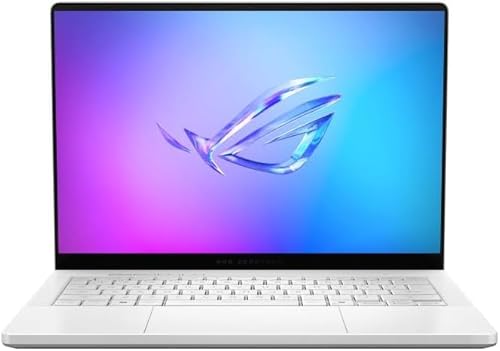
ASUS ROG Zephyrus G14 14" RTX 5080
Best for: Portable high-performance gaming and content creation
- Memory
- 32GB RAM (what this guide is about)
- Graphics Card
- NVIDIA GeForce RTX 5080
- Processor
- AMD Ryzen AI 9 HX 370
- Storage Capacity
- 2TB PCIe 4.0 SSD
- Screen Size
- 14"
- Refresh Rate
- 120Hz
The ASUS ROG Zephyrus G14 pairs a 14-inch 3K OLED display with an AMD Ryzen AI 9 HX 370 processor and NVIDIA GeForce RTX 5080 graphics. It includes 32GB of LPDDR5X RAM and a 2TB PCIe 4.0 SSD. This compact laptop suits users who need high performance in a portable form factor. The 120Hz refresh rate and OLED panel deliver sharp visuals for gaming and content creation on the go.
Pros
- 14-inch 3K OLED display with 120Hz refresh rate
- AMD Ryzen AI 9 HX 370 processor with 12 cores
- NVIDIA GeForce RTX 5080 graphics card
- 32GB LPDDR5X RAM running at up to 8000MHz
- 2TB PCIe 4.0 SSD for fast storage
Cons
- 120Hz refresh rate is lower than the 240Hz or 300Hz panels found on other Strix models
- 14-inch screen size is smaller than the 16-inch or 18-inch options in this list
- LPDDR5X RAM is soldered and cannot be upgraded later
Good fit if
- You prioritize portability and want a 14-inch laptop
- You need top-tier graphics performance in a compact chassis
- You value high-resolution OLED visuals for media and gaming
Skip if
- You require a refresh rate higher than 120Hz
- You need a larger 16-inch or 18-inch display
- You plan to upgrade the RAM after purchase
Verdict: ASUS ROG Zephyrus G14 14" 3K OLED is a powerful portable option for users who want high-end specs in a compact 14-inch body. It fits those who value screen quality and portability over maximum refresh rates or larger displays.

ASUS Vivobook 16 Flip OLED 2-in-1 Laptop
Best for: Everyday multitasking and portable OLED productivity
- Memory
- 32GB RAM (what this guide is about)
- Processor
- Intel Core Ultra 7 258V
- Storage Capacity
- 1TB PCIe SSD
- Screen Size
- 16-inch
- Display Resolution
- 1920x1200
- Dimensions
- 14 × 9.62 × 0.67 inches
This 2-in-1 convertible laptop pairs an 8-core Intel Core Ultra 7 258V processor with 32GB of LPDDR5x memory and a 1TB PCIe SSD. You get a flexible 16-inch 1920x1200 OLED panel alongside Wi-Fi 7 connectivity. It suits you if you want high-capacity system memory for productivity, creative workloads, and casual gaming without traditional gaming rig bulk.
Pros
- 32GB LPDDR5x memory for heavy multitasking
- 16-inch WUXGA OLED display with 95% DCI-P3 coverage
- Intel Core Ultra 7 258V processor with 47 TOPS NPU
- Wi-Fi 7, Bluetooth 5.4, and Thunderbolt 4 connectivity
Cons
- No dedicated graphics card listed in specifications
- Display resolution capped at 1920x1200
- Laptop was opened and resealed for an aftermarket SSD upgrade
Good fit if
- You need a versatile 2-in-1 form factor with a 16-inch OLED screen.
- You run memory-heavy software and want 32GB of LPDDR5x RAM.
- You prioritize portability at 3.97 pounds with Wi-Fi 7 support.
Skip if
- You require a dedicated graphics processor for heavy 3D gaming.
- You want an untouched factory build rather than a resealed upgraded unit.
- You prefer a high-resolution 2.5K or 3K display.
Verdict: ASUS Vivobook 16 Flip 2-in-1 Laptop delivers 32GB of fast LPDDR5x RAM and an OLED touchscreen to users who need versatile everyday performance instead of a dedicated graphics processor.

ASUS ROG Strix Scar 18 RTX 5090 Gaming Laptop
Best for: high-end desktop-replacement gaming and large-screen productivity
- Memory
- 32GB RAM (what this guide is about)
- Graphics Card
- NVIDIA GeForce RTX 5090
- Processor
- Intel Core Ultra 9 275HX
- Storage Capacity
- 2TB PCIe Gen 4 SSD
- Screen Size
- 18"
- Refresh Rate
- 240Hz
View on Amazon: ASUS ROG Strix Scar 18 RTX 5090 Gaming Laptop
This 18-inch machine pairs an Intel Core Ultra 9 275HX processor with an NVIDIA GeForce RTX 5090 GPU running at 175W TGP. You get 32GB of DDR5 memory alongside a 2TB PCIe Gen 4 SSD for heavy workloads and gaming. Its Mini LED panel delivers a 2.5K resolution at a 240Hz refresh rate. It suits you if you need top-tier processing power with tool-free internal access.
Pros
- NVIDIA GeForce RTX 5090 GPU with 175W TGP
- 18-inch 2.5K 240Hz Mini LED display with 2,000+ dimming zones
- Tool-free latch to access RAM, SSD, and fans
- 2TB PCIe Gen 4 SSD with 32GB DDR5 memory
Cons
- Weighs 6.28 pounds, limiting portability
- Large 15.7-inch by 11.7-inch footprint requires substantial desk space
Good fit if
- You want an 18-inch Mini LED display with a 240Hz refresh rate.
- You need high-end graphical power via a 175W RTX 5090.
- You prefer tool-free access to upgrade storage and memory.
Skip if
- You need a lightweight laptop for frequent travel.
- You work in tight spaces where a 15.7-inch chassis is too large.
Verdict: ASUS ROG Strix SCAR 18 RTX 5090 Gaming Laptop delivers flagship gaming hardware, combining a 175W RTX 5090 with a responsive 240Hz Mini LED screen. Its tool-free latch makes maintaining 32GB of DDR5 memory and 2TB of storage straightforward.
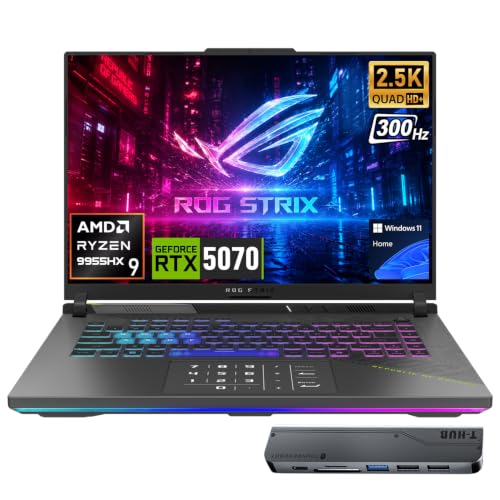
ASUS ROG Strix G16 RTX 5070 Gaming Laptop
Best for: high-refresh esports gaming and heavy multitasking
- Memory
- 32GB RAM (what this guide is about)
- Graphics Card
- GeForce RTX 5070
- Processor
- AMD Ryzen 9 9955HX
- Storage Capacity
- 1TB SSD
- Screen Size
- 16
- Refresh Rate
- 300Hz
This ASUS ROG Strix G16 pairs 32GB of DDR5 memory with an AMD Ryzen 9 9955HX processor and an NVIDIA GeForce RTX 5070 graphics card. You get a 16-inch 2560x1600 IPS display featuring a 300Hz refresh rate for fast-motion clarity. With 1TB of solid-state storage and dual USB4 ports, this setup serves you well if you need high-refresh competitive gaming and heavy multitasking performance.
Pros
- GeForce RTX 5070 GPU with 8GB GDDR7 memory
- Fast 300Hz refresh rate on 2560x1600 IPS display
- 16-core AMD Ryzen 9 9955HX processor
- Two 40Gbps USB4 Type-C ports
Cons
- Weighs 5.51 pounds and measures 1.2 inches thick
- Includes 1TB of storage rather than a larger 2TB drive
Good fit if
- You play fast-paced competitive games that benefit from a 300Hz refresh rate.
- You run demanding multithreaded applications alongside your games.
- You need dual high-speed 40Gbps USB4 ports for external gear.
Skip if
- You want a slim, lightweight laptop that is easy to carry daily.
- You need more than 1TB of SSD capacity immediately without adding drives.
Verdict: ASUS ROG Strix G16 16" RTX 5070 Laptop delivers a 300Hz 2.5K screen and a 16-core Ryzen 9 9955HX processor backed by 32GB of RAM. It gives you capable modern graphics and high-refresh speed in a full-sized gaming chassis.
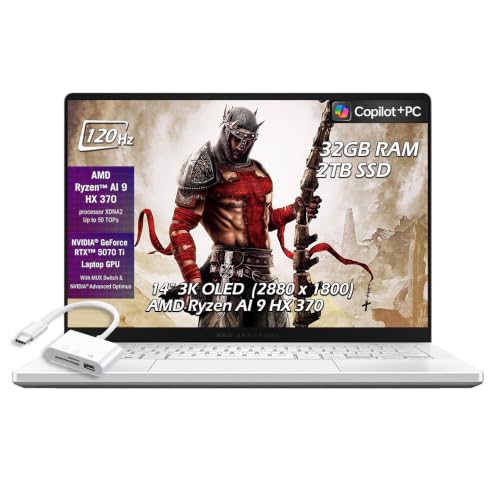
ASUS ROG Zephyrus G14 14" RTX 5070 Ti Laptop
Best for: portable gaming with a 3K OLED display
- Memory
- 32GB RAM (what this guide is about)
- Graphics Card
- NVIDIA GeForce RTX 5070 Ti 12GB GDDR7
- Processor
- AMD Ryzen AI 9 HX 370
- Storage Capacity
- 2TB SSD
- Screen Size
- 14"
- Refresh Rate
- 120Hz
View on Amazon: ASUS ROG Zephyrus G14 14" RTX 5070 Ti Laptop
This compact gaming laptop pairs a 14-inch 3K OLED 120Hz display with an AMD Ryzen AI 9 HX 370 processor. You get 32GB of high-speed LPDDR5X RAM alongside a 2TB SSD for storage. An NVIDIA GeForce RTX 5070 Ti graphics chip provides 12GB of dedicated GDDR7 memory. This machine suits you if you need a slim 0.63-inch portable system that delivers dense pixel resolution alongside modern hardware specifications.
Pros
- NVIDIA GeForce RTX 5070 Ti graphics with 12GB GDDR7 memory
- 32GB LPDDR5X 8000MHz RAM and 2TB SSD storage
- 14-inch 2880 x 1800 3K OLED panel with 120Hz refresh rate
- Slim profile measuring 0.63 inches thick
Cons
- 120Hz refresh rate is lower than the 240Hz or 300Hz options on larger models
- Smaller 14-inch display provides less screen space than 16-inch or 18-inch options
Good fit if
- You want a compact 14-inch laptop with a 2880 x 1800 OLED screen.
- You need 32GB LPDDR5X memory paired with 2TB of solid-state storage.
- You want an RTX 5070 Ti graphics chip inside a thin 0.63-inch chassis.
Skip if
- You want a display refresh rate higher than 120Hz.
- You prefer a larger 16-inch or 18-inch screen size.
Verdict: ASUS ROG Zephyrus G14 14-Inch RTX 5070 Ti delivers strong graphics and 32GB RAM in a 0.63-inch profile. Its 3K OLED panel provides sharp visuals for users prioritizing portability.

ASUS ROG Strix G18 18-Inch RTX 5060 Laptop
Best for: large-screen gaming and intensive multitasking
- Memory
- 32GB RAM (what this guide is about)
- Graphics Card
- NVIDIA GeForce RTX 5060
- Processor
- AMD Ryzen 9 7940HX
- Storage Capacity
- 1TB PCIe Gen 4 SSD
- Screen Size
- 18"
- Refresh Rate
- 240Hz
The ASUS ROG Strix G18 pairs an 18-inch 2.5K display with 32GB of DDR5 memory and an AMD Ryzen 9 7940HX processor. Built with an NVIDIA GeForce RTX 5060 GPU and a 1TB PCIe Gen 4 SSD, this machine handles multitasking and fast-paced visual workloads. You get a 240Hz refresh rate and a MUX switch with Advanced Optimus for fluid frame delivery, making it ideal if you need massive desktop-level screen space.
Pros
- 18-inch 2.5K ROG Nebula display with 240Hz refresh rate and 500 nits brightness
- AMD Ryzen 9 7940HX processor with 32GB DDR5-5200MHz memory
- 1TB PCIe Gen 4 SSD storage
- MUX Switch with Advanced Optimus and tri-fan cooling system
Cons
- Heavy 11.2-pound weight makes it difficult to transport
- Equipped with an RTX 5060 GPU rather than higher-tier options
Good fit if
- You want a large 18-inch 240Hz display for gaming and media.
- You need 32GB of DDR5 RAM to support heavy multitasking.
- You want the performance benefit of a built-in MUX switch.
Skip if
- You need a lightweight laptop that is easy to carry daily.
- You want higher-tier graphics performance beyond the RTX 5060.
Verdict: ASUS ROG Strix G18 18" RTX 5060 gives you an expansive 240Hz display backed by 32GB of DDR5 RAM and an AMD Ryzen 9 processor. It delivers desktop-grade workspace and smooth visual performance if you do not mind its heavy chassis.

ASUS TUF 16-Inch Ryzen 7 Gaming Laptop
Best for: 1200p gaming with 32GB DDR5 memory
- Memory
- 32GB RAM (what this guide is about)
- Graphics Card
- AMD Radeon RX 7700S
- Processor
- AMD Ryzen 7 7735HS
- Storage Capacity
- 1TB PCIe M.2 SSD
- Screen Size
- 16"
- Refresh Rate
- 165Hz
This ASUS TUF 16-inch gaming laptop pairs an AMD Ryzen 7 7735HS processor with 32GB of DDR5 memory and a 1TB SSD. You get a 16:10 FHD+ anti-glare display running at 165Hz for fluid frame rates. Built with Windows 11 Pro and broad wired port selection, it suits you if you want dependable multitasking and smooth gameplay.
Pros
- 32GB DDR5 memory handles heavy multitasking
- 16-inch FHD+ 165Hz display with 16:10 aspect ratio
- Preinstalled Windows 11 Pro operating system
- Includes RJ-45 LAN, HDMI, and Thunderbolt 4 ports
Cons
- 1920 x 1200 resolution is lower than 2.5K and 3K options
- Weighs 4.85 pounds and measures 0.87 inches thick
Good fit if
- You need 32GB of DDR5 RAM for simultaneous gaming and background apps.
- You prefer a 16:10 display with a 165Hz refresh rate for fast-paced titles.
- You require Windows 11 Pro management tools and security features.
Skip if
- You want a sharper 2.5K or OLED screen.
- You prioritize an ultraportable build under four pounds.
Verdict: ASUS TUF 16 Ryzen 7 Gaming Laptop combines a 165Hz FHD+ screen and 32GB DDR5 RAM with Windows 11 Pro. It suits gamers who need reliable 1200p performance and high-memory productivity without higher display overhead.

ASUS ROG Strix Scar 18 RTX 5070 Ti Laptop
Best for: desktop replacement gaming
- Memory
- 32GB RAM (what this guide is about)
- Graphics Card
- NVIDIA GeForce RTX 5070 Ti
- Processor
- Intel Core Ultra 9 275HX
- Storage Capacity
- 1TB PCIe SSD
- Screen Size
- 18"
- Refresh Rate
- 240Hz
This 18-inch ASUS ROG Strix Scar 18 delivers high-end gaming performance with an Intel Core Ultra 9 275HX processor and 32GB of DDR5-5600MHz RAM. It features an NVIDIA GeForce RTX 5070 Ti GPU and a 2.5K 240Hz Mini LED display. The 1TB PCIe Gen 4 SSD provides fast storage. You will appreciate the robust cooling system and tool-free access for upgrades. It suits users who need a large, powerful machine for intensive tasks.
Pros
- Intel Core Ultra 9 275HX processor for top-tier performance
- 32GB DDR5-5600MHz RAM for seamless multitasking
- 18-inch 2.5K 240Hz Mini LED display with HDR
- NVIDIA GeForce RTX 5070 Ti graphics card
- 1TB PCIe Gen 4 SSD with up to 7,000MB/s throughput
Cons
- Heavy at 6.28 pounds, making it less portable
- Large 18-inch screen limits desk space
- Thick 0.93-inch chassis reduces portability
Good fit if
- You want a large, high-refresh-rate display for immersive gaming
- You need maximum processing power for heavy workloads
- You prefer tool-free access for RAM and SSD upgrades
Skip if
- You need a lightweight laptop for frequent travel
- You prefer a smaller 14-inch or 16-inch form factor
- You want a budget-friendly option without premium specs
Verdict: ASUS ROG Strix Scar 18 RTX 5070 Ti is a powerful desktop replacement for gamers who prioritize screen size and raw performance over portability. It fits users who want a massive, high-spec machine for stationary use.
Specifications side by side
| Spec | ASUS ROG Strix 18 144Hz Gaming Laptop | ASUS ROG Flow Z13 13.4" 2-in-1 Gaming Laptop | ASUS ROG Strix G16 RTX 5070 Ti Gaming Laptop | ASUS ROG Strix G16 RTX 5080 Gaming Laptop | ASUS ROG Strix G16 RTX 5060 Gaming Laptop | ASUS ROG Strix 18 RTX 5060 Gaming Laptop | ASUS ROG Strix 16 RTX 5070 Ti Gaming Laptop | ASUS ROG Zephyrus G14 14" RTX 5080 | ASUS Vivobook 16 Flip OLED 2-in-1 Laptop | ASUS ROG Strix Scar 18 RTX 5090 Gaming Laptop | ASUS ROG Strix G16 RTX 5070 Gaming Laptop | ASUS ROG Zephyrus G14 14" RTX 5070 Ti Laptop | ASUS ROG Strix G18 18-Inch RTX 5060 Laptop | ASUS TUF 16-Inch Ryzen 7 Gaming Laptop | ASUS ROG Strix Scar 18 RTX 5070 Ti Laptop |
|---|---|---|---|---|---|---|---|---|---|---|---|---|---|---|---|
| Graphics Card | NVIDIA GeForce RTX 5070 | RDNA 3.5 graphics | NVIDIA GeForce RTX 5070 Ti | NVIDIA GeForce RTX 5080 | NVIDIA GeForce RTX 5060 Laptop GPU | NVIDIA GeForce RTX 5060 | NVIDIA GeForce RTX 5070 Ti 12GB GDDR7 | NVIDIA GeForce RTX 5080 | not specified | NVIDIA GeForce RTX 5090 | GeForce RTX 5070 | NVIDIA GeForce RTX 5070 Ti 12GB GDDR7 | NVIDIA GeForce RTX 5060 | AMD Radeon RX 7700S | NVIDIA GeForce RTX 5070 Ti |
| Processor | Intel Core i9 Processor 14900HX | AMD Ryzen AI MAX+ 395 | Intel Core Ultra 9 Processor 275HX | Intel Core Ultra 9 290HX Plus | Intel Core Ultra 9 Processor 275HX | Intel Core Ultra 9 275HX | AMD Ryzen 9 8940HX | AMD Ryzen AI 9 HX 370 | Intel Core Ultra 7 258V | Intel Core Ultra 9 275HX | AMD Ryzen 9 9955HX | AMD Ryzen AI 9 HX 370 | AMD Ryzen 9 7940HX | AMD Ryzen 7 7735HS | Intel Core Ultra 9 275HX |
| Memory | 32GB DDR5-5600 | 32GB LPDDR5X | 32GB DDR5 | 32GB DDR5 | 32GB DDR5-5600MHz | 32GB DDR5 | 32GB DDR5 RAM | 32GB LPDDR5X | 32GB LPDDR5x | 32GB DDR5 | 32GB DDR5 | 32GB LPDDR5X | 32GB DDR5-5200MHz | 32GB DDR5 RAM | 32GB DDR5 |
| Storage Capacity | 1TB PCIe Gen 4 SSD | 1TB SSD | 1TB SSD | 1TB PCIe Gen4 SSD | 1TB PCIe Gen 4 SSD | 1TB PCIe Gen 4 SSD | 2TB SSD | 2TB PCIe 4.0 SSD | 1TB PCIe SSD | 2TB PCIe Gen 4 SSD | 1TB SSD | 2TB SSD | 1TB PCIe Gen 4 SSD | 1TB PCIe M.2 SSD | 1TB PCIe SSD |
| Screen Size | 18" | 13.4" | 16" | 16 | 16" | 18" | 16’’ | 14" | 16-inch | 18" | 16 | 14" | 18" | 16" | 18" |
| Refresh Rate | 144Hz | 180Hz | 240Hz | 240Hz | 240Hz | 240Hz | 165Hz | 120Hz | not specified | 240Hz | 300Hz | 120Hz | 240Hz | 165Hz | 240Hz |
| Display Resolution | FHD+ | 2.5K WQXGA | 2.5K | 2.5K | 2.5K | 2.5K | WUXGA | 3K | 1920x1200 | 2.5K | 2560x1600 | 2880 x 1800 | 2.5K | 1920 x 1200 | 2.5K |
| Storage | 1TB SSD | 1TB SSD | 1TB SSD | not specified | 1TB SSD | 1TB SSD | 2TB SSD | 2TB SSD | 1TB SSD | not specified | 1TB SSD | 2TB SSD | not specified | 1TB SSD | 1TB SSD |
| Size | 32GB DDR5 | 1TB PCIe SSD | not specified | not specified | not specified | not specified | 32GB DDR5 I 1TB SSD | 32GB RAM | 2TB SSD | 32GB RAM | 2TB PCIe SSD | not specified | 18" | 32GB RAM | 1TB SSD | 32GB RAM | 2TB SSD | 4.30 | 32GB RAM | 1TB SSD | not specified |
| Dimensions | 15.7 × 0.93 × 11.8 inches | 11.8 × 0.51 × 8.03 inches | 13.9 × 0.9 × 10.6 inches | 13.9 × 0.9 × 10.6 inches | 13.9 × 0.9 × 10.6 inches | 15.7 × 0.93 × 11.7 inches | 13.9 × 10.4 × 0.89 inches | 12.3 × 0.63 × 8.66 inches | 14 × 9.62 × 0.67 inches | 15.7 × 0.93 × 11.7 inches | 13.9 × 10.4 × 1.2 inches | 0.63 × 8.66 × 12.3 inches | 15.7 × 0.91 × 11.6 inches | 14 × 9.92 × 0.87 inches | 15.7 × 0.93 × 11.7 inches |
| Weight | 10 pounds | 2.65 pounds | 5.84 pounds | 3.89 pounds | 6.02 pounds | 6.28 pounds | 5.51 pounds | 9 pounds | 3.97 pounds | 6.28 pounds | 5.51 pounds | not specified | 11.2 pounds | 4.85 pounds | 6.28 pounds |
| Color | Eclipse Gray | off black | Black | Eclipse Gray | Eclipse Gray | Black | Gray | Platinum White | Matte Gray | Black | Black | Platinum White | Eclipse Gray | Black | Black |
| Model | ASUS ROG Strix | GZ302EA-XS96 | G615LR-AS96 | G615LW-AB96 | G615LM-DS96 | G835LX-XS97 | G614 | GA403W | Vivobook 16 Flip TP3607SA | G835LX-XS97 | ASIS ROG Strix G16 | not specified | G814PM-ES96 | FA617 | G835LR-XS96 |
If you prefer stationary setups, see our guide on best gaming desktops with 32GB RAM.
How to Choose the Right ASUS Laptop
-
Match Your Graphics Processing Needs
Check whether your intended workload requires a discrete GPU or integrated graphics. Dedicated graphics cards range from mid-tier options like the RTX 5060 up to high-end choices like the RTX 5090. If you run modern games or GPU rendering, choose a model with an NVIDIA GeForce RTX card. If your work focuses strictly on general productivity or basic office tasks, you do not need dedicated graphics silicon. The ASUS Vivobook 16 Flip OLED lacks a dedicated graphics card, prioritizing battery-friendly hybrid everyday computing instead of heavy 3D rendering performance.
-
Choose Your Refresh Rate Target
Evaluate the display refresh rate against the games you play. Panel speeds across these configurations span from 120Hz up to 300Hz. A 120Hz or 144Hz screen suits story-driven single-player games and general multimedia tasks. Competitive esports players benefit from faster refresh rates, such as 240Hz or 300Hz, which produce smoother animations and reduce visible input delay. If competitive reaction time is your main goal, look for the highest refresh frequency available. The ASUS ROG Strix G16 RTX 5070 Gaming Laptop offers a 300Hz display designed specifically for fast-paced action.
-
Evaluate Internal SSD Capacity
Review the internal solid-state drive capacity to accommodate your personal library. Modern games and high-resolution media files consume storage rapidly. Base configurations provide a 1TB SSD, which holds the operating system along with several large game installations. If you keep dozens of games installed simultaneously or handle large video files, look for a 2TB SSD configuration. Choosing higher capacity out of the box prevents the immediate need to manage disk space. The ASUS ROG Zephyrus G14 14" RTX 5080 provides a 2TB PCIe SSD directly for expansive onboard storage.
-
Select the Best Panel Technology
Inspect the panel type if visual contrast and color precision matter for your daily usage. ASUS equips these laptops with distinct panel technologies, including Mini LED and OLED screens. Mini LED options deliver intense backlight brightness suitable for high-dynamic-range gaming in brightly lit rooms. OLED displays offer individual pixel illumination, resulting in deeper black levels and sharp contrast for creative media editing. If you require specialized multi-window visibility, select hardware with dual displays. The ASUS ROG Zephyrus Duo 16 Dual-Screen RTX 5090 integrates dual OLED panels to expand your usable workspace.
-
Compare DDR5 and LPDDR5X Memory
All listed configurations feature 32GB of RAM, but the memory implementation varies between DDR5 and soldered LPDDR5X formats. Standard DDR5 memory modules are installed in expansion slots, allowing you to access or replace memory sticks during routine system maintenance. Compact chassis designs often use soldered LPDDR5X memory to save internal space and maximize energy efficiency, though this prevents manual hardware changes. If future maintenance and component servicing are important to you, pick a system with standard memory slots. The ASUS ROG Strix 18 RTX 5060 Gaming Laptop offers accessible DDR5 RAM.
-
Compare Intel and AMD Processors
Examine the central processor family to match your software requirements. The lineup includes Intel Core i9, Intel Core Ultra 9, and AMD Ryzen 9 processors. Intel Core Ultra processors provide modern multi-core architectures tailored for intensive multitasking and background compute threads. AMD Ryzen 9 processors deliver strong multi-threaded throughput, which benefits heavy code compilation, simulation tasks, and sustained gaming loads. Choose the processor brand that aligns with your preferred platform optimization and application suite. The ASUS ROG Strix G18 18-Inch RTX 5060 Laptop pairs 32GB of RAM with an AMD Ryzen 9 processor.
Frequently asked questions
Why should you choose 32GB RAM in an ASUS gaming laptop?
A 32GB configuration prevents memory bottlenecks when you run demanding games alongside background software. Modern titles use substantial system memory, especially at high resolutions. Having 32GB DDR5 RAM ensures smooth asset streaming and allows you to keep web browsers, voice chat, and recording utilities active without frame drops.
Which ASUS laptop offers the highest refresh rate with 32GB RAM?
The ASUS ROG Strix G16 with the RTX 5070 features the highest refresh rate on this list at 300Hz. This 2.5K display pairs with 32GB of RAM and an AMD Ryzen 9 processor. A 300Hz refresh rate renders competitive multiplayer frames rapidly, reducing motion blur during fast gameplay.
What is the most lightweight ASUS 32GB gaming laptop on this list?
The ASUS ROG Flow Z13 is the lightest option, weighing 2.65 pounds. It features a compact 13.4-inch touchscreen chassis, 32GB of RAM, and a 16-core AMD processor. This tablet-style 2-in-1 design suits users who want maximum portability without sacrificing memory capacity for on-the-go productivity.
Which ASUS 32GB models include an 18-inch display?
Several options feature an 18-inch screen, including the ROG Strix 18, ROG Strix G18, and ROG Strix SCAR 18 models. These desktop replacements pair 32GB of DDR5 memory with panels running at 144Hz or 240Hz. Their large dimensions provide expansive screen space, but they carry chassis weights ranging from 6.28 to 11.2 pounds.
Can you find an OLED display on an ASUS gaming laptop with 32GB RAM?
Yes, models like the ROG Zephyrus G14 and ROG Zephyrus Duo 16 come equipped with OLED screens. The Zephyrus G14 provides a sharp 3K OLED panel with a 120Hz refresh rate. The Zephyrus Duo 16 utilizes dual OLED screens, combining 32GB RAM and an RTX 5090 GPU for complex multitasking.
What storage capacity comes standard on these ASUS 32GB laptops?
Most ASUS models on this list include a 1TB solid-state drive paired with 32GB of RAM. Selected configurations, such as the ROG Zephyrus G14 and the ROG Strix SCAR 18 RTX 5090, offer larger 2TB SSDs. Solid-state storage ensures fast boot times and quick loading speeds for large game installations.
Which ASUS 32GB laptop is built for dual-screen multitasking?
The ASUS ROG Zephyrus Duo 16 is engineered specifically for dual-screen operation. It pairs two OLED displays with an Intel Core Ultra 9 processor, an RTX 5090 GPU, and 32GB of RAM. The secondary display gives you dedicated room for stream controls, monitoring tools, or chat apps while running primary tasks.