15 Best RTX 4070 Gaming Laptops, Compared
As an Amazon Associate we earn from qualifying purchases. Links on this page are affiliate links.
Finding the right RTX 4070 gaming laptop requires balancing processing hardware, display refresh rates, and chassis weight. To help you choose, this guide compares 15 laptops using only the specifications published on their listings.
The Dell G16 16-Inch i9 RTX 4070 Laptop earns the top spot because it combines an Intel Core i9 processor with a fast 240Hz QHD display. This comparison helps you decide which display size, memory configuration, and system weight match your desk setup and daily gaming routine.
Our top pick: Alienware M18 18-inch RTX 4070 Laptop.
Quick picks
The best fit for you
- You want maximum screen size for stationary desk gaming Alienware M18 18-inch RTX 4070 Laptop Its 18.0-inch QHD+ screen delivers the largest display area on the list.
- You need a lightweight laptop for frequent travel Acer Predator Helios Neo 14 RTX 4070 A 4.19-pound weight and 14.5-inch display provide the most compact build listed.
- You require maximum system memory for intensive workloads ASUS ROG Strix 16-Inch 64GB RAM Gaming Laptop It features 64GB of RAM alongside a 240Hz refresh rate panel.
- You want substantial built-in storage for your game library Gigabyte Aorus 16X 16-Inch RTX 4070 Laptop The laptop includes a 2TB SSD alongside 32GB of RAM.
Our 15 picks

Alienware M18 18-inch RTX 4070 Laptop
Best for: stationary desk setups needing maximum screen space
- Graphics Card
- RTX 4070
- Processor
- Intel Core i7-13700HX
- Memory
- 16 GB DDR5
- Storage Capacity
- 1 TB SSD
- Screen Size
- 18-inch
- Refresh Rate
- 165Hz
The Alienware M18 is a desktop-replacement gaming laptop built around an expansive 18-inch QHD+ 165Hz display. Inside, you get an Intel Core i7-13700HX processor paired with an RTX 4070 graphics card, 16 GB DDR5 RAM, and a 1 TB SSD. It suits you if you prioritize maximum screen space and a full numeric keypad over portability, as the entire system weighs 8.9 pounds.
Pros
- Large 18-inch QHD+ display with 16:10 aspect ratio and 165Hz refresh rate
- Intel Core i7-13700HX processor paired with RTX 4070 graphics
- Full keyboard layout including a dedicated numeric keypad
- Fast 16 GB DDR5 system memory and 1 TB SSD storage
Cons
- Heavy total weight at 8.9 pounds
- Screen refresh rate is capped at 165Hz rather than 240Hz
Good fit if
- You want an expansive 18-inch display for your primary gaming setup.
- You require a full keyboard layout with a dedicated number pad.
Skip if
- You travel often and need a lightweight chassis under 8.9 pounds.
- You want a 240Hz panel for ultra-high refresh rate gaming.
Verdict: Alienware M18 18-inch RTX 4070 Laptop delivers an expansive screen and solid hardware for dedicated desk play. Its 8.9-pound build and large frame limit your travel options.

Alienware x16 R2 16-inch Gaming Laptop
Best for: fast-paced gaming on a color-accurate 240Hz display
- Graphics Card
- RTX 4070
- Processor
- Intel Core Ultra 7-155H
- Memory
- 16GB LPDDR5X RAM
- Storage Capacity
- 1TB SSD
- Screen Size
- 16-inch
- Refresh Rate
- 240Hz
The Alienware x16 R2 is a high-performance 16-inch gaming notebook designed for smooth gameplay. It features an NVIDIA GeForce RTX 4070 graphics card paired with a 16-core Intel Core Ultra 7-155H processor and a 1TB SSD. Its 240Hz QHD+ screen covers 100% DCI-P3 color with G-SYNC support for tear-free frames. This configuration suits you if you want rapid display response and six-speaker audio in a slim chassis.
Pros
- 16-inch QHD+ 240Hz display with 3ms response time and 100% DCI-P3
- 16-core Intel Core Ultra 7 155H processor reaching up to 4.8GHz
- Six-speaker system featuring four woofers and two tweeters
- Support for NVIDIA G-SYNC and Advanced Optimus
Cons
- 16GB LPDDR5x RAM is integrated and cannot be expanded
- Total weight reaches 6 pounds
Good fit if
- You play fast-paced titles that benefit from a 240Hz refresh rate and 3ms response time.
- You need 100% DCI-P3 color coverage for creative work alongside gaming.
- You want an integrated 1080p IR webcam for clear video calls.
Skip if
- You want to upgrade your system memory in the future beyond 16GB.
- You need a lightweight gaming laptop for everyday travel.
Verdict: Alienware x16 R2 16-inch Gaming Laptop pairs an RTX 4070 GPU with a fast 240Hz QHD+ display and a 16-core Intel Core Ultra processor. Soldered memory and a 6-pound weight keep it best suited for stationary setups rather than frequent mobile use.
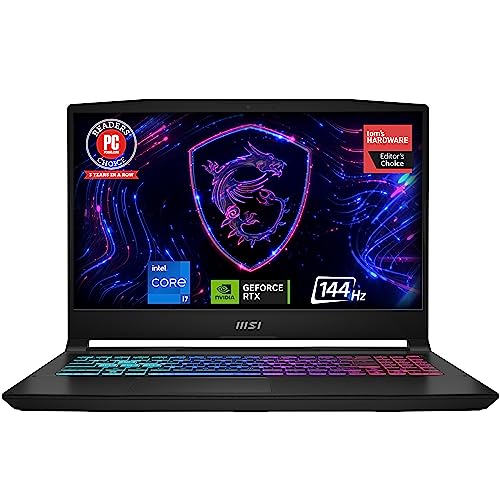
MSI Katana 15 15.6" RTX 4070 Gaming Laptop
Best for: entry-level 1080p RTX 4070 gaming setups
- Graphics Card
- RTX 4070
- Processor
- 13th Gen Intel Core i7
- Memory
- 16GB DDR5
- Storage Capacity
- 1TB NVMe SSD
- Screen Size
- 15.6"
- Refresh Rate
- 144Hz
This MSI Katana 15 pairs an NVIDIA GeForce RTX 4070 graphics card with a 13th Gen Intel Core i7 processor. You get a 15.6-inch 144Hz Full HD screen, 16GB of DDR5 memory, and a 1TB SSD for games. It weighs 7.59 pounds and includes Thunderbolt 4 connectivity. This configuration suits you if you want RTX 4070 power focused on standard 1080p gaming without paying for higher display resolutions.
Pros
- NVIDIA GeForce RTX 4070 GPU paired with 13th Gen Intel Core i7
- 15.6-inch 144Hz Full HD display
- 1TB NVMe SSD storage and 16GB DDR5 memory
- Thunderbolt 4 port for high-speed data transfer
Cons
- Full HD resolution rather than QHD
- Heavier chassis at 7.59 pounds
- 16:9 aspect ratio provides less vertical space than 16:10
Good fit if
- You prioritize high frame rates at 1080p resolution over higher pixel density.
- You want a 13th Gen Intel Core i7 CPU matched with an RTX 4070 GPU.
- You need 1TB of built-in NVMe storage out of the box.
Skip if
- You want a QHD or higher-resolution display on your gaming laptop.
- You need a lightweight laptop for frequent travel, as this weighs 7.59 pounds.
Verdict: MSI Katana 15 15.6" RTX 4070 Gaming Laptop delivers dedicated RTX 4070 performance and a 144Hz FHD screen for high-framerate 1080p play. It keeps specifications focused on core gaming needs while carrying notable physical weight.

Acer Predator Helios Neo 14 RTX 4070
Best for: portable gaming with Intel Core Ultra 9
- Graphics Card
- RTX 4070
- Processor
- Intel Core Ultra 9 processor 185H
- Memory
- 16GB LPDDR5X
- Storage Capacity
- 1TB Gen 4 SSD
- Screen Size
- 14.5"
- Refresh Rate
- 165Hz
The Acer Predator Helios Neo 14 pairs an Intel Core Ultra 9 185H processor with an NVIDIA GeForce RTX 4070 graphics chip inside a compact chassis. You get a 14.5-inch WQXGA+ 165Hz panel with a 16:10 aspect ratio and 100% sRGB color coverage. Weighing 4.19 pounds, it suits you if you need portable gaming hardware with strong processing power without carrying a standard 16-inch machine.
Pros
- Intel Core Ultra 9 185H processor with dedicated AI acceleration support
- 14.5-inch WQXGA+ display with 16:10 ratio and 100% sRGB coverage
- Hardware support for NVIDIA Advanced Optimus and G-SYNC
- Portable 4.19-pound chassis measuring 0.77 inches thin
Cons
- 165Hz refresh rate is lower than the 240Hz panels on several competing models
- 14.5-inch screen offers less display area than standard 16-inch alternatives
Good fit if
- You want an Intel Core Ultra 9 processor in a lightweight 4.19-pound form factor.
- You need a sharp 14.5-inch WQXGA+ 16:10 screen with full sRGB color space.
- You prefer a compact laptop equipped with NVIDIA Advanced Optimus and G-SYNC.
Skip if
- You prefer a larger 16-inch or 17-inch screen for your desk setup.
- You require a 240Hz refresh rate for fast-paced competitive esports.
Verdict: Acer Predator Helios Neo 14 RTX 4070 delivers Intel Core Ultra 9 processing and dedicated graphics in a travel-ready 4.19-pound frame. It is a capable choice if you prioritize compact sizing and high pixel density over larger panel dimensions.

Dell G16 16-Inch i9 RTX 4070 Laptop
Best for: high-refresh esports and stationary gaming setups
- Graphics Card
- RTX 4070
- Processor
- Intel Core i9-13900HX
- Memory
- 16GB DDR5 RAM
- Storage Capacity
- 1TB SSD
- Screen Size
- 16-inch
- Refresh Rate
- 240Hz
The Dell G16 pairs an Intel Core i9-13900HX processor with an NVIDIA GeForce RTX 4070 graphics card and 16GB of DDR5 memory. You get a 16-inch QHD display featuring a 240Hz refresh rate and a 3ms response time for fast gaming. A 1TB SSD stores your game library. Alienware-inspired cooling uses a vapor chamber and dual fans. This setup suits you if you want high-refresh competitive gaming without external monitors.
Pros
- 240Hz QHD display with 3ms response time and VRR
- Intel Core i9-13900HX 13th Gen processor
- Vapor chamber cooling with four heat pipes and two fans
- 1TB internal SSD storage
Cons
- Carries a heavy total weight of 6.32 pounds
- Chassis profile measures 0.98 inches thick
- Base configuration limited to 16GB of system memory
Good fit if
- You play fast-paced titles requiring a 240Hz display and 3ms response time.
- You need heavy multi-core processing performance from an Intel Core i9-13900HX.
- You want vapor chamber cooling paired with an RTX 4070 graphics card.
Skip if
- You need a lightweight laptop for travel, as this model weighs 6.32 pounds.
- You require more than 16GB of system RAM out of the box.
Verdict: Dell G16 16-Inch i9 RTX 4070 Laptop delivers high processing power and a rapid 240Hz screen for demanding gameplay. Its heavier 6.32-pound chassis makes it better suited for desk-bound play than frequent travel.

MSI Katana A15 15.6" Ryzen 9 RTX 4070 Laptop
Best for: Ryzen 9 performance with QHD gaming
- Graphics Card
- RTX 4070
- Processor
- Ryzen 9-8945HS
- Memory
- 32GB DDR5
- Storage Capacity
- 1TB SSD
- Screen Size
- 15.6"
- Refresh Rate
- 165Hz
View on Amazon: MSI Katana A15 15.6" Ryzen 9 RTX 4070 Laptop
This MSI Katana A15 AI pairs an AMD Ryzen 9-8945HS processor with an NVIDIA GeForce RTX 4070 graphics card. You get a 15.6-inch QHD display running at a 165Hz refresh rate, alongside 32GB of DDR5 memory and a 1TB SSD. Built-in Cooler Boost 5 dual fans handle thermal regulation. This setup suits you if you need fast processing power for demanding games and multitasking.
Pros
- AMD Ryzen 9-8945HS processor
- 15.6-inch QHD panel with 165Hz refresh rate
- 32GB DDR5 memory and 1TB SSD storage
- Cooler Boost 5 cooling with dual fans and dedicated heat pipes
Cons
- Chassis weight reaches 5.95 pounds
- Profile measures 1.11 inches thick
Good fit if
- You want an AMD Ryzen 9 processor matched with 32GB DDR5 RAM.
- You prefer a 15.6-inch QHD screen with a 165Hz refresh rate.
- You need Wi-Fi 6E connectivity and dual-fan cooling for sustained sessions.
Skip if
- You need a lightweight laptop under five pounds for travel.
- You want a slim machine thinner than one inch.
Verdict: MSI Katana A15 15.6" Ryzen 9 RTX 4070 Laptop gives you high-tier AMD processing, a 165Hz QHD panel, and 32GB of RAM. It delivers capable hardware specifications despite its heavier 5.95-pound frame.

Alienware 16-Inch RTX 4070 Laptop
Best for: high-refresh 1600p gaming with 32GB memory
- Graphics Card
- RTX 4070
- Processor
- Intel Ultra 7-155H
- Memory
- 32GB DDR5 SODIMM
- Storage Capacity
- 1TB PCIe NVMe SSD
- Screen Size
- 16.0"
- Refresh Rate
- 240Hz
This renewed Alienware laptop pairs an NVIDIA GeForce RTX 4070 graphics card with an Intel Core Ultra 7-155H 16-core processor. You get a 16-inch WQXGA 2560x1600 display running at a 240Hz refresh rate, alongside 32GB of DDR5 memory and a 1TB SSD. It suits you if you need high-refresh competitive frame rates, large system memory for multitasking, and a 90-watt-hour battery inside a single setup.
Pros
- 16-inch WQXGA 2560x1600 display with 240Hz refresh rate
- 32GB DDR5 RAM paired with a 1TB PCIe NVMe SSD
- Intel Core Ultra 7-155H 16-core processor and RTX 4070 graphics
- Thunderbolt 4, HDMI 2.1, RJ-45, and SD card reader ports
- 6-cell 90 WHr battery with a 240W power supply
Cons
- Renewed unit with opened seal for hardware upgrades
- Includes a 90-day warranty rather than a standard full-year term
Good fit if
- You want a fast 240Hz 2560x1600 screen for high-framerate play.
- You need 32GB of preinstalled DDR5 RAM for memory-heavy workflows.
- You require Thunderbolt 4 and a built-in SD card reader.
Skip if
- You prefer a factory-sealed unit with standard manufacturer warranty terms.
- You want a compact or lightweight sub-16-inch machine.
Verdict: Alienware 16-Inch RTX 4070 Laptop delivers a 240Hz WQXGA display, 32GB DDR5 RAM, and Intel Ultra 7 processing in a renewed package.
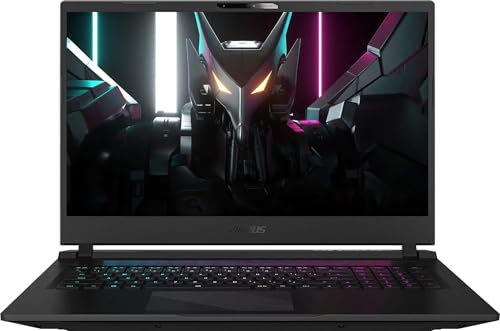
GIGABYTE Aorus 17 17.3" 240Hz RTX 4070 Laptop
Best for: desk-bound high-refresh gaming with expansive storage
- Graphics Card
- RTX 4070
- Processor
- Intel Core i7-13700H
- Memory
- 24GB DDR5
- Storage Capacity
- 2TB SSD
- Screen Size
- 17.3"
- Refresh Rate
- 240Hz
View on Amazon: GIGABYTE Aorus 17 17.3" 240Hz RTX 4070 Laptop
This laptop pairs an Intel Core i7-13700H processor with an NVIDIA GeForce RTX 4070 GPU. You get a spacious 17.3-inch WQHD 240Hz panel, 24GB of DDR5 RAM, and a 2TB NVMe SSD. It suits you if you want high-refresh competitive gaming on an expansive screen without needing immediate memory or storage upgrades.
Pros
- 17.3-inch WQHD 240Hz fast-refresh display
- Large 2TB NVMe SSD and 24GB DDR5 memory
- Thunderbolt 4 port with Power Delivery support
- 99Whr maximum-capacity battery
Cons
- Heavy chassis weighing 6.19 pounds
- Screen brightness limited to 300 nits
- Keyboard uses three-zone RGB instead of per-key lighting
Good fit if
- You want a spacious 17.3-inch 240Hz screen for competitive play.
- You need 2TB of internal storage out of the box.
- You rely on Thunderbolt 4 accessories and Power Delivery.
Skip if
- You need a lightweight laptop for frequent commuting.
- You regularly play in bright outdoor environments.
Verdict: GIGABYTE Aorus 17 17.3" 240Hz RTX 4070 Laptop delivers expansive screen space and generous storage for desk-bound players. Its high refresh rate and solid hardware configuration handle modern titles smoothly.

ASUS ROG Strix G16 RTX 4070 Gaming Laptop
Best for: competitive high-refresh gaming and CPU-heavy multitasking
- Graphics Card
- RTX 4070
- Processor
- Intel Core i9-13980HX
- Memory
- 32GB DDR5
- Storage Capacity
- 1TB PCIe SSD
- Screen Size
- 16"
- Refresh Rate
- 240Hz
The ASUS ROG Strix G16 RTX 4070 Gaming Laptop pairs an Intel Core i9-13980HX processor with an RTX 4070 running at a 140W maximum graphics power. You get a 16-inch 16:10 QHD 240Hz display with full DCI-P3 coverage, alongside 32GB of DDR5 memory and a 1TB solid-state drive. It suits you if you need sustained processor performance for fast-paced gameplay and multitasking without sacrificing display color accuracy or refresh speed.
Pros
- 140W maximum TGP RTX 4070 graphics
- 240Hz QHD 16:10 display with 100% DCI-P3 coverage
- 32GB DDR5-4800MHz memory and 1TB PCIe 4.0 SSD
- Advanced Optimus with built-in MUX switch
Cons
- Carries a 7-pound total weight
- System memory runs at DDR5-4800MHz
Good fit if
- You want a 240Hz QHD display with 100% DCI-P3 color coverage.
- You need a 140W TGP RTX 4070 GPU paired with 32GB of RAM.
- You value liquid metal cooling and a triple-fan thermal layout.
Skip if
- You need a lightweight machine under 7 pounds for daily travel.
- You require more than 1TB of factory storage out of the box.
Verdict: ASUS ROG Strix G16 RTX 4070 Gaming Laptop delivers high graphics wattage and a responsive 240Hz display for intensive play. Its liquid metal CPU cooling and 32GB memory configuration make it a solid station for gaming and heavy workloads.
GIGABYTE Aorus 17 17.3-Inch RTX 4070 Laptop
Best for: large-screen high-refresh competitive gaming
- Graphics Card
- RTX 4070
- Processor
- Intel Core i7-13700H
- Memory
- 24GB DDR5
- Storage Capacity
- 2TB PCI-E NVMe SSD
- Screen Size
- 17.3"
- Refresh Rate
- 240Hz
The GIGABYTE Aorus 17 gives you a large 17.3-inch QHD display paired with an NVIDIA GeForce RTX 4070 graphics card and an Intel Core i7-13700H processor. Its screen refreshes at 240Hz with 100% sRGB coverage. Inside, you get 24GB of DDR5 memory and 2TB of solid-state storage. This machine suits you if you want a desktop-replacement form factor with fast motion handling and plenty of built-in capacity for modern games.
Pros
- 240Hz refresh rate at 2560x1440 resolution
- 2TB PCIe NVMe SSD and 24GB DDR5 memory
- Large 99Whr battery capacity
- Thunderbolt 4 port with Power Delivery support
Cons
- Screen brightness peaks at 300 nits
- Heavy chassis weighing over 6.1 pounds
Good fit if
- You want a large 17.3-inch 240Hz screen for competitive motion clarity.
- You need 2TB of onboard storage out of the box.
- You plan to keep the laptop mostly stationed at a desk.
Skip if
- You need a lightweight laptop for frequent travel.
- You require a display brighter than 300 nits for sunlit spaces.
Verdict: GIGABYTE Aorus 17 17.3-Inch RTX 4070 Laptop combines high-speed 240Hz gaming visuals with massive storage and memory. It delivers expansive screen space and strong connectivity if portability is not your primary concern.
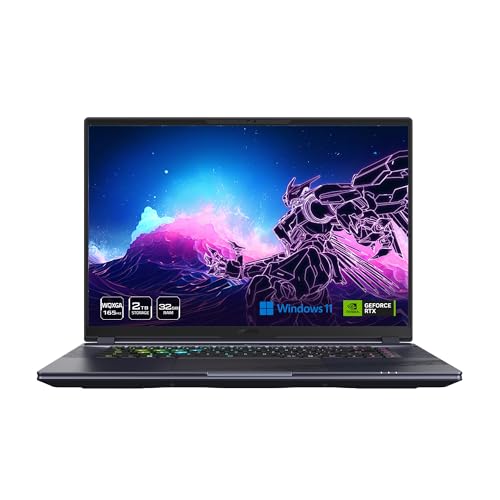
Gigabyte Aorus 16X 16-Inch RTX 4070 Laptop
Best for: heavy multitasking and large local game storage
- Graphics Card
- RTX 4070
- Processor
- Intel Core i9-14900HX
- Memory
- 32GB DDR5 RAM
- Storage Capacity
- 2TB SSD
- Screen Size
- 16"
- Refresh Rate
- 165Hz
The Gigabyte Aorus 16X pairs an Intel Core i9-14900HX processor with an RTX 4070 laptop GPU and 32GB of DDR5 memory. You get a 16-inch 2560x1600 display running at 165Hz with full sRGB coverage. A 2TB Gen4 SSD provides extensive local file and game storage. This setup suits you if you need high-end multi-core CPU capacity alongside standard 1440p-class gaming performance.
Pros
- Intel Core i9-14900HX processor paired with 32GB of DDR5 memory
- 2TB Gen4 M.2 SSD internal storage capacity
- 16-inch 2560x1600 IPS display with 100% sRGB coverage
- Modern networking with Intel Wi-Fi 7 and Bluetooth 5.4
- Thunderbolt 4 port with Power Delivery support
Cons
- 165Hz refresh rate is lower than the 240Hz panels on comparable options
- 1.06-inch thickness is bulkier than sub-inch alternatives
Good fit if
- You want 32GB of RAM and 2TB of solid-state storage without upgrading manually.
- You require an Intel Core i9 processor for heavy compute tasks alongside gaming.
- You use compatible Wi-Fi 7 network infrastructure.
Skip if
- You want a faster 240Hz refresh rate for competitive multiplayer titles.
- You prefer a laptop chassis that measures under one inch thick.
Verdict: Gigabyte Aorus 16X 16-Inch RTX 4070 Laptop delivers strong processing capability by coupling an Intel Core i9-14900HX with generous RAM and storage out of the box. It gives you capable hardware for modern gaming and heavy multitasking without needing immediate internal upgrades.

Razer Blade 16 RTX 4070 Gaming Laptop
Best for: high-refresh gaming in a sturdy aluminum build
- Graphics Card
- RTX 4070
- Processor
- 13th Gen Intel Core i9 13950HX
- Memory
- 16GB
- Storage Capacity
- 1TB SSD
- Screen Size
- 16"
- Refresh Rate
- 240Hz
The Razer Blade 16 pairs an NVIDIA GeForce RTX 4070 GPU running at up to 140W TGP with a 24-core Intel Core i9-13950HX processor. You get a 16-inch QHD+ 240Hz display with NVIDIA G-SYNC inside an anodized aluminum unibody chassis. It includes 16GB of RAM and a 1TB SSD. This setup suits you if you want high-refresh gaming performance packaged into a compact aluminum frame.
Pros
- Up to 140W TGP for the RTX 4070 GPU
- 240Hz QHD+ panel with NVIDIA G-SYNC support
- 24-core Intel Core i9-13950HX processor
- Compact 280W GaN power adapter included
- CNC-machined anodized aluminum unibody chassis
Cons
- Base configuration provides 16GB RAM
- Carrying weight is 5.4 pounds
- Chassis measures 0.87 inches thick
Good fit if
- You need a 240Hz QHD+ display for fast-paced competitive games.
- You want a full 140W TGP RTX 4070 paired with an Intel Core i9 HX CPU.
- You prefer an aluminum unibody build with a compact GaN charger.
Skip if
- You need more than 16GB of system memory out of the box.
- You want a lightweight laptop that weighs under 5 pounds.
Verdict: Razer Blade 16 RTX 4070 Gaming Laptop delivers maximum 140W graphics power and a 240Hz QHD+ screen in an aluminum unibody build. It provides top-tier processing hardware if you do not mind carrying 5.4 pounds.

MSI Vector 17 Core i9 RTX 4070 Laptop
Best for: large-screen desktop replacement gaming and processing power
- Graphics Card
- RTX 4070
- Processor
- Intel Core i9-14900HX
- Memory
- 32 GB
- Storage Capacity
- 1 TB SSD NVMe
- Screen Size
- 17"
- Refresh Rate
- 240 Hz
The MSI Vector 17 is a large-format gaming laptop built around an Intel Core i9-14900HX 24-core processor and NVIDIA GeForce RTX 4070 graphics. You get a 17-inch QHD+ 240Hz screen with 2560 by 1600 resolution for smooth motion. It includes 32GB of RAM and a 1TB NVMe SSD for storage. This system suits you if you want desktop-replacement performance, fast networking with Wi-Fi 7, and a generous display for gaming and multitasking.
Pros
- Intel Core i9-14900HX 24-core processor boosting up to 5.8 GHz
- 17-inch QHD+ 240Hz display with 2560 x 1600 resolution
- 32GB system memory for heavy multitasking
- Wi-Fi 7 and 2.5 Gigabit Ethernet networking
Cons
- Heavier chassis at 6 pounds
- Large 17-inch footprint takes up significant desk space
Good fit if
- You need 24-core processing power for intensive tasks.
- You prefer a spacious 17-inch 240Hz screen for gaming.
- You want 32GB of memory included out of the box.
Skip if
- You prioritize carrying comfort and need a machine under 6 pounds.
- You need a compact laptop that fits into small bags.
Verdict: MSI Vector 17 Core i9 RTX 4070 Laptop delivers high processing throughput and a fluid 240Hz 17-inch panel. It functions as a capable desktop alternative if you value screen size and multi-core speed over travel convenience.

Gigabyte Aorus 16X 16-Inch RTX 4070 Laptop
Best for: gamers wanting 32GB RAM and Wi-Fi 7
- Graphics Card
- RTX 4070
- Processor
- Intel Core i7-14650HX
- Memory
- 32GB DDR5
- Storage Capacity
- 1TB SSD
- Screen Size
- 16"
- Refresh Rate
- 165Hz
This 16-inch machine combines an NVIDIA GeForce RTX 4070 GPU with an Intel Core i7-14650HX processor. You get 32GB of DDR5 RAM and a 1TB Gen4 SSD right out of the box. Its 2560x1600 WQXGA IPS screen runs at 165Hz with full sRGB color and a 3ms response time. It suits you if you want ample memory and Wi-Fi 7 connectivity.
Pros
- 32GB DDR5 5600MHz RAM preinstalled
- Sharp 16-inch 2560x1600 WQXGA display with 100% sRGB
- Intel Core i7-14650HX processor up to 5.2 GHz
- Modern connectivity with Intel Wi-Fi 7 and Bluetooth 5.4
Cons
- Display refresh rate peaks at 165Hz rather than 240Hz
- Chassis profile measures 1.06 inches thick
Good fit if
- You want 32GB of DDR5 system memory without needing to upgrade.
- You prefer a 16:10 WQXGA resolution display for sharp visuals.
- You need Wi-Fi 7 network support.
Skip if
- You require a faster 240Hz refresh rate panel.
- You want a laptop chassis thinner than one inch.
Verdict: Gigabyte Aorus 16X 16-Inch RTX 4070 Laptop delivers balanced gaming power with its i7-14650HX CPU, 32GB of RAM, and sharp WQXGA panel. It is a solid choice if you prioritize memory capacity and updated wireless connectivity.

ASUS ROG Strix 16-Inch 64GB RAM Gaming Laptop
Best for: gamers needing 64GB of RAM
- Graphics Card
- RTX 4070
- Processor
- Intel 24-Core i9-14900HX
- Memory
- 64 GB DDR5
- Storage Capacity
- 4 TB SSD
- Screen Size
- 16"
- Refresh Rate
- 240 Hz
View on Amazon: ASUS ROG Strix 16-Inch 64GB RAM Gaming Laptop
This ASUS ROG Strix gaming laptop pairs an RTX 4070 graphics card with a 24-core Intel Core i9-14900HX processor and 64GB of RAM. You get a 16-inch QHD display that runs at a 240Hz refresh rate. Storage options range from 512GB up to 4TB. It weighs 3.97 pounds and measures 0.78 inches thick. This setup suits you if you need massive memory for heavy multitasking and fast gaming performance.
Pros
- 64GB of RAM for high-capacity memory workloads
- Intel Core i9-14900HX 24-core processor
- 16-inch QHD display with 240Hz refresh rate
- Storage configurations available up to 4TB
Cons
- Base storage option starts at 512GB
- Chassis thickness is 0.78 inches
Good fit if
- You need 64GB of RAM for intensive multitasking or production tasks.
- You want a fast 240Hz QHD display paired with an RTX 4070 GPU.
- You require 24-core processing power from an Intel Core i9.
Skip if
- You prefer a more portable 14-inch screen or a larger 17-inch panel.
- You do not need 64GB of memory for your daily workload.
Verdict: ASUS ROG Strix 16-Inch 64GB RAM Gaming Laptop combines high memory capacity with a 240Hz QHD display and an Intel Core i9 processor. It delivers dedicated RTX 4070 graphics in a 16-inch form factor.
Specifications side by side
| Spec | Alienware M18 18-inch RTX 4070 Laptop | Alienware x16 R2 16-inch Gaming Laptop | MSI Katana 15 15.6" RTX 4070 Gaming Laptop | Acer Predator Helios Neo 14 RTX 4070 | Dell G16 16-Inch i9 RTX 4070 Laptop | MSI Katana A15 15.6" Ryzen 9 RTX 4070 Laptop | Alienware 16-Inch RTX 4070 Laptop | GIGABYTE Aorus 17 17.3" 240Hz RTX 4070 Laptop | ASUS ROG Strix G16 RTX 4070 Gaming Laptop | GIGABYTE Aorus 17 17.3-Inch RTX 4070 Laptop | Gigabyte Aorus 16X 16-Inch RTX 4070 Laptop | Razer Blade 16 RTX 4070 Gaming Laptop | MSI Vector 17 Core i9 RTX 4070 Laptop | Gigabyte Aorus 16X 16-Inch RTX 4070 Laptop | ASUS ROG Strix 16-Inch 64GB RAM Gaming Laptop |
|---|---|---|---|---|---|---|---|---|---|---|---|---|---|---|---|
| Graphics Card | NVIDIA GeForce RTX 4070 | NVIDIA GeForce RTX 4070 8GB GDDR6 | RTX 4070 | NVIDIA GeForce RTX 4070 | NVIDIA GeForce RTX 4070 8GB GDDR6 | GeForce RTX 4070 | GeForce RTX 4070 8GB GDDR6 | NVIDIA GeForce RTX 4070 | NVIDIA GeForce RTX 4070 | NVIDIA GeForce RTX 4070 8GB GDDR6 | NVIDIA GeForce RTX 4070 Laptop GPU 8GB | NVIDIA GeForce RTX 4070 | GeForce RTX 4070 | NVIDIA GeForce RTX 4070 | GeForce RTX 4070 |
| Processor | Intel Core i7-13700HX | Intel Core Ultra 7-155H | 13th Gen Intel Core i7 | Intel Core Ultra 9 processor 185H | Intel Core i9-13900HX | Ryzen 9-8945HS | Intel Ultra 7-155H | Intel Core i7-13700H | Intel Core i9-13980HX | Intel Core i7-13700H | Intel Core i9-14900HX | 13th Gen Intel Core i9 13950HX | Intel Core i9-14900HX | Intel Core i7-14650HX | Intel 24-Core i9-14900HX |
| Memory | 16 GB DDR5 | 16GB LPDDR5X RAM | 16GB DDR5 | 16GB LPDDR5X | 16GB DDR5 RAM | 32GB DDR5 | 32GB DDR5 SODIMM | 24GB DDR5 | 32GB DDR5 | 24GB DDR5 | 32GB DDR5 RAM | 16GB | 32 GB | 32GB DDR5 | 64 GB DDR5 |
| Storage Capacity | 1 TB SSD | 1TB SSD | 1TB NVMe SSD | 1TB Gen 4 SSD | 1TB SSD | 1TB SSD | 1TB PCIe NVMe SSD | 2TB SSD | 1TB PCIe SSD | 2TB PCI-E NVMe SSD | 2TB SSD | 1TB SSD | 1 TB SSD NVMe | 1TB SSD | 4 TB SSD |
| Screen Size | 18-inch | 16-inch | 15.6" | 14.5" | 16-inch | 15.6" | 16.0" | 17.3" | 16" | 17.3" | 16" | 16" | 17" | 16" | 16" |
| Refresh Rate | 165Hz | 240Hz | 144Hz | 165Hz | 240Hz | 165Hz | 240Hz | 240Hz | 240Hz | 240Hz | 165Hz | 240Hz | 240 Hz | 165Hz | 240 Hz |
| Display Resolution | QHD+ | QHD+ | FHD | WQXGA+ | QHD+ | QHD | WQXGA (2560x1600) | 2560 x 1440 | QHD | 2560 x 1440 | 2560x1600 WQXGA | QHD+ | 2560 x 1600 | 2560x1600 WQXGA | QHD |
| Storage | 1TB SSD | 1TB SSD | 1TB SSD | not specified | 1TB SSD | 1TB SSD | 1TB SSD | 2TB SSD | 1TB SSD | 2TB SSD | 2TB SSD | 1TB SSD | 1TB SSD | 1TB SSD | not specified |
| Dimensions | 12.6 × 1.05 × 16.2 inches | 11.4 × 14.4 × 0.73 inches | 14.1 × 10.2 × 0.98 inches | 12.8 × 0.77 × 10.1 inches | 11.4 × 14.1 × 0.98 inches | 14.1 × 1.11 × 14.7 inches | not specified | 15.7 × 11.1 × 0.87 inches | 13.9 × 0.89 × 10.4 inches | 15.7 × 11.1 × 0.89 inches | 14 × 10 × 1.06 inches | 14 × 9.61 × 0.87 inches | 12.4 × 8.83 × 0.64 inches | 14 × 10 × 1.06 inches | 9.06 × 14.1 × 0.78 inches |
| Weight | 8.9 pounds | 6 pounds | 7.59 pounds | 4.19 pounds | 6.32 pounds | 5.95 pounds | not specified | 6.19 pounds | 7 pounds | 6.22 pounds | 4.62 pounds | 5.4 pounds | 6 pounds | 4.62 pounds | 3.97 pounds |
| Size | 18.0 QHD+ | 16.0 QHD+ | not specified | 14.5" WQXGA+ | 16.0 QHD 240Hz | not specified | not specified | 24GB \ 2TB | 32GB DDR5 | 1TB SSD |i9-13980HX | Windows 11 Home | not specified | not specified | not specified | 1 TB | AMD-R7-4700U |
| Color | Gray | Lunar Silver | Black | Black | Metallic Nightshade with Black thermal shelf | Black | Dark Metallic Moon | Black | Eclipse Gray | Black | Gray | Classic Black | Cosmos Gray | Black | Silver |
| Model | Dell alienware m18 r1 laptop | AW16R2-7988SLV-PUS | KATANA1513484 | NH.QRNAA.002 | G7630-9926GRY-PUS | KATANAA15B8450 | m16 R2 | BSF-73US654SH | G614JI-XS96 | BSF-73US654SH | AORUS 16X ASG-63USC65SH | RZ09-0483SEH3-R3U1 | MSI Vector 17 | AORUS 16X ASG-53USC64SH | ASUS VivoBook 15 |
Is an RTX 4070 Laptop Worth It?
An RTX 4070 dedicated graphics card provides the rendering power required for fast display panels. In these laptops, the GPU drives screens operating at 144Hz, 165Hz, or 240Hz across 1080p, QHD, and WQXGA+ resolutions. Certain models configure the graphics power up to 140W for demanding gameplay. When paired with processors like Intel Core i9 or AMD Ryzen 9, this GPU outputs rapid frame rates for competitive titles. It delivers dedicated visual performance on panels spanning 14.5 to 18 inches.
Worth it if
- You target high-framerate gameplay on 144Hz to 240Hz display panels.
- You run games on high-resolution displays such as QHD or WQXGA+.
Skip it if
- You do not need high display refresh rates reaching 144Hz or higher.
- You only handle standard tasks that do not require dedicated graphics hardware.
If you do not need portability, you can evaluate how these laptop GPUs compare with a stationary RTX 5060 gaming desktop for your setup.
How We Selected These Laptops
To select the 15 laptops for this guide, we identify models that include an RTX 4070 graphics card in their title or published feature list. We review published specifications directly from Amazon listings without physical testing. To keep the lineup straightforward, you see only one size or variant from each product family.
The selections are organized with products in stock first, then by Amazon sales rank (better-selling products first). We compare published hardware specifications like processor, system memory, storage, and screen refresh rate so you can choose the right setup. Stock availability updates live on the page every day.
How to Choose an RTX 4070 Laptop
-
Match Screen Refresh Rates
Check the refresh rate spec to match your game targets. Display refresh rates dictate visual frame delivery. Standard 144Hz panels suit basic 1080p competitive play. Faster 165Hz or 240Hz screens support high-framerate motion clarity in fast action titles. The MSI Katana 15 provides a 144Hz screen for standard esports frame delivery. Faster panels refresh images quicker to reduce motion blur during rapid scene shifts. Select 144Hz if you play casual titles at standard speeds. Pick a 240Hz display if you need maximum visual responsiveness during competitive gameplay.
-
Select the Right Processor
Review the processor line to balance clock speed and system efficiency. Intel Core i7 and i9 options target sustained multi-core clock speeds for gaming. Modern Intel Core Ultra processors provide updated microarchitectures for responsive multitasking. AMD Ryzen processors provide high core counts suited for balanced workloads and continuous rendering tasks. The MSI Katana A15 features a Ryzen 9 processor for multi-threaded performance. Check your primary software requirements before deciding. Choose an Intel Core i9 or AMD Ryzen 9 for processor-heavy simulation games. Choose a Core i7 processor if your focus remains strictly on gaming.
-
Evaluate Chassis Carry Weight
Examine the total weight specification if you travel frequently. RTX 4070 laptops vary widely from compact 4-pound models up to heavy desk replacements. Sub-5-pound builds fit easily into backpacks for work, school, or travel. Chassis weighing over 6 pounds require sturdy bags and suit permanent desk locations. The Acer Predator Helios Neo 14 weighs 4.19 pounds for mobile setups. Heavy hardware limits portability but accommodates larger cooling configurations. Determine how often you move your computer. Choose a lighter chassis below 5 pounds for daily commutes. Choose heavier chassis builds if your system remains parked at home.
-
Choose Screen Size Carefully
Compare display dimensions to match your workspace requirements. Panels range from compact 14.5-inch screens up to spacious 18-inch options. A 14-inch to 15.6-inch panel keeps the laptop footprint small and manageable on small desks. A 16-inch panel provides extra vertical workspace without adding excessive footprint width. An 18-inch screen maximizes viewing immersion for stationary gaming without external monitors. The Alienware M18 features an 18-inch QHD+ screen for large visual area. Inspect your desk size before ordering. Pick a 16-inch or smaller screen for cramped setups. Pick a 17-inch or 18-inch panel if you want maximum screen area.
-
Verify Memory Upgrade Flexibility
Check the RAM specifications for capacity and upgradeability. Standard gaming tasks run efficiently on 16GB of memory. Heavier multi-tasking, streaming, or content production benefit from 32GB or 64GB allocations. Verify whether memory modules are soldered or swappable. Soldered RAM prevents you from installing additional modules later. The Alienware x16 R2 comes with soldered memory that cannot be modified after purchase. Determine your long-term software needs early. Choose 16GB if you only run single games. Choose 32GB or more if you handle background applications, or select configurations that permit user RAM expansion.
Frequently asked questions
Which processors come paired with an RTX 4070 laptop?
RTX 4070 laptops pair with varied multi-core processors depending on brand architecture. You will find Intel Core i7 and Core i9 chips across many builds, alongside Intel Core Ultra 7 and Ultra 9 options. If you prefer AMD hardware, models such as the MSI Katana A15 integrate a Ryzen 9 processor to drive the graphics card.
Can you upgrade the RAM in every RTX 4070 laptop?
No, memory upgrade capability depends on the specific chassis construction. Certain designs, like the Alienware x16 R2, feature soldered memory that prevents you from swapping or expanding modules later. If future expansion matters, check whether a machine relies on soldered RAM or comes with the full capacity preinstalled, such as 32GB or 64GB configurations.
How much do RTX 4070 gaming laptops weigh?
RTX 4070 laptop weights vary widely based on form factor and thermal hardware. Compact options like the Acer Predator Helios Neo 14 weigh around 4.19 pounds for easier travel. In contrast, massive desktop replacements such as the Alienware M18 weigh 8.9 pounds, making them better suited to remain stationed on your desk.
What display resolutions are available on RTX 4070 gaming laptops?
RTX 4070 gaming laptops offer displays spanning multiple resolution standards. You can choose base 1080p Full HD panels on models like the MSI Katana 15, or step up to sharper QHD and QHD+ screens found on machines like the Razer Blade 16. Other models, including the Acer Predator Helios Neo 14, offer dense WQXGA+ panels.
Does an RTX 4070 gaming laptop support modern wireless standards?
Yes, several RTX 4070 laptops incorporate modern wireless connectivity to maintain stable gaming connections. For example, specific configurations such as the Gigabyte Aorus 16X feature Wi-Fi 7 hardware directly out of the box. These newer wireless specifications allow higher throughput and lower latency when connected to compatible local network routers.
What storage configurations come standard on RTX 4070 laptops?
Most RTX 4070 gaming laptops include a standard 1TB solid-state drive for your local files and game libraries. If you install multiple large titles, certain configurations provide more room immediately. Models such as the GIGABYTE Aorus 17 and Gigabyte Aorus 16X come equipped with 2TB SSDs out of the box to prevent early storage bottlenecks.