15 Best 144Hz Gaming Laptops, Compared
As an Amazon Associate we earn from qualifying purchases. Links on this page are affiliate links.
A high refresh rate ensures smooth motion and responsive visuals during fast-paced play. Finding the best 144Hz gaming laptops means balancing screen fluidness with graphics power, memory, and portable design. To help your search, 15 products were compared using only the specifications published on the listings.
The MSI Cyborg 15 15.6" RTX 5060 Laptop leads the list by combining an RTX 5060 graphics card with a lightweight 4.29-pound frame. This guide helps you decide which display size, processor capability, and overall build suit your specific gaming needs.
Quick picks
The best fit for you
- You want portable everyday gaming with an RTX 5060 MSI Cyborg 15 15.6" RTX 5060 Laptop Its RTX 5060 graphics and 4.29-pound chassis deliver strong 144Hz performance in a lightweight build.
- You want a baseline setup for entry-level 1080p gaming HP Victus 15.6" RTX 3050 Gaming Laptop The combination of an RTX 3050 GPU and Core i5 processor easily powers standard 1080p titles.
- You need maximum screen size and heavy memory capacity ASUS ROG Strix 18 144Hz Gaming Laptop An 18-inch 144Hz display and 32GB of RAM support expansive visuals and demanding multitasking.
- You want high processing power with large onboard storage MSI Cyborg 15.6" RTX 5060 Gaming Laptop A Ryzen 9 processor paired with a 1TB SSD handles heavy computing and larger game installations.
Our 15 picks

MSI Cyborg 15 15.6" RTX 5060 Laptop
Best for: portable 144Hz competitive and modern gaming
- Refresh Rate
- 144Hz (what this guide is about)
- Graphics Card
- NVIDIA GeForce RTX 5060
- Processor
- Intel Core 5-210H
- Memory
- 16GB DDR5
- Storage Capacity
- 512GB SSD
- Screen Size
- 15.6”
The MSI Cyborg 15 is a portable 15.6-inch gaming laptop built around an Intel Core 5-210H processor and NVIDIA GeForce RTX 5060 graphics. Its Full HD 144Hz display matches the GPU output for fast-paced gameplay, while 16GB of DDR5 memory handles multitasking. Weighing 4.29 pounds with Wi-Fi 6E connectivity, it suits you if you need modern graphics hardware and a fast refresh rate in a mobile form factor.
Pros
- NVIDIA GeForce RTX 5060 dedicated graphics
- 15.6-inch Full HD display with 144Hz refresh rate
- Lightweight 4.29-pound chassis measuring 0.87 inches thin
- 16GB DDR5 system memory
- Wi-Fi 6E, HDMI, RJ45, and USB-C connectivity
Cons
- 512GB SSD provides limited onboard storage space
- Display resolution tops out at 1080p Full HD
Good fit if
- You want an RTX 5060 GPU paired with a 144Hz display for fast frame rates.
- You need a mobile gaming setup weighing under 4.3 pounds.
- You use wired or wireless networking via RJ45 ethernet and Wi-Fi 6E.
Skip if
- You require more than 512GB of internal storage out of the box.
- You want a display resolution higher than Full HD.
Verdict: MSI Cyborg 15 144Hz RTX 5060 Gaming Laptop delivers current-generation graphics and high-refresh gameplay in a highly portable chassis. It gives you balanced performance for modern titles without unnecessary bulk.

HP Victus 15.6" RTX 3050 Gaming Laptop
Best for: entry-level 144Hz Full HD gaming
- Refresh Rate
- 144Hz (what this guide is about)
- Graphics Card
- NVIDIA GeForce RTX 3050
- Processor
- Intel Core i5-12450H
- Memory
- 16GB
- Storage Capacity
- 512GB PCIe SSD
- Screen Size
- 15.6"
The HP Victus 15.6" RTX 3050 Gaming Laptop pairs a 15.6-inch Full HD 144Hz anti-glare display with an Intel Core i5-12450H processor and an NVIDIA GeForce RTX 3050 graphics card. You also get 16GB of DDR4 memory and a 512GB PCIe solid-state drive for your files. This setup suits you if you need a baseline 144Hz gaming machine for standard 1080p play without unnecessary extras.
Pros
- 15.6-inch Full HD IPS anti-glare screen with 144Hz refresh rate
- NVIDIA GeForce RTX 3050 graphics card with 6GB GDDR6 memory
- Intel Core i5-12450H processor with speeds up to 4.4GHz
- 16GB DDR4 RAM with support for up to 64GB
Cons
- 512GB PCIe SSD offers limited built-in game storage
- Heavier build listed at 7 pounds
Good fit if
- You want a 144Hz Full HD display paired with a dedicated RTX 3050 graphics card.
- You need 16GB of system memory for multitasking out of the box.
Skip if
- You require more than 512GB of internal storage space from the start.
- You want a lighter laptop for travel rather than a 7-pound system.
Verdict: HP Victus 15.6" RTX 3050 Gaming Laptop provides entry-level 144Hz gameplay via its Core i5 processor and RTX 3050 graphics card. It delivers a balanced 1080p foundation if you do not mind carrying a 7-pound chassis.

ASUS TUF Gaming F16 RTX 4050 Laptop
Best for: 16-inch 144Hz gaming with 100% sRGB color
- Refresh Rate
- 144Hz (what this guide is about)
- Graphics Card
- NVIDIA® GeForce RTX™ 4050
- Processor
- Intel® Core™ 5 210H Processor
- Memory
- 8GB DDR5
- Storage Capacity
- 512GB PCIe Gen4 SSD
- Screen Size
- 16”
The ASUS TUF Gaming F16 pairs a 16-inch FHD+ 144Hz display with a 16:10 aspect ratio and Adaptive-Sync to keep motion fluid. Inside, you get an Intel Core 5 210H processor, an NVIDIA GeForce RTX 4050 graphics card with up to 115W TGP, and 8GB of DDR5 memory. This setup suits you if you want a 16-inch screen with full 100% sRGB color coverage and dedicated cooling hardware.
Pros
- 16-inch FHD+ 144Hz display with 16:10 aspect ratio
- 100% sRGB color coverage and Adaptive-Sync support
- NVIDIA GeForce RTX 4050 GPU with 115W max TGP
- Cooling system with 4 exhaust vents and 5 heat pipes
Cons
- Comes with 8GB of DDR5 system RAM
- Internal storage is limited to a 512GB SSD
Good fit if
- You want a 16-inch 144Hz screen with a taller 16:10 aspect ratio and 100% sRGB.
- You need an RTX 4050 GPU running at up to 115W TGP.
Skip if
- You want more than 8GB of DDR5 RAM out of the box.
- You need more than 512GB of internal storage without adding drives.
Verdict: ASUS TUF Gaming F16 16-Inch Laptop delivers a fast 144Hz 16:10 display and a high-power RTX 4050 GPU. Its 8GB RAM and 512GB SSD will likely require upgrades for heavier game libraries.

Lenovo LOQ 15.6" RTX 5050 Gaming Laptop
Best for: gamers wanting high memory and 144Hz G-Sync
- Refresh Rate
- 144Hz (what this guide is about)
- Graphics Card
- NVIDIA® GeForce RTX™ 5050
- Processor
- Intel® Core™ i7-13650HX
- Memory
- 24GB Memory
- Storage Capacity
- 1TB Storage
- Screen Size
- 15.6"
The Lenovo LOQ 15 is a 15.6-inch gaming laptop built with a 144Hz FHD IPS display and NVIDIA G-Sync support to eliminate visual tearing. It pairs an Intel Core i7-13650HX processor with an NVIDIA GeForce RTX 5050 graphics card, 24GB of system memory, and a 1TB drive. This configuration suits you if you want high memory capacity, fast charging, and dependable frame rates for 144Hz competitive play.
Pros
- 24GB of system memory and 1TB storage drive
- Intel Core i7-13650HX processor and RTX 5050 graphics
- 144Hz FHD IPS panel with NVIDIA G-Sync support
- Rapid Charge Pro restores battery to 70% in under 30 minutes
Cons
- Carries a weight of 5.29 pounds
- Display resolution caps at 1080p FHD
- Keyboard backlight is single-color white
Good fit if
- You want 24GB of memory out of the box for multitasking and gaming.
- You prioritize tear-free frame pacing via NVIDIA G-Sync on a 144Hz panel.
- You want rapid charging that reaches 70% in under 30 minutes.
Skip if
- You require a display resolution higher than 1080p.
- You need a lightweight machine under 5 pounds for frequent travel.
Verdict: Lenovo LOQ 15.6" Intel i7 RTX 5050 delivers strong multi-core processing power, 24GB of memory, and reliable 144Hz G-Sync visuals in an aluminum-covered chassis.
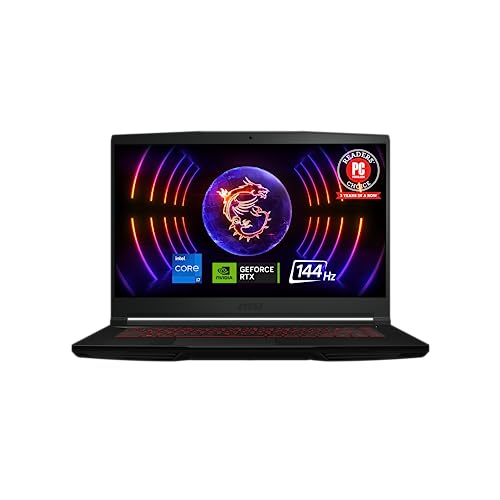
MSI Thin GF63 15.6" Core i7 RTX 4050
Best for: Core i7 power in a lightweight chassis
- Refresh Rate
- 144Hz (what this guide is about)
- Graphics Card
- NVIDIA GeForce RTX 4050
- Processor
- 12th Gen Intel Core i7
- Memory
- 16GB DDR4
- Storage Capacity
- 512GB NVMe SSD
- Screen Size
- 15.6"
The MSI Thin GF63 pairs a 12th Gen Intel Core i7 processor with an NVIDIA GeForce RTX 4050 graphics card and a 15.6-inch 144Hz display. You get 16GB of DDR4 memory and a 512GB NVMe SSD inside a chassis that weighs 4.1 pounds and measures 0.85 inches thick. It fits you if you want Intel Core i7 performance with high-refresh gameplay in a portable build.
Pros
- 12th Gen Intel Core i7 processor and NVIDIA GeForce RTX 4050 graphics
- 15.6-inch display with 144Hz refresh rate
- Lightweight 4.1-pound chassis measuring 0.85 inches thick
- Cooler Boost 5 cooling with 2 fans and 6 heat pipes
Cons
- 512GB NVMe SSD limits local storage for large game installations
- Configured with DDR4 memory rather than DDR5
Good fit if
- You want a 144Hz display powered by an Intel Core i7 processor.
- You prioritize a lighter 4.1-pound machine for regular transport.
- You need dedicated NVIDIA RTX 4050 graphics for gaming.
Skip if
- You need more than 512GB of factory storage for large games.
- You want faster DDR5 memory standard.
Verdict: MSI Thin GF63 15.6" Core i7 RTX 4050 delivers 144Hz gaming with 12th Gen Intel Core i7 processing in a slim 4.1-pound design. It gives you a balanced portable setup if 512GB of storage meets your library needs.

HP Victus 15.6" RTX 4050 Gaming Laptop
Best for: entry-level 1080p esports and everyday multitasking
- Refresh Rate
- 144Hz (what this guide is about)
- Graphics Card
- NVIDIA GeForce RTX 4050 6GB
- Processor
- AMD Ryzen 7 7445HS
- Memory
- 16GB DDR5 RAM
- Storage Capacity
- 512GB SSD
- Screen Size
- 15.6"
This HP Victus pairs a 15.6-inch 144Hz Full HD IPS panel with an AMD Ryzen 7 7445HS processor and NVIDIA GeForce RTX 4050 graphics. The screen features AMD FreeSync Premium and 300-nit brightness to reduce tearing at high frame rates. With 16GB of DDR5 memory and a 512GB SSD, it provides the baseline speed you need for competitive 1080p multiplayer titles and everyday productivity.
Pros
- 15.6-inch 144Hz FHD IPS screen with AMD FreeSync Premium
- NVIDIA GeForce RTX 4050 GPU with 6GB GDDR6 VRAM
- USB-C port supports both DisplayPort and Power Delivery
- Full-size backlit keyboard with dedicated numeric keypad
Cons
- 512GB SSD offers limited space for large modern games
- Built-in webcam resolution is limited to 720p HD
Good fit if
- You want a 144Hz display with AMD FreeSync Premium for tear-free gaming.
- You need a full keyboard with a numeric keypad and USB-C charging support.
- You primarily play competitive esports titles at 1080p resolution.
Skip if
- You need more than 512GB of factory storage for large game libraries.
- You require a high-resolution 1080p or 4K webcam for video calls.
Verdict: HP Victus 15.6" RTX 4050 Gaming Laptop delivers reliable 1080p gaming performance with its 144Hz FreeSync display and balanced hardware. It is a solid choice for smooth frame rates, though storage is modest at 512GB.

MSI Cyborg 15.6" RTX 5060 Gaming Laptop
Best for: Ryzen 9 high-refresh 1080p esports gaming
- Refresh Rate
- 144Hz (what this guide is about)
- Graphics Card
- NVIDIA GeForce RTX 5060
- Processor
- AMD Ryzen 9 270
- Memory
- 16GB DDR5
- Storage Capacity
- 1TB PCIe SSD
- Screen Size
- 15.6"
This MSI Cyborg laptop pairs an AMD Ryzen 9 270 processor with an NVIDIA GeForce RTX 5060 graphics card and 16GB of DDR5 RAM. Its 15.6-inch 1080p IPS screen operates at a 144Hz refresh rate for fast-paced gaming. You get 1TB of internal PCIe SSD storage and Windows 11 Pro. It suits you if you need a high-performance Ryzen 9 processor for heavy computational workloads alongside smooth high-frame-rate 1080p esports visuals.
Pros
- AMD Ryzen 9 270 processor with AI acceleration
- 15.6-inch FHD IPS panel with 144Hz refresh rate
- NVIDIA GeForce RTX 5060 8GB GDDR7 graphics
- 16GB DDR5 memory and 1TB PCIe SSD storage
Cons
- Display capped at 1080p resolution
- Limited to one onboard USB-C port
Good fit if
- You want an AMD Ryzen 9 270 processor paired with an RTX 5060 GPU.
- You play competitive esports targeting a 144Hz 1080p display.
- You need Windows 11 Pro and 16GB DDR5 memory out of the box.
Skip if
- You require a display resolution higher than 1080p.
- You need multiple built-in USB-C ports on the chassis.
Verdict: MSI Cyborg 15.6" Ryzen 9 RTX 5060 Laptop delivers high-tier CPU processing power and smooth 144Hz visuals for esports gaming. It provides a balanced set of modern specifications including DDR5 memory and RTX 5060 graphics.

ASUS ROG Strix G18 18-inch RTX 5050 Gaming Laptop
Best for: gamers seeking an expansive 18-inch desktop replacement
- Refresh Rate
- 144Hz (what this guide is about)
- Graphics Card
- NVIDIA GeForce RTX 5050
- Processor
- AMD Ryzen 9 8940HX
- Memory
- 16GB DDR5-5200MHz
- Storage Capacity
- 1TB PCIe Gen 4 SSD
- Screen Size
- 18"
View on Amazon: ASUS ROG Strix G18 18-inch RTX 5050 Gaming Laptop
This large-format machine pairs an 18-inch 144Hz FHD+ display with an AMD Ryzen 9 8940HX processor and an NVIDIA GeForce RTX 5050 graphics card. You get 16GB of DDR5 memory and a 1TB PCIe Gen 4 SSD for your files. The spacious screen provides a 16:10 aspect ratio and a 3ms response time. It suits you if you prioritize maximum screen space over portability for desktop-style gaming at 144Hz.
Pros
- Large 18-inch 144Hz display with 3ms response time
- AMD Ryzen 9 8940HX mobile processor
- 1TB PCIe Gen 4 solid-state drive
- Tri-fan cooling system with full-surround vents
Cons
- Carrying weight of 5.51 pounds limits portability
- Display caps at FHD+ resolution across an 18-inch panel
Good fit if
- You want an expansive 18-inch 144Hz screen for gaming.
- You need a multi-threaded AMD Ryzen 9 8940HX processor.
- You keep your gaming setup primarily stationed at a desk.
Skip if
- You need a lightweight laptop for frequent travel.
- You prefer higher resolution than FHD+ on a large display.
Verdict: ASUS ROG Strix G18 RTX 5050 Gaming Laptop gives you an expansive 18-inch 144Hz display paired with a high-end AMD Ryzen 9 processor. It functions best as a dedicated desk station where screen real estate matters more than travel weight.

HP Victus 15.6" 144Hz RTX 4050 Gaming Laptop
Best for: Smooth 1080p 144Hz gaming and multitasking
- Refresh Rate
- 144Hz (what this guide is about)
- Graphics Card
- NVIDIA GeForce RTX 4050 6GB
- Processor
- Intel Core i5-13420H
- Memory
- 16 GB DDR4
- Storage Capacity
- 512 GB SSD
- Screen Size
- 15.6 inch
View on Amazon: HP Victus 15.6" 144Hz RTX 4050 Gaming Laptop
The HP Victus 15.6" RTX 4050 Gaming Laptop pairs a 15.6-inch Full HD 144Hz IPS display with an Intel Core i5-13420H processor and an NVIDIA GeForce RTX 4050 GPU. You get 16GB of DDR4 memory alongside a 512GB PCIe Gen4 NVMe SSD. This configuration suits you if you want high-refresh-rate 1080p gaming backed by dedicated graphics and modern multi-core processing in a standard portable build.
Pros
- 15.6-inch Full HD IPS anti-glare display with 144Hz refresh rate
- NVIDIA GeForce RTX 4050 GPU with 6GB dedicated GDDR6 memory
- 13th Generation Intel Core i5-13420H processor
- Fast 512GB PCIe Gen4 NVMe M.2 solid-state drive
Cons
- Equipped with DDR4 memory instead of newer DDR5
- 512GB base storage fills quickly with large game libraries
- Weighs 5.14 pounds
Good fit if
- You want a 144Hz display powered by a dedicated RTX 4050 GPU.
- You need 16GB of system memory for gaming and multitasking.
- You prefer an anti-glare IPS screen with micro-edge borders.
Skip if
- You require more than 512GB of internal storage from the start.
- You want newer DDR5 memory architecture.
- You need a lighter laptop under 5 pounds for frequent travel.
Verdict: HP Victus 15.6" RTX 4050 Gaming Laptop balances a 144Hz IPS screen with a 13th Gen Intel processor and dedicated RTX graphics. It delivers reliable Full HD gaming capability in a straightforward package.

Lenovo LOQ 15.6" RTX 5060 Ryzen 7 Laptop
Best for: midrange 144Hz gaming with newer GPU hardware
- Refresh Rate
- 144Hz (what this guide is about)
- Graphics Card
- NVIDIA GeForce RTX 5060 8GB GDDR7
- Processor
- AMD Ryzen 7 250
- Memory
- 16GB DDR5
- Storage Capacity
- 512GB
- Screen Size
- 15.6"
The Lenovo LOQ 15.6" RTX 5060 Gaming Laptop combines an AMD Ryzen 7 250 processor with an NVIDIA GeForce RTX 5060 8GB graphics card. Its 15.6-inch Full HD IPS display runs at 144Hz with 300 nits brightness, supported by G-SYNC and Advanced Optimus to reduce screen tearing. With 16GB of DDR5 memory and 512GB of internal storage, this configuration suits you if you need modern graphics hardware for competitive high-framerate gameplay.
Pros
- NVIDIA GeForce RTX 5060 GPU with 8GB GDDR7 memory
- 15.6-inch 144Hz Full HD IPS display with G-SYNC and Advanced Optimus
- AMD Ryzen 7 250 octa-core processor with 16 TOPS AI performance
- 16GB DDR5 system RAM expandable to 32GB
Cons
- 512GB internal storage fills quickly with large modern games
- Weighs 5.28 pounds, making it heavier than typical thin-and-light models
Good fit if
- You want an RTX 5060 GPU paired with a 144Hz G-SYNC display.
- You plan to upgrade system memory beyond the included 16GB DDR5 RAM.
Skip if
- You need more than 512GB of factory storage out of the box.
- You want a lighter laptop for frequent travel under five pounds.
Verdict: Lenovo LOQ 15.6" RTX 5060 Gaming Laptop delivers modern dedicated graphics and a synchronized 144Hz panel for smooth competitive play. It offers strong processing power and expandable memory, though onboard storage remains limited to 512GB.

ASUS ROG Strix G15 144Hz Gaming Laptop
Best for: 1080p esports gaming on a 144Hz screen
- Refresh Rate
- 144Hz (what this guide is about)
- Graphics Card
- RTX 3050
- Memory
- 16GB RAM
- Storage
- 512GB SSD
- Dimensions
- 13.9 × 0.81 × 10.2 inches
- Weight
- 8.69 pounds
The ASUS ROG Strix G15 is a dedicated gaming laptop built around an AMD Ryzen 7 6800HS processor and an NVIDIA GeForce RTX 3050 graphics card. You get a 15-inch 144Hz Full HD panel with Adaptive-Sync, paired with an integrated MUX Switch to push frames directly to your screen. With 16GB of DDR5 memory and 512GB of solid-state storage, it suits you if you want smooth 1080p esports performance.
Pros
- FHD 144Hz display with Adaptive-Sync
- Hardware MUX switch routes frames directly to display
- Fast 16GB DDR5-4800MHz system memory
- Liquid metal CPU cooling for sustained performance
Cons
- Base storage capacity is limited to 512GB
- Entry-level RTX 3050 graphics limits heavy rendering
- Heavy total weight listed at 8.69 pounds
Good fit if
- You prioritize high frame rates with a hardware MUX switch.
- You play competitive titles that benefit from a 144Hz Adaptive-Sync display.
- You want modern DDR5 memory and liquid metal cooling.
Skip if
- You need graphics performance above the RTX 3050 tier.
- You require more than 512GB of internal storage out of the box.
- You need a lightweight laptop for frequent daily travel.
Verdict: ASUS ROG Strix G15 RTX 3050 Gaming Laptop delivers responsive 144Hz gaming backed by DDR5 memory and a dedicated MUX switch. It provides a reliable setup for competitive games, though storage space and weight remain clear limits.

ASUS ROG Strix 18 144Hz Gaming Laptop
Best for: desktop replacement gaming and heavy multitasking
- Refresh Rate
- 144Hz (what this guide is about)
- Graphics Card
- NVIDIA GeForce RTX 5070
- Processor
- Intel Core i9 Processor 14900HX
- Memory
- 32GB DDR5-5600
- Storage Capacity
- 1TB PCIe Gen 4 SSD
- Screen Size
- 18"
This laptop pairs an 18-inch FHD+ 144Hz display with an Intel Core i9-14900HX processor and NVIDIA GeForce RTX 5070 graphics. You get 32GB of DDR5 memory and a 1TB PCIe Gen 4 SSD for storage. An end-to-end vapor chamber and tri-fan cooling system manage internal heat. It suits you if you want desktop-grade screen space and high-end processing hardware for competitive gaming at 144Hz.
Pros
- 18-inch FHD+ 144Hz display with 3ms response time
- Intel Core i9-14900HX processor with RTX 5070 graphics
- 32GB DDR5-5600 memory and 1TB PCIe Gen 4 SSD
- Tri-fan cooling with vapor chamber and liquid metal
Cons
- Heavy 10-pound total chassis weight
- FHD+ resolution offers lower pixel density on an 18-inch screen
Good fit if
- You want an expansive 18-inch screen for 144Hz gaming.
- You need 32GB of RAM and high-end Core i9 computing power.
- You keep your setup mostly at a desk rather than traveling.
Skip if
- You need a portable machine that weighs under 10 pounds.
- You want a resolution higher than FHD+ on an 18-inch display.
Verdict: ASUS ROG Strix 18-Inch RTX 5070 Laptop delivers expansive 144Hz visuals paired with high-tier Intel Core i9 processing. It provides robust cooling and ample memory for demanding desktop-replacement gaming.

HP Victus 15.6" RTX 4050 32GB RAM Laptop
Best for: high-memory 1080p gaming and multitasking
- Refresh Rate
- 144Hz (what this guide is about)
- Graphics Card
- GeForce RTX 4050
- Processor
- Intel Core i5-13420H
- Screen Size
- 15.6"
- Display Resolution
- 1920x1080
- Memory
- 32GB RAM
This HP Victus pairs a 15.6-inch 144Hz Full HD display with an Intel Core i5-13420H processor and an NVIDIA GeForce RTX 4050 graphics card. You get 32GB of RAM and a 1TB SSD for games and multitasking. A separate cooling pad comes bundled in the box. It suits you if you need high memory capacity, steady refresh rates, and a dedicated numeric keypad for daily productivity.
Pros
- 15.6-inch 144Hz Full HD anti-glare display
- 32GB DDR4 RAM and 1TB PCIe M.2 SSD
- NVIDIA GeForce RTX 4050 graphics with 6GB GDDR6
- Bundled external laptop cooling pad included
Cons
- Weighs 5.06 pounds
- Original seal opened for internal component upgrades
- Uses DDR4 memory instead of newer DDR5
Good fit if
- You want a 144Hz display matched with 32GB of system memory.
- You need a full-size backlit keyboard with an integrated numeric pad.
- You want bundled external cooling hardware for long gaming sessions.
Skip if
- You want a lightweight machine under five pounds.
- You prefer an unopened factory-sealed unit without third-party upgrades.
Verdict: HP Victus 15.6" 144Hz RTX 4050 Laptop delivers high memory capacity and fluid display speeds for everyday gaming setups. The bundled cooling pad and 70Wh battery provide practical utility for sustained desk sessions.

HP Victus 15 RTX 4050 Gaming Laptop
Best for: Everyday 1080p gaming at high refresh rates
- Refresh Rate
- 144Hz (what this guide is about)
- Graphics Card
- NVIDIA GeForce RTX 4050 6GB
- Processor
- AMD Ryzen 7 7445HS
- Memory
- 16GB DDR5 RAM
- Storage Capacity
- 512GB SSD
- Screen Size
- 15.6"
This HP Victus 15 pairs a 15.6-inch Full HD 144Hz display with an AMD Ryzen 7 7445HS processor and NVIDIA GeForce RTX 4050 graphics. The 144Hz refresh rate delivers smooth frame rendering for fast-paced titles, backed by 16GB of DDR5 memory and 6GB of video memory. It suits you if you want entry-level current-generation graphics and high-refresh gameplay without stepping up to larger chassis sizes.
Pros
- 15.6-inch FHD anti-glare display with 144Hz refresh rate and 300 nits brightness
- NVIDIA GeForce RTX 4050 GPU with 6GB GDDR6 VRAM and DLSS 3 support
- AMD Ryzen 7 7445HS 6-core processor reaching up to 4.7 GHz
- Supports dual external displays up to 8K resolution via HDMI 2.1 and USB-C
Cons
- 512GB SSD storage capacity fills quickly with modern game installations
- Weighs 5.06 pounds, making it heavier than typical ultraportable options
- Integrated webcam is limited to 720p resolution
Good fit if
- You want a 144Hz display paired with dedicated RTX 4050 6GB graphics for smooth 1080p gaming.
- You connect external monitors using HDMI 2.1 or USB-C without a docking station.
- You need 16GB of DDR5 RAM included for multitasking and gaming.
Skip if
- You need more than 512GB of internal storage out of the box.
- You prefer a lighter machine than 5.06 pounds for daily travel.
- You require a 1080p or sharper webcam for streaming and video calls.
Verdict: HP Victus 15.6" Ryzen 7 RTX 4050 Gaming Laptop combines a 144Hz anti-glare screen with capable mid-tier hardware for smooth 1080p performance. It gives you solid display outputs and current-generation graphics in a balanced everyday setup.

Acer Nitro V 15.6" RTX 4050 Gaming Laptop
Best for: entry-level 144Hz Full HD gaming
- Refresh Rate
- 144Hz (what this guide is about)
- Graphics Card
- NVIDIA GeForce RTX 4050 Laptop GPU
- Processor
- Intel Core i5-13420H
- Memory
- 8GB DDR5
- Storage Capacity
- 512GB Gen 4 SSD
- Screen Size
- 15.6"
The Acer Nitro V 15 is a portable gaming laptop designed for smooth Full HD play. It pairs an Intel Core i5-13420H processor with an NVIDIA GeForce RTX 4050 laptop GPU to drive its 15.6-inch 144Hz display. You get 8GB of DDR5 memory, a 512GB Gen 4 SSD, and a Thunderbolt 4 port. It suits you if you want high-refresh competitive gaming in a 4.66-pound chassis.
Pros
- 15.6-inch FHD 144Hz display with 16:9 aspect ratio
- Thunderbolt 4 port supports charging, fast data, and video output
- NVIDIA GeForce RTX 4050 GPU supports DLSS 3
- Dual-fan cooling system with dedicated exhaust vents
Cons
- Base memory is limited to 8GB DDR5
- Internal storage capacity is only 512GB
Good fit if
- You want a 144Hz Full HD screen powered by an RTX 4050 GPU.
- You need a versatile Thunderbolt 4 port for displays and accessories.
- You require both Gigabit Ethernet and Wi-Fi 6 connectivity.
Skip if
- You need more than 8GB of system RAM out of the box.
- You keep large game libraries that exceed 512GB of SSD space.
Verdict: Acer Nitro V 15 RTX 4050 Gaming Laptop delivers responsive 144Hz FHD gameplay alongside modern Thunderbolt 4 connectivity. Its 8GB RAM and 512GB drive remain entry-level baselines that limit heavier multitasking.
Specifications side by side
| Spec | MSI Cyborg 15 15.6" RTX 5060 Laptop | HP Victus 15.6" RTX 3050 Gaming Laptop | ASUS TUF Gaming F16 RTX 4050 Laptop | Lenovo LOQ 15.6" RTX 5050 Gaming Laptop | MSI Thin GF63 15.6" Core i7 RTX 4050 | HP Victus 15.6" RTX 4050 Gaming Laptop | MSI Cyborg 15.6" RTX 5060 Gaming Laptop | ASUS ROG Strix G18 18-inch RTX 5050 Gaming Laptop | HP Victus 15.6" 144Hz RTX 4050 Gaming Laptop | Lenovo LOQ 15.6" RTX 5060 Ryzen 7 Laptop | ASUS ROG Strix G15 144Hz Gaming Laptop | ASUS ROG Strix 18 144Hz Gaming Laptop | HP Victus 15.6" RTX 4050 32GB RAM Laptop | HP Victus 15 RTX 4050 Gaming Laptop | Acer Nitro V 15.6" RTX 4050 Gaming Laptop |
|---|---|---|---|---|---|---|---|---|---|---|---|---|---|---|---|
| Graphics Card | NVIDIA GeForce RTX 5060 | NVIDIA GeForce RTX 3050 | NVIDIA® GeForce RTX™ 4050 | NVIDIA® GeForce RTX™ 5050 | NVIDIA GeForce RTX 4050 | NVIDIA GeForce RTX 4050 6GB | NVIDIA GeForce RTX 5060 | NVIDIA GeForce RTX 5050 | NVIDIA GeForce RTX 4050 6GB | NVIDIA GeForce RTX 5060 8GB GDDR7 | not specified | NVIDIA GeForce RTX 5070 | GeForce RTX 4050 | NVIDIA GeForce RTX 4050 6GB | NVIDIA GeForce RTX 4050 Laptop GPU |
| Processor | Intel Core 5-210H | Intel Core i5-12450H | Intel® Core™ 5 210H Processor | Intel® Core™ i7-13650HX | 12th Gen Intel Core i7 | AMD Ryzen 7 7445HS | AMD Ryzen 9 270 | AMD Ryzen 9 8940HX | Intel Core i5-13420H | AMD Ryzen 7 250 | not specified | Intel Core i9 Processor 14900HX | Intel Core i5-13420H | AMD Ryzen 7 7445HS | Intel Core i5-13420H |
| Memory | 16GB DDR5 | 16GB | 8GB DDR5 | 24GB Memory | 16GB DDR4 | 16GB DDR5 RAM | 16GB DDR5 | 16GB DDR5-5200MHz | 16 GB DDR4 | 16GB DDR5 | not specified | 32GB DDR5-5600 | not specified | 16GB DDR5 RAM | 8GB DDR5 |
| Storage Capacity | 512GB SSD | 512GB PCIe SSD | 512GB PCIe Gen4 SSD | 1TB Storage | 512GB NVMe SSD | 512GB SSD | 1TB PCIe SSD | 1TB PCIe Gen 4 SSD | 512 GB SSD | 512GB | not specified | 1TB PCIe Gen 4 SSD | not specified | 512GB SSD | 512GB Gen 4 SSD |
| Screen Size | 15.6” | 15.6" | 16” | 15.6" | 15.6" | 15.6" | 15.6" | 18" | 15.6 inch | 15.6" | not specified | 18" | 15.6" | 15.6" | 15.6" |
| Refresh Rate | 144Hz | 144Hz | 144Hz | 144Hz | 144Hz | 144Hz | 144Hz | 144Hz | 144Hz | 144Hz | not specified | 144Hz | 144Hz | 144Hz | 144Hz |
| Display Resolution | FHD | Full HD | FHD+ | FHD | not specified | 1920 x 1080 | 1080P FHD | FHD+ | FHD | Full HD | not specified | FHD+ | 1920x1080 | FHD | FHD |
| Storage | 512GB SSD | 512GB SSD | not specified | not specified | 512GB SSD | 512GB SSD | 1TB SSD | 1TB SSD | 512GB SSD | not specified | 512GB SSD | 1TB SSD | 1TB SSD | 512GB SSD | not specified |
| Dimensions | 14.2 × 0.91 × 9.66 inches | 19 × 12 × 3 inches | 13.9 × 0.88 × 9.88 inches | 14.2 × 10.2 × 0.94 inches | 14.1 × 9.99 × 0.85 inches | 14.2 × 10 × 0.91 inches | 19 × 12.4 × 3.5 inches | 15.7 × 0.91 × 11.6 inches | 11.6 × 9.4 × 0.83 inches | 13.6 × 21.3 × 3.25 inches | 13.9 × 0.81 × 10.2 inches | 15.7 × 0.93 × 11.8 inches | 14.1 × 10 × 0.93 inches | 14.1 × 10 × 0.93 inches | 14.3 × 0.93 × 9.44 inches |
| Weight | 4.29 pounds | 7 pounds | 4.85 pounds | 5.29 pounds | 4.1 pounds | 5 pounds | 7 pounds | 5.51 pounds | 5.14 pounds | 5.28 pounds | 8.69 pounds | 10 pounds | 5.06 pounds | 5.06 pounds | 4.66 pounds |
| Size | Core 5-210H | 16GB | 512GB SSD | not specified | not specified | Core i7 | 16GB RAM & 512GB SSD | 16GB DDR5 | 1TB SSD | 1.21" x 15.7" x 11.6" | 16 GB RAM | 512 GB SSD | 13420H | not specified | not specified | 32GB DDR5 | 1TB PCIe SSD | 1GB RAM | 2GB SSD | 16GB|512GB SSD | not specified |
| Color | Black | Blue | Mecha Gray | Luna Gray | Black | Mica Silver | Black | Black | Silver | Luna Grey | Eclipse Gray | Eclipse Gray | Grey | Silver | Black |
| Model | CYBORG15B2295 | hp laptop | FX607VU-ES51 | LOQ 15 | THINGF6312066 | Victus15 | MSI Cyborg | G814PH-ES94 | 15-fa1082wm | 83JG007PUS | G513RC-ES73 | ASUS ROG Strix | TPN-Q278 | HP Victus 15 | ANV15-51-51H9 |
Is a 144Hz Display Worth It?
A 144Hz display updates 144 times per second, delivering fluid motion across screen sizes ranging from 15.6 inches up to 18 inches. In fast-action competitive games and esports, this refresh rate delivers new frames faster than standard displays. Multiple configurations pair this panel speed with synchronization technologies like G-Sync and FreeSync to maintain clean frame delivery. Everyday desktop tasks and system navigation also appear noticeably smoother. You need a capable dedicated GPU, such as an RTX series graphics processor, to produce frame rates that fully utilize this display speed.
Worth it if
- You prioritize fast visual response in competitive esports and high-frame-rate titles.
- You want fluid motion backed by adaptive sync features like G-Sync or FreeSync.
- You run games on a dedicated RTX GPU that outputs high frame rates at 1080p.
Skip it if
- You only run basic productivity software that does not require fast visual updates.
- You prefer prioritizing battery life over high screen refresh frequencies.
If you want to control thermal throttling during extended sessions, you can compare dedicated cooling components alongside the best heatsinks for laptop.
How We Picked These Laptops
To build this guide of 15 laptops, we select models specifically for a 144Hz display. A laptop qualifies when its Amazon listing states 144Hz in the title or published specifications. All details come straight from these published technical sheets without physical handling. You see only one variant per product family to prevent duplicate entries.
We order the list by placing in-stock products first, then sorting by Amazon sales rank to highlight better-selling systems. We also compare supporting specifications like graphics cards, processors, and memory capacity to help you find the right balance for your games. Current stock status refreshes directly on the page at least daily.
How to Choose a 144Hz Laptop
-
Evaluate System Memory Capacity
System memory directly affects multitasking and background stability when you run modern games. The laptops on this list provide between 8GB and 32GB of RAM. If you keep multiple applications, voice chat, and browser tabs open while gaming, 16GB serves as a balanced baseline. Options like the Acer Nitro V 15.6" RTX 4050 Gaming Laptop feature 8GB of RAM, which suits basic gaming routines but limits heavier multitasking. For intense multitasking, look for models offering 24GB or 32GB of memory to avoid system slowdowns.
-
Check Internal Storage Size
Storage capacity determines how many titles you can install simultaneously without deleting older files. Models in this guide feature either 512GB or 1TB solid-state drives. Modern game installs frequently require substantial drive space, meaning a 512GB drive fills up quickly if you store multiple large titles. The MSI Cyborg 15.6" RTX 5060 Gaming Laptop provides a 1TB SSD, giving you double the installation room of standard baseline configurations. Review your current game collection sizes to decide whether a 512GB drive works or if you require 1TB onboard.
-
Select Screen Size and Dimensions
Screen size determines both your visual field and desk footprint. A 15.6-inch panel is standard, offering a compact form factor that fits into standard computer bags. In contrast, an 18-inch panel gives you maximum screen real estate, which makes spotting visual details easier during extended sessions. The ASUS ROG Strix G18 18-inch RTX 5050 Gaming Laptop provides this spacious 18-inch viewing area, but its 15.7-inch length requires a dedicated desk station. Choose 15.6 inches if you carry your machine frequently, or pick 18 inches for an immersive desk-bound experience.
-
Compare Laptop Chassis Weight
Chassis weight defines how easily you can travel with your machine. Weights among these 144Hz laptops range from 4.1 pounds up to 10 pounds. If you intend to take your laptop to classes, work, or travel destinations, a lighter design prevents shoulder strain. The MSI Thin GF63 15.6" Core i7 RTX 4050 weighs just 4.1 pounds, making it one of the easiest models to carry around. Heavier machines often include larger cooling hardware or chassis materials, but they function far better when kept in one stationary place.
-
Select the Right Processor
Your processor handles game physics, background tasks, and logic calculations that feed frames to the display. Options in this guide include Intel Core i5, Core i7, and Core i9 chips alongside AMD Ryzen 7 and Ryzen 9 alternatives. Entry-level Core i5 processors manage everyday gaming workloads reliably. Meanwhile, higher-tier processors like the Intel Core i9 in the ASUS ROG Strix 18 144Hz Gaming Laptop excel at demanding background tasks, streaming, and intensive calculations. Choose a higher-tier CPU if you compile code, edit media, or play calculation-heavy titles.
Frequently asked questions
What graphics cards are available in 144Hz gaming laptops?
Options range from entry-level to high-end dedicated GPUs. In this guide, models feature GPUs such as the RTX 3050, RTX 4050, RTX 5050, RTX 5060, and up to the RTX 5070 in the ASUS ROG Strix 18. Choosing a newer card like the RTX 5060 in the MSI Cyborg 15 ensures your hardware generates enough visual frames to match the screen's 144Hz refresh rate during demanding gameplay.
What screen sizes can you find on a 144Hz gaming laptop?
You can find 144Hz panels across 15.6-inch, 16-inch, and 18-inch form factors. Most models like the HP Victus and Lenovo LOQ use standard 15.6-inch displays. If you want larger viewing areas, options include the 16-inch ASUS TUF Gaming F16 or the expansive 18-inch ASUS ROG Strix G18 and ROG Strix 18. Larger screens increase footprint and overall weight, reaching up to 10 pounds.
How much RAM do 144Hz gaming laptops come with?
Memory configurations across these 144Hz laptops range from 8GB to 32GB of RAM. Entry options like the Acer Nitro V 15 and ASUS TUF Gaming F16 carry 8GB. Balanced options like the MSI Cyborg 15 and HP Victus offer 16GB, while the Lenovo LOQ provides 24GB. If you need maximum capacity, the ASUS ROG Strix 18 and select HP Victus configurations feature 32GB of system RAM.
Are 144Hz gaming laptops easy to carry around?
Portability varies widely based on chassis size, cooling, and construction. Lightweight options include the MSI Thin GF63 at 4.1 pounds and the MSI Cyborg 15 at 4.29 pounds. Conversely, larger machines or models with heavy power systems add significant mass. The ASUS ROG Strix G15 reaches 8.69 pounds, and the 18-inch ASUS ROG Strix 18 weighs 10 pounds, making them better suited for permanent desk setups.
What storage capacities are typical on 144Hz gaming laptops?
Solid-state storage on these laptops ranges between 512GB and 1TB SSDs. Base configurations like the Acer Nitro V 15, HP Victus 15.6, and MSI Thin GF63 supply 512GB SSDs for your operating system and core game installs. Models like the MSI Cyborg with Ryzen 9, ASUS ROG Strix G18, and select HP Victus laptops provide 1TB SSDs, giving you double the local capacity for storage-heavy installations.
What processor options do 144Hz gaming laptops offer?
These laptops feature multiple tiers of Intel and AMD processors. Intel selections include Core i5 chips in the HP Victus and Acer Nitro V, Core i7 in the MSI Thin GF63 and Lenovo LOQ, and Core i9 in the ASUS ROG Strix 18. AMD options include Ryzen 7 processors in Lenovo LOQ and HP Victus units, alongside top-tier Ryzen 9 chips in models like the ASUS ROG Strix G18.
Do any 144Hz laptops include display sync technologies like G-Sync or FreeSync?
Yes, several 144Hz gaming laptops include adaptive synchronization hardware. For instance, the Lenovo LOQ 15.6 includes 144Hz G-Sync support to eliminate screen tearing during frame dips. Additionally, models like the HP Victus 15.6 with RTX 4050 feature FreeSync support on their 144Hz panels. These technologies align your display update cycles directly with GPU output to keep fast-motion action fluid without visual artifacts.