Best 120Hz Gaming Laptops in 2026: 15 Picks Ranked by Specs
As an Amazon Associate we earn from qualifying purchases. Links on this page are affiliate links.
Finding the best 120Hz gaming laptops requires evaluating core components that maintain fluid frame rates at higher refresh speeds. We compared 15 models strictly using specifications published on their listings.
The Alienware 16 Aurora RTX 4050 Gaming Laptop leads the list because its dedicated RTX 4050 graphics card and Intel Core 7 processor deliver balanced hardware for its 16-inch screen. This guide helps you choose the right display size, memory configuration, and graphics hardware for your everyday gaming demands.
Quick picks
The best fit for you
- You want a balanced 16-inch laptop for mainstream gaming. Alienware 16 Aurora RTX 4050 Gaming Laptop An Intel Core 7 and RTX 4050 GPU deliver reliable output across its 16-inch 120Hz display.
- You need the lightest 120Hz laptop for daily travel. Dell XPS 13 13.4" 120Hz Touchscreen Laptop At 2.2 pounds, its compact frame pairs a 13.4-inch 120Hz touchscreen with 512GB SSD storage.
- You need maximum GPU power and dual-screen multitasking capabilities. ASUS ROG Zephyrus Duo 16 Dual-Screen RTX 5090 It features an RTX 5090 GPU, Intel Core Ultra 9 processor, and dual 120Hz displays.
Our 15 picks

Alienware 16 Aurora RTX 4050 Gaming Laptop
Best for: 16-inch 120Hz gaming and general performance
- Refresh Rate
- 120Hz (what this guide is about)
- Graphics Card
- NVIDIA GeForce RTX 4050
- Processor
- Intel Core 7 240H
- Memory
- 16GB DDR5
- Storage Capacity
- 512GB SSD
- Screen Size
- 16"
The Alienware 16 Aurora is a 16-inch gaming laptop built with a 120Hz WQXGA display. You get an Intel Core 7 240H processor paired with an NVIDIA GeForce RTX 4050 graphics card, 16GB of DDR5 memory, and a 512GB SSD. The screen offers 300 nits of brightness for your games. This machine suits you if you want a dedicated high-resolution 120Hz setup for everyday gaming and multitasking.
Pros
- 16-inch WQXGA display with 120Hz refresh rate
- Intel Core 7 240H processor with up to 45W TDP
- Cryo-Chamber cooling design directs airflow to core components
- 16GB DDR5 memory
Cons
- 512GB SSD capacity fills quickly with modern games
- Screen brightness is capped at 300 nits
- Weighs 5.49 pounds
Good fit if
- You want a 16-inch WQXGA screen running at a 120Hz refresh rate.
- You need an Intel Core 7 processor and dedicated RTX 4050 graphics.
Skip if
- You need more than 512GB of internal storage out of the box.
- You prefer a lighter machine than 5.49 pounds for travel.
Verdict: Alienware 16 Aurora 120Hz Gaming Laptop provides a balanced 16-inch WQXGA display backed by Intel Core 7 processing and dedicated RTX graphics. It gives you solid mid-range performance tailored to standard 120Hz gaming demands.

Samsung Galaxy Book5 Pro 360 16-Inch Laptop
Best for: AMOLED display quality and extended battery life
- Refresh Rate
- 120Hz (what this guide is about)
- Processor
- Intel Core 7 Ultra
- Screen Size
- 16"
- Display Resolution
- 2880x1800
- Dimensions
- 14 × 9.93 × 0.5 inches
- Weight
- 3.73 pounds
The Samsung Galaxy Book5 Pro 360 is a convertible laptop built around an Intel Core 7 Ultra processor. For this 120Hz guide, its key hardware is the 16-inch 2880x1800 AMOLED screen, giving you fluid motion and sharp detail. At 0.5 inches thick and 3.73 pounds, it delivers large-format viewing with up to 25 hours of battery life. It suits you if you need both portability and high-resolution output.
Pros
- 16-inch 2880x1800 Dynamic AMOLED 2X display with 120Hz refresh rate
- Intel Core 7 Ultra processor
- Manufacturer-rated battery life of up to 25 hours
- Slim 0.5-inch profile weighing 3.73 pounds
Cons
- No discrete graphics card listed in the specifications
- Available only in Gray
Good fit if
- You want a high-resolution 2880x1800 AMOLED screen with a 120Hz refresh rate.
- You need extended battery endurance rated up to 25 hours.
- You want a slim 0.5-inch laptop that weighs under 4 pounds.
Skip if
- You need a laptop with a dedicated discrete GPU.
- You want a compact display smaller than 15.6 inches.
Verdict: Samsung Galaxy Book5 Pro 360 16-Inch 120Hz Laptop pairs a high-resolution 2880x1800 AMOLED panel with an Intel Core 7 Ultra processor and long battery life. It is a balanced choice if you prioritize screen quality and portability over discrete graphics hardware.

Dell XPS 14 3.2K OLED Touch Laptop
Best for: portable multitasking with a smooth OLED screen
- Refresh Rate
- 120Hz (what this guide is about)
- Graphics Card
- Intel Arc Graphics
- Processor
- Intel Core Ultra 7 255H
- Memory
- 32GB
- Storage Capacity
- 1TB SSD
- Screen Size
- 14.5-inch
The Dell XPS 14 is a compact laptop designed for portable productivity and lighter gaming. You get a 14.5-inch 3.2K OLED touchscreen with a 48-120Hz variable refresh rate, powered by an Intel Core Ultra 7 255H processor and integrated Intel Arc Graphics. With 32GB of system memory and a 1TB SSD, it suits you if you want sharp visuals, fluid motion, and ample multitasking headroom without carrying a bulky machine.
Pros
- 14.5-inch 3.2K OLED touchscreen with 48-120Hz variable refresh rate
- Intel Core Ultra 7 255H processor with 32GB of memory
- Machined aluminum chassis with Gorilla Glass 3
- 1TB SSD storage capacity
Cons
- Relies on integrated Intel Arc Graphics without a dedicated GPU
- Weighs 3.79 pounds, which is moderately heavy for a 14.5-inch laptop
Good fit if
- You want a high-resolution 3.2K OLED touch display with up to 120Hz refresh rate.
- You need 32GB of memory and a 1TB SSD for daily multitasking.
Skip if
- You require a dedicated graphics card instead of integrated Intel Arc Graphics.
- You prefer an ultralight laptop weighing under three pounds.
Verdict: Dell XPS 14 3.2K OLED Touch Laptop pairs a smooth 120Hz OLED screen with 32GB of memory in a sturdy aluminum build. It handles everyday tasks smoothly, though graphics workloads are limited by integrated Intel Arc Graphics.

Dell XPS 13 13.4" 120Hz Touchscreen Laptop
Best for: ultraportable daily use with 120Hz clarity
- Refresh Rate
- 120Hz (what this guide is about)
- Processor
- Intel Core 5 320
- Memory
- 8GB RAM
- Storage Capacity
- 512GB PCIe SSD
- Screen Size
- 13.4"
- Display Resolution
- 2560 x 1600
This Dell XPS 13 is an ultraportable laptop built with a 13.4-inch 2.5K touchscreen running at a smooth 120Hz refresh rate. It pairs an Intel Core 5 320 six-core processor with 8GB of RAM and a 512GB SSD inside a 2.2-pound chassis. If you need a high-refresh display in a compact frame for everyday tasks, light gaming, and on-the-go productivity, this lightweight machine matches your mobile workflow.
Pros
- 13.4-inch 2.5K (2560 x 1600) touchscreen with 120Hz refresh rate and 500 nits
- Weighs 2.2 pounds and measures 0.5 inches thin
- Modern Wi-Fi 7 and dual Thunderbolt 4 connectivity
- Includes external docking station for port expansion
Cons
- Comes with 8GB RAM, limiting memory-heavy multitasking
- Lacks a dedicated graphics processor
- Chassis includes only two physical Thunderbolt 4 ports
Good fit if
- You prioritize portability with a 2.2-pound, 0.5-inch slim profile.
- You want a sharp 2.5K 120Hz touchscreen with 500 nits brightness.
- You need modern wireless support including Wi-Fi 7 and Bluetooth 6.0.
Skip if
- You need more than 8GB of memory for demanding titles.
- You require dedicated GPU hardware for heavy 3D rendering.
- You want built-in legacy USB-A or HDMI ports without using a dock.
Verdict: Dell XPS 13 13.4-Inch 120Hz Laptop delivers a sharp 120Hz display and exceptional portability at just 2.2 pounds. It works best for everyday productivity and casual play, provided 8GB of memory fits your requirements.

Lenovo ThinkPad X9 15.3" 2.8K OLED
Best for: lightweight 120Hz OLED computing on the go
- Refresh Rate
- 120Hz (what this guide is about)
- Processor
- Ultra 7
- Memory
- 32GB
- Display Resolution
- 2.8K
- Storage
- 1TB SSD
- Dimensions
- 13.4 × 9 × 0.51 inches
The Lenovo ThinkPad X9 15 pairs a 2.8K OLED screen with a 120Hz refresh rate. Under the hood, you get an Ultra 7 processor, 32GB of RAM, and a 1TB SSD. At 0.51 inches thick and 3.3 pounds, it is built thin and light. It suits you if you want a portable setup with high display clarity and fluid motion for daily productivity and gaming.
Pros
- 2.8K OLED display with 120Hz refresh rate
- 32GB system memory and 1TB SSD
- Slim 0.51-inch thickness and 3.3-pound weight
- Includes one year Lenovo Onsite Warranty
Cons
- No dedicated graphics card listed in specifications
- No touchscreen support listed
Good fit if
- You want a sharp 2.8K OLED screen with a 120Hz refresh rate.
- You need 32GB of RAM and 1TB of storage in a slim 3.3-pound build.
- You value included onsite warranty coverage.
Skip if
- You require a laptop with a dedicated graphics card.
- You want a touchscreen display for input.
Verdict: Lenovo ThinkPad X9 15 OLED 120Hz Laptop delivers sharp 2.8K visuals and 32GB RAM in an ultra-slim 3.3-pound chassis. It is a capable choice if you prioritize screen quality, memory capacity, and portability.
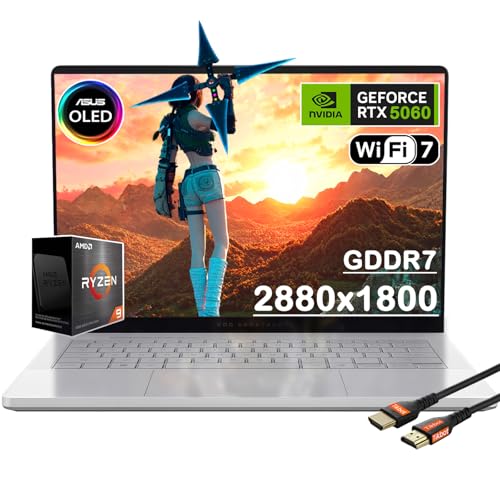
ASUS ROG Zephyrus G14 14" OLED Gaming Laptop
Best for: portable 120Hz gaming with Ryzen 9 power
- Refresh Rate
- 120Hz (what this guide is about)
- Graphics Card
- NVIDIA GeForce RTX 5060
- Processor
- AMD Ryzen 9 270
- Memory
- 16GB
- Storage Capacity
- 1TB PCIe SSD
- Screen Size
- 14"
View on Amazon: ASUS ROG Zephyrus G14 14" OLED Gaming Laptop
This laptop pairs an AMD Ryzen 9 270 processor with an NVIDIA GeForce RTX 5060 graphics card and a 14-inch 3K OLED panel. The screen operates at a 120Hz refresh rate with a 0.2ms response time for fast-paced motion. You also get 16GB of system memory and a 1TB PCIe SSD inside a 3.31-pound aluminum chassis. It suits you if you need portable processing power and smooth display output.
Pros
- 14-inch 3K OLED panel with 120Hz refresh rate and 0.2ms response time
- AMD Ryzen 9 270 processor with 8 cores, 16 threads, and 5.2GHz boost
- NVIDIA GeForce RTX 5060 with 8GB GDDR7 memory
- Compact 3.31-pound aluminum body measuring 0.63 inches thin
Cons
- Base configuration is limited to 16GB of system RAM
- Compact 14-inch screen provides less display area than 16-inch options
Good fit if
- You want an 8-core AMD Ryzen 9 processor in a lightweight 3.31-pound frame.
- You need a 120Hz 3K OLED display with a fast 0.2ms response time.
- You prioritize portability with a slim 0.63-inch aluminum chassis.
Skip if
- You require more than 16GB of system memory in your base configuration.
- You prefer a larger 16-inch screen size for desk-bound gaming.
Verdict: ASUS ROG Zephyrus G14 14" Ryzen 9 RTX 5060 pairs a rapid 120Hz 3K OLED panel with an 8-core AMD processor in a highly portable 3.31-pound chassis. It delivers capable graphics and processing performance without added bulk.

Dell XPS 13.4" 120Hz Touchscreen Laptop
Best for: ultraportable everyday use needing a 120Hz touchscreen
- Refresh Rate
- 120Hz (what this guide is about)
- Processor
- Intel Core 5 320
- Memory
- 8GB LPDDR5x
- Storage Capacity
- 512GB PCIe NVMe SSD
- Screen Size
- 13.4"
- Display Resolution
- 2560 x 1600
This Dell XPS 13 is an ultra-light laptop pairing a 13.4-inch 2560 x 1600 touchscreen with a 120Hz refresh rate. It runs on an Intel Core 5 320 6-core processor, 8GB of LPDDR5x memory, and a 512GB PCIe NVMe SSD. Weighing 2.2 pounds with up to 17 hours of battery life, it suits you if you need a compact, smooth display for portable daily productivity.
Pros
- 13.4-inch 2.5K (2560 x 1600) 120Hz touchscreen with 500-nit brightness
- Lightweight 2.2-pound chassis measuring 0.5 inches thin
- Up to 17 hours of rated battery life
- Includes an 8-in-1 dock to expand connectivity
Cons
- 8GB RAM limits heavy multitasking capacity
- Only two physical USB-C ports on the laptop body
- No dedicated graphics processor listed
Good fit if
- You want an ultra-light 2.2-pound laptop with a sharp 120Hz touchscreen.
- You need long battery life supporting up to 17 hours of use.
- You run standard office software, streaming, and light multitasking.
Skip if
- You need more than 8GB of RAM for heavy workloads.
- You require a dedicated gaming GPU for high-demand titles.
Verdict: Dell XPS 13 13.4-inch 120Hz Laptop delivers high portability at 2.2 pounds alongside a bright 120Hz touchscreen. Its Intel Core 5 processor and 8GB RAM configuration target everyday productivity tasks.

Dell XPS 13.4" 120Hz Intel Ultra 7 Laptop
Best for: portable productivity and casual light gaming
- Refresh Rate
- 120Hz (what this guide is about)
- Graphics Card
- Intel Arc Graphics
- Processor
- Intel Core Ultra 7 256V
- Memory
- 16GB DDR5
- Storage Capacity
- 1TB SSD
- Screen Size
- 13.4"
This ultra-portable laptop features a 13.4-inch 120Hz display with a 1920x1200 resolution and 400 nits of brightness. Inside, you get an Intel Core Ultra 7 256V processor, integrated Intel Arc Graphics, 16GB of fast DDR5 memory, and a 1TB SSD. Weighing 2.7 pounds, it gives you smooth visual refresh rates and long battery life in a compact footprint suited for mobile productivity and casual gaming.
Pros
- 13.4-inch 120Hz variable refresh rate screen with 400 nits brightness
- Intel Core Ultra 7 256V processor with 47 TOPS NPU
- Lightweight 2.7-pound chassis
- High-speed connectivity with Wi-Fi 7 and dual Thunderbolt 4 ports
Cons
- Relies on integrated Intel Arc Graphics rather than a dedicated GPU
- Port selection is limited to only two USB-C Thunderbolt 4 ports
- Display resolution capped at 1920x1200
Good fit if
- You need a lightweight 2.7-pound machine with a 120Hz screen for travel.
- You prioritize long battery life and everyday multitasking over heavy 3D rendering.
- You want modern connectivity like Wi-Fi 7 and dual Thunderbolt 4 support.
Skip if
- You require a dedicated graphics card for high-end gaming.
- You need legacy USB-A ports or built-in HDMI ports without adapters.
- You prefer a sharper 3K or OLED display panel.
Verdict: Dell XPS 13 120Hz Core Ultra 7 Laptop offers an ultra-portable design with a smooth 120Hz panel and responsive AI-capable processing. It fits mobile workflows well, though the lack of a dedicated GPU limits its utility for demanding games.

Dell Alienware 16 Aurora RTX 5060 Laptop
Best for: users wanting 32GB RAM and 120Hz WQXGA gaming
- Refresh Rate
- 120Hz (what this guide is about)
- Graphics Card
- NVIDIA GeForce RTX 5060
- Processor
- Intel Core 7 240H
- Memory
- 32 GB DDR5
- Storage Capacity
- 1 TB PCIe SSD
- Screen Size
- 16"
This Dell Alienware 16 configuration combines an Intel Core 7 240H processor with an NVIDIA GeForce RTX 5060 graphics card and 32 GB of DDR5 RAM. Its 16-inch display runs at a 120Hz refresh rate with a 2560 x 1600 resolution and 300 nits brightness. With 1 TB of PCIe SSD storage, you get ample space for your game library and files. It suits you if you need high memory bandwidth and dedicated graphics.
Pros
- 16-inch WQXGA (2560 x 1600) 120Hz display with 100% sRGB color gamut
- NVIDIA GeForce RTX 5060 GPU with 8 GB GDDR7 VRAM
- 32 GB DDR5 RAM paired with 1 TB PCIe SSD storage
- Wi-Fi 7 MT7925 and dedicated 1GbE RJ45 Ethernet port
Cons
- Display brightness is capped at 300 nits
- Heavy 8-pound weight makes regular transit difficult
Good fit if
- You want 32 GB of DDR5 memory paired with 1 TB of solid-state storage.
- You need an RTX 5060 GPU powering a 120Hz 2560 x 1600 display.
- You use both high-speed Wi-Fi 7 and wired 1GbE Ethernet.
Skip if
- You need a lightweight laptop that weighs well under 8 pounds.
- You require a bright display exceeding 300 nits for illuminated environments.
Verdict: Dell Alienware 16 RTX 5060 Gaming Laptop delivers a balanced mix of 32 GB DDR5 memory, RTX 5060 graphics, and a sharp 120Hz WQXGA panel. It serves as a capable desktop replacement if weight is not your primary concern.
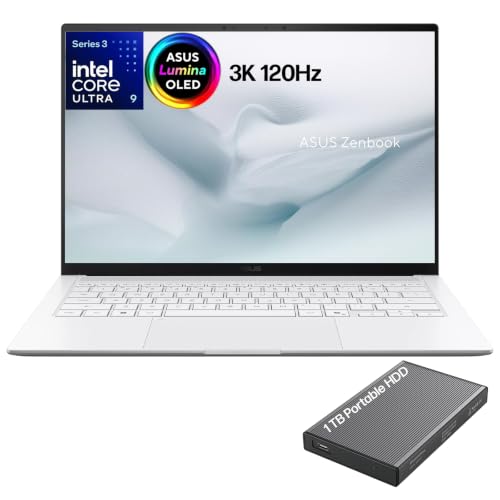
ASUS Zenbook 14 3K OLED 120Hz Laptop
Best for: portable productivity and high-resolution OLED visuals
- Refresh Rate
- 120Hz (what this guide is about)
- Graphics Card
- Intel graphics
- Processor
- Intel Core Ultra 9 Series 3
- Memory
- 32GB LPDDR5X
- Screen Size
- 14"
- Display Resolution
- 2880 x 1800
This is an ultra-slim 14-inch laptop featuring a 120Hz 2880 x 1800 OLED touchscreen and an Intel Core Ultra 9 processor. It pairs 32GB of high-speed LPDDR5X memory with integrated Intel graphics and a 77Wh battery. If you prioritize a sharp, color-accurate 120Hz display with fast 0.2ms response times in a lightweight 2.65-pound chassis over heavy-duty dedicated graphics, this setup suits everyday productivity and casual workloads on the go.
Pros
- 14-inch 2880 x 1800 OLED touchscreen with 120Hz refresh rate and 0.2ms response time
- Intel Core Ultra 9 Series 3 processor with 32GB 8533MHz LPDDR5X RAM
- Lightweight 2.65-pound chassis measuring 0.47 inches thick
- Dual Thunderbolt 4 ports, HDMI 2.1, and Wi-Fi 7 connectivity
Cons
- Integrated Intel graphics rather than a dedicated gaming GPU
- Single USB-A port listed for legacy peripherals
Good fit if
- You want a high-resolution 2880 x 1800 120Hz OLED touchscreen for portable use.
- You value a lightweight build under 3 pounds with dual Thunderbolt 4 ports.
- You need 32GB of high-speed memory for multitasking and local AI processing.
Skip if
- You require a dedicated discrete GPU for demanding gaming performance.
- You prefer a larger 16-inch display for your workspace.
Verdict: ASUS Zenbook 14 OLED Touchscreen Laptop combines a sharp 120Hz OLED display with 32GB RAM in an ultra-thin frame. Its reliance on integrated Intel graphics makes it better suited for portable productivity than graphic-intensive gaming.

ASUS ROG Zephyrus Duo 16 Dual-Screen RTX 5090
Best for: dual-screen multitasking and top-tier 120Hz gaming
- Refresh Rate
- 120Hz (what this guide is about)
- Graphics Card
- NVIDIA GeForce RTX 5090
- Processor
- Intel Core Ultra 9 386H
- Memory
- 32GB LPDDR5X
- Storage Capacity
- 1TB PCIe 4.0 SSD
- Screen Size
- 16"
View on Amazon: ASUS ROG Zephyrus Duo 16 Dual-Screen RTX 5090
The ASUS ROG Zephyrus Duo 16 is a dual-screen gaming laptop built for heavy multitasking and high-end play. You get two 16-inch 3K OLED touchscreens running at 120Hz, paired with an Intel Core Ultra 9 386H processor and an NVIDIA GeForce RTX 5090 graphics card. With 32GB of LPDDR5X RAM and a detachable keyboard, it suits gamers and creators who need secondary display space for streams, tools, or chats without adding an external monitor.
Pros
- Dual 16-inch 3K OLED touchscreens with 120Hz refresh rates
- NVIDIA GeForce RTX 5090 GPU paired with Intel Core Ultra 9 386H
- 32GB of high-speed LPDDR5X 8533MHz memory
- Detachable magnetic keyboard supporting five usage modes
Cons
- Heavy 6.22-pound total weight
- 1TB internal storage capacity fills quickly with modern games
Good fit if
- You want two built-in 16-inch 120Hz OLED displays for your workflow.
- You demand high graphics performance from an NVIDIA RTX 5090 GPU.
- You use multiple screen layouts for streaming, coding, or game guides.
Skip if
- You want a lightweight portable machine under six pounds.
- You require more than 1TB of storage right out of the box.
Verdict: ASUS ROG Zephyrus Duo 16 Dual-Screen Gaming Laptop delivers unmatched dual-display versatility backed by an RTX 5090 and twin 120Hz OLED panels. It functions as a powerful mobile workstation for users prioritizing screen area over travel lightness.

Acer Swift X 14 OLED RTX 4060 Laptop
Best for: portable RTX 4060 gaming and content creation
- Refresh Rate
- 120Hz (what this guide is about)
- Graphics Card
- NVIDIA GeForce RTX 4060
- Processor
- Intel Core Ultra 7 Processor 155H
- Memory
- 16GB LPDDR5X
- Storage Capacity
- 1TB SSD
- Screen Size
- 14.5"
The Acer Swift X 14 pairs a 14.5-inch 2.8K OLED display at 120Hz with a dedicated NVIDIA GeForce RTX 4060 GPU and an Intel Core Ultra 7 155H processor. It gives you 1TB of PCIe Gen 4 storage and weighs 3.31 pounds. This configuration suits you if you need dedicated mobile gaming performance alongside a sharp color-accurate screen in a compact frame.
Pros
- 14.5-inch 2880 x 1800 OLED screen with 120Hz refresh rate
- Dedicated NVIDIA GeForce RTX 4060 GPU with MUX switch
- Lightweight 3.31 lb chassis measuring 0.7 inches thin
- 1TB PCIe Gen 4 SSD paired with Intel Core Ultra 7 155H
Cons
- 16GB LPDDR5X memory is soldered onboard
- MicroSD card slot instead of a full-size SD slot
Good fit if
- You want an RTX 4060 GPU inside a 3.31 lb portable build.
- You prioritize a 2.8K 120Hz OLED screen for gaming and media creation.
Skip if
- You need more than 16GB of system memory for heavier workloads.
- You prefer a full-sized SD card slot for transferring camera media.
Verdict: Acer Swift X 14.5" RTX 4060 OLED Laptop balances portable 3.31-pound dimensions with discrete RTX 4060 graphics and a 120Hz 2.8K display. It delivers capable mobile gaming hardware without unnecessary bulk.

Acer Swift X 14 OLED RTX 5050 Laptop
Best for: portable creators needing RTX 5050 graphics
- Refresh Rate
- 120Hz (what this guide is about)
- Graphics Card
- NVIDIA GeForce RTX 5050
- Processor
- Intel Core Ultra 7 Processor 255H
- Memory
- 16GB LPDDR5X
- Storage Capacity
- 1TB PCIe Gen 4 SSD
- Screen Size
- 14.5"
The Acer Swift X 14 is a compact 14.5-inch laptop built for creative work and gaming on a fast display. It pairs a 120Hz 3K OLED touchscreen with an Intel Core Ultra 7 255H processor and an NVIDIA GeForce RTX 5050 graphics card. With 16GB of LPDDR5X memory and a 1TB SSD, this machine suits you if you need accurate visual fidelity alongside portable hardware for smooth 120Hz visuals and hardware-accelerated creative workflows.
Pros
- 14.5-inch 3K 120Hz OLED touchscreen with Corning Gorilla Glass
- NVIDIA GeForce RTX 5050 Laptop GPU with DLSS 4 support
- Intel Core Ultra 7 255H processor paired with a 1TB Gen 4 SSD
- Haptic glass touchpad with included Acer Active Stylus support
Cons
- Limited to 16GB of non-upgradable on-package memory
- Stylus input is supported on the touchpad rather than the screen
Good fit if
- You want a 120Hz 3K OLED touch display for media and work.
- You need dedicated NVIDIA GeForce RTX 5050 graphics in a 3.48-pound laptop.
- You prefer drawing with an included stylus directly on a haptic glass touchpad.
Skip if
- You require more than 16GB of system memory for demanding multitasking.
- You want active stylus support across the entire main display.
Verdict: Acer Swift X 14 RTX 5050 OLED Laptop delivers a sharp 120Hz 3K OLED panel and dedicated Blackwell graphics in a portable chassis. It serves as a balanced option if you need color-accurate visuals and steady graphics performance on the go.
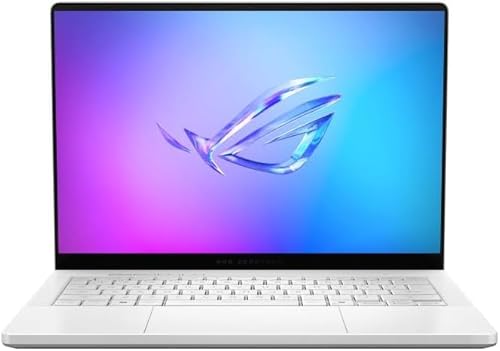
ASUS ROG Zephyrus G14 14" RTX 5080
Best for: compact 14-inch RTX 5080 gaming
- Refresh Rate
- 120Hz (what this guide is about)
- Graphics Card
- NVIDIA GeForce RTX 5080
- Processor
- AMD Ryzen AI 9 HX 370
- Memory
- 32GB LPDDR5X
- Storage Capacity
- 2TB PCIe 4.0 SSD
- Screen Size
- 14"
The ASUS ROG Zephyrus G14 pairs an AMD Ryzen AI 9 HX 370 processor with an NVIDIA GeForce RTX 5080 graphics card in a 14-inch aluminum chassis. Its 3K OLED panel runs at a 120Hz refresh rate with a 0.2ms response time and G-SYNC support. With 32GB of LPDDR5X memory and a 2TB SSD, this compact build suits you if you need top-tier GPU performance in a smaller form factor.
Pros
- NVIDIA GeForce RTX 5080 GPU with DLSS 4 support
- 3K OLED display with 120Hz refresh rate and 0.2ms response time
- AMD Ryzen AI 9 HX 370 processor with 12 cores, 24 threads, and 50 TOPS AI power
- 2TB PCIe 4.0 SSD paired with 32GB of 8000MHz LPDDR5X RAM
Cons
- Listed weight is 9 pounds despite the compact 14-inch chassis
- 14-inch display offers less viewable area than standard 16-inch laptops
Good fit if
- You want an RTX 5080 graphics card matched with a 120Hz 3K OLED display.
- You need 32GB of high-speed memory and 2TB of PCIe 4.0 storage.
- You want a multi-core processor featuring 50 TOPS of dedicated AI acceleration.
Skip if
- You prefer a larger 16-inch display for daily gaming.
- You need a machine lighter than the listed 9-pound spec.
Verdict: ASUS ROG Zephyrus G14 14" RTX 5080 OLED delivers top-tier GPU power and a sharp 3K 120Hz display inside a compact CNC aluminum body. It gives you exceptional rendering performance and fast storage in a 14-inch format.
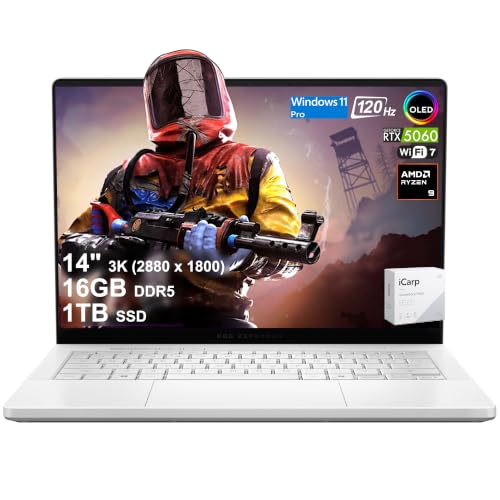
ASUS ROG Zephyrus 14 OLED RTX 5060
Best for: portable 120Hz gaming with 1TB storage
- Refresh Rate
- 120Hz (what this guide is about)
- Graphics Card
- NVIDIA GeForce RTX 5060
- Processor
- AMD Ryzen 9 270
- Memory
- 16GB DDR5
- Storage Capacity
- 1TB SSD
- Screen Size
- 14"
This compact gaming laptop pairs a 14-inch 120Hz 3K OLED screen with an AMD Ryzen 9 270 processor and NVIDIA GeForce RTX 5060 graphics. You get a 2880 x 1800 resolution with a 0.2ms response time and G-SYNC support for sharp visual output. With 16GB of DDR5 memory and a 1TB SSD inside a 3.31-pound chassis, it suits you if you want portable performance for everyday travel and gaming.
Pros
- 14-inch 3K (2880 x 1800) 120Hz OLED panel with 0.2ms response time
- NVIDIA GeForce RTX 5060 graphics card with 8GB GDDR7 memory
- AMD Ryzen 9 270 8-core processor with 16 TOPS NPU
- Lightweight 3.31-pound build with Wi-Fi 7 and HDMI 2.1
Cons
- Keyboard backlighting is limited to 1-zone RGB
- Memory is capped at 16GB DDR5 in this configuration
- MicroSD slot rather than a full-size SD card reader
Good fit if
- You want a fast 120Hz OLED panel with 2880 x 1800 resolution and G-SYNC support.
- You need a lightweight 3.31-pound machine with dedicated RTX 5060 graphics.
- You require modern connectivity including Wi-Fi 7 and HDMI 2.1 ports.
Skip if
- You require more than 16GB of system memory for your workloads.
- You prefer per-key RGB backlighting instead of single-zone illumination.
- You need a display larger than 14 inches.
Verdict: ASUS ROG Zephyrus G14 OLED RTX 5060 provides a balanced 120Hz OLED visual experience and dedicated RTX graphics in a 3.31-pound package. It offers reliable mobile power for users who need 16GB RAM and 1TB storage on the move.
Specifications side by side
| Spec | Alienware 16 Aurora RTX 4050 Gaming Laptop | Samsung Galaxy Book5 Pro 360 16-Inch Laptop | Dell XPS 14 3.2K OLED Touch Laptop | Dell XPS 13 13.4" 120Hz Touchscreen Laptop | Lenovo ThinkPad X9 15.3" 2.8K OLED | ASUS ROG Zephyrus G14 14" OLED Gaming Laptop | Dell XPS 13.4" 120Hz Touchscreen Laptop | Dell XPS 13.4" 120Hz Intel Ultra 7 Laptop | Dell Alienware 16 Aurora RTX 5060 Laptop | ASUS Zenbook 14 3K OLED 120Hz Laptop | ASUS ROG Zephyrus Duo 16 Dual-Screen RTX 5090 | Acer Swift X 14 OLED RTX 4060 Laptop | Acer Swift X 14 OLED RTX 5050 Laptop | ASUS ROG Zephyrus G14 14" RTX 5080 | ASUS ROG Zephyrus 14 OLED RTX 5060 |
|---|---|---|---|---|---|---|---|---|---|---|---|---|---|---|---|
| Graphics Card | NVIDIA GeForce RTX 4050 | not specified | Intel Arc Graphics | not specified | not specified | NVIDIA GeForce RTX 5060 | not specified | Intel Arc Graphics | NVIDIA GeForce RTX 5060 | Intel graphics | NVIDIA GeForce RTX 5090 | NVIDIA GeForce RTX 4060 | NVIDIA GeForce RTX 5050 | NVIDIA GeForce RTX 5080 | NVIDIA GeForce RTX 5060 |
| Processor | Intel Core 7 240H | Intel Core 7 Ultra | Intel Core Ultra 7 255H | Intel Core 5 320 | Ultra 7 | AMD Ryzen 9 270 | Intel Core 5 320 | Intel Core Ultra 7 256V | Intel Core 7 240H | Intel Core Ultra 9 Series 3 | Intel Core Ultra 9 386H | Intel Core Ultra 7 Processor 155H | Intel Core Ultra 7 Processor 255H | AMD Ryzen AI 9 HX 370 | AMD Ryzen 9 270 |
| Memory | 16GB DDR5 | not specified | 32GB | 8GB RAM | 32GB | 16GB | 8GB LPDDR5x | 16GB DDR5 | 32 GB DDR5 | 32GB LPDDR5X | 32GB LPDDR5X | 16GB LPDDR5X | 16GB LPDDR5X | 32GB LPDDR5X | 16GB DDR5 |
| Storage Capacity | 512GB SSD | not specified | 1TB SSD | 512GB PCIe SSD | not specified | 1TB PCIe SSD | 512GB PCIe NVMe SSD | 1TB SSD | 1 TB PCIe SSD | not specified | 1TB PCIe 4.0 SSD | 1TB SSD | 1TB PCIe Gen 4 SSD | 2TB PCIe 4.0 SSD | 1TB SSD |
| Screen Size | 16" | 16" | 14.5-inch | 13.4" | not specified | 14" | 13.4" | 13.4" | 16" | 14" | 16" | 14.5" | 14.5" | 14" | 14" |
| Refresh Rate | 120Hz | 120Hz | 48-120Hz | 120Hz | 120Hz | 120Hz | 120Hz | 120Hz | 120Hz | 120Hz | 120Hz | 120Hz | 120Hz | 120Hz | 120Hz |
| Display Resolution | WQXGA | 2880x1800 | 3.2K | 2560 x 1600 | 2.8K | 3K | 2560 x 1600 | 1920x1200 | 2560 x 1600 | 2880 x 1800 | 3K | 2880 x 1800 | 3K | 3K | 2880 x 1800 |
| Storage | 512GB SSD | not specified | 1TB SSD | 512GB SSD | 1TB SSD | 1TB SSD | 512GB SSD | 1TB SSD | 1TB SSD | not specified | 1TB SSD | 1TB SSD | 1TB SSD | 2TB SSD | 1TB SSD |
| Size | 15.3" Screen | 16 inch | not specified | 8GB RAM | 512GB SSD | Standard | 16GB RAM | 1TB PCIe SSD | 8GB RAM | 512GB SSD PCIe | 16GB RAM|1TB SSD | 32GB RAM | 1TB SSD | not specified | not specified | 14.5" OLED | not specified | 32GB RAM | 2TB PCIe SSD | 16GB RAM | 1TB SSD |
| Dimensions | 10.5 × 14.1 × 0.6 inches | 14 × 9.93 × 0.5 inches | 8.5 × 12.6 × 0.71 inches | 11.7 × 7.9 × 0.5 inches | 13.4 × 9 × 0.51 inches | 12.3 × 0.63 × 8.66 inches | 11.7 × 7.9 × 0.5 inches | 11.6 × 7.8 × 0.75 inches | 21 × 13 × 3 inches | 12.3 × 0.51 × 8.49 inches | 14 × 0.98 × 9.72 inches | 12.7 × 0.7 × 8.98 inches | 12.7 × 0.71 × 8.95 inches | 12.3 × 0.63 × 8.66 inches | 12.2 × 8.66 × 0.64 inches |
| Weight | 5.49 pounds | 3.73 pounds | 3.79 pounds | 2.2 pounds | 3.3 pounds | 8.82 pounds | 2.2 pounds | 2.7 pounds | 8 pounds | 2.76 pounds | 6.22 pounds | 3.31 pounds | 3.48 pounds | 9 pounds | 3.31 pounds |
| Color | Blue | Gray | Platinum | Sky blue | Gray | Platinum White | Sky | not specified | Blue | Scandinavian White | Stellar Grey | Gray | Gray | Platinum White | White |
| Model | LAC16250-7649BLU-PUS | NP960QHA-KG1US | LDA14250-7667SLV-PUS | XPS 13 | 21Q6006RUS | GA403UM-G14.R9HX4 | XPS | 9350 | Dell | UX54 | GX651AX-DB96 | NX.KR8AA.001 | SFX14-73G-71XL | GA403W | not specified |
Is a 120Hz laptop display worth it?
A 120Hz screen updates images twice as fast as a standard 60Hz display. This specification produces visibly smoother motion during fast-paced play, application navigation, and window resizing. On productivity models with integrated graphics like the Dell XPS 13 or ASUS Zenbook 14, it delivers responsive touch input and fluid system scrolling. On gaming machines carrying discrete GPUs such as the RTX 4050 or RTX 5080, a 120Hz panel ensures the screen can accurately present high frame-rate output without visual stutter.
Worth it if
- You run fast-paced games using dedicated GPUs like the RTX 4060, RTX 5060, or RTX 5080 to exceed 60 frames per second.
- You want fluid desktop navigation, touch interactions, and clear motion on high-resolution OLED or WQXGA panels.
Skip it if
- You only run static office software and simple web browsing where higher refresh rates provide minimal functional benefit.
- You prioritize raw battery endurance over screen refresh performance on compact travel laptops.
When you need lower component temperatures under sustained gaming loads, evaluate the best heatsinks for laptop to compare thermal dissipation options.
How We Picked These Laptops
To select the 15 laptops for this guide, we identified displays with a confirmed 120Hz refresh rate. We verified this feature directly from the specifications and titles published on Amazon listings. We do not physically handle or test products. Every model is evaluated strictly through its published data, and we include only one variant per product family to keep the comparison focused.
The lineup is ordered with in-stock products first, then by Amazon sales rank, placing better-selling laptops ahead. We also examine core hardware specifications, including processor models, graphics cards, system memory, storage capacity, and device weight. This method allows you to evaluate 120Hz performance against your portable computing requirements without guesswork.
How to Choose a 120Hz Gaming Laptop
-
Select the Right Graphics Tier
Match your graphics hardware to the visual fidelity you expect at 120Hz. Entry-level discrete GPUs handle casual titles and standard settings cleanly. Demanding 3D titles require stronger hardware to render full 120 frames per second on high resolutions. The ASUS ROG Zephyrus Duo 16 Dual-Screen RTX 5090 offers a top-tier dedicated GPU that drives intensive game engines at high detail settings. If you play fast-paced competitive games or run complex render workloads, evaluate the exact graphics card model listed in the system specifications before deciding.
-
Evaluate System Memory Capacity
System memory dictates how smoothly background applications and games operate together. Basic tasks run on 8GB, but modern gaming environments generally perform better with 16GB or 32GB of RAM. Ample memory prevents frame drops and hitching when streaming or running browser tabs behind your game. The Dell Alienware 16 Aurora RTX 5060 Laptop includes 32GB RAM, which provides plenty of headroom for heavy multitasking. Check the memory specification on the product sheet to confirm whether it meets the minimum demands of your primary software.
-
Check Solid State Drive Size
Internal solid-state storage determines how many games and files you can keep installed at once. High-end modern game installations can easily exceed 100GB individually. While a 512GB drive suffices for a compact library, active gamers and creators often run out of local space quickly. The ASUS ROG Zephyrus G14 14" RTX 5080 comes equipped with a 2TB SSD, giving you ample room for large game folders without regular uninstalls. Check the storage attribute to make sure the capacity matches your expected file and library sizes.
-
Balance Screen Size and Resolution
Screen size and panel resolution shape your visual immersion and clarity. A 16-inch display offers broad field view and expansive workspace, whereas 13-inch and 14-inch screens focus on compact footprints. Sharp resolutions like 2.8K or 3K create crisp textures, but they demand higher processing performance to output at 120Hz. The Samsung Galaxy Book5 Pro 360 16-Inch Laptop features a 2880x1800 AMOLED display that delivers detailed visuals across a generous panel. Look closely at display dimensions and pixel specs to find the right balance between sharp imagery and usable viewing space.
-
Compare Chassis Weight and Portability
Laptops with 120Hz displays range widely in overall weight and chassis bulk. Heavy machines above six pounds usually serve as stationary desk replacements, while options around three pounds travel comfortably in a backpack. If you plan to commute frequently, chassis thickness and weight become critical specifications to review. The Lenovo ThinkPad X9 15.3" 2.8K OLED packs a large display into a slim 3.3-pound frame, showing that screen area does not always require heavy hardware. Compare the measured weight spec against your daily mobility habits before selecting a model.
-
Assess Processor Architecture and Cores
The central processor coordinates physics calculations, game logic, and background processing. To take full advantage of 120Hz refresh rates, a strong multi-core processor prevents bottlenecks during fast gameplay sequences. Modern options include multi-core Intel Core Ultra platforms alongside high-efficiency AMD Ryzen series chips. The ASUS ROG Zephyrus G14 14" OLED Gaming Laptop features an 8-core Ryzen 9 processor built to handle computational gaming loads with minimal strain. When comparing specifications, look at the processor tier and core counts to ensure the CPU can comfortably support your intended workloads.
Frequently asked questions
Which 120Hz gaming laptop offers the highest graphics performance?
The ASUS ROG Zephyrus Duo 16 features an NVIDIA GeForce RTX 5090, offering the highest-tier graphics processor among the listed models. Paired with an Intel Core Ultra 9 processor and 32GB of RAM, this dual-screen laptop targets demanding graphics workloads. If you prefer a more compact 14-inch chassis, the ASUS ROG Zephyrus G14 provides an NVIDIA GeForce RTX 5080 alongside 32GB of RAM and a 2TB SSD.
What is the lightest 120Hz laptop available with dedicated graphics?
The Acer Swift X 14 and ASUS ROG Zephyrus G14 are the lightest options with discrete graphics, each weighing 3.31 pounds. The Acer Swift X includes an RTX 4060 GPU and a 1TB SSD. Meanwhile, the ROG Zephyrus G14 pairs an RTX 5060 graphics card with an AMD Ryzen 9 processor and 16GB of RAM, packing dedicated graphics hardware into a slim 0.63-inch thick aluminum chassis.
How much RAM do you need for a 120Hz gaming laptop?
A minimum of 16GB of RAM is standard for fluid performance on 120Hz laptops, while 32GB provides extra headroom for heavy multitasking. The Alienware 16 Aurora RTX 4050 comes equipped with 16GB of memory, which suits mainstream gaming demands. If you run background applications or content creation software, options like the Dell Alienware 16 RTX 5060 and Lenovo ThinkPad X9 step up to 32GB of RAM.
Can you get a 2-in-1 convertible laptop with a 120Hz display and dedicated GPU?
Yes, the Microsoft Surface Laptop Studio 2 combines a convertible form factor with dedicated graphics. Its hardware includes an NVIDIA GeForce RTX 4050 GPU, an Intel Core i7 processor, 32GB of RAM, and a 1TB SSD. This 14.4-inch model weighs 4.37 pounds and delivers a 120Hz refresh rate, allowing you to transition between a standard laptop setup and a flat digital drafting surface.
Which 120Hz laptops feature OLED display technology?
Several listed 120Hz laptops feature OLED panels for sharp contrast and deep black levels. Options include the Dell XPS 14 with a 3.2K OLED touch display, the Lenovo ThinkPad X9 with a 15.3-inch 2.8K OLED, and the Samsung Galaxy Book5 Pro 360 with a 2880x1800 AMOLED panel. OLED technology illuminates each pixel independently, delivering richer contrast than standard backlit laptop screens.
What internal storage capacities are standard on 120Hz laptops?
Most 120Hz laptops on this list provide either 512GB or 1TB of solid-state storage. Baseline configurations like the Dell XPS 13 and entry Alienware 16 include 512GB SSDs, which hold an operating system and a modest collection of files. For larger local libraries, models like the Acer Swift X 14 feature a 1TB SSD, while the ASUS ROG Zephyrus G14 RTX 5080 provides a 2TB SSD.
Are there dual-screen laptop options that support a 120Hz refresh rate?
Yes, the ASUS ROG Zephyrus Duo 16 series incorporates secondary built-in display panels operating at 120Hz. The RTX 5090 model features twin 16-inch OLED displays, 32GB of RAM, and an Intel Core Ultra 9 processor at 6.22 pounds. An alternative configuration features an RTX 5070 Ti. The secondary screen lets you view utility apps, chat channels, or media while keeping your primary display uninterrupted.