Best RTX 4050 Gaming Laptops: 15 Spec-Based Picks
As an Amazon Associate we earn from qualifying purchases. Links on this page are affiliate links.
Choosing an RTX 4050 gaming laptop requires evaluating display quality, processing power, and storage capacity across different configurations. This guide compares 15 models strictly using the specifications published on their listings. The Alienware 16 Aurora RTX 4050 Gaming Laptop takes the top position because it pairs an Intel Core 7 processor with a high-resolution WQXGA display panel.
This breakdown helps you decide which hardware configuration best matches your screen resolution preferences, system memory needs, and everyday portability demands.
Quick picks
The best fit for you
- You want sharp WQXGA resolution on a 16-inch display Alienware 16 Aurora RTX 4050 Gaming Laptop This model features a 16-inch WQXGA panel paired with an Intel Core 7 processor and 16GB of RAM.
- You want large 1TB storage and 165Hz refresh speed Acer Nitro V 15.6" Core i7 RTX 4050 It supplies a built-in 1TB SSD alongside a fast 165Hz refresh rate screen and Thunderbolt 4 connectivity.
- You prioritize the lightest carrying weight for everyday portability MSI Thin GF63 15.6" Core i7 RTX 4050 The chassis weighs 4.1 pounds, making it the lightest laptop configuration across the list.
- You want a convertible form factor with 32GB memory Microsoft Surface Laptop Studio 2 14.4" RTX 4050 It features a convertible 2-in-1 design equipped with 32GB of RAM and a 1TB SSD.
Our 15 picks

Alienware 16 Aurora RTX 4050 Gaming Laptop
Best for: sharp WQXGA gaming with modern Intel processing
- Graphics Card
- RTX 4050
- Processor
- Intel Core 7 240H
- Memory
- 16GB DDR5
- Storage Capacity
- 512GB SSD
- Screen Size
- 16"
- Refresh Rate
- 120Hz
The Alienware 16 Aurora is a 16-inch gaming laptop built with an NVIDIA GeForce RTX 4050 graphics card and an Intel Core 7 240H processor. You get a sharp WQXGA panel running at 120Hz with 300 nits of brightness, paired with 16GB of RAM and a 512GB SSD. Cryo-Chamber cooling handles heat dissipation. This machine suits you if you want a high-resolution display and modern processing power for everyday gaming.
Pros
- 16-inch WQXGA display with 120Hz refresh rate and 300 nits brightness
- Intel Core 7 240H processor with 45W thermal design power
- Cryo-Chamber cooling design directs airflow to core components
- Slim chassis measuring 0.6 inches in height
Cons
- 512GB SSD offers limited onboard storage space
- 120Hz refresh rate is lower than the 144Hz standard on competing models
- Weighs 5.49 pounds
Good fit if
- You want a higher-resolution WQXGA screen rather than standard 1080p.
- You need an Intel Core 7 processor running at 45W TDP for heavy workloads.
- You prefer a slim 0.6-inch profile with focused internal cooling.
Skip if
- You need more than 512GB of internal storage out of the box.
- You want a display with a 144Hz or higher refresh rate.
- You require a lightweight machine under five pounds for frequent travel.
Verdict: Alienware 16 Aurora RTX 4050 Gaming Laptop pairs an Intel Core 7 processor and RTX 4050 GPU with a high-resolution WQXGA panel. It delivers balanced hardware and dedicated cooling in a slim chassis.

Lenovo LOQ 15.6" RTX 4050 Gaming Laptop
Best for: smooth 1080p gaming with G-SYNC visuals
- Graphics Card
- RTX 4050
- Processor
- AMD Ryzen 5 7235HS
- Memory
- 12GB RAM
- Storage Capacity
- 512GB SSD
- Screen Size
- 15.6 inch
- Refresh Rate
- 144Hz
This Lenovo LOQ pairs an NVIDIA GeForce RTX 4050 6GB GPU with an AMD Ryzen 5 7235HS four-core processor. You get a 15.6-inch 144Hz full HD display with G-SYNC support and 300 nits brightness, alongside 12GB of DDR5 RAM and a 512GB SSD. It suits you if you need a dedicated graphics setup with wired Ethernet and high-refresh visuals for standard 1080p gaming sessions.
Pros
- 15.6-inch FHD 144Hz IPS display with G-SYNC and 300 nits brightness
- NVIDIA GeForce RTX 4050 6GB GDDR6 dedicated graphics
- Comprehensive ports including RJ45 Ethernet, HDMI, and 3 USB-A ports
- Hardware expansion support up to 64GB DDR5 RAM and 8TB SSD
Cons
- AMD Ryzen 5 7235HS processor has only 4 cores and 8 threads
- 12GB RAM base capacity rather than standard 16GB
- Weighs 5.25 pounds
Good fit if
- You want a 144Hz G-SYNC 1080p screen driven by an RTX 4050 GPU.
- You need wired networking via an integrated RJ45 Ethernet port.
- You plan to upgrade system memory or storage over time.
Skip if
- You need high core counts for heavy multitasking beyond 4 cores.
- You want a travel-friendly machine weighing under five pounds.
Verdict: Lenovo LOQ 15.6" RTX 4050 Gaming Laptop delivers dedicated 6GB graphics alongside a smooth 144Hz G-SYNC screen. It provides reliable 1080p gameplay if you do not mind a four-core CPU configuration.

Acer Nitro V 15.6" Core i7 RTX 4050
Best for: high-refresh 1080p gaming with Thunderbolt 4
- Graphics Card
- RTX 4050
- Processor
- Intel Core i7-13620H
- Memory
- 16GB DDR5
- Storage Capacity
- 1TB PCIe Gen 4 SSD
- Screen Size
- 15.6"
- Refresh Rate
- 165Hz
The Acer Nitro V pairs an Intel Core i7-13620H processor with an NVIDIA GeForce RTX 4050 graphics chip and a 1TB PCIe Gen 4 SSD. Its 15.6-inch Full HD screen refreshes at 165Hz, giving you smooth visuals during fast-paced play. With 16GB of DDR5 memory and Thunderbolt 4 connectivity, this laptop suits you if you want high-refresh 1080p gaming and quick file transfers in a 4.66-pound chassis.
Pros
- 15.6-inch Full HD screen with a 165Hz refresh rate
- 1TB PCIe Gen 4 SSD and 16GB DDR5 memory included
- Thunderbolt 4 port supports charging, display, and fast data
- Wi-Fi 6 and Killer Ethernet E2600 networking
Cons
- Maximum memory capacity is capped at 32GB
- Display resolution is limited to 1080p Full HD
Good fit if
- You play fast-paced titles that benefit from a 165Hz display.
- You need a Thunderbolt 4 port for external displays and power.
- You want 1TB of PCIe Gen 4 storage without upgrading.
Skip if
- You need a display resolution higher than Full HD.
- You plan to upgrade beyond 32GB of total RAM.
Verdict: Acer Nitro V 15.6" Core i7 RTX 4050 pairs a 165Hz display with 1TB of high-speed storage and Thunderbolt 4 connectivity. It provides dedicated 1080p graphical power alongside flexible port options for everyday setups.

ASUS TUF Gaming F16 RTX 4050 Laptop
Best for: durable, high-power 115W TGP RTX 4050 gaming
- Graphics Card
- RTX 4050
- Processor
- Intel® Core™ 5 210H Processor
- Memory
- 8GB DDR5
- Storage Capacity
- 512GB PCIe Gen4 SSD
- Screen Size
- 16”
- Refresh Rate
- 144Hz
The ASUS TUF Gaming F16 RTX 4050 Laptop pairs an Intel Core 5 210H processor with an NVIDIA GeForce RTX 4050 GPU running at up to 115W TGP. You get a 16-inch 144Hz display with a 16:10 aspect ratio and 100% sRGB coverage. Weighing 4.85 pounds and built to MIL-STD-810H standards, it suits you if you need a durable machine for everyday high-refresh gaming.
Pros
- NVIDIA GeForce RTX 4050 GPU configured with 115W maximum TGP
- 16-inch 144Hz display featuring 100% sRGB coverage and Adaptive-Sync
- Comprehensive cooling with 5 heat pipes, 4 exhaust vents, and anti-dust filter
- Meets MIL-STD-810H military durability testing standards
Cons
- Equipped with only 8GB of system RAM out of the box
- Carries a relatively heavy 4.85-pound chassis
Good fit if
- You want maximum graphics wattage with a 115W TGP RTX 4050 setup.
- You require 100% sRGB color coverage on a 16:10 144Hz display.
- You value hardware certified against MIL-STD-810H durability standards.
Skip if
- You require more than 8GB of factory-installed memory.
- You need a lightweight laptop under four pounds for daily transit.
Verdict: ASUS TUF Gaming F16 RTX 4050 Laptop delivers full 115W GPU performance and complete sRGB color coverage in a durable chassis. Its 8GB base memory remains the main specification bottleneck.

Acer Nitro V 15 165Hz RTX 4050 Gaming Laptop
Best for: budget-focused players wanting a 165Hz screen
- Graphics Card
- RTX 4050
- Processor
- Intel Core i5-13420H
- Memory
- 8GB DDR5
- Storage Capacity
- 512GB Gen 4 SSD
- Screen Size
- 15.6"
- Refresh Rate
- 165Hz
View on Amazon: Acer Nitro V 15 165Hz RTX 4050 Gaming Laptop
The Acer Nitro V 15 pairs an NVIDIA GeForce RTX 4050 graphics card with an Intel Core i5-13420H processor. Its 15.6-inch Full HD display delivers a fast 165Hz refresh rate for fluid visual output. You receive 8GB of DDR5 memory and a 512GB PCIe Gen 4 SSD out of the box. This machine suits you if you want a dedicated RTX 4050 setup with high display refresh speed and upgradeable memory slots.
Pros
- Fast 165Hz Full HD display
- Thunderbolt 4 port with charging and video support
- Two DDR5 slots support up to 32GB of RAM
- Killer Ethernet E2600 and Wi-Fi 6 connectivity
Cons
- Comes with only 8GB of system memory
- Baseline 512GB internal solid-state drive capacity
Good fit if
- You prioritize a 165Hz refresh rate for fast-paced titles.
- You plan to add more RAM yourself using the two DDR5 slots.
- You want high-speed wired networking alongside Thunderbolt 4 connectivity.
Skip if
- You require 16GB or more of RAM straight out of the box.
- You need more than 512GB of factory storage for large game libraries.
Verdict: Acer Nitro V 15 165Hz RTX 4050 Gaming Laptop provides a baseline RTX 4050 configuration paired with a high-refresh 165Hz panel. It offers clear upgrade paths with dual memory slots supporting up to 32GB of RAM.
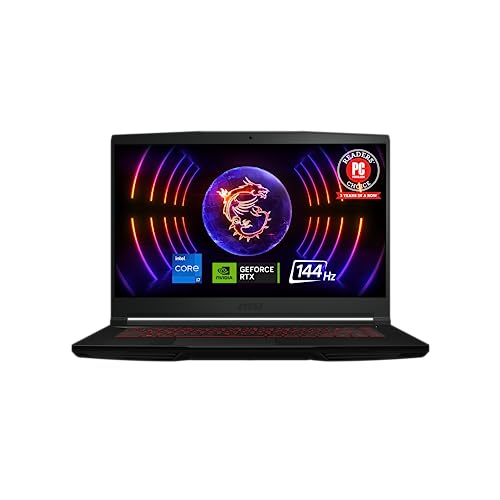
MSI Thin GF63 15.6" Core i7 RTX 4050
Best for: portable everyday gaming on the move
- Graphics Card
- RTX 4050
- Processor
- 12th Gen Intel Core i7
- Memory
- 16GB DDR4
- Storage Capacity
- 512GB NVMe SSD
- Screen Size
- 15.6"
- Refresh Rate
- 144Hz
This MSI Thin GF63 pairs a 12th Gen Intel Core i7 processor with an NVIDIA GeForce RTX 4050 graphics card and a 15.6-inch 144Hz display. It includes 16GB of DDR4 RAM and a 512GB NVMe SSD inside a 4.1-pound chassis measuring 0.85 inches thick. Cooler Boost 5 uses two fans and six heat pipes for thermal management. This setup suits you if you need a lighter mid-range gaming laptop.
Pros
- Weighs 4.1 pounds with an 0.85-inch thickness
- 15.6-inch display with 144Hz refresh rate
- Cooler Boost 5 system with 2 fans and 6 heat pipes
- PCIe Gen 4x4 NVMe SSD for fast data transfer
Cons
- Uses older DDR4 memory instead of DDR5
- Storage capacity is limited to 512GB out of the box
Good fit if
- You want a portable 4.1-pound gaming chassis for travel
- You prioritize a 144Hz refresh rate for competitive games
- You need a 12th Gen Intel Core i7 CPU for multi-layered tasks
Skip if
- You need more than 512GB of default storage for large game libraries
- You require newer DDR5 system memory
Verdict: MSI Thin GF63 15.6" Core i7 RTX 4050 delivers balanced gaming hardware with a fast 144Hz screen in a portable 4.1-pound frame. Its use of DDR4 memory and a 512GB drive keeps the footprint practical for everyday gaming.

Dell Alienware 15 with 32GB RAM
Best for: gamers wanting 32GB RAM without manual upgrades
- Graphics Card
- RTX 4050
- Processor
- AMD Ryzen 5 220
- Memory
- 32GB DDR5
- Storage Capacity
- 1TB SSD
- Screen Size
- 15.3"
- Refresh Rate
- 165Hz
The Dell Alienware 15 pairs an NVIDIA GeForce RTX 4050 graphics card with an AMD Ryzen 5 220 processor. It features 32GB of DDR5 memory, a 1TB solid-state drive, and a 15.3-inch 165Hz display at 1920 by 1200 resolution. This setup suits you if you need generous memory for multitasking and creative workloads alongside smooth gaming without opening the chassis yourself.
Pros
- 32GB DDR5 RAM enables seamless multitasking
- 15.3-inch WUXGA display with 165Hz refresh rate and 16:10 aspect ratio
- 1TB NVMe SSD provides ample game storage
- HDMI 2.1 and USB-C ports support dual external monitors up to 4K
Cons
- Unit is resealed by a third party to install upgraded components
- Chassis weighs 4.96 pounds
Good fit if
- You want 32GB of RAM pre-installed without opening the laptop.
- You prefer a 165Hz 16:10 display for both gaming and productivity.
- You want 1TB of fast NVMe storage out of the box.
Skip if
- You prefer an unmodified factory seal directly from the manufacturer.
- You need an ultraportable device lighter than 4.96 pounds.
Verdict: Dell Alienware 15 with 32GB RAM combines a 165Hz display with generous memory and storage out of the box. It gives you dependable RTX 4050 performance without requiring manual hardware upgrades.

MSI Thin 15.6" RTX 4050 Laptop
Best for: gamers needing 32GB RAM and 1TB storage
- Graphics Card
- RTX 4050
- Processor
- Intel Core i5-12450H
- Memory
- 32GB DDR4
- Storage Capacity
- 1TB NVMe SSD
- Screen Size
- 15.6"
- Refresh Rate
- 144Hz
This MSI Thin laptop pairs an NVIDIA GeForce RTX 4050 GPU with a 12th Gen Intel Core i5-12450H processor. You get a 15.6-inch Full HD 144Hz IPS display for smooth visual output, along with an upgraded configuration featuring 32GB of DDR4 RAM and a 1TB SSD. It suits you if you want generous memory and fast storage straight out of the box.
Pros
- NVIDIA GeForce RTX 4050 graphics card
- 32GB DDR4 system memory
- 1TB solid-state drive storage
- 15.6-inch 1080p IPS panel with 144Hz refresh rate
Cons
- Factory seal is opened to install hardware upgrades
- Uses DDR4 RAM rather than newer DDR5
- Listed total weight is 7 pounds
Good fit if
- You want 32GB of RAM pre-installed for heavy multitasking.
- You need a 144Hz display for fast refresh rates in games.
- You prefer 1TB of internal SSD capacity.
Skip if
- You require an intact original factory seal on the box.
- You prefer a laptop equipped with DDR5 memory.
Verdict: MSI Thin 15.6" RTX 4050 Laptop delivers high-capacity 32GB memory and a 1TB SSD alongside a smooth 144Hz display. It gives you solid core specifications without requiring post-purchase component additions.

HP Victus 15.6" Core i5 RTX 4050
Best for: standard 1080p high-refresh gaming at home
- Graphics Card
- RTX 4050
- Processor
- Intel Core i5 13420H
- Memory
- 16GB DDR4
- Storage Capacity
- 512GB NVMe PCIe SSD
- Screen Size
- 15.6"
- Refresh Rate
- 144 Hz
This HP Victus 15.6" laptop combines an 8-core Intel Core i5-13420H processor with an NVIDIA GeForce RTX 4050 graphics card. You get a 1080p display running at 144Hz for fluid movement during fast gameplay. The configuration includes 16GB of DDR4 RAM alongside a 512GB PCIe SSD for your software library. It suits you if you want standard 1080p gaming power without complicated configuration.
Pros
- Dedicated NVIDIA GeForce RTX 4050 GPU with 6GB GDDR6 memory
- 15.6-inch Full HD display with 144Hz refresh rate
- Intel Core i5-13420H processor with 8 cores up to 4.6GHz
- Pre-installed with 16GB DDR4 system memory
Cons
- Uses DDR4 RAM rather than newer DDR5
- Listed at a heavier 7.1-pound weight
- 512GB base storage space
Good fit if
- You want an Intel Core i5 and RTX 4050 pairing for Full HD gaming.
- You need a 144Hz anti-glare screen for fast competitive titles.
- You want 16GB of memory already installed.
Skip if
- You want faster DDR5 system memory.
- You need a lightweight gaming machine instead of a 7.1-pound chassis.
- You require 1TB or more of built-in storage.
Verdict: HP Victus 15.6" Core i5 RTX 4050 balances an 8-core processor, dedicated RTX graphics, and a fast 144Hz panel. Its 7.1-pound weight and DDR4 memory standard are the main trade-offs to weigh.

HP Victus 15.6" 144Hz RTX 4050 Gaming Laptop
Best for: smooth 144Hz 1080p gaming and everyday multitasking
- Graphics Card
- RTX 4050
- Processor
- Intel Core i5-13420H
- Memory
- 16 GB DDR4
- Storage Capacity
- 512 GB SSD
- Screen Size
- 15.6 inch
- Refresh Rate
- 144Hz
View on Amazon: HP Victus 15.6" 144Hz RTX 4050 Gaming Laptop
This HP Victus configuration pairs an Intel Core i5-13420H processor with an NVIDIA GeForce RTX 4050 6GB graphics card. You get a 15.6-inch Full HD display with a 144Hz refresh rate, suited for fast-paced titles. It includes 16GB of DDR4 memory and a 512GB PCIe Gen4 NVMe solid-state drive. This setup suits you if you want high-refresh 1080p gaming alongside standard everyday productivity in a 5.14-pound portable chassis.
Pros
- NVIDIA GeForce RTX 4050 GPU with 6GB dedicated GDDR6 memory
- 15.6-inch Full HD IPS anti-glare panel with 144Hz refresh rate
- Fast 512GB PCIe Gen4 NVMe M.2 solid-state drive
- 13th Gen Intel Core i5-13420H processor
Cons
- Uses DDR4 system memory instead of DDR5
- 512GB storage capacity limits your local game library size
- Carrying weight exceeds 5.1 pounds
Good fit if
- You want a 144Hz Full HD screen for smooth competitive gaming.
- You need a dedicated 6GB RTX 4050 GPU for modern graphics features.
- You prefer 16GB of memory included out of the box.
Skip if
- You require newer, faster DDR5 system memory.
- You need more than 512GB of factory storage installed.
- You want a lightweight machine under 5 pounds for daily travel.
Verdict: HP Victus 15.6" 144Hz RTX 4050 Gaming Laptop delivers balanced 1080p performance with a fast 144Hz anti-glare screen. Its overall capability handles modern titles smoothly, though it relies on DDR4 RAM rather than DDR5.

ASUS TUF A16 16-inch Gaming Laptop
Best for: 16-inch high-refresh desktop-style gaming setups
- Graphics Card
- RTX 4050
- Processor
- AMD Ryzen 7 7445HS
- Memory
- 16GB DDR5
- Storage Capacity
- 512GB SSD
- Screen Size
- 16"
- Refresh Rate
- 144Hz
This ASUS TUF Gaming A16 combines an NVIDIA GeForce RTX 4050 GPU with an AMD Ryzen 7 7445HS processor and 16GB of DDR5 RAM. Its 16-inch Full HD+ display runs at a 144Hz refresh rate for fluid gameplay. The system includes 512GB of solid-state storage for games and applications. You get a larger 16-inch display format suited for desktop-replacement gaming when you need fast visuals without connecting an external monitor.
Pros
- AMD Ryzen 7 7445HS processor running at 3.2GHz
- 16-inch Full HD+ screen with 144Hz refresh rate
- 16GB DDR5 system memory
- NVIDIA GeForce RTX 4050 dedicated graphics
Cons
- Heavy 7-pound total weight
- Base storage capacity limited to 512GB SSD
Good fit if
- You want a 16-inch 144Hz screen for fast-paced gaming.
- You need 16GB of DDR5 memory paired with an eight-core class Ryzen 7 CPU.
- You plan to keep your laptop mostly stationary on a desk.
Skip if
- You travel frequently and want a chassis lighter than 7 pounds.
- You install large game libraries requiring more than 512GB of factory storage.
Verdict: ASUS TUF A16 16-inch Gaming Laptop pairs an RTX 4050 GPU with a Ryzen 7 processor and a 144Hz panel. It offers a capable 16-inch platform if you do not mind the 7-pound carrying weight.

Alienware 15 RTX 4050 Intel Core 7 Gaming Laptop
Best for: 165Hz gaming with reliable onsite service
- Graphics Card
- RTX 4050
- Processor
- Intel Core 7 240H
- Screen Size
- 15.3"
- Refresh Rate
- 165Hz
- Display Resolution
- 1920x1200
- Dimensions
- 9.85 × 13.7 × 0.9 inches
View on Amazon: Alienware 15 RTX 4050 Intel Core 7 Gaming Laptop
This Alienware 15 gaming laptop pairs an NVIDIA GeForce RTX 4050 graphics card with an Intel Core 7-240H processor and 16 GB of memory. It features a 15.3-inch WUXGA 1920x1200 display with a 16:10 aspect ratio and a 165Hz refresh rate for fast-paced gameplay. At 4.85 pounds and 0.9 inches thick, it suits you if you want high-refresh gaming with Alienware Cryo-tech cooling and dedicated quiet performance modes.
Pros
- 15.3-inch WUXGA (1920x1200) 165Hz display with a 16:10 aspect ratio
- Intel Core 7-240H processor paired with 16 GB of memory
- Alienware Cryo-tech cooling with a one-click Stealth mode
- Includes 1 Year Onsite Service support from Dell
Cons
- Weighs 4.85 pounds, which adds bulk during daily carry
- Storage drive capacity is omitted from the specifications
Good fit if
- You want a 165Hz refresh rate and a 16:10 WUXGA screen for gaming.
- You value included in-person hardware support via 1 Year Onsite Service.
- You need a dedicated one-click stealth mode for quiet operation.
Skip if
- You require an ultra-portable laptop weighing under four pounds.
- You want a display resolution higher than 1920x1200.
Verdict: Alienware 15 RTX 4050 Intel Core 7 Gaming Laptop pairs a fast 165Hz screen with dedicated thermal controls and onsite service coverage.

Lenovo LOQ 15.6" RTX 4050 Gaming Laptop
Best for: balanced 1080p gaming and versatile peripheral connectivity
- Graphics Card
- RTX 4050
- Processor
- AMD Ryzen 7 170
- Memory
- 16GB DDR5
- Storage Capacity
- 512GB SSD
- Screen Size
- 15.6"
- Refresh Rate
- 144Hz
The Lenovo LOQ combines an NVIDIA GeForce RTX 4050 GPU with an 8-core AMD Ryzen 7 170 processor. You get 16GB of DDR5 memory and a 512GB SSD for your game library and system files. Its 15.6-inch Full HD display refreshes at 144Hz with an anti-glare coating to reduce reflections. This setup suits you if you want balanced mid-tier gaming power, wired Ethernet connectivity, and an integrated SD card reader in a single chassis.
Pros
- 8-core AMD Ryzen 7 170 processor with 16GB DDR5 RAM
- 15.6-inch Full HD screen with a 144Hz refresh rate
- Comprehensive connectivity including HDMI, Ethernet, and an SD card reader
- Dedicated NVIDIA GeForce RTX 4050 graphics card
Cons
- 512GB SSD provides limited space for multiple modern games
- Total weight of 5.29 pounds adds noticeable bulk during travel
Good fit if
- You need 16GB DDR5 memory paired with an 8-core Ryzen processor.
- You want a 144Hz anti-glare display for fast-action titles.
- You frequently transfer files using an integrated SD card reader.
Skip if
- You need at least 1TB of internal storage out of the box.
- You require a portable laptop weighing under five pounds.
Verdict: Lenovo LOQ 15.6" RTX 4050 Gaming Laptop delivers responsive 1080p performance with an 8-core processor and a fast 144Hz screen. It provides balanced memory and versatile port selection, though the 512GB drive limits install capacity.

Microsoft Surface Laptop Studio 2 14.4" RTX 4050
Best for: convertible 2-in-1 versatility with dedicated graphics
- Graphics Card
- RTX 4050
- Processor
- Intel Core i7-13800H
- Memory
- 32 GB
- Storage Capacity
- 1 TB SSD
- Screen Size
- 14.4"
- Refresh Rate
- 120 Hz
View on Amazon: Microsoft Surface Laptop Studio 2 14.4" RTX 4050
The Microsoft Surface Laptop Studio 2 is a 14.4-inch tablet 2-in-1 laptop featuring an NVIDIA GeForce RTX 4050 6 GB GPU and an Intel Core i7 processor. It includes a 2400 x 1600 display running at 120Hz, 32GB of RAM, and a 1TB SSD. With up to 18 hours of battery run time, it suits you if you need a high-resolution convertible machine for graphics and everyday productivity.
Pros
- High-resolution 14.4-inch 2400 x 1600 display at 120Hz
- Generous 32GB memory and 1TB SSD storage
- Up to 18 hours of battery run time
- Convertible tablet 2-in-1 design
Cons
- Refresh rate maxes out at 120Hz
- Substantial 4.37-pound weight for a 14.4-inch chassis
Good fit if
- You want a tablet 2-in-1 form factor with dedicated RTX 4050 graphics.
- You need 32GB of RAM and 1TB of storage right out of the box.
- You require extensive battery runtime rated up to 18 hours.
Skip if
- You want a lighter 14-inch class notebook under four pounds.
- You prefer display refresh rates higher than 120Hz for gaming.
Verdict: Microsoft Surface Laptop Studio 2 14.4" RTX 4050 combines convertible versatility with an RTX 4050 GPU, 32GB of RAM, and a high-density 2400 x 1600 panel. It is well suited if you want tablet flexibility alongside dedicated graphics hardware.
Lenovo LOQ 15.6" RTX 4050 Gaming Laptop
Best for: gamers wanting 32GB RAM and 1TB storage
- Graphics Card
- RTX 4050
- Processor
- AMD Ryzen 5 7235HS
- Memory
- 32GB RAM
- Storage Capacity
- 1TB SSD
- Screen Size
- 15.6 inch
- Refresh Rate
- 144Hz
This Lenovo LOQ gaming laptop pairs an NVIDIA GeForce RTX 4050 6GB graphics card with 32GB of DDR5 memory and a 1TB solid-state drive. You get a 15.6-inch 1080p IPS display running at 144Hz with G-SYNC support and 300 nits brightness. It suits you if you need ample multitasking memory and ready storage for modern gaming without upgrading components yourself.
Pros
- 32GB DDR5 RAM handles demanding multitasking
- 144Hz FHD IPS display features G-SYNC support
- 1TB PCIe SSD provides large local storage capacity
- Full port array includes RJ-45 Ethernet and three USB-A ports
Cons
- AMD Ryzen 5 7235HS has only 4 cores and 8 threads
- Carries a heavier frame at 5.25 pounds
- Keyboard illumination is limited to white backlighting
Good fit if
- You want 32GB of RAM preinstalled out of the box.
- You play games that benefit from a 144Hz G-SYNC display.
- You need wired networking through a dedicated Ethernet jack.
Skip if
- You require a CPU with more than 4 cores for heavy multi-threaded productivity.
- You want a portable laptop weighing under 5 pounds.
Verdict: Lenovo LOQ 15.6" RTX 4050 Gaming Laptop delivers high memory capacity and smooth 144Hz visuals for standard gaming setups. Its quad-core processor remains the primary hardware limitation during heavy computing tasks.
Specifications side by side
| Spec | Alienware 16 Aurora RTX 4050 Gaming Laptop | Lenovo LOQ 15.6" RTX 4050 Gaming Laptop | Acer Nitro V 15.6" Core i7 RTX 4050 | ASUS TUF Gaming F16 RTX 4050 Laptop | Acer Nitro V 15 165Hz RTX 4050 Gaming Laptop | MSI Thin GF63 15.6" Core i7 RTX 4050 | Dell Alienware 15 with 32GB RAM | MSI Thin 15.6" RTX 4050 Laptop | HP Victus 15.6" Core i5 RTX 4050 | HP Victus 15.6" 144Hz RTX 4050 Gaming Laptop | ASUS TUF A16 16-inch Gaming Laptop | Alienware 15 RTX 4050 Intel Core 7 Gaming Laptop | Lenovo LOQ 15.6" RTX 4050 Gaming Laptop | Microsoft Surface Laptop Studio 2 14.4" RTX 4050 | Lenovo LOQ 15.6" RTX 4050 Gaming Laptop |
|---|---|---|---|---|---|---|---|---|---|---|---|---|---|---|---|
| Graphics Card | NVIDIA GeForce RTX 4050 | NVIDIA GeForce RTX 4050 6GB GDDR6 | NVIDIA GeForce RTX 4050 | NVIDIA® GeForce RTX™ 4050 | NVIDIA GeForce RTX 4050 Laptop GPU | NVIDIA GeForce RTX 4050 | NVIDIA GeForce RTX 4050 6GB GDDR6 | NVIDIA GeForce RTX 4050 | NVIDIA GeForce RTX 4050 | NVIDIA GeForce RTX 4050 6GB | NVIDIA GeForce RTX 4050 | RTX 4050 | GeForce RTX 4050 | NVIDIA GeForce RTX 4050 6 GB | NVIDIA GeForce RTX 4050 6GB GDDR6 |
| Processor | Intel Core 7 240H | AMD Ryzen 5 7235HS | Intel Core i7-13620H | Intel® Core™ 5 210H Processor | Intel Core i5-13420H | 12th Gen Intel Core i7 | AMD Ryzen 5 220 | Intel Core i5-12450H | Intel Core i5 13420H | Intel Core i5-13420H | AMD Ryzen 7 7445HS | Intel Core 7 240H | AMD Ryzen 7 170 | Intel Core i7-13800H | AMD Ryzen 5 7235HS |
| Memory | 16GB DDR5 | 12GB RAM | 16GB DDR5 | 8GB DDR5 | 8GB DDR5 | 16GB DDR4 | 32GB DDR5 | 32GB DDR4 | 16GB DDR4 | 16 GB DDR4 | 16GB DDR5 | not specified | 16GB DDR5 | 32 GB | 32GB RAM |
| Storage Capacity | 512GB SSD | 512GB SSD | 1TB PCIe Gen 4 SSD | 512GB PCIe Gen4 SSD | 512GB Gen 4 SSD | 512GB NVMe SSD | 1TB SSD | 1TB NVMe SSD | 512GB NVMe PCIe SSD | 512 GB SSD | 512GB SSD | not specified | 512GB SSD | 1 TB SSD | 1TB SSD |
| Screen Size | 16" | 15.6 inch | 15.6" | 16” | 15.6" | 15.6" | 15.3" | 15.6" | 15.6" | 15.6 inch | 16" | 15.3" | 15.6" | 14.4" | 15.6 inch |
| Refresh Rate | 120Hz | 144Hz | 165Hz | 144Hz | 165Hz | 144Hz | 165Hz | 144Hz | 144 Hz | 144Hz | 144Hz | 165Hz | 144Hz | 120 Hz | 144Hz |
| Display Resolution | WQXGA | 1920 x 1080 | FHD | FHD+ | FHD | not specified | 1920 x 1200 | not specified | 1920 x 1080 Full HD | FHD | Full HD+ | 1920x1200 | 1920 x 1080 FHD | 2400 x 1600 | 1920 x 1080 |
| Storage | 512GB SSD | not specified | 1TB SSD | not specified | not specified | 512GB SSD | 1TB SSD | 1TB SSD | 512GB SSD | 512GB SSD | 512GB SSD | not specified | 512GB SSD | 1TB SSD | not specified |
| Size | 15.3" Screen | 12GB RAM | 512GB SSD | 1TB PCIe SSD | not specified | 512GB | Core i7 | not specified | 32GB DDR4 | 1TB SSD | 16GB | 512GB SSD | 16 GB RAM | 512 GB SSD | 13420H | 16 GB RAM / 512 GB SSD | 16.0" Screen | 16GB RAM | 512GB SSD | 0.87" x 12.7" x 9.1" | 32GB RAM | 1TB SSD |
| Dimensions | 10.5 × 14.1 × 0.6 inches | 14.2 × 10.2 × 0.86 inches | 14.3 × 0.93 × 9.44 inches | 13.9 × 0.88 × 9.88 inches | 14.3 × 0.93 × 9.44 inches | 14.1 × 9.99 × 0.85 inches | 13.8 × 9.85 × 0.9 inches | 19 × 12.4 × 3.5 inches | 14.2 × 0.79 × 9.84 inches | 11.6 × 9.4 × 0.83 inches | 14 × 1 × 10 inches | 9.85 × 13.7 × 0.9 inches | 14.1 × 9.29 × 0.9 inches | 9.1 × 12.7 × 0.87 inches | 14.2 × 10.2 × 0.86 inches |
| Weight | 5.49 pounds | 5.25 pounds | 4.66 pounds | 4.85 pounds | 4.66 pounds | 4.1 pounds | 4.96 pounds | 7 pounds | 7.1 pounds | 5.14 pounds | 7 pounds | 4.85 pounds | 5.29 pounds | 4.37 pounds | 5.25 pounds |
| Color | Blue | Grey | Black | Mecha Gray | Black | Black | not specified | Black | Black | Silver | Gray | Black | Grey | Platinum | grey |
| Model | LAC16250-7649BLU-PUS | LOQ 4050 | ANV15-52-76NK | FX607VU-ES51 | ANV15-52-586Z | THINGF6312066 | Alienware 15 | GF63 | B5EQ3UA#ABA | 15-fa1082wm | TUF Gaming A16 | LDA15260-7847BLK-PUS | LOQ | Z1J00001 | LOQ 4050 |
Is an RTX 4050 graphics card worth it?
An RTX 4050 graphics card supplies dedicated processing power with 6GB of video memory. In everyday use, this hardware drives fast display panels ranging from 120Hz to 165Hz across standard 1080p and sharper WQXGA resolutions. It handles dedicated graphical workloads up to a 115W TGP rating without relying on integrated processor graphics. This setup gives you smooth visuals across high-refresh screens, whether you use a compact 14.4-inch convertible or a full 16-inch chassis.
Worth it if
- You target 1080p or WQXGA gaming on panels running between 120Hz and 165Hz.
- You want dedicated 6GB graphics hardware that scales up to 115W TGP performance.
Skip it if
- You require more than 6GB of dedicated video memory for advanced graphical workloads.
- You only perform basic everyday tasks that run fine without a dedicated GPU.
If you prioritize higher power limits over portability, compare these laptop specifications against an RTX 5060 gaming desktop.
How We Picked These Laptops
To choose the 15 laptops for this guide, we identified models that list an RTX 4050 graphics card in the product title or feature list. We do not physically inspect the devices. Every comparison relies strictly on published technical data, including processor type, system memory, screen refresh rate, and solid-state storage. Only one variant per product family appears on the list.
The laptops are ordered with products in stock first, then by Amazon sales rank (better-selling products first). This structure helps you compare relevant hardware options efficiently. Inventory status updates live on the page at least daily to reflect active catalog changes.
How to Choose an RTX 4050 Laptop
-
Processor Core Configuration
Processor selection directly impacts performance in multi-threaded titles and background tasks. Configurations in this category feature Intel Core i5, Core i7, Core 7, or AMD Ryzen chips ranging from quad-core to eight-core layouts. An entry quad-core CPU handles basic modern gaming, but an eight-core processor offers better stability when streaming or running background voice software. If you run demanding applications alongside your games, select a machine with a higher core count, such as the eight-core processor found on the Lenovo LOQ 15.6" RTX 4050 Gaming Laptop.
-
Internal Solid-State Storage Size
Drive space determines how many games you can keep installed at once. The laptops on this list provide either 512GB or 1TB solid-state drives. Modern game installations routinely demand upwards of 100GB each, meaning a 512GB drive fills up quickly once you account for the operating system. If you prefer keeping multiple major titles ready to play without managing files, look for a 1TB SSD. The Acer Nitro V 15.6" Core i7 RTX 4050 comes equipped with a 1TB PCIe SSD directly out of the box.
-
Display Refresh Rate Speed
Refresh rate indicates how many frames your screen presents each second. Available models feature 120Hz, 144Hz, or 165Hz panels. A 120Hz panel supplies smooth motion, but fast-paced competitive shooters benefit from 144Hz or 165Hz screens for reduced frame latency and cleaner tracking. If you play action-heavy games where split-second reaction times matter, pick a model with a higher refresh rating. The Acer Nitro V 15 165Hz RTX 4050 Gaming Laptop provides a 165Hz display panel to ensure fluid rendering during rapid gameplay sequences.
-
Chassis Weight and Portability
Laptop weights across these RTX 4050 machines vary from 4.1 pounds up to 7.1 pounds. If you plan to leave your laptop on a stationary desk, a heavier chassis around 7 pounds causes no problems and often includes a larger chassis footprint. However, if you transport your machine daily in a backpack, overall weight becomes a critical factor. For maximum mobility without sacrificing graphics capability, evaluate lighter options such as the MSI Thin GF63 15.6" Core i7 RTX 4050, which weighs 4.1 pounds.
-
Screen Size and Resolution
Display sizes range from 14.4 inches up to 16 inches, with resolutions spanning standard 1080p to sharper 2400 x 1600 or WQXGA displays. A 15.6-inch 1080p panel delivers standard screen real estate suited for most games. A compact 14.4-inch screen with 2400 x 1600 resolution increases pixel density for sharper visuals and creative workflows. Consider the Microsoft Surface Laptop Studio 2 14.4" RTX 4050 if you want a flexible 14.4-inch touchscreen form factor that transitions between clamshell gaming and tablet use.
-
Total Graphics Power Rating
Not all RTX 4050 graphics chips operate at identical wattage levels. Manufacturers configure laptop GPUs with specific Total Graphics Power ratings that affect maximum clock speeds and rendering capability. A higher wattage allows the GPU to push higher sustained performance during graphically intensive scenes. If you want maximum graphics output from the RTX 4050 silicon, verify the rated power limit before buying. The ASUS TUF Gaming F16 RTX 4050 Laptop provides a 115W TGP configuration, supplying maximum power delivery for demanding gaming workloads.
Frequently asked questions
What display refresh rates are available on RTX 4050 gaming laptops?
You will find display refresh rates ranging from 120Hz up to 165Hz across these machines. Models like the Alienware 16 Aurora and Microsoft Surface Laptop Studio 2 run at 120Hz, while the HP Victus and ASUS TUF F16 feature 144Hz screens. If you want maximum fluid motion, options like the Acer Nitro V and Dell Alienware 15 offer fast 165Hz panels.
Can an RTX 4050 laptop run games at resolutions higher than 1080p?
Yes, select RTX 4050 configurations drive displays above standard 1080p. The Alienware 16 Aurora includes a WQXGA panel, while the Microsoft Surface Laptop Studio 2 features a 2400 x 1600 touchscreen. These panels deliver sharper visual clarity, though running graphically intensive modern games at higher resolutions demands more dedicated graphical throughput than 1080p gaming.
How much do RTX 4050 gaming laptops typically weigh?
Weight varies from 4.1 pounds to 7.1 pounds depending on chassis construction and cooling hardware. Portable models like the MSI Thin GF63 weigh 4.1 pounds, and the Acer Nitro V weighs 4.66 pounds. In contrast, heavier desktop-replacement machines such as the HP Victus and ASUS TUF A16 can reach between 7 and 7.1 pounds.
Are there 2-in-1 convertible laptops equipped with an RTX 4050?
Yes, convertible models exist with dedicated RTX 4050 graphics. The Microsoft Surface Laptop Studio 2 provides a 14.4-inch form factor that transforms between laptop and tablet modes. Its configuration pairs the RTX 4050 GPU with an Intel Core i7 processor, 32GB of system RAM, and a 1TB solid-state drive for creative and gaming workloads.
What processor options come paired with the RTX 4050 graphics card?
These laptops pair the RTX 4050 with both Intel and AMD processors. Intel options include Core i5, Core i7, and Intel Core 7 architectures. AMD options range from four-core Ryzen 5 processors to eight-core Ryzen 7 chips, such as those found on select Lenovo LOQ and ASUS TUF configurations. This lets you select processor core counts that match your workflow.
What storage configurations are available on RTX 4050 gaming laptops?
Factory configurations in this category primarily come with either 512GB or 1TB solid-state drives. Models like the Lenovo LOQ and HP Victus commonly feature 512GB SSDs for everyday use. If you maintain large game installations without using external drives, models like the Dell Alienware 15 and Acer Nitro V ship with 1TB of onboard storage out of the box.
Does graphics card power rating vary between RTX 4050 laptops?
Yes, manufacturers configure Total Graphics Power (TGP) differently depending on laptop size and cooling. For instance, the ASUS TUF Gaming F16 runs its RTX 4050 at up to 115W TGP. Higher wattage allows the graphics chip to maintain higher clock frequencies during gameplay compared to compact, lower-wattage builds, giving you maximum performance from the hardware.