Omnica Gaming Laptop i7 Alternatives: 6 Similar Picks Compared
As an Amazon Associate we earn from qualifying purchases. Links on this page are affiliate links.
The Omnica 16" i7 Gaming Laptop offers a lightweight, business-focused design with a 16-inch FHD display and 16GB of RAM. If you are looking for omnica gaming laptop i7 alternatives, you might want a machine with stronger graphics or a different operating system. This original model prioritizes portability and basic multitasking over raw graphical power. It suits professionals who need Windows 11 Pro in a slim chassis. However, its integrated graphics and older processor may not satisfy gamers or creators needing high refresh rates or dedicated GPUs. You may prefer a device with an RTX card for smoother rendering or a longer-lasting battery for all-day work.
We selected 6 similar picks because their specifications overlap with the original laptop. The list includes options with dedicated graphics cards like the Acer Nitro V and Alienware models. It also features efficient productivity machines like the ASUS Vivobook and Apple MacBook Pro. These alternatives provide different processor options, screen refresh rates, and operating systems. You can choose based on whether you need high-performance gaming, efficient battery life, or a specific brand ecosystem. Each option shares the 16-inch form factor and 16GB RAM baseline, ensuring they fit similar use cases while offering distinct technical advantages.
How Alternatives Compare
Apple 16-inch M1 Pro MacBook Pro
The Apple 16-inch M1 Pro MacBook Pro shares the same 16-inch screen size, 16GB RAM, and 512GB SSD capacity as the Omnica. However, it uses Apple’s silicon instead of an Intel Core i7. This switch means you get macOS rather than Windows 11 Pro. The device is slightly heavier at 4.63 pounds and thicker at 0.66 inches. It excels in battery efficiency and creative workflows. You should pick this if you prefer the Apple ecosystem or need longer unplugged usage. It lacks the USB-A ports and backlit keyboard found on the Omnica. It is not suited for traditional PC gaming or Windows-exclusive business software.
Acer Nitro V 16 RTX 5060 Gaming Laptop
The Acer Nitro V 16 RTX 5060 offers a significant upgrade in graphical power with an RTX 5060 GPU and an Intel Core 7 processor. It matches the Omnica’s 16GB RAM and 512GB SSD but adds a 165Hz refresh rate screen for smoother visuals. The chassis is slightly thinner at 0.78 inches but weighs 4.63 pounds, making it less portable. This machine is built for high-refresh-rate gaming and modern rendering tasks. You should choose it if you need dedicated graphics performance. It lacks the lightweight business focus and Windows 11 Pro optimization of the Omnica. The port selection may differ, and it is heavier for travel.
ASUS Vivobook 16 Snapdragon Laptop
The ASUS Vivobook 16 Snapdragon X focuses on efficiency rather than raw processing speed. It provides the same 16GB RAM and 512GB SSD storage but runs on a Snapdragon processor. This architecture prioritizes long battery life and AI features over the Intel Core i7’s multitasking capability. The device is slightly heavier at 3.88 pounds. It is ideal for users who value all-day battery performance and modern connectivity. You should pick this if you do not need Windows x86 compatibility or gaming power. It lacks the familiar Intel ecosystem and may not run certain legacy business applications. It is a productivity-first choice for mobile office work.
Alienware 16 Aurora RTX 4050 Gaming Laptop
The Alienware 16 Aurora RTX 4050 delivers dedicated graphics via an RTX 4050 GPU and an Intel Core 7 processor. It shares the 16GB RAM and 512GB SSD specs but adds a 120Hz WQXGA display for clearer visuals. The machine is heavier at 5.49 pounds and slightly thinner at 0.6 inches. It is designed for stable gaming performance with efficient cooling. You should choose it if you want a balance of graphics power and portability. It lacks the ultra-lightweight design and Windows 11 Pro business focus of the Omnica. The larger weight makes it less ideal for frequent travel. It is better for stationary gaming sessions.
Acer Nitro V 16 RTX 5060 Gaming Laptop
This Acer Nitro V 16 RTX 5060 is nearly identical to the other Nitro model in specs. It features an RTX 5060 GPU, Intel Core 7, 16GB RAM, and 512GB SSD. The 165Hz screen and 4.63-pound weight are consistent with the previous Acer entry. It offers strong gaming performance and visual fluidity. You should pick this if you find a better price or specific color option. It differs from the Omnica by prioritizing gaming hardware over business portability. It lacks the lightweight chassis and Windows 11 Pro business tools. The weight and size make it less suitable for daily commuting compared to the Omnica.
Oemgenuine Dell Pro 16 Business Laptop
The Oemgenuine Dell Pro 16 uses an Intel Core i5 processor with 16GB DDR5 RAM and 512GB NVMe storage. It matches the 16-inch screen size but focuses on business productivity. The device weighs 3.95 pounds, which is slightly heavier than the Omnica. It lacks dedicated graphics but offers efficient multitasking for office tasks. You should choose it if you prefer DDR5 memory speeds and a business-oriented workflow. It lacks the Intel Core i7’s turbo boost capabilities and the Omnica’s backlit keyboard. It is a solid choice for users who do not need gaming performance or high-end graphics.
Quick picks
Our 7 picks

Omnica 16" i7 Gaming Laptop
Best for: lightweight business multitasking
- Processor
- Core i7-6500U
- Memory
- 16GB DDR3
- Screen Size
- 16"
- Display Resolution
- 1920x1200 FHD
- Storage
- 512GB SSD
- Dimensions
- 14.1 × 9.06 × 0.81 inches
View on Amazon: Omnica 16" i7 Gaming Laptop Affiliate link
This 16-inch laptop pairs a Core i7-6500U processor with 16GB DDR3 RAM and a 512GB SSD. It features a 1920x1200 FHD display and weighs 3.5 pounds. The device runs Windows 11 Pro and includes Bluetooth 5.0 and dual-band WiFi. It suits users needing a portable, lightweight machine for everyday computing and light multitasking rather than heavy gaming.
Pros
- Core i7-6500U processor with turbo up to 3.1GHz
- 16GB DDR3 RAM for smooth multitasking
- 512GB SSD SATA M.2 storage
- 16-inch 1920x1200 FHD display with 16:10 aspect ratio
- Lightweight 3.5-pound build with 180-degree hinge
Cons
- DDR3 RAM is slower than modern DDR4 or DDR5 standards
- No dedicated graphics card listed for gaming
- 38.5Wh battery capacity is small for a 16-inch screen
Good fit if
- You need a lightweight laptop for travel and office work
- You want a large 16-inch screen for productivity
- You require Windows 11 Pro for business security features
Skip if
- You need high-end gaming performance with a dedicated GPU
- You require fast DDR4 or DDR5 memory speeds
- You need a large battery for all-day unplugged use
Verdict: Omnica 16" i7 Gaming Laptop is a lightweight business machine that prioritizes portability and basic multitasking over raw power. It fits professionals who need a large screen and Windows 11 Pro in a slim, travel-friendly package.
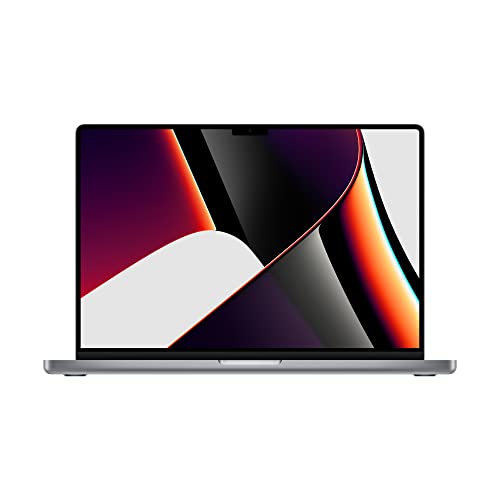
Apple 16-inch M1 Pro MacBook Pro
Best for: Creative pros needing portability and battery life
- Processor
- Apple M1 Pro
- Memory
- 16GB RAM
- Storage Capacity
- 512GB SSD
- Screen Size
- 16-inch
- Dimensions
- 14 × 9.77 × 0.66 inches
- Weight
- 4.63 pounds
View on Amazon: Apple 16-inch M1 Pro MacBook Pro Affiliate link
This 16-inch laptop features the Apple M1 Pro chip with a 10-core CPU and up to 32-core GPU. It includes 16GB of RAM and a 512GB SSD for storage. The device offers up to 17 hours of battery life and weighs 4.63 pounds. You get a 1080p FaceTime HD camera for video calls. It suits users who need strong performance for creative workflows and portability without a traditional gaming keyboard layout.
Pros
- Apple M1 Pro chip with 10-core CPU
- Up to 32-core GPU for graphics performance
- 16GB RAM and 512GB SSD storage
- Up to 17 hour battery life
Cons
- Not designed for Windows gaming titles
- No dedicated numeric keypad on 16-inch model
- Renewed condition may have cosmetic wear
Good fit if
- You need strong CPU and GPU performance for video editing
- You prioritize long battery life over 17 hours
- You prefer macOS for creative software workflows
Skip if
- You require native Windows gaming compatibility
- You need a dedicated NVIDIA GPU for CUDA cores
- You want a new condition device with full warranty
Verdict: Apple MacBook Pro 16 M1 Pro 16GB delivers professional-grade performance in a portable chassis. It fits creators who value battery life and silicon efficiency over traditional gaming hardware.

Acer Nitro V 16 RTX 5060 Gaming Laptop
Best for: High refresh rate gaming and multitasking
- Graphics Card
- NVIDIA GeForce RTX 5060
- Processor
- Intel Core 7 240H
- Memory
- 16GB DDR5
- Storage Capacity
- 512GB PCIe NVMe SSD
- Screen Size
- 16"
- Refresh Rate
- 165Hz
View on Amazon: Acer Nitro V 16 RTX 5060 Gaming Laptop Affiliate link
The Acer Nitro V 16 offers a 16-inch WUXGA display with a 165Hz refresh rate for smooth visuals. It pairs an Intel Core 7 240H processor with 16GB of DDR5 RAM and an NVIDIA GeForce RTX 5060 GPU. This setup handles modern gaming and multitasking efficiently. The 512GB SSD provides adequate storage, though you may need to manage space carefully. It is a solid choice for gamers seeking high refresh rates and current-generation graphics performance.
Pros
- 165Hz refresh rate on a 16-inch WUXGA display
- NVIDIA GeForce RTX 5060 with 8GB GDDR7 memory
- Intel Core 7 240H deca-core processor
- 16GB DDR5 RAM for fast multitasking
Cons
- 512GB storage capacity is modest for large game libraries
- 4.63-pound weight adds bulk for travel
- Wi-Fi 6 is standard, not the latest Wi-Fi 7
Good fit if
- You want a high refresh rate display for competitive gaming
- You need strong GPU performance for ray tracing titles
- You prefer a 16:10 aspect ratio for more vertical screen space
Skip if
- You require more than 512GB of internal storage
- You prioritize portability over screen size and power
- You need the absolute latest Wi-Fi connectivity standard
Verdict: Acer Nitro V 16" RTX 5060 delivers a fast 165Hz screen and capable RTX 5060 graphics, making it ideal for gamers who value visual smoothness and modern rendering features.

ASUS Vivobook 16 Snapdragon Laptop
Best for: Efficient productivity and long battery life
- Graphics Card
- Qualcomm Adreno GPU
- Processor
- Qualcomm Snapdragon X
- Memory
- 16GB
- Storage Capacity
- 512GB SSD
- Screen Size
- 16"
- Refresh Rate
- 60Hz
View on Amazon: ASUS Vivobook 16 Snapdragon Laptop Affiliate link
This ASUS Vivobook 16 features a 16-inch WUXGA display with a 60Hz refresh rate and 1920 x 1200 resolution. It is powered by a Qualcomm Snapdragon X processor with 16GB of RAM and a 512GB SSD. The integrated Adreno GPU handles visuals while optimizing power. It suits users who prioritize battery life and AI capabilities over high-refresh-rate gaming performance.
Pros
- Qualcomm Snapdragon X 8-core processor with Hexagon NPU
- 16GB RAM for efficient multitasking
- 16-inch WUXGA display with 300-nit brightness
- 512GB PCIe 4.0 SSD storage
Cons
- 60Hz refresh rate limits smoothness for fast-paced gaming
- Integrated Adreno GPU lacks dedicated graphics power
- Heavier at 3.88 pounds compared to thinner ultrabooks
Good fit if
- You need all-day battery life from the Snapdragon X efficiency
- You want a large 16-inch screen for productivity
- You prioritize AI processing capabilities for daily tasks
Skip if
- You require a high refresh rate display for competitive gaming
- You need dedicated NVIDIA or AMD graphics cards
- You prefer a lighter laptop under 3 pounds
Verdict: ASUS Vivobook 16 Snapdragon X is a solid option for users who value efficiency and screen real estate over raw graphical power. It fits those who want long battery life and AI features without the bulk of a dedicated gaming rig.

Alienware 16 Aurora RTX 4050 Gaming Laptop
Best for: 120Hz WQXGA gaming with efficient cooling
- Graphics Card
- NVIDIA GeForce RTX 4050
- Processor
- Intel Core 7 240H
- Memory
- 16GB DDR5
- Storage Capacity
- 512GB SSD
- Screen Size
- 16"
- Refresh Rate
- 120Hz
View on Amazon: Alienware 16 Aurora RTX 4050 Gaming Laptop Affiliate link
This Alienware laptop pairs an Intel Core 7 240H processor with 16GB of DDR5 RAM and a 16-inch WQXGA display. It features an NVIDIA GeForce RTX 4050 graphics card and a 512GB SSD. The 120Hz refresh rate offers smoother visuals than standard 60Hz screens. The Cryo-Chamber cooling system helps manage heat during intense tasks. It suits gamers who want reliable performance in a streamlined chassis without extra bulk.
Pros
- 16-inch WQXGA display with 120Hz refresh rate
- Intel Core 7 240H processor with 16GB DDR5 RAM
- NVIDIA GeForce RTX 4050 graphics card
- Cryo-Chamber cooling structure for thermal management
Cons
- 512GB SSD storage may fill up quickly with large games
- 300 nits brightness is lower than high-end gaming displays
- 5.49 pounds weight adds bulk for frequent travel
Good fit if
- You want a 120Hz display for smoother gameplay
- You need an RTX 4050 for 1080p gaming
- You prefer a streamlined design without a rear thermal shelf
Skip if
- You require a high-brightness screen above 300 nits
- You need more than 512GB of storage without upgrades
- You prioritize a lightweight device under 5 pounds
Verdict: Alienware 16 RTX 4050 16-inch is a solid choice for players who value a 120Hz WQXGA display and efficient cooling. It fits those who want stable performance without carrying a heavy, bulky machine.
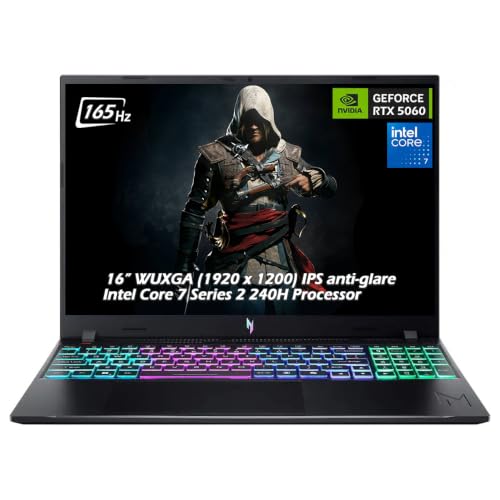
Acer Nitro V 16 RTX 5060 Gaming Laptop
Best for: High refresh rate gaming on a budget
- Graphics Card
- NVIDIA GeForce RTX 5060
- Processor
- Intel Core 7 Series 2 240H
- Memory
- 16GB DDR5
- Storage Capacity
- 512GB PCIe NVMe SSD
- Screen Size
- 16"
- Refresh Rate
- 165Hz
View on Amazon: Acer Nitro V 16 RTX 5060 Gaming Laptop Affiliate link
The Acer Nitro V offers a 16-inch WUXGA display with a 165Hz refresh rate for smooth visuals. It pairs this screen with an Intel Core 7 240H processor and 16GB of DDR5 memory. The NVIDIA GeForce RTX 5060 GPU handles modern gaming. This laptop suits players who want high refresh rates and solid multitasking performance in a standard 16-inch form factor.
Pros
- 165Hz refresh rate on 16-inch WUXGA display
- Intel Core 7 240H processor with 5.20 GHz boost
- NVIDIA GeForce RTX 5060 with 8GB GDDR7 memory
- 16GB DDR5 RAM for efficient multitasking
Cons
- 512GB storage capacity is smaller than some competitors
- Wi-Fi 6 is slower than Wi-Fi 6E or 7
- 4.63 pounds is heavier than ultrabook alternatives
Good fit if
- You want a high refresh rate gaming display
- You need strong GPU performance for modern titles
- You prefer a standard 16-inch laptop size
Skip if
- You require maximum portability and light weight
- You need extensive storage without upgrades
- You want the latest Wi-Fi connectivity standard
Verdict: Acer Nitro V 16" RTX 5060 delivers strong gaming performance with its RTX 5060 GPU and 165Hz screen. It fits gamers who prioritize visual fluidity and processing power over ultra-portability.
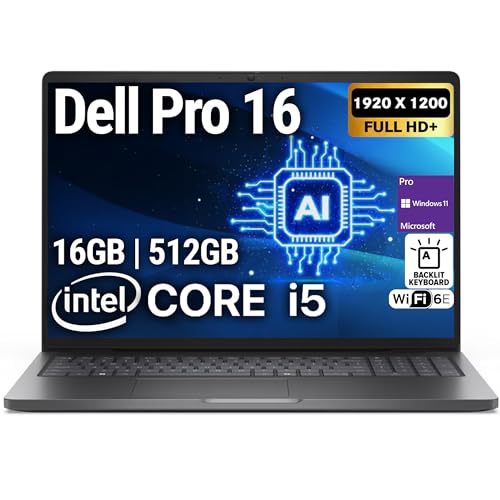
Oemgenuine Dell Pro 16 Business Laptop
Best for: Business productivity and multitasking
- Graphics Card
- Intel Integrated Graphics
- Processor
- Intel Core i5-120U
- Memory
- 16GB DDR5
- Storage Capacity
- 512GB NVMe SSD
- Screen Size
- 16"
- Display Resolution
- 1920 x 1200
View on Amazon: Oemgenuine Dell Pro 16 Business Laptop Affiliate link
This 16-inch laptop pairs an Intel Core i5-120U processor with 16GB of DDR5 RAM and a 512GB NVMe SSD. The FHD+ display offers a 1920 x 1200 resolution for clear visuals. It runs Windows 11 Pro and includes Wi-Fi 6E. While it handles multitasking and office workloads efficiently, the integrated graphics limit its use for heavy gaming. It suits professionals who need reliable performance and portability.
Pros
- 16GB DDR5 RAM for fast multitasking
- 512GB NVMe SSD for quick boot times
- 16-inch FHD+ display with high resolution
- Intel Core i5-120U processor up to 5.0 GHz
Cons
- Intel Integrated Graphics cannot handle modern gaming
- 1-year warranty is shorter than many competitors
- 3.95 pounds is heavier than ultrabooks
Good fit if
- You need a reliable machine for office work
- You want 16GB of DDR5 RAM
- You prefer a 16-inch screen
Skip if
- You want to play demanding games
- You need dedicated graphics
- You prefer a lighter device under 3 pounds
Verdict: Oemgenuine Dell Pro 16 i5 Business Laptop is a solid choice for professionals who prioritize processing power and memory over graphical performance. It fits users who need a sturdy 16-inch screen for productivity tasks.
Specifications side by side
| Spec | Omnica 16" i7 Gaming Laptop | Apple 16-inch M1 Pro MacBook Pro | Acer Nitro V 16 RTX 5060 Gaming Laptop | ASUS Vivobook 16 Snapdragon Laptop | Alienware 16 Aurora RTX 4050 Gaming Laptop | Acer Nitro V 16 RTX 5060 Gaming Laptop | Oemgenuine Dell Pro 16 Business Laptop |
|---|---|---|---|---|---|---|---|
| Graphics Card | not stated | not stated | NVIDIA GeForce RTX 5060 | Qualcomm Adreno GPU | NVIDIA GeForce RTX 4050 | NVIDIA GeForce RTX 5060 | Intel Integrated Graphics |
| Processor | Core i7-6500U | Apple M1 Pro | Intel Core 7 240H | Qualcomm Snapdragon X | Intel Core 7 240H | Intel Core 7 Series 2 240H | Intel Core i5-120U |
| Memory | 16GB DDR3 | 16GB RAM | 16GB DDR5 | 16GB | 16GB DDR5 | 16GB DDR5 | 16GB DDR5 |
| Storage Capacity | not stated | 512GB SSD | 512GB PCIe NVMe SSD | 512GB SSD | 512GB SSD | 512GB PCIe NVMe SSD | 512GB NVMe SSD |
| Screen Size | 16" | 16-inch | 16" | 16" | 16" | 16" | 16" |
| Refresh Rate | not stated | not stated | 165Hz | 60Hz | 120Hz | 165Hz | not stated |
| Display Resolution | 1920x1200 FHD | not stated | 1920 x 1200 | 1920 x 1200 WUXGA | WQXGA | 1920 x 1200 | 1920 x 1200 |
| Storage | 512GB SSD | 512GB SSD | 512GB SSD | 512GB SSD | 512GB SSD | 512GB SSD | 512GB SSD |
| Use | not stated | not stated | not stated | not stated | not stated | not stated | Business |
| Dimensions | 14.1 × 9.06 × 0.81 inches | 14 × 9.77 × 0.66 inches | 0.78 × 10.2 × 14 inches | 2.5 × 12 × 19 inches | 10.5 × 14.1 × 0.6 inches | 0.78 × 10.2 × 14 inches | 19 × 3 × 14 inches |
| Weight | 3.5 pounds | 4.63 pounds | 4.63 pounds | 3.88 pounds | 5.49 pounds | 4.63 pounds | 3.95 pounds |
| Color | Space Gray | Space Gray | Obsidian Black | Quiet Blue | Blue | Obsidian Black | Black |
| Model | Laptop | MK183LL/A | not stated | X1607QA-DS54 | LAC16250-7649BLU-PUS | not stated | Dell Pro 16 |
| Size | not stated | 16GB RAM, 512GB SSD Storage | not stated | 2.50 | 15.3" Screen | 16GB+512GB | 16GB DDR5 | 512GB NVMe |
Frequently asked questions
Which alternative has the best graphics card for gaming?
The Acer Nitro V 16 RTX 5060 Gaming Laptop offers the strongest graphics performance on this list. It features an NVIDIA RTX 5060 GPU paired with an Intel Core 7 processor. This combination supports a 165Hz refresh rate, which delivers smooth visuals for modern games. It is the top choice if you need dedicated graphical power rather than just basic multitasking.
Is there a lightweight option similar to the Omnica?
Yes, the Omnica 16" i7 Gaming Laptop itself is the lightest machine here at 3.5 pounds. It is designed for portability and basic multitasking. If you want a different brand, the ASUS Vivobook 16 Snapdragon Laptop weighs 3.88 pounds. It provides a 16-inch screen and 16GB of RAM while maintaining a slim profile for easy travel.
Can I get a 16-inch laptop with 16GB of RAM?
All seven alternatives listed feature a 16-inch display and 16GB of RAM. This includes the Apple MacBook Pro, the Acer Nitro V models, and the Alienware 16. You also get 512GB of SSD storage on every device. This configuration ensures you have enough memory for smooth multitasking and sufficient space for your files and applications.
Which laptop is best for business productivity?
The Oemgenuine Dell Pro 16 Business Laptop is built specifically for professional tasks. It uses an Intel Core i5 processor and runs Windows for standard business software. The Omnica 16" i7 Gaming Laptop is another strong option, offering Windows 11 Pro in a lightweight chassis. Both prioritize processing power and portability over heavy graphical performance.
Does any alternative offer a high refresh rate screen?
The Acer Nitro V 16 RTX 5060 Gaming Laptop features a 165Hz refresh rate. This provides smoother motion for gaming and fast-paced content. The Alienware 16 Aurora RTX 4050 Gaming Laptop offers a 120Hz WQXGA display. These higher refresh rates are ideal if you play competitive games or want a more fluid visual experience than standard 60Hz screens.
Is there an Apple option in these alternatives?
Yes, the Apple 16-inch M1 Pro MacBook Pro is included in this list. It uses Apple’s M1 Pro chip instead of an Intel processor. This device runs macOS and offers professional-grade performance with strong battery efficiency. It is a solid choice for creators who need portability and silicon efficiency rather than traditional Windows gaming hardware.