Looking Beyond the Lenovo ThinkPad X1 Carbon 14"? 6 Alternatives Worth a Look
As an Amazon Associate we earn from qualifying purchases. Links on this page are affiliate links.
The Lenovo ThinkPad X1 Carbon 14" Ultra 7 is a durable business machine with an Intel Core Ultra 7 processor, 16GB RAM, and a 1TB SSD. It offers strong security features and a wide array of ports, making it ideal for professionals who prioritize connectivity and data protection. However, you might want to look at lenovo thinkpad x1 carbon laptop alternatives if you need a different screen type, more graphics power, or a different form factor. Some users prefer higher refresh rates for gaming or OLED displays for media consumption, while others need a 2-in-1 design for versatility.
We selected these alternatives because their specifications overlap with the original ThinkPad in key areas like memory and storage. The list includes options for portable gaming, such as the ASUS ROG Zephyrus G14 with its RTX 5060 graphics, and budget-friendly choices like the MSI Cyborg 17. You will also find business-focused models like the Dell Latitude 14" with an Intel Core i5 processor. Each option targets specific needs, whether that is a larger 17.3" display, a 16" screen for smoother visuals, or a compact 2-in-1 tablet. These choices ensure you find a device that matches your exact workflow and hardware requirements.
Comparing alternatives to the X1
ASUS ROG Zephyrus G14 14" OLED Gaming Laptop
The ASUS ROG Zephyrus G14 swaps the X1 Carbon’s business focus for high-performance gaming. It features an NVIDIA RTX 5060 graphics card and a Ryzen 9 processor, offering significantly more visual power than the X1’s integrated graphics. The 14-inch OLED screen delivers superior color fidelity and contrast, though it lacks the anti-glare coating found on the Lenovo. You gain a 120Hz refresh rate for smoother motion, but you lose the physical privacy shutter and fingerprint reader. This model is heavier and thicker than the X1, making it less ideal for strict portability. Choose this if you need dedicated GPU power for gaming or creative work rather than enterprise security features.
MSI Stealth 14 RTX 4060 14-inch
The MSI Stealth 14 RTX 4060 offers a compelling mix of portability and graphics capability. Like the X1, it features a 14-inch display and 16GB of RAM, but it adds an NVIDIA RTX 4060 GPU for tasks the X1 cannot handle. The 165Hz refresh rate provides much smoother visuals for gaming compared to the X1’s standard display. At 3.75 pounds, it is lighter than the X1 Carbon, enhancing its travel friendliness. However, it lacks the X1’s extensive port selection and MIL-STD-810H durability certification. The build quality is different, focusing on gaming aesthetics rather than business professionalism. Pick this model if you want a lightweight machine that can also run modern games.
MSI Cyborg 17 17.3" RTX 5060 Gaming Laptop
The MSI Cyborg 17 moves you away from the 14-inch form factor to a 17.3-inch display. This larger screen is better for immersive gaming or detailed multitasking, but it sacrifices the compact portability that defines the X1 Carbon. It includes an NVIDIA RTX 5060 GPU and an Intel Core 7 processor, providing substantial performance gains for graphics-intensive applications. The 144Hz refresh rate ensures smooth motion, a significant upgrade over the X1’s standard panel. You will need to carry a larger, heavier bag, as this laptop is not designed for easy travel. Choose this option if you prioritize screen real estate and raw graphical performance over a lightweight, pocketable design.
Microsoft Surface Pro 13-Inch OLED 2-in-1
The Microsoft Surface Pro 13-Inch OLED offers a unique 2-in-1 form factor, differing sharply from the X1’s traditional laptop layout. It features a stunning OLED display with high contrast, ideal for media consumption and creative work. The device is thinner and lighter than the X1, making it extremely portable. However, it lacks a dedicated discrete graphics card and the extensive port selection of the X1, including HDMI and USB-A. You get 16GB of RAM and a 1TB SSD, matching the X1’s memory and storage capacity. This model is best for users who prefer a tablet-like experience or need a versatile device for drawing and note-taking, rather than a dedicated workstation.
Dell Latitude 14-Inch Core i5 Touchscreen Laptop
The Dell Latitude 14-Inch Core i5 provides a more budget-friendly alternative to the X1 Carbon. It features an Intel Core i5 processor and 16GB of RAM, which is sufficient for everyday productivity tasks but less powerful than the X1’s Ultra 7. The 14-inch touchscreen display offers interactive capabilities the X1 lacks. It shares the same 1TB SSD storage capacity. However, it does not include the advanced security features like the IR camera or fingerprint reader found on the X1. The build is less premium, and it lacks the Thunderbolt 4 ports. Choose this if you need a reliable 14-inch laptop for general office work and want to save on performance-heavy features.
Acer Nitro V 16 RTX 5060
The Acer Nitro V 16 RTX 5060 targets gamers with a 16-inch display and strong graphics performance. It includes an NVIDIA RTX 5060 GPU and an Intel Core 7 processor, offering significantly more power than the X1 Carbon for gaming and rendering. The 165Hz refresh rate ensures smooth visuals, a major advantage over the X1’s standard panel. The 16-inch screen provides more workspace but reduces portability. It weighs 4.63 pounds, similar to the X1, but the design is bulkier. You lose the business-grade security features and extensive connectivity options of the X1. This model is ideal for users who want a larger screen and dedicated GPU power for gaming or creative projects.
Quick picks
Our 7 picks

Lenovo ThinkPad X1 Carbon 14" Ultra 7
Best for: business professionals needing security and ports
- Processor
- Intel Core Ultra 7 155U
- Memory
- 16GB DDR5
- Storage Capacity
- 1TB SSD
- Screen Size
- 14"
- Display Resolution
- 1920 x 1080
- Dimensions
- 13.5 × 0.79 × 9.63 inches
View on Amazon: Lenovo ThinkPad X1 Carbon 14" Ultra 7 Affiliate link
This 14-inch laptop features an Intel Core Ultra 7 155U processor with 16GB of DDR5 RAM and a 1TB SSD. The display is a 1920 x 1080 FHD IPS panel with 400 nits brightness and anti-glare coating. It weighs 4.63 pounds and includes a physical privacy shutter with IR camera support. You get Thunderbolt 4 ports and HDMI 2.1 for versatile connectivity. This setup suits professionals needing reliable performance and portability.
Pros
- Intel Core Ultra 7 155U processor with 12 cores
- 16GB DDR5 RAM for smooth multitasking
- 1TB SSD storage capacity
- 14-inch FHD IPS display with 100% sRGB color accuracy
- Physical privacy shutter and IR camera for secure login
Cons
- Non-touch display limits interaction options
- 4.63 pounds weight is heavier than typical ultrabooks
- 1920 x 1080 resolution is lower than competitors
Good fit if
- You need business-grade security features like BitLocker
- You require multiple ports including Thunderbolt 4 and HDMI 2.1
- You prioritize processor performance and RAM for heavy workloads
Skip if
- You need a high-refresh-rate display for gaming
- You want a lightweight device under 3 pounds
- You prefer a touchscreen interface for navigation
Verdict: Lenovo ThinkPad X1 Carbon Ultra 7 delivers robust processing power and essential business security in a durable chassis. It fits professionals who value connectivity and data protection over high-resolution visuals or ultra-lightweight design.
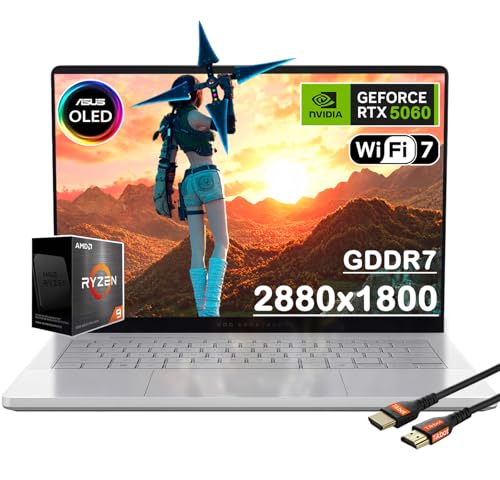
ASUS ROG Zephyrus G14 14" OLED Gaming Laptop
Best for: Portable gaming with premium OLED visuals
- Graphics Card
- NVIDIA GeForce RTX 5060
- Processor
- AMD Ryzen 9 270
- Memory
- 16GB
- Storage Capacity
- 1TB PCIe SSD
- Screen Size
- 14"
- Refresh Rate
- 120Hz
View on Amazon: ASUS ROG Zephyrus G14 14" OLED Gaming Laptop Affiliate link
The ASUS ROG Zephyrus G14 pairs a 14-inch 3K OLED display with a 120Hz refresh rate for smooth visuals. It uses an AMD Ryzen 9 270 processor and NVIDIA GeForce RTX 5060 graphics with 8GB GDDR7 memory. This setup handles demanding games and creative tasks. You get 16GB of RAM and 1TB of storage in a slim aluminum chassis. It suits gamers who want portability without sacrificing screen quality.
Pros
- 14-inch 3K OLED display with 120Hz refresh rate
- NVIDIA GeForce RTX 5060 with 8GB GDDR7 memory
- AMD Ryzen 9 270 processor for strong performance
- 1TB PCIe SSD for ample storage space
- Six-speaker system with bass down to 100Hz
Cons
- 16GB RAM may limit heavy multitasking
- 3.31 lbs weight is higher than ultrabooks
- No dedicated numeric keypad for data entry
Good fit if
- You want a high-resolution OLED screen for media
- You need portable gaming with strong graphics
- You prefer a lightweight aluminum build
Skip if
- You require more than 16GB of RAM
- You need a dedicated number pad
- You prioritize battery life over raw power
Verdict: ASUS ROG Zephyrus G14 RTX 5060 delivers a sharp 3K OLED screen and capable RTX 5060 graphics in a compact frame. It fits mobile gamers who value visual fidelity and performance over maximum battery endurance.

MSI Stealth 14 RTX 4060 14-inch
Best for: portable gaming with RTX 4060 power
- Graphics Card
- NVIDIA GeForce RTX 4060 8GB GDDR6
- Processor
- Intel Core Ultra 7-155H
- Memory
- 16GB DDR5 5600MHz
- Storage Capacity
- 1TB NVMe SSD
- Screen Size
- 14"
- Refresh Rate
- 165Hz
View on Amazon: MSI Stealth 14 RTX 4060 14-inch Affiliate link
The MSI Stealth 14 AI Studio pairs an Intel Core Ultra 7 155H processor with an NVIDIA GeForce RTX 4060 graphics card. You get 16GB of DDR5 RAM and a 1TB Samsung 990 PRO SSD. The 14-inch display offers a 165Hz refresh rate and 100% sRGB coverage. This configuration suits users who need dedicated graphics performance in a compact 14-inch form factor.
Pros
- NVIDIA GeForce RTX 4060 8GB GDDR6 graphics
- Intel Core Ultra 7 155H 16-core processor
- 1TB Samsung 990 PRO NVMe SSD
- 14-inch 165Hz 100% sRGB display
Cons
- 16GB RAM is not expandable beyond the listed 32GB or 64GB variants
- 14-inch screen limits workspace compared to 16-inch models
- 0.75-inch thickness offers less thermal headroom than bulkier gaming laptops
Good fit if
- You need RTX 4060 performance in a portable chassis
- You prioritize high refresh rates for smooth visuals
- You require fast NVMe storage speeds
Skip if
- You need more than 16GB of RAM in the base model
- You prefer a larger 15-inch or 16-inch screen
- You require a dedicated numeric keypad
Verdict: MSI Stealth 14 RTX 4060 14-inch delivers strong gaming and creative specs in a compact body, making it ideal for users who need portability without sacrificing GPU power.
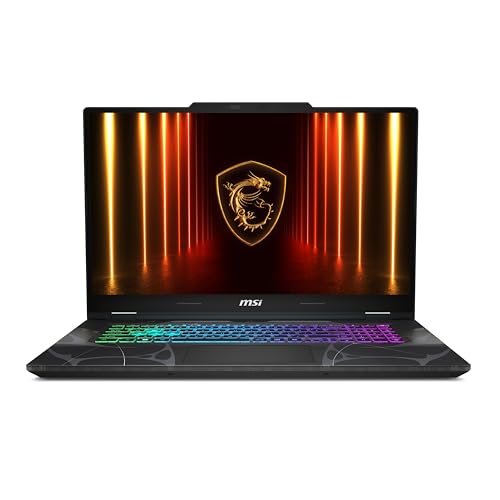
MSI Cyborg 17 17.3" RTX 5060 Gaming Laptop
Best for: 17.3-inch gaming on a budget
- Graphics Card
- NVIDIA GeForce RTX 5060
- Processor
- Intel Core 7-240H
- Memory
- 16GB DDR5
- Storage Capacity
- 1TB NVMe SSD
- Screen Size
- 17.3"
- Refresh Rate
- 144Hz
View on Amazon: MSI Cyborg 17 17.3" RTX 5060 Gaming Laptop Affiliate link
The MSI Cyborg 17 offers a large 17.3-inch FHD display with a 144Hz refresh rate for smooth visuals. It uses an Intel Core 7-240H processor and NVIDIA GeForce RTX 5060 graphics for capable gaming performance. With 16GB of DDR5 RAM and a 1TB NVMe SSD, it provides ample speed and storage. At 5.29 pounds, it remains portable despite its big screen size.
Pros
- 17.3-inch FHD display with 144Hz refresh rate
- Intel Core 7-240H processor for responsive multitasking
- NVIDIA GeForce RTX 5060 with ray tracing support
- 16GB DDR5 RAM and 1TB NVMe SSD storage
Cons
- FHD resolution limits clarity compared to higher-end panels
- 5.29-pound weight is heavy for frequent travel
- No mention of OLED or high-refresh-rate options beyond 144Hz
Good fit if
- You want a large 17.3-inch screen for immersive gaming
- You need strong GPU performance for modern titles
- You prefer a single device for gaming and work
Skip if
- You require a 4K or OLED display
- You prioritize ultra-portability under 4 pounds
- You need a 14-inch compact form factor
Verdict: MSI Cyborg 17 RTX 5060 delivers big-screen gaming power with a capable RTX 5060 GPU and fast storage, making it a solid choice for players who value display size over compact portability.

Microsoft Surface Pro 13-Inch OLED 2-in-1
Best for: portable 2-in-1 productivity and media
- Processor
- Qualcomm Snapdragon X2 Elite
- Memory
- 16GB RAM
- Storage Capacity
- 1TB SSD
- Screen Size
- 13-inch
- Refresh Rate
- 120Hz
- Dimensions
- 12.1 × 8.98 × 1.97 inches
View on Amazon: Microsoft Surface Pro 13-Inch OLED 2-in-1 Affiliate link
This 13-inch 2-in-1 uses the Qualcomm Snapdragon X2 Elite processor and 16GB of RAM. It features a 120Hz OLED touchscreen and 1TB of SSD storage. Weighing just 1.97 lbs, it offers 15.5 hours of battery life. It suits you if you need a lightweight tablet-laptop hybrid for mobile work and creativity.
Pros
- Qualcomm Snapdragon X2 Elite processor for multitasking
- 13-inch 120Hz OLED touchscreen
- 16GB RAM and 1TB SSD storage
- 1.97 lbs lightweight design
- 15.5 hours of battery life
Cons
- Keyboard and stylus sold separately
- Only two USB-C ports
- 13-inch screen is smaller than 14-inch competitors
Good fit if
- You need a portable 2-in-1 device for travel
- You want a high-quality OLED display for media
- You prioritize long battery life and light weight
Skip if
- You require a traditional clamshell laptop form factor
- You need built-in peripherals like a keyboard
- You prefer a 14-inch or larger screen
Verdict: Microsoft Surface Pro 2026 13-inch is a versatile 2-in-1 for users who value portability and screen quality over traditional laptop layouts. It fits mobile professionals who want a tablet that doubles as a workstation.

Dell Latitude 14-Inch Core i5 Touchscreen Laptop
Best for: Everyday productivity and multitasking
- Graphics Card
- Intel Iris Xe Graphics
- Processor
- Intel Core i5-1145G7
- Memory
- 16GB
- Storage Capacity
- 1TB NVMe SSD
- Screen Size
- 14"
- Display Resolution
- 1920 x 1080
View on Amazon: Dell Latitude 14-Inch Core i5 Touchscreen Laptop Affiliate link
The Dell Latitude 7420 is a 14-inch business laptop featuring an Intel Core i5-1145G7 processor and 16GB of RAM. It includes a 1TB NVMe SSD and a 1080p touchscreen. This configuration handles everyday tasks and multitasking efficiently. It suits users who need a reliable machine with ample storage and a responsive display for general productivity.
Pros
- Intel Core i5-1145G7 quad-core processor
- 16GB RAM for smooth multitasking
- 1TB NVMe SSD for fast storage
- 14-inch 1080p touchscreen display
Cons
- 250-nits brightness is lower than modern standards
- Intel Iris Xe integrated graphics limit gaming
- Pre-owned condition may vary in cosmetic wear
Good fit if
- You need a large 1TB SSD for files
- You prefer a touchscreen for navigation
- You want 16GB RAM for open apps
Skip if
- You require high-end graphics for gaming
- You need a bright outdoor-visible display
- You want a brand-new device
Verdict: Dell Latitude 7420 14" i5 Laptop offers solid performance for office work and general use. It is ideal for users prioritizing storage and memory over graphics power.

Acer Nitro V 16 RTX 5060
Best for: budget-conscious gamers seeking high refresh rates
- Graphics Card
- NVIDIA GeForce RTX 5060
- Processor
- Intel Core 7 240H
- Memory
- 16GB DDR5
- Storage Capacity
- 1TB PCIe NVMe SSD
- Screen Size
- 16"
- Refresh Rate
- 165Hz
View on Amazon: Acer Nitro V 16 RTX 5060 Affiliate link
The Acer Nitro V offers a 16-inch WUXGA display with a 165Hz refresh rate for smooth visuals. It uses an Intel Core 7 240H processor and 16GB of DDR5 RAM. The NVIDIA GeForce RTX 5060 GPU with 8GB GDDR7 memory handles modern games. This laptop suits you if you want high refresh rates and dedicated graphics without the premium price of the alternatives on this list.
Pros
- 16-inch WUXGA display with 165Hz refresh rate
- NVIDIA GeForce RTX 5060 with 8GB GDDR7 memory
- Intel Core 7 240H processor with up to 5.20 GHz boost
- 1TB PCIe NVMe SSD for ample storage
- 16GB DDR5 memory for multitasking
Cons
- Heavier at 4.63 pounds compared to ultrabooks
- Thicker profile at 0.78 inches
- Wi-Fi 6 instead of newer Wi-Fi 6E or 7
Good fit if
- You want a high refresh rate display for gaming
- You need dedicated NVIDIA RTX graphics
- You prefer a larger 16-inch screen
Skip if
- You need a lightweight ultrabook for travel
- You prioritize portability over screen size
- You want the latest Wi-Fi standard
Verdict: Acer Nitro V 16" RTX 5060 delivers strong gaming performance with its RTX 5060 GPU and 165Hz display, making it the best fit for gamers who value visual smoothness and raw power over portability.
Specifications side by side
| Spec | Lenovo ThinkPad X1 Carbon 14" Ultra 7 | ASUS ROG Zephyrus G14 14" OLED Gaming Laptop | MSI Stealth 14 RTX 4060 14-inch | MSI Cyborg 17 17.3" RTX 5060 Gaming Laptop | Microsoft Surface Pro 13-Inch OLED 2-in-1 | Dell Latitude 14-Inch Core i5 Touchscreen Laptop | Acer Nitro V 16 RTX 5060 |
|---|---|---|---|---|---|---|---|
| Graphics Card | not stated | NVIDIA GeForce RTX 5060 | NVIDIA GeForce RTX 4060 8GB GDDR6 | NVIDIA GeForce RTX 5060 | not stated | Intel Iris Xe Graphics | NVIDIA GeForce RTX 5060 |
| Processor | Intel Core Ultra 7 155U | AMD Ryzen 9 270 | Intel Core Ultra 7-155H | Intel Core 7-240H | Qualcomm Snapdragon X2 Elite | Intel Core i5-1145G7 | Intel Core 7 240H |
| Memory | 16GB DDR5 | 16GB | 16GB DDR5 5600MHz | 16GB DDR5 | 16GB RAM | 16GB | 16GB DDR5 |
| Storage Capacity | 1TB SSD | 1TB PCIe SSD | 1TB NVMe SSD | 1TB NVMe SSD | 1TB SSD | 1TB NVMe SSD | 1TB PCIe NVMe SSD |
| Screen Size | 14" | 14" | 14" | 17.3" | 13-inch | 14" | 16" |
| Refresh Rate | not stated | 120Hz | 165Hz | 144Hz | 120Hz | not stated | 165Hz |
| Display Resolution | 1920 x 1080 | 3K | 1920x1200 | FHD | not stated | 1920 x 1080 | 1920 x 1200 |
| Storage | 1TB SSD | 1TB SSD | 1TB SSD | 1TB SSD | 1TB SSD | 1TB SSD | 1TB SSD |
| Dimensions | 13.5 × 0.79 × 9.63 inches | 12.3 × 0.63 × 8.66 inches | 12.4 × 9.69 × 0.75 inches | 15.7 × 0.87 × 10.2 inches | 12.1 × 8.98 × 1.97 inches | 12.9 × 8.4 × 0.5 inches | 0.78 × 10.2 × 14 inches |
| Weight | 4.63 pounds | 8.82 pounds | 3.75 pounds | 5.29 pounds | not stated | 20 grams | 4.63 pounds |
| Color | Black | Platinum White | 16GB RAM | Black | Dune | Black | Obsidian Black |
| Model | ThinkPad X1 | GA403UM-G14.R9HX4 | MSI Stealth 14 AI Studio | CYBORG17B2074 | EP2-65033 | 7420 | not stated |
| Size | not stated | 16GB RAM | 1TB PCIe SSD | 1TB Samsung 990 PRO SSD | Core 7-240H | 16 GB RAM, 1 TB SSD | not stated | not stated |
Readers of this guide also look at lenovo thinkpad hybrid USB c USB a alternatives.
Frequently asked questions
Which laptop offers the best balance of gaming performance and portability?
The ASUS ROG Zephyrus G14 is the top choice for portable gaming. It features an NVIDIA RTX 5060 graphics card and a Ryzen 9 processor. The 14-inch OLED display delivers sharp visuals at a 120Hz refresh rate. Weighing 8.82 pounds, it balances power with a compact frame for mobile users.
What is the lightest gaming laptop on this list?
The MSI Stealth 14 RTX 4060 is the lightest option at 3.75 pounds. It includes an RTX 4060 GPU and 16GB of RAM. The 14-inch screen runs at a 165Hz refresh rate for smooth motion. This model prioritizes portability without sacrificing essential gaming hardware for on-the-go players.
Is there a 17-inch alternative for larger screen gaming?
Yes, the MSI Cyborg 17 offers a 17.3-inch display for immersive gaming. It is powered by an Intel Core 7 processor and an RTX 5060 graphics card. The 144Hz refresh rate ensures fluid gameplay. At 5.29 pounds, it provides a big screen experience while remaining relatively manageable for transport.
Which device works as both a tablet and a laptop?
The Microsoft Surface Pro 13-Inch OLED is a versatile 2-in-1 device. It features a 13-inch OLED display and comes with 16GB of RAM and a 1TB SSD. Measuring 1.97 inches thick, it offers portability and screen quality. It is ideal for users who want a tablet that doubles as a workstation.
Which laptop is best for everyday business productivity?
The Dell Latitude 14-Inch Core i5 is designed for everyday office tasks. It features an Intel Core i5 processor, 16GB of RAM, and a 1TB SSD. The 14-inch touchscreen supports multitasking efficiently. This model is ideal for users who prioritize reliable storage and memory over dedicated graphics power.
What is the best budget-friendly 16-inch gaming option?
The Acer Nitro V 16 RTX 5060 is the top pick for 16-inch gaming. It includes an Intel Core 7 processor and an RTX 5060 GPU. The 165Hz display provides high visual smoothness. Weighing 4.63 pounds, it offers strong performance for gamers who value screen size and raw power.
Which laptop has the thinnest profile for business use?
The Dell Latitude 14-Inch Core i5 has a thin profile at 0.5 inches. It includes an Intel Core i5 processor, 16GB RAM, and a 1TB SSD. The 14-inch touchscreen supports general productivity tasks. This slim design makes it suitable for users who need a lightweight machine for daily office work.