6 Best Alternatives to the Lenovo ThinkPad X1 Carbon 14" (2026)
As an Amazon Associate we earn from qualifying purchases. Links on this page are affiliate links.
The Lenovo ThinkPad X1 Carbon 14" Touchscreen is a secure, portable choice for professionals who value lightweight design and strong multitasking capabilities. It fits users who prioritize business security and portability over gaming graphics or large screens. If you are looking for lenovo thinkpad x1 carbon business alternatives, you may need a different spec, size, feature or brand. The original model weighs just 2.5 pounds and includes 32GB of RAM with a 2TB SSD. It uses an Intel Ultra 7 processor and offers a 14-inch WUXGA touchscreen. These specs make it ideal for mobile office work, but not for high-end gaming.
This list of 6 options was chosen because their specs overlap with the original. The top pick retains the same RAM and storage capacity while focusing on business security. Other entries offer larger screens, such as 16-inch or 18-inch displays, for users who prefer more real estate. Some models include dedicated graphics cards like the RTX 5070 for content creation or gaming. You might also prefer a different brand or a non-touch display. Each alternative matches key attributes like memory or screen size to help you find the right fit for your specific needs.
Comparing alternatives to ThinkPad X1
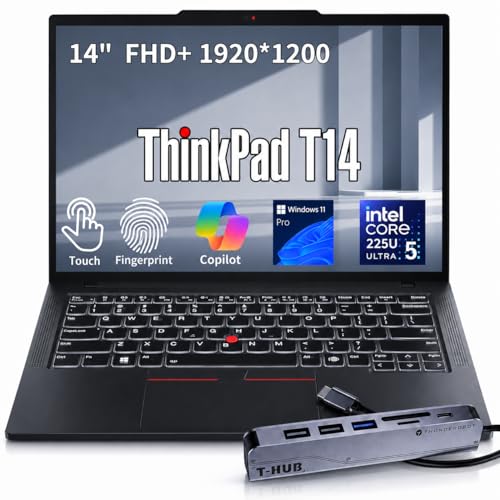
Lenovo ThinkPad T14 14-Inch Touchscreen
The Lenovo ThinkPad T14 shares the same 32GB RAM and 2TB SSD capacity as the X1 Carbon, but it weighs 3.22 pounds compared to the X1’s 2.5 pounds. It is slightly thicker at 0.64 inches and wider at 12.4 inches. This model drops the ultra-lightweight carbon-fiber build for a more standard business chassis. You get similar multitasking power and storage, but you sacrifice some portability. The T14 is a solid choice if you need high specs without the premium price of the X1 series, though you will carry a bit more weight. It suits users who prioritize internal capacity over minimal bulk.
HP Omen Transcend 14 RTX 5070 Gaming Laptop
The HP Omen Transcend 14 shifts focus from business security to gaming performance. It features an Intel Core Ultra 9 processor and an RTX 5070 graphics card, which the X1 Carbon lacks. The screen refreshes at 120Hz for smoother visuals. However, it weighs 3.6 pounds and measures 0.71 inches thick, making it heavier and thicker than the X1. You gain significant graphical power for content creation or gaming, but you lose the lightweight design and enterprise security features like the physical camera shutter. This option is for those who need portable performance rather than a dedicated business tool.
ASUS ROG Strix 16 RTX 5070 Ti Gaming Laptop
The ASUS ROG Strix 16 moves you away from the 14-inch form factor entirely. It features a 16-inch screen with a 165Hz refresh rate and an RTX 5070 Ti graphics card. The Ryzen 9 processor and 32GB RAM match the X1’s memory capacity, but the build is much larger. It weighs 5.51 pounds and is 0.89 inches thick. You get a significantly larger display and superior gaming graphics, but you sacrifice the X1’s portability and compact size. This laptop is designed for users who want high-end gaming performance and do not need to carry their device frequently. It is a desktop replacement rather than a mobile business machine.
ASUS ROG Strix G18 RTX 5070 Gaming Laptop
The ASUS ROG Strix G18 offers an 18-inch screen, making it the largest option on this list. It includes an RTX 5070 graphics card and a Ryzen 9 processor with 32GB RAM. The weight jumps to 6.61 pounds, and the thickness is 0.91 inches. This device is a true desktop replacement, prioritizing screen real estate and raw power over any form of portability. You give up the X1 Carbon’s lightweight design and business-oriented features for a massive display and high-end gaming capabilities. This choice is for users who value screen size and graphical performance above all else and rarely move their laptop.
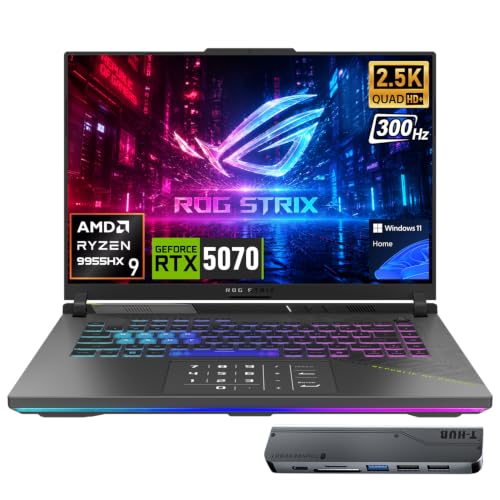
ASUS ROG Strix G16 300Hz RTX 5070
The ASUS ROG Strix G16 provides a 16-inch display with a Ryzen 9 processor and RTX 5070 graphics card. It matches the X1 Carbon’s 32GB RAM and 2TB SSD storage. However, it is significantly heavier at 5.51 pounds and thicker at 1.2 inches. The screen size is larger, offering more workspace, but the device is less portable. You gain high refresh rate gaming performance and a bigger screen, but you lose the compact, lightweight business design of the X1. This model suits users who want a mid-sized gaming laptop with strong specs but do not need the ultra-portable nature of a 14-inch business ultrabook.
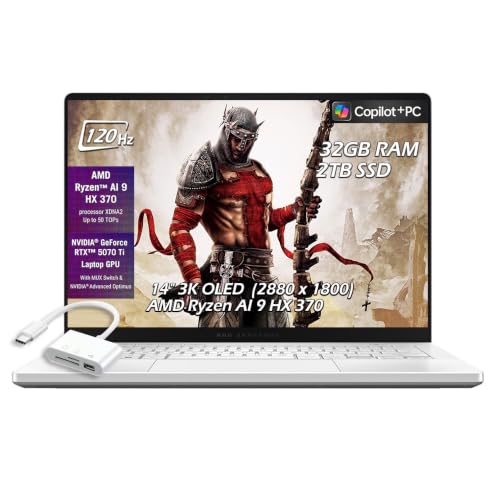
ASUS ROG Zephyrus G14 14" RTX 5070 Ti Laptop
The ASUS ROG Zephyrus G14 returns to a 14-inch size, similar to the X1 Carbon. It features an RTX 5070 Ti graphics card and 32GB RAM. The weight is not explicitly listed, but the dimensions suggest a compact build. It offers an OLED display and 120Hz refresh rate, providing superior visual quality for gaming and content creation. You gain high-end graphics and a premium screen, but you lose the business security features and the specific Intel Ultra 7 processor of the X1. This is a compact gaming laptop that prioritizes screen quality and performance over the enterprise-focused security and portability of the ThinkPad.
Quick picks
Our 7 picks

Lenovo ThinkPad X1 Carbon 14" Touchscreen
Best for: lightweight business multitasking and security
- Processor
- Intel Ultra 7 255U
- Memory
- 32GB LPDDR5
- Storage Capacity
- 2TB SSD
- Screen Size
- 14"
- Display Resolution
- WUXGA
- Use
- Business
View on Amazon: Lenovo ThinkPad X1 Carbon 14" Touchscreen Affiliate link
This Lenovo ThinkPad X1 Carbon is a 14-inch business laptop built for portability and performance. It features an Intel Core Ultra 7 255U processor, 32GB of LPDDR5 memory, and a 2TB SSD. The 14-inch WUXGA touchscreen display supports intuitive navigation. Weighing just 2.5 pounds, it offers premium carbon-fiber durability. This model includes enterprise-grade security with a fingerprint reader and IR camera, making it ideal for professionals who need robust security and fast multitasking on the go.
Pros
- Intel Core Ultra 7 255U processor with 32GB LPDDR5 RAM
- Large 2TB SSD for ample storage and fast load times
- 14-inch WUXGA touchscreen for clear visuals and touch control
- Lightweight 2.5-pound design under 0.63 inches thin
- Integrated fingerprint reader and IR camera for secure login
Cons
- WUXGA resolution is lower than the 3K OLED displays found on some competitors
- Lacks dedicated graphics, limiting suitability for heavy gaming
- 14-inch screen size is smaller than the 16 or 18-inch options available
Good fit if
- You need a lightweight laptop under 2.6 pounds for daily travel
- You require enterprise security features like a fingerprint reader and physical shutter
- You want high RAM and storage for intensive multitasking
Skip if
- You prioritize high-refresh-rate gaming performance over business utility
- You prefer a larger 16-inch or 18-inch display for more screen real estate
- You need a dedicated GPU for 3D rendering or gaming
Verdict: Lenovo ThinkPad X1 Carbon 14" Business is a secure, portable choice for professionals who value lightweight design and strong multitasking capabilities. It fits users who prioritize business security and portability over gaming graphics or large screens.
Lenovo ThinkPad T14 14-Inch Touchscreen
Best for: Business users needing high RAM and storage
- Graphics Card
- Intel Graphics
- Processor
- Intel Core Ultra 5 225U
- Memory
- 32GB DDR5
- Storage Capacity
- 2TB SSD
- Screen Size
- 14
- Display Resolution
- FHD+
View on Amazon: Lenovo ThinkPad T14 14-Inch Touchscreen Affiliate link
The Lenovo ThinkPad T14 Gen 6 offers a 14-inch FHD+ touchscreen display and an Intel Core Ultra 5 225U processor. It includes 32GB of DDR5 RAM and a 2TB SSD for robust multitasking and storage. Weighing 3.22 pounds, it balances portability with business-grade performance. This configuration suits professionals needing ample memory and rapid file access in a compact chassis.
Pros
- 32GB DDR5 RAM for seamless multitasking
- 2TB PCIe M.2 SSD for large storage
- 14-inch FHD+ touchscreen display
- Intel Core Ultra 5 225U processor
Cons
- Integrated Intel Graphics limits gaming performance
- 3.22-pound weight is heavier than the X1 Carbon
- No dedicated GPU listed for heavy workloads
Good fit if
- You need 32GB of RAM for heavy multitasking
- You require a 2TB SSD for large files
- You prefer a touchscreen for presentations
Skip if
- You need a dedicated graphics card for gaming
- You prioritize the lightest possible 14-inch laptop
- You require an OLED display panel
Verdict: Lenovo ThinkPad T14 14" Business Laptop provides high RAM and storage capacity for business users who do not need a dedicated graphics card or ultra-lightweight build.

HP Omen Transcend 14 RTX 5070 Gaming Laptop
Best for: portable high-performance gaming and content creation
- Graphics Card
- NVIDIA GeForce RTX 5070 8GB GDDR7
- Processor
- Intel Ultra 9 285H
- Memory
- 32GB
- Storage Capacity
- 2TB SSD
- Screen Size
- 14"
- Refresh Rate
- 120Hz
View on Amazon: HP Omen Transcend 14 RTX 5070 Gaming Laptop Affiliate link
The HP Omen Transcend 14 combines a 14-inch 3K OLED display with an Intel Ultra 9 285H processor. It includes 32GB of RAM and an NVIDIA RTX 5070 graphics card. This setup handles gaming and creative workloads. The 120Hz refresh rate ensures smooth visuals. You get a portable 14-inch form factor with desktop-class power. It suits users needing high performance in a compact chassis.
Pros
- Intel Ultra 9 285H processor with 16 cores
- 14-inch 3K OLED display with 120Hz refresh rate
- NVIDIA GeForce RTX 5070 8GB graphics card
- 32GB RAM and 2TB SSD storage
Cons
- Windows 11 Home is included, not Pro
- 3.6 pounds weight is heavier than business ultrabooks
- 14-inch screen is smaller than 16-inch alternatives
Good fit if
- You need high-end gaming performance in a 14-inch body
- You require color-accurate OLED visuals for creative work
- You want a portable machine with substantial RAM and storage
Skip if
- You strictly require Windows 11 Pro for enterprise management
- You prioritize ultra-lightweight portability under 3 pounds
- You need a 16-inch or larger display for productivity
Verdict: HP Omen Transcend 14 RTX 5070 delivers strong gaming and creative specs in a compact 14-inch design, making it ideal for users who value performance and display quality over extreme portability or business OS features.

ASUS ROG Strix 16 RTX 5070 Ti Gaming Laptop
Best for: high-performance gaming on a 16-inch screen
- Graphics Card
- NVIDIA GeForce RTX 5070 Ti
- Processor
- AMD Ryzen 9 8940HX
- Memory
- 32GB DDR5
- Storage Capacity
- 2TB SSD
- Screen Size
- 16"
- Refresh Rate
- 165Hz
View on Amazon: ASUS ROG Strix 16 RTX 5070 Ti Gaming Laptop Affiliate link
The ASUS ROG Strix G16 is a 16-inch gaming laptop built for high performance. It features an AMD Ryzen 9 8940HX processor and an NVIDIA GeForce RTX 5070 Ti GPU with 12GB of VRAM. The 165Hz WUXGA display offers smooth visuals. This machine is designed for gamers and creators who need desktop-level power. It includes 32GB of RAM and a 2TB SSD for fast load times.
Pros
- AMD Ryzen 9 8940HX processor for high-speed multitasking
- NVIDIA GeForce RTX 5070 Ti with 12GB GDDR7 VRAM
- 165Hz refresh rate with 100% sRGB color coverage
- 32GB DDR5 RAM and 2TB PCIe SSD storage
- ROG Intelligent Cooling with vapor chamber and liquid metal
Cons
- 16-inch screen is significantly larger than the 14-inch X1 Carbon
- 5.51-pound weight makes it less portable for daily commuting
- 0.89-inch thickness adds bulk compared to ultra-thin business laptops
Good fit if
- You prioritize raw gaming performance over portability
- You need a large 16-inch display for immersive gaming
- You require high-end specs for video editing or streaming
Skip if
- You need a lightweight laptop for frequent travel
- You prefer a compact 14-inch form factor
- You want a business-focused design with long battery life
Verdict: ASUS ROG Strix G16 16" Gaming Laptop delivers serious power for gamers who do not need to carry their device daily. It suits those who value a large, fast screen and top-tier graphics over thinness and light weight.

ASUS ROG Strix G18 RTX 5070 Gaming Laptop
Best for: desktop replacement gaming
- Graphics Card
- NVIDIA GeForce RTX 5070 (8GB GDDR7)
- Processor
- AMD Ryzen 9 9955HX
- Memory
- 32GB DDR5-5600
- Storage Capacity
- 2TB SSD
- Screen Size
- 18"
- Refresh Rate
- 240Hz
View on Amazon: ASUS ROG Strix G18 RTX 5070 Gaming Laptop Affiliate link
This 18-inch gaming laptop offers a large 2.5K IPS display with a 240Hz refresh rate. It is powered by an AMD Ryzen 9 9955HX processor and an NVIDIA GeForce RTX 5070 GPU. You get 32GB of DDR5 RAM and 2TB of storage. This setup suits users who need desktop-level performance and a big screen for gaming or heavy workloads.
Pros
- 18-inch WUXGA 240Hz display
- AMD Ryzen 9 9955HX processor
- NVIDIA GeForce RTX 5070 GPU
- 32GB DDR5 RAM and 2TB SSD
Cons
- Heavy at 6.61 pounds
- Thick at 0.91 inches
- Large 18-inch screen limits portability
Good fit if
- You want a large 18-inch display
- You need high-end gaming performance
- You prioritize screen size over portability
Skip if
- You need a lightweight laptop
- You prefer a 14-inch screen
- You want a business-focused design
Verdict: ASUS ROG Strix G18 Ryzen 9 RTX 5070 is a powerful desktop replacement. It fits gamers who value a large 18-inch screen and top-tier specs over easy transport.
ASUS ROG Strix G16 300Hz RTX 5070
Best for: 16-inch gaming and creative workloads
- Graphics Card
- GeForce RTX 5070
- Processor
- AMD Ryzen 9 9955HX
- Memory
- 32GB DDR5
- Storage Capacity
- 2TB SSD
- Screen Size
- 16
- Refresh Rate
- 300Hz
View on Amazon: ASUS ROG Strix G16 300Hz RTX 5070 Affiliate link
The ASUS ROG Strix G16 offers a 16-inch QHD+ 300Hz display and an AMD Ryzen 9 9955HX processor paired with an RTX 5070 GPU. It includes 32GB of RAM and 2TB of storage. This configuration delivers high frame rates and fast load times. It suits users who need powerful gaming performance and creative processing power in a single machine.
Pros
- 16-inch QHD+ IPS display with 300Hz refresh rate
- AMD Ryzen 9 9955HX processor with 16 cores
- GeForce RTX 5070 8GB GDDR7 graphics card
- 32GB DDR5 memory and 2TB SSD storage
Cons
- Weighs 5.51 pounds, making it heavier than 14-inch business laptops
- 1.2 inches thick, which is bulkier than ultra-thin business models
- 16-inch screen is larger than the 14-inch form factor you may prefer
Good fit if
- You need a 16-inch display for immersive gaming or creative work
- You require high-end graphics performance for modern AAA titles
- You want fast 300Hz refresh rates for competitive gaming
Skip if
- You strictly need a 14-inch laptop for maximum portability
- You prefer a lightweight device under 4 pounds for travel
- You prioritize an ultra-slim profile over raw performance
Verdict: ASUS ROG Strix G16 RTX 5070 provides powerful 16-inch gaming performance with high refresh rates and ample storage, fitting users who prioritize screen size and graphical power over the compact 14-inch business form factor.
ASUS ROG Zephyrus G14 14" RTX 5070 Ti Laptop
Best for: Compact gaming with OLED display quality
- Graphics Card
- NVIDIA GeForce RTX 5070 Ti 12GB GDDR7
- Processor
- AMD Ryzen AI 9 HX 370
- Memory
- 32GB LPDDR5X
- Storage Capacity
- 2TB SSD
- Screen Size
- 14"
- Refresh Rate
- 120Hz
View on Amazon: ASUS ROG Zephyrus G14 14" RTX 5070 Ti Laptop Affiliate link
The ASUS ROG Zephyrus G14 pairs an AMD Ryzen AI 9 HX 370 processor with an NVIDIA RTX 5070 Ti 12GB GPU. It features a 14-inch 3K OLED 120Hz display and 32GB of LPDDR5X RAM. This configuration delivers high-end gaming performance in a compact 14-inch chassis. It suits users who need powerful graphics and a bright, color-accurate screen in a portable form factor.
Pros
- RTX 5070 Ti 12GB GDDR7 graphics
- 14-inch 3K OLED 120Hz display
- 32GB LPDDR5X 8000MHz RAM
- 2TB SSD storage
- AMD Ryzen AI 9 HX 370 CPU
Cons
- 0.63-inch thickness limits extreme portability
- 120Hz refresh rate lower than 240Hz+ competitors
- 14-inch screen size smaller than 16-inch alternatives
Good fit if
- You need RTX 5070 Ti performance in a 14-inch chassis
- You prioritize OLED color accuracy and 3K resolution
- You want 32GB RAM for heavy multitasking
Skip if
- You require a 240Hz or higher refresh rate
- You need an 18-inch display for maximum screen real estate
- You prefer a traditional business laptop form factor
Verdict: ASUS ROG Zephyrus G14 RTX 5070 Ti offers top-tier graphics in a compact 14-inch OLED package. It fits gamers who value portability and screen quality over maximum refresh rates.
Specifications side by side
| Spec | Lenovo ThinkPad X1 Carbon 14" Touchscreen | Lenovo ThinkPad T14 14-Inch Touchscreen | HP Omen Transcend 14 RTX 5070 Gaming Laptop | ASUS ROG Strix 16 RTX 5070 Ti Gaming Laptop | ASUS ROG Strix G18 RTX 5070 Gaming Laptop | ASUS ROG Strix G16 300Hz RTX 5070 | ASUS ROG Zephyrus G14 14" RTX 5070 Ti Laptop |
|---|---|---|---|---|---|---|---|
| Graphics Card | not stated | Intel Graphics | NVIDIA GeForce RTX 5070 8GB GDDR7 | NVIDIA GeForce RTX 5070 Ti | NVIDIA GeForce RTX 5070 (8GB GDDR7) | GeForce RTX 5070 | NVIDIA GeForce RTX 5070 Ti 12GB GDDR7 |
| Processor | Intel Ultra 7 255U | Intel Core Ultra 5 225U | Intel Ultra 9 285H | AMD Ryzen 9 8940HX | AMD Ryzen 9 9955HX | AMD Ryzen 9 9955HX | AMD Ryzen AI 9 HX 370 |
| Memory | 32GB LPDDR5 | 32GB DDR5 | 32GB | 32GB DDR5 | 32GB DDR5-5600 | 32GB DDR5 | 32GB LPDDR5X |
| Storage Capacity | 2TB SSD | 2TB SSD | 2TB SSD | 2TB SSD | 2TB SSD | 2TB SSD | 2TB SSD |
| Screen Size | 14" | 14 | 14" | 16" | 18" | 16 | 14" |
| Refresh Rate | not stated | not stated | 120Hz | 165Hz | 240Hz | 300Hz | 120Hz |
| Display Resolution | WUXGA | FHD+ | 2880x1800 | WUXGA | 2560x1600 | 2560x1600 | 2880 x 1800 |
| Storage | 2TB SSD | 2TB SSD | 2TB SSD | 2TB SSD | 2TB SSD | 2TB SSD | 2TB SSD |
| Use | Business | Business | not stated | not stated | not stated | not stated | not stated |
| Size | 32GB RAM | 2TB SSD | 32GB RAM | 2TB SSD | 32GB RAM | 2TB SSD | 32GB RAM | 2TB SSD | 32GB RAM | 2TB SSD | 32GB RAM | 2TB SSD | 32GB RAM | 2TB SSD |
| Dimensions | 12.3 × 8.45 × 0.63 inches | 8.81 × 12.4 × 0.64 inches | 9.19 × 12.3 × 0.71 inches | 13.9 × 10.4 × 0.89 inches | 15.7 × 0.91 × 11.6 inches | 13.9 × 10.4 × 1.2 inches | 0.63 × 8.66 × 12.3 inches |
| Weight | 2.5 pounds | 3.22 pounds | 3.6 pounds | 5.51 pounds | 6.61 pounds | 5.51 pounds | not stated |
| Color | Black | Black | Black | Gray | Eclipse Gray | Black | Platinum White |
| Model | NX005S | ThinkPad T14 Gen 6 | not stated | G614 | ROG Strix G18 | ASIS ROG Strix G16 | not stated |
Readers of this guide also look at lenovo business mini desktop PC alternatives.
Frequently asked questions
Which alternative is best for lightweight business multitasking?
The Lenovo ThinkPad X1 Carbon 14-inch Touchscreen is the top pick for this use case. It features 32GB of RAM and a 2TB SSD for strong multitasking. Weighing only 2.5 pounds, it offers secure, portable performance. This model is ideal for professionals who prioritize business security and a lightweight design over gaming graphics or large screens.
What is the best budget-friendly business laptop option?
The Lenovo ThinkPad T14 14-inch Touchscreen serves as the best budget alternative. It provides high RAM and storage capacity with 32GB of memory and a 2TB SSD. While it weighs 3.22 pounds, it fits users who need substantial resources without requiring a dedicated graphics card or an ultra-lightweight build for daily travel.
Which laptop offers the best Intel Core Ultra 9 processor?
The HP Omen Transcend 14 RTX 5070 Gaming Laptop features the Intel Core Ultra 9 processor. It delivers strong gaming and creative specs in a compact 14-inch design. With 32GB of RAM and a 2TB SSD, it is ideal for users who value performance and display quality over extreme portability or business OS features.
Which alternative is best for high-performance gaming on a 16-inch screen?
The ASUS ROG Strix G16 16-inch Gaming Laptop is the best premium choice for this need. It includes an RTX 5070 Ti graphics card and a Ryzen 9 processor. Weighing 5.51 pounds, it suits gamers who value a large, fast screen and top-tier graphics over thinness and light weight for daily carrying.
Which laptop is best for desktop replacement gaming?
The ASUS ROG Strix G18 RTX 5070 Gaming Laptop is the best 18-inch option. It serves as a powerful desktop replacement with an 18-inch screen and Ryzen 9 processor. Weighing 6.61 pounds, it fits gamers who value a large display and top-tier specs over easy transport, making it less suitable for frequent travel.
Which alternative is best for compact gaming with an OLED display?
The ASUS ROG Zephyrus G14 14-inch RTX 5070 Ti Laptop is the also great option. It offers top-tier graphics in a compact 14-inch OLED package. Weighing just 0.63 inches thick, it fits gamers who value portability and screen quality over maximum refresh rates, balancing performance with a manageable form factor for mobile use.
Which laptop is best for 16-inch gaming and creative workloads?
The ASUS ROG Strix G16 300Hz RTX 5070 provides powerful 16-inch gaming performance. It features high refresh rates and ample storage with 32GB of RAM and a 2TB SSD. Weighing 5.51 pounds, it fits users who prioritize screen size and graphical power over the compact 14-inch business form factor, making it ideal for stationary creative work.