Best ASUS Gaming Laptops with 2TB SSD in 2026: 15 Picks
As an Amazon Associate we earn from qualifying purchases. Links on this page are affiliate links.
Finding the best ASUS gaming laptops with 2TB SSD requires careful comparison of published specifications. We evaluated 15 models to help you choose based on data, not hype. Our top pick is the ASUS ROG Flow 13.4-Inch Touchscreen 2-in-1 Laptop. It leads because it combines 64GB of RAM with a 2TB SSD in an ultralight design. This guide helps you decide which laptop fits your storage and performance needs.
Quick picks
The best fit for you
- You need the most compact and lightest laptop ASUS Zenbook 14 OLED Snapdragon Laptop The 2.3-pound Zenbook 14 Snapdragon offers the smallest footprint and lowest weight on the list.
- You want the best overall portable performance ASUS ROG Flow 13.4-Inch Touchscreen 2-in-1 Laptop The ROG Flow 13.4 combines 64GB RAM and 2TB storage in an ultralight 2.65-pound touchscreen chassis.
- You prioritize high-end gaming with OLED visuals ASUS ROG Zephyrus 16 OLED Gaming Laptop The Zephyrus 16 pairs an RTX 5070 GPU with a 240Hz OLED screen in a thin design.
- You need maximum RAM for heavy multitasking ASUS ROG Strix G18 18" Gaming Laptop The Strix G18 provides 64GB RAM and an 18-inch display for users prioritizing memory capacity.
Our 15 picks

ASUS ROG Flow 13.4-Inch Touchscreen 2-in-1 Laptop
Best for: ultraportable productivity and high-memory mobile work
- Storage
- 2TB SSD (what this guide is about)
- Graphics Card
- AMD Radeon 8060S
- Processor
- AMD Ryzen AI Max+ 395
- Memory
- 64GB LPDDR5X-8000 MHz
- Storage Capacity
- 2TB SSD
- Screen Size
- 13.4"
View on Amazon: ASUS ROG Flow 13.4-Inch Touchscreen 2-in-1 Laptop Affiliate link
This compact 2-in-1 convertible pairs a 13.4-inch 2.5K 180Hz touchscreen with a 2TB SSD and 64GB of fast LPDDR5X memory. Powered by an AMD Ryzen AI Max+ 395 processor with integrated Radeon 8060S graphics, it provides high storage capacity and rapid data access in a 2.65-pound chassis. It suits you if you need a lightweight, highly portable machine for mobile productivity, media work, and everyday gaming.
Pros
- 2TB SSD paired with 64GB LPDDR5X-8000 MHz memory
- 13.4-inch 2.5K 180Hz ROG Nebula touchscreen with 500 nits brightness
- Lightweight 2.65-pound convertible form factor
- Dual USB4 ports with DisplayPort and Power Delivery support
Cons
- Integrated AMD Radeon 8060S graphics rather than a dedicated discrete GPU
- Smaller 13.4-inch display area compared to traditional gaming notebooks
Good fit if
- You want 2TB of storage and 64GB of RAM in a highly portable 2.65-pound design.
- You need a responsive 180Hz touchscreen with 100% DCI-P3 color coverage for mobile use.
Skip if
- You require a discrete graphics card for running demanding high-end games.
- You prefer a larger 16-inch or 18-inch screen for desktop-style gameplay.
Verdict: ASUS ROG Flow 13.4" 2-in-1 Laptop combines 2TB of solid-state storage and 64GB of RAM into an ultralight touchscreen design. It delivers strong portability and memory capacity for users who do not require discrete graphics.
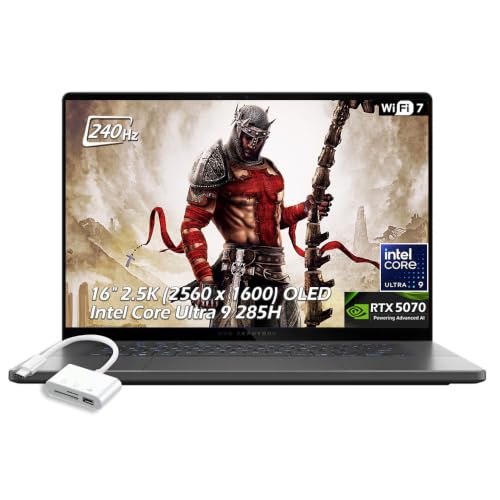
ASUS ROG Zephyrus 16 OLED Gaming Laptop
Best for: portable 2.5K OLED gaming with 2TB storage
- Storage
- 2TB SSD (what this guide is about)
- Graphics Card
- NVIDIA GeForce RTX 5070 Laptop GPU
- Processor
- Intel Core Ultra 9 285H
- Memory
- 16GB LPDDR5X-7467
- Storage Capacity
- 2TB SSD
- Screen Size
- 16"
View on Amazon: ASUS ROG Zephyrus 16 OLED Gaming Laptop Affiliate link
This ASUS Zephyrus 16 pairs a 2TB SSD with an Intel Core Ultra 9 285H processor and an NVIDIA GeForce RTX 5070 graphics card. Its 16-inch 2.5K OLED display runs at 240Hz with 500 nits brightness for fluid visuals. At 0.59 inches thin and 3.21 pounds, it suits you if you want expansive high-speed storage, sharp OLED imagery, and capable gaming power in a lightweight chassis.
Pros
- 2TB SSD provides generous internal storage for large game installs
- 16-inch 2.5K OLED screen with 240Hz refresh rate and 500 nits brightness
- NVIDIA GeForce RTX 5070 GPU with 8GB GDDR7 VRAM and DLSS 4
- Weighs 3.21 pounds with a 0.59-inch slim profile
- Comprehensive connectivity including Thunderbolt 4, USB-C 4, and Wi-Fi 7
Cons
- Configured with 16GB of system memory rather than 32GB
- No built-in RJ-45 Ethernet port listed
Good fit if
- You need 2TB of built-in storage to hold multiple large titles locally.
- You want a high-contrast 2.5K OLED screen with a high 240Hz refresh rate.
- You prefer a thin 16-inch machine weighing just 3.21 pounds for travel.
Skip if
- You require 32GB of system RAM for your workload.
- You depend on a native wired Ethernet connection without using an adapter.
Verdict: ASUS Zephyrus 16 RTX 5070 OLED Gaming Laptop delivers large 2TB storage and a rapid 240Hz OLED screen in an exceptionally thin, 3.21-pound body. It gives you capable modern graphics performance without the usual bulk of a 16-inch machine.

ASUS Zenbook 14 OLED Touchscreen Laptop
Best for: portable productivity with large local storage
- Storage
- 2TB SSD (what this guide is about)
- Graphics Card
- Radeon 880M
- Processor
- AMD Ryzen AI 9 465
- Memory
- 16GB LPDDR5X
- Storage Capacity
- 2TB SSD
- Screen Size
- 14 Inch
View on Amazon: ASUS Zenbook 14 OLED Touchscreen Laptop Affiliate link
The ASUS Zenbook 14 is a 14-inch laptop featuring a 2TB SSD and a 2K OLED touchscreen. It uses an AMD Ryzen AI 9 465 processor with 16GB RAM and integrated Radeon 880M graphics. The device weighs 2.82 pounds and includes a 75Wh battery. This configuration suits users who need substantial local storage and a portable form factor for business or student use, rather than dedicated gaming performance.
Pros
- 2TB SSD provides ample space for large files and applications.
- 14-inch 2K OLED touchscreen offers 100% DCI-P3 color accuracy.
- Ryzen AI 9 465 delivers up to 5.0 GHz speeds.
- 75Wh battery supports extended productivity sessions.
- Includes touchscreen stylus and 128GB USB flash drive.
Cons
- Integrated Radeon 880M graphics limit performance for dedicated gaming.
- 16GB RAM is fixed and not user-upgradeable.
- 14-inch screen is smaller than the 16-inch or 18-inch options on this list.
Good fit if
- You need a lightweight laptop with 2TB of storage for travel.
- You prioritize screen quality and battery life over raw gaming power.
- You require business features like Windows 11 Pro and a stylus.
Skip if
- You need a dedicated GPU for high-end gaming or 3D work.
- You prefer a larger 16-inch or 18-inch display for multitasking.
- You require upgradable RAM for heavy multitasking or virtualization.
Verdict: The ASUS Zenbook 14 Ryzen AI 9 2TB SSD is ideal for professionals and students who need a portable machine with generous storage and a vibrant display, rather than gamers seeking high frame rates.
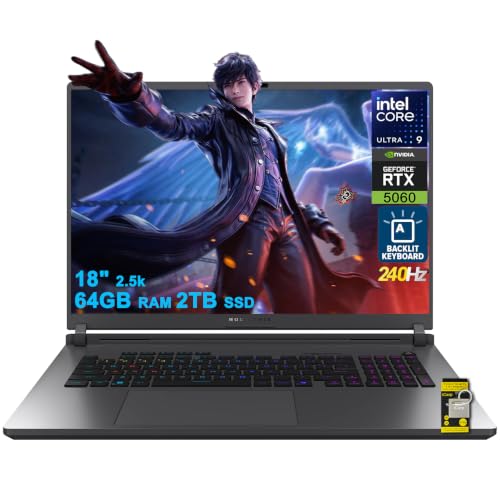
ASUS ROG Strix G18 18" Gaming Laptop
Best for: Users needing 64GB RAM and an 18-inch screen
- Storage
- 2TB SSD (what this guide is about)
- Graphics Card
- NVIDIA GeForce RTX 5060 8GB
- Processor
- Intel Ultra 9 275HX
- Memory
- 64GB DDR5
- Storage Capacity
- 2TB SSD
- Screen Size
- 18"
View on Amazon: ASUS ROG Strix G18 18" Gaming Laptop Affiliate link
This ASUS ROG Strix G18 features an 18-inch 2.5K 240Hz display and 64GB DDR5 RAM. It pairs these with an Intel Core Ultra 9 275HX processor and an RTX 5060 GPU. The 2TB SSD provides ample storage for large game libraries. You will appreciate the high refresh rate and extensive memory for intensive multitasking. This model suits users who need a large screen and maximum system resources for professional workflows or high-end gaming.
Pros
- 64GB DDR5 RAM for heavy multitasking
- 18-inch 2.5K 240Hz display with 100% DCI-P3
- Intel Core Ultra 9 275HX processor
- 2TB SSD storage capacity
Cons
- 7.05 pounds weight is heavier than most 14-inch competitors
- RTX 5060 GPU offers less power than the RTX 5070 Ti found in other list items
- 1.26 inches thickness is bulkier than ultrabook alternatives
Good fit if
- You require 64GB of RAM for professional content creation
- You prefer a large 18-inch screen for immersive gaming
- You need a 2TB SSD for extensive game libraries
Skip if
- You prioritize portability and lightweight design
- You need the highest tier GPU performance available
- You prefer a 14-inch or 16-inch form factor
Verdict: ASUS ROG Strix G18 18" 64GB RAM is a powerful workstation for users who need maximum RAM and a large display. It fits those who prioritize screen real estate and memory capacity over portability.

ASUS Zenbook A14 14" OLED Snapdragon
Best for: portable business use with large storage
- Storage
- 2TB SSD (what this guide is about)
- Processor
- Qualcomm Snapdragon X Plus
- Memory
- 16GB DDR5
- Storage Capacity
- 2TB SSD
- Screen Size
- 14"
- Display Resolution
- WUXGA
View on Amazon: ASUS Zenbook A14 14" OLED Snapdragon Affiliate link
The ASUS Zenbook A14 is a 14-inch laptop featuring a 2TB SSD and 16GB of DDR5 RAM. It uses a Qualcomm Snapdragon X Plus processor with a 45 TOPS NPU. The display offers WUXGA resolution and 600-nit HDR brightness. This model suits users who need portable storage and efficient mobile computing for business tasks.
Pros
- 2TB SSD storage capacity
- 16GB DDR5 RAM
- 14-inch WUXGA OLED screen with 600-nit HDR
- Qualcomm Snapdragon X Plus 8-core processor
Cons
- 14-inch screen is smaller than the 16-inch or 18-inch options on this list
- WUXGA resolution is lower than the 2.5K or 3K displays found in other picks
- Snapdragon architecture differs from the Intel or AMD CPUs in the other gaming laptops
Good fit if
- You need a large 2TB SSD for extensive local storage
- You prefer a lightweight 14-inch portable form factor
- You want a battery-efficient ARM-based laptop for mobile work
Skip if
- You require a high-refresh-rate gaming display above 60Hz
- You need an NVIDIA discrete GPU for heavy gaming
- You prefer an Intel or AMD processor ecosystem
Verdict: The ASUS Zenbook A14 14" OLED Snapdragon is a portable business laptop with a 2TB SSD. It fits users who prioritize storage capacity and screen quality over raw gaming performance.
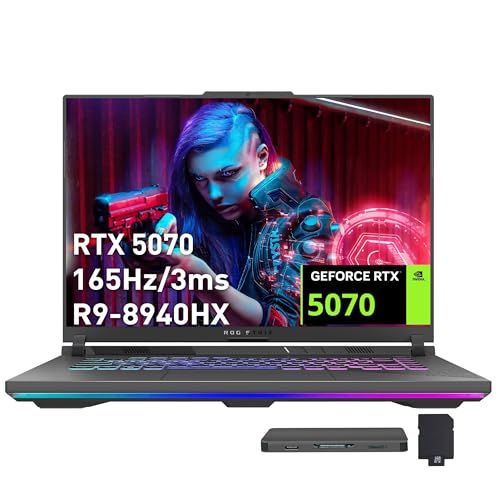
ASUS ROG Strix 16 RTX 5070 Gaming Laptop
Best for: High-capacity storage and memory needs
- Storage
- 2TB SSD (what this guide is about)
- Graphics Card
- NVIDIA GeForce RTX 5070 8GB
- Processor
- AMD Ryzen 9 8940HX
- Memory
- 32GB DDR5
- Storage Capacity
- 2TB SSD
- Screen Size
- 16
View on Amazon: ASUS ROG Strix 16 RTX 5070 Gaming Laptop Affiliate link
This ASUS ROG Strix G16 features an AMD Ryzen 9 8940HX processor and NVIDIA GeForce RTX 5070 graphics. It includes 32GB of DDR5 RAM and a 2TB SSD. The 16-inch FHD+ display runs at 165Hz. This configuration offers ample storage and memory for demanding tasks. It suits gamers who prioritize high capacity and strong multitasking performance over higher resolution screens.
Pros
- 32GB DDR5 RAM for smooth multitasking
- 2TB SSD provides massive storage space
- RTX 5070 8GB graphics for immersive gaming
- AMD Ryzen 9 8940HX processor handles heavy workloads
Cons
- 165Hz refresh rate is lower than the 240Hz and 300Hz panels on other list items
- FHD+ resolution is less sharp than the 2.5K or 3K displays found on competitors
- Weight of 10 pounds is heavier than the lighter 14-inch and 13.4-inch models on the list
Good fit if
- You need 32GB of RAM for heavy multitasking
- You require 2TB of fast storage for large game libraries
- You prefer a 16-inch screen size for a balance of portability and visibility
Skip if
- You prioritize a high-resolution 2.5K or 3K OLED display
- You want a refresh rate of 240Hz or higher for competitive gaming
- You need a lightweight laptop under 6 pounds for frequent travel
Verdict: ASUS ROG Strix G16 RTX 5070 32GB delivers robust performance with high memory and storage. It is ideal for users who value capacity and processing power over screen sharpness and lightweight design.

ASUS ROG Strix Scar 18 RTX 4090
Best for: desktop-replacement gaming with top-tier specs
- Storage
- 2TB SSD (what this guide is about)
- Graphics Card
- GeForce RTX 4090
- Processor
- Intel Core i9-13980HX
- Memory
- 32GB DDR5
- Storage Capacity
- 2TB PCIe SSD
- Screen Size
- 18"
View on Amazon: ASUS ROG Strix Scar 18 RTX 4090 Affiliate link
The ASUS ROG Strix Scar 18 is a high-performance gaming laptop featuring an 18-inch QHD display with a 240Hz refresh rate. It is powered by an Intel Core i9-13980HX processor and an NVIDIA GeForce RTX 4090 GPU. The system includes 32GB of DDR5 memory and a 2TB PCIe SSD for fast storage. This configuration suits gamers who need maximum graphical power and a large screen for immersive play.
Pros
- Intel Core i9-13980HX processor for high-end multitasking
- NVIDIA GeForce RTX 4090 GPU at 175W TGP
- 32GB DDR5-4800MHz memory for swift performance
- 2TB PCIe SSD with up to 7000MB/s throughput
- 18-inch QHD display with 240Hz refresh rate
Cons
- Weighs 6.8 pounds, making it heavier than most laptops on this list
- Measures 15.7 inches wide, requiring more desk space than smaller models
- Uses an older 13th Gen Intel processor instead of newer generations
Good fit if
- You prioritize raw graphical power over portability
- You want a large 18-inch screen for immersive gaming
- You need high-end specs like the RTX 4090 and 32GB RAM
Skip if
- You prefer a lightweight laptop for frequent travel
- You want a smaller 14-inch or 16-inch display
- You are looking for the latest processor generation
Verdict: The ASUS ROG Strix Scar 18 RTX 4090 delivers desktop-class performance in an 18-inch chassis. It is ideal for stationary gamers who value maximum resolution, speed, and visual fidelity above all else.

ASUS ROG Zephyrus G14 14in 120Hz OLED
Best for: portable gaming with OLED display quality
- Storage
- 2TB SSD (what this guide is about)
- Graphics Card
- NVIDIA GeForce RTX 5060
- Processor
- AMD Ryzen 9 270
- Memory
- 16GB DDR5
- Storage Capacity
- 2TB SSD
- Screen Size
- 14"
View on Amazon: ASUS ROG Zephyrus G14 14in 120Hz OLED Affiliate link
The ASUS ROG Zephyrus G14 is a 14-inch gaming laptop featuring a 3K OLED display with a 120Hz refresh rate. It pairs an AMD Ryzen 9 270 processor with 16GB of DDR5 RAM and a 2TB SSD. The NVIDIA RTX 5060 GPU handles gaming and creative workloads. You will appreciate the portable 3.31-pound design and Wi-Fi 7 connectivity for modern use.
Pros
- 14-inch 3K OLED display with 120Hz refresh rate
- 2TB SSD storage for ample game library space
- AMD Ryzen 9 270 processor with up to 5.2GHz
- NVIDIA RTX 5060 GPU with 8GB GDDR7 memory
- Lightweight 3.31-pound portable chassis
Cons
- 120Hz refresh rate is lower than the 240Hz or 300Hz panels on other list items
- 16GB RAM is fixed and not upgradable like some competitors
- 1-zone RGB keyboard offers fewer lighting effects than multi-zone options
Good fit if
- You prioritize a high-quality OLED display with good color accuracy
- You need a lightweight laptop for travel and gaming
- You want 2TB of storage for large game files
Skip if
- You require a high refresh rate above 120Hz for competitive gaming
- You need more than 16GB of RAM for heavy multitasking
- You prefer a larger 16-inch or 18-inch screen size
Verdict: ASUS ROG Zephyrus G14 14in 120Hz OLED suits users who value portability and screen quality over maximum refresh rates. It is a solid choice for gamers who travel frequently and need ample storage.
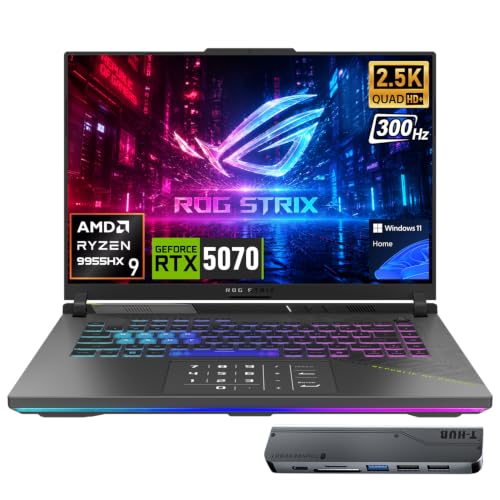
ASUS ROG Strix G16 300Hz RTX 5070
Best for: Competitive gaming and heavy multitasking
- Storage
- 2TB SSD (what this guide is about)
- Graphics Card
- GeForce RTX 5070
- Processor
- AMD Ryzen 9 9955HX
- Memory
- 32GB DDR5
- Storage Capacity
- 2TB SSD
- Screen Size
- 16
View on Amazon: ASUS ROG Strix G16 300Hz RTX 5070 Affiliate link
This 16-inch gaming laptop pairs an AMD Ryzen 9 9955HX processor with an NVIDIA GeForce RTX 5070 GPU and 32GB of DDR5 RAM. It includes a 2TB SSD and a 300Hz QHD+ display for fast visuals. The 90Wh battery and robust cooling system support sustained performance. It suits gamers and creators who need high refresh rates and ample storage in a single machine.
Pros
- 300Hz refresh rate on 16-inch QHD+ display
- 32GB DDR5 RAM for smooth multitasking
- 2TB SSD for large game libraries
- AMD Ryzen 9 9955HX with up to 5.4 GHz turbo
Cons
- Heavier at 5.51 pounds compared to many 14-inch competitors
- Lower resolution than the 2.5K 240Hz OLED panels on other list entries
- Shorter battery life than ultrabooks with smaller screens
Good fit if
- You want a 300Hz display for competitive gaming
- You need 32GB of RAM for heavy workloads
- You prefer a 16-inch screen for more workspace
Skip if
- You prioritize portability and lighter weight
- You want OLED display technology
- You need a 14-inch form factor
Verdict: ASUS ROG Strix G16 Ryzen 9 RTX 5070 delivers high-speed visuals and strong processing power for users who prioritize performance and screen real estate over portability.

ASUS ROG Strix 16 RTX 5070 Ti Gaming Laptop
Best for: high-performance gaming and content creation
- Storage
- 2TB SSD (what this guide is about)
- Graphics Card
- NVIDIA GeForce RTX 5070 Ti
- Processor
- AMD Ryzen 9 8940HX
- Memory
- 32GB DDR5
- Storage Capacity
- 2TB SSD
- Screen Size
- 16"
View on Amazon: ASUS ROG Strix 16 RTX 5070 Ti Gaming Laptop Affiliate link
The ASUS ROG Strix G16 pairs an AMD Ryzen 9 8940HX processor with an NVIDIA GeForce RTX 5070 Ti GPU. It includes 32GB of DDR5 RAM and a 2TB SSD for ample storage and speed. The 16-inch WUXGA display offers a 165Hz refresh rate. This setup suits gamers who want high frame rates and creators needing fast rendering power for demanding tasks.
Pros
- RTX 5070 Ti with 12GB GDDR7 VRAM and 140W TGP
- AMD Ryzen 9 8940HX 16-core processor up to 5.3 GHz
- 32GB DDR5 RAM for smooth multitasking
- 2TB SSD for large game libraries
- 165Hz refresh rate with 3ms response time
Cons
- 165Hz refresh rate is lower than the 240Hz or 300Hz panels on other list models
- 5.51-pound weight makes it heavier than the 14-inch and 13.4-inch competitors
- WUXGA resolution is less detailed than the 2.5K or 3K screens on rival units
Good fit if
- You prioritize high GPU wattage (140W) for maximum gaming performance
- You need a large 2TB SSD for extensive media storage
- You want a 16-inch screen with a 16:10 aspect ratio
Skip if
- You prefer a lighter laptop under 5 pounds for portability
- You require a display with a refresh rate above 165Hz
- You need a higher resolution screen than WUXGA
Verdict: ASUS ROG Strix G16 RTX 5070 Ti delivers strong desktop-class performance for gamers who value raw GPU power and ample storage over ultra-high refresh rates or portability. It is ideal for users who keep their laptop on a desk and want to play AAA titles at high settings.
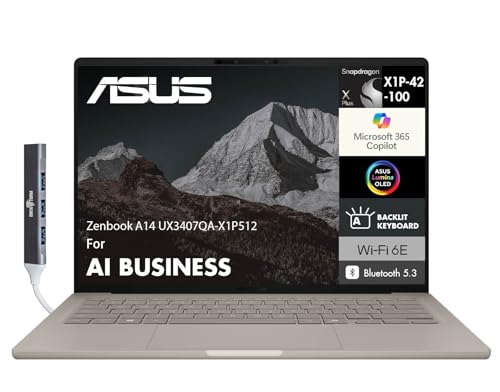
ASUS Zenbook 14 OLED Snapdragon Laptop
Best for: lightweight portability and massive 2TB storage
- Storage
- 2TB SSD (what this guide is about)
- Processor
- Qualcomm Snapdragon X Plus X1P-42-100
- Memory
- 16GB LPDDR5X
- Storage Capacity
- 2TB SSD
- Screen Size
- 14"
- Display Resolution
- WUXGA
View on Amazon: ASUS Zenbook 14 OLED Snapdragon Laptop Affiliate link
This ASUS Zenbook 14 is an ultra-portable laptop pairing a 2TB SSD with the Snapdragon X Plus processor. You get a 14-inch WUXGA OLED display, 16GB of onboard LPDDR5X memory, and a 2.3-pound chassis. A 70WHr battery delivers extended runtime away from wall outlets. It suits you if you need massive local storage, long battery life, and high portability rather than dedicated graphics hardware.
Pros
- Spacious 2TB solid-state storage
- Lightweight 2.3-pound chassis measuring 0.63 inches thin
- 70WHr battery rated for up to 32 hours video playback
- Dual Thunderbolt 4.0 Type-C ports and HDMI 2.1
Cons
- No dedicated graphics card listed
- System memory fixed at 16GB onboard
- Display limited to WUXGA resolution
Good fit if
- You need 2TB of fast storage inside an ultra-lightweight 2.3-pound laptop.
- You prioritize battery life from a 70WHr cell over heavy gaming performance.
- You want an OLED display alongside modern Thunderbolt 4 connectivity.
Skip if
- You require a dedicated graphics card for high-end gaming.
- You need more than 16GB of RAM for demanding workflows.
- You prefer a higher screen resolution than WUXGA.
Verdict: ASUS Zenbook 14 Snapdragon OLED Laptop delivers 2TB of storage and exceptional portability with its 2.3-pound chassis and 70WHr battery. It trades high-power gaming graphics for efficient mobile performance and an OLED screen.

ASUS Zenbook 14 OLED Touchscreen Laptop
Best for: portable productivity with high storage capacity
- Storage
- 2TB SSD (what this guide is about)
- Graphics Card
- Intel Arc 140T GPU
- Processor
- Intel 16-core Ultra 7 255H
- Memory
- 16GB DDR5
- Storage Capacity
- 2TB SSD
- Screen Size
- 14"
View on Amazon: ASUS Zenbook 14 OLED Touchscreen Laptop Affiliate link
The ASUS Zenbook 14 OLED Touchscreen Laptop pairs a 2TB SSD with a 16-core Intel Ultra 7 255H processor and 16GB of DDR5 memory. Instead of a dedicated graphics card, it relies on integrated Intel Arc 140T graphics to drive its 14-inch 1920x1200 OLED touchscreen. At 2.65 pounds, this ultraportable machine suits you if you need generous storage and high color accuracy on the go rather than heavy-duty discrete 3D rendering.
Pros
- Roomy 2TB SSD for large local files
- 14-inch 1920x1200 OLED touchscreen with 100% DCI-P3 color
- Lightweight build at 2.65 pounds and 0.59 inches thin
- Dual Thunderbolt 4 ports and Wi-Fi 7 support
Cons
- Integrated Intel Arc 140T GPU lacks dedicated graphics performance
- Memory capacity is limited to 16GB DDR5
- Glossy screen coating reflects ambient light
Good fit if
- You want a lightweight 2.65-pound laptop with 2TB of built-in storage.
- You prioritize a vibrant 500-nit OLED touchscreen with full DCI-P3 coverage.
- You need modern port options including dual Thunderbolt 4 connections.
Skip if
- You need a dedicated NVIDIA GeForce GPU for heavy 3D gaming.
- You require more than 16GB of system memory for intense multitasking.
- You prefer a matte, glare-free display finish.
Verdict: ASUS Zenbook 14 OLED Touchscreen Laptop delivers massive 2TB storage and a rich OLED display in a sub-three-pound build. It is an excellent portable option if you do not require a discrete gaming GPU.

ASUS Zenbook 14 OLED Touch Laptop
Best for: portable storage and color-accurate display
- Storage
- 2TB SSD (what this guide is about)
- Graphics Card
- AMD Radeon Graphics
- Processor
- AMD Ryzen AI 9 465
- Memory
- 16GB 7500 MHz DDR5
- Storage Capacity
- 2TB SSD
- Screen Size
- 14"
View on Amazon: ASUS Zenbook 14 OLED Touch Laptop Affiliate link
This 14-inch laptop pairs a 2TB SSD with an AMD Ryzen AI 9 465 processor and 16GB of DDR5 RAM. The 2K OLED touchscreen delivers 100% DCI-P3 color and 500 nits of brightness. It weighs 3.42 pounds and includes Wi-Fi 6E. You get a portable machine with ample storage for games and files, though it relies on integrated graphics rather than a dedicated GPU.
Pros
- 2TB SSD provides ample fast storage
- 14-inch 2K OLED touchscreen with 500 nits brightness
- AMD Ryzen AI 9 465 processor up to 5 GHz
- 16GB 7500 MHz DDR5 RAM
- Lightweight 3.42-pound design
Cons
- Integrated AMD Radeon Graphics limits high-end gaming performance
- 1920 x 1200 resolution is lower than the 2.5K or 3K displays on other list models
- 14-inch screen is smaller than the 16-inch or 18-inch options available
Good fit if
- You need a 2TB SSD in a compact 14-inch chassis
- You prioritize color accuracy and brightness for creative work
- You want a lightweight laptop under 3.5 pounds
Skip if
- You require a dedicated NVIDIA GeForce RTX graphics card
- You prefer a 16-inch or larger display for gaming
- You need a higher resolution screen than 2K
Verdict: ASUS Zenbook 14 OLED 2TB SSD is a portable option for users who value storage and screen quality over raw gaming power. It fits those who want a compact, high-resolution display for general use and creative tasks.

ASUS ROG Zephyrus G14 OLED RTX 5060
Best for: portable gaming with large storage needs
- Storage
- 2TB SSD (what this guide is about)
- Graphics Card
- NVIDIA GeForce RTX 5060 8GB GDDR7
- Processor
- AMD Ryzen 9 270
- Memory
- 16GB
- Storage Capacity
- 2TB PCIe NVMe SSD
- Screen Size
- 14.0"
View on Amazon: ASUS ROG Zephyrus G14 OLED RTX 5060 Affiliate link
This 14-inch gaming laptop pairs a Ryzen 9 processor with an NVIDIA GeForce RTX 5060 GPU. It features a 2.8K OLED display with a 120Hz refresh rate. The system includes 16GB of onboard RAM and a 2TB PCIe NVMe SSD. You get a compact build weighing 3.3 pounds. This configuration suits players who want high storage capacity in a portable chassis.
Pros
- 2TB PCIe NVMe SSD provides ample storage for large game libraries
- 14-inch OLED panel delivers 2.8K resolution for sharp visuals
- Ryzen 9 270 processor offers 8 cores and 16 threads for multitasking
- NVIDIA GeForce RTX 5060 GPU handles modern gaming titles effectively
Cons
- 120Hz refresh rate is lower than the 240Hz or 300Hz displays found on other models in this list
- 16GB of onboard RAM is fixed and cannot be upgraded later
- 3.3-pound weight is heavier than the ultra-light Zenbook models included in the comparison
Good fit if
- You need a high-capacity 2TB SSD for storing many games
- You prefer a compact 14-inch form factor for portability
- You want a premium OLED display with 2.8K resolution
Skip if
- You require a higher refresh rate than 120Hz for competitive gaming
- You need to upgrade RAM beyond the initial 16GB configuration
- You prioritize the lightest possible weight for daily carrying
Verdict: ASUS ROG Zephyrus G14 2TB SSD delivers strong gaming performance and massive storage in a portable 14-inch design. It is the right choice for players who value display quality and storage space over maximum screen speed.

ASUS ROG Zephyrus G16 OLED RTX 5070
Best for: Users wanting 2TB storage and OLED visuals
- Storage
- 2TB SSD (what this guide is about)
- Graphics Card
- NVIDIA GeForce RTX 5070 Laptop GPU
- Processor
- Intel Core Ultra 9 285H
- Memory
- 16GB LPDDR5X-7467
- Storage Capacity
- 2TB SSD
- Screen Size
- 16"
View on Amazon: ASUS ROG Zephyrus G16 OLED RTX 5070 Affiliate link
This ASUS ROG Zephyrus G16 features a 16-inch 2.5K OLED display with a 240Hz refresh rate. It is powered by an Intel Core Ultra 9 285H processor and an NVIDIA GeForce RTX 5070 GPU with 8GB GDDR7 VRAM. The system includes 16GB of LPDDR5X memory and a 2TB SSD. You get Thunderbolt 4 and Wi-Fi 7 connectivity. This configuration suits gamers who want high-end performance in a portable form factor.
Pros
- 16-inch 2.5K OLED display with 240Hz refresh rate
- Intel Core Ultra 9 285H processor
- NVIDIA GeForce RTX 5070 with 8GB GDDR7 VRAM
- 2TB SSD storage capacity
- Thunderbolt 4 and Wi-Fi 7 support
Cons
- 16GB RAM limits multitasking compared to 32GB options
- 16GB memory is soldered and non-upgradeable
- Heavier build at 3.21 pounds
Good fit if
- You want a 16-inch OLED screen for vivid visuals
- You need a 2TB SSD for large game libraries
- You prefer Thunderbolt 4 connectivity for docks
Skip if
- You require more than 16GB of RAM
- You need a lighter laptop under 3 pounds
- You prefer AMD Ryzen processors over Intel
Verdict: ASUS ROG Zephyrus G16 16" RTX 5070 delivers strong gaming performance with its RTX 5070 and OLED screen. It fits users who prioritize visual quality and storage space in a 16-inch chassis.
Specifications side by side
| Spec | ASUS ROG Flow 13.4-Inch Touchscreen 2-in-1 Laptop | ASUS ROG Zephyrus 16 OLED Gaming Laptop | ASUS Zenbook 14 OLED Touchscreen Laptop | ASUS ROG Strix G18 18" Gaming Laptop | ASUS Zenbook A14 14" OLED Snapdragon | ASUS ROG Strix 16 RTX 5070 Gaming Laptop | ASUS ROG Strix Scar 18 RTX 4090 | ASUS ROG Zephyrus G14 14in 120Hz OLED | ASUS ROG Strix G16 300Hz RTX 5070 | ASUS ROG Strix 16 RTX 5070 Ti Gaming Laptop | ASUS Zenbook 14 OLED Snapdragon Laptop | ASUS Zenbook 14 OLED Touchscreen Laptop | ASUS Zenbook 14 OLED Touch Laptop | ASUS ROG Zephyrus G14 OLED RTX 5060 | ASUS ROG Zephyrus G16 OLED RTX 5070 |
|---|---|---|---|---|---|---|---|---|---|---|---|---|---|---|---|
| Graphics Card | AMD Radeon 8060S | NVIDIA GeForce RTX 5070 Laptop GPU | Radeon 880M | NVIDIA GeForce RTX 5060 8GB | not stated | NVIDIA GeForce RTX 5070 8GB | GeForce RTX 4090 | NVIDIA GeForce RTX 5060 | GeForce RTX 5070 | NVIDIA GeForce RTX 5070 Ti | not stated | Intel Arc 140T GPU | AMD Radeon Graphics | NVIDIA GeForce RTX 5060 8GB GDDR7 | NVIDIA GeForce RTX 5070 Laptop GPU |
| Processor | AMD Ryzen AI Max+ 395 | Intel Core Ultra 9 285H | AMD Ryzen AI 9 465 | Intel Ultra 9 275HX | Qualcomm Snapdragon X Plus | AMD Ryzen 9 8940HX | Intel Core i9-13980HX | AMD Ryzen 9 270 | AMD Ryzen 9 9955HX | AMD Ryzen 9 8940HX | Qualcomm Snapdragon X Plus X1P-42-100 | Intel 16-core Ultra 7 255H | AMD Ryzen AI 9 465 | AMD Ryzen 9 270 | Intel Core Ultra 9 285H |
| Memory | 64GB LPDDR5X-8000 MHz | 16GB LPDDR5X-7467 | 16GB LPDDR5X | 64GB DDR5 | 16GB DDR5 | 32GB DDR5 | 32GB DDR5 | 16GB DDR5 | 32GB DDR5 | 32GB DDR5 | 16GB LPDDR5X | 16GB DDR5 | 16GB 7500 MHz DDR5 | 16GB | 16GB LPDDR5X-7467 |
| Storage Capacity | 2TB SSD | 2TB SSD | 2TB SSD | 2TB SSD | 2TB SSD | 2TB SSD | 2TB PCIe SSD | 2TB SSD | 2TB SSD | 2TB SSD | 2TB SSD | 2TB SSD | 2TB SSD | 2TB PCIe NVMe SSD | 2TB SSD |
| Screen Size | 13.4" | 16" | 14 Inch | 18" | 14" | 16 | 18" | 14" | 16 | 16" | 14" | 14" | 14" | 14.0" | 16" |
| Refresh Rate | 180Hz | 240Hz | not stated | 240Hz | not stated | 165Hz | 240Hz | 120Hz | 300Hz | 165Hz | not stated | not stated | not stated | 120Hz | 240Hz |
| Display Resolution | 2560 x 1600 | 2.5K (2560 x 1600) | 1920 x 1200 | 2560x1600 | WUXGA | FHD+ | QHD | 2880 x 1800 | 2560x1600 | WUXGA | WUXGA | 1920x1200 | 1920 x 1200 | 2880x1800 | 2.5K (2560 x 1600) |
| Storage | 2TB SSD | 2TB SSD | 2TB SSD | 2TB SSD | 2TB SSD | 2TB SSD | 2TB SSD | 2TB SSD | 2TB SSD | 2TB SSD | 2TB SSD | 2TB SSD | 2TB SSD | 2TB SSD | 2TB SSD |
| Use | not stated | not stated | Business | not stated | Business | not stated | not stated | not stated | not stated | not stated | Business | Business | not stated | not stated | not stated |
| Size | 64GB | 2TB | not stated | 14 Inch | 64GB DDR5 I 2TB SSD | 16GB DDR5 | 2TB SSD | 32GB | 2TB SSD | not stated | 16GB RAM | 2TB SSD | 32GB RAM | 2TB SSD | 32GB RAM | 2TB SSD | 16GB RAM|2TB SSD | 16GB DDR5 | 2TB SSD | not stated | 16GB RAM|2TB SSD | not stated |
| Dimensions | 11.8 × 8.03 × 0.51 inches | 0.59 × 14 × 9.72 inches | 12.3 × 8.67 × 0.59 inches | 11.7 × 15.7 × 1.26 inches | 8.42 × 12.2 × 0.63 inches | 19 × 13.5 × 4.5 inches | 15.7 × 0.91 × 11.6 inches | 12.2 × 8.66 × 0.64 inches | 13.9 × 10.4 × 1.2 inches | 13.9 × 10.4 × 0.89 inches | 12.3 × 8.4 × 0.63 inches | 8.67 × 12.3 × 0.59 inches | 12.3 × 8.66 × 0.62 inches | 12.3 × 8.75 × 0.75 inches | 0.59 × 14 × 9.72 inches |
| Weight | 2.65 pounds | 3.21 pounds | 2.82 pounds | 7.05 pounds | 2.4 pounds | 10 pounds | 6.8 pounds | 3.31 pounds | 5.51 pounds | 5.51 pounds | 2.3 pounds | 2.65 pounds | 3.42 pounds | 3.3 pounds | 3.21 pounds |
| Color | Off Black | Eclipse Gray | Jasper Gray | Black | Zabriskie Beige | Gray | Black | White | Black | Gray | Zabriskie Beige | Jasper Gray | Gray | Platinum White | Eclipse Gray |
| Model | not stated | not stated | Zenbook 14 | G815 | not stated | ASUS ROG Strix | G834JY-XS97 | not stated | ASIS ROG Strix G16 | G614 | UX3407 | Ultra 7 255H | Zenbook | ROG Zephyrus 2025 | not stated |
If you need more power, see our guide to best gaming desktops with 2TB SSD for a deeper look at those options.
How to Choose the Right ASUS Laptop
-
Select System Memory Capacity
Check RAM capacity based on your software needs. The laptops in this guide range from 16GB up to 64GB of system memory. A 16GB configuration supports routine background applications and modern game installs. Stepping up to 32GB or 64GB DDR5 memory gives you headroom for massive multitasking and content creation pipelines. If your routine demands heavy application switching alongside gaming, target models like the ASUS ROG Strix G16 RTX 5070 Ryzen 9, which provides 64GB RAM directly from the factory.
-
Match Display Refresh Rate
Check the display refresh rate to align with the game genres you play most. Panels in this category provide refresh frequencies ranging from 120Hz on compact OLED screens up to 300Hz on specialized esports panels. Casual gaming and standard creative work perform smoothly at 120Hz or 165Hz. If you play competitive multiplayer titles where rapid visual feedback matters, consider higher refresh speeds. The ASUS ROG Strix G16 300Hz Gaming Laptop offers a 300Hz panel designed to handle fast-motion titles without visual delay.
-
Evaluate Dedicated GPU Tier
Check the specific graphics chip to verify it matches your target gaming fidelity. Options in this lineup span from entry RTX 5060 GPUs up to high-end RTX 5080 and RTX 4090 configurations. While an RTX 5060 or RTX 5070 handles modern releases comfortably, high resolutions benefit from higher tier hardware. If you require substantial graphics computing power for demanding graphics settings in a smaller footprint, the ASUS ROG Zephyrus G14 14" RTX 5080 incorporates an RTX 5080 GPU alongside a 14-inch screen.
-
Review Solid-State Storage Architecture
Every model on this list includes a 2TB SSD, giving you ample room for large game libraries and operating files. However, you should check whether the drive configuration uses a standard PCIe SSD or a dual-drive array. Certain high-tier performance machines link drives together to maximize data read and write rates for intensive tasks. For example, the ASUS ROG Strix Scar 18 RTX 4090 integrates RAID 0 storage to accelerate large data transfers beyond standard single-drive speeds.
-
Examine Chassis Dimensions and Form
Examine the thickness and physical footprint before finalizing your setup. Thickness ranges from ultra-slim 0.51-inch frames up to full-sized 1.26-inch chassis builds. If you frequently relocate your workstation, a 2-in-1 design or compact touchscreen chassis offers practical handling compared to a traditional thick gaming clamshell. The ASUS ROG Flow 13.4-Inch Touchscreen 2-in-1 Laptop measures 0.51 inches thick and weighs 2.65 pounds, making it suitable if your work involves regular travel and convertible screen positioning.
-
Check Processor Core Configuration
Check the processor class to determine how effectively the system manages complex simulation, compilation, and high-load background tasks. Options include Intel Core Ultra 9, Intel Core i9, and AMD Ryzen 9 processors. High core-count designs allocate specific cores to background services while preserving computing power for primary applications. If your workload involves demanding multitasking alongside 2.5K gaming, the ASUS ROG Strix 18 RTX 5070 Gaming Laptop provides a 24-core Intel Core Ultra 9 processor built for high computational throughput.
Frequently asked questions
Which ASUS laptop with 2TB SSD is best for travel?
The ASUS Zenbook 14 OLED Snapdragon is the lightest option at 2.3 pounds. It features a 14-inch OLED display and 16GB of RAM. This model trades discrete graphics for maximum portability. It suits users who prioritize weight and screen quality over raw gaming power.
Does the ROG Flow 13.4 have a discrete graphics card?
No, the ROG Flow 13.4 does not include a discrete GPU. It relies on integrated graphics within its Intel Core Ultra 9 processor. This design allows it to reach 64GB of RAM while remaining ultralight at 2.65 pounds. It is ideal for mobile work rather than heavy gaming.
What is the highest refresh rate available on these 2TB models?
The highest refresh rate is 300Hz, found on the ASUS ROG Strix G16. Several other models, including the Zephyrus 16 and Strix G18, offer 240Hz OLED screens. These high rates benefit competitive gamers who need fast visual updates. Lower rates like 120Hz focus more on color accuracy.
Which ASUS laptop offers 64GB of RAM with 2TB storage?
The ASUS ROG Flow 13.4 and the ROG Strix G18 both include 64GB of RAM. The Flow 13.4 keeps this in a 2.65-pound portable chassis. The Strix G18 pairs it with an 18-inch screen in a heavier 7.05-pound body. Both provide massive local storage for demanding workflows.
Can I use these laptops for professional video editing?
Yes, models like the ROG Zephyrus 16 and Strix G18 are suitable for editing. They combine powerful processors like the Intel Core Ultra 9 with RTX 5070 graphics. The 2TB SSD provides fast load times for large video files. The OLED displays also offer accurate color reproduction for creative tasks.
Is there an ASUS 2TB SSD laptop under three pounds?
Several options weigh under three pounds. The Zenbook 14 Snapdragon is the lightest at 2.3 pounds. The ROG Flow 13.4 weighs 2.65 pounds. The standard Zenbook 14 OLED is 2.65 pounds. These ultralight models prioritize portability and storage over heavy discrete graphics performance.
Which model has the RTX 5070 Ti graphics card?
The ASUS ROG Strix 16 RTX 5070 Ti Gaming Laptop features this specific GPU. It pairs the card with a Ryzen 9 processor and 32GB of RAM. The 16-inch 165Hz screen supports high settings for AAA titles. It weighs 5.51 pounds, making it a desktop replacement rather than a travel device.
Do all these laptops include OLED displays?
Most models on the list feature OLED screens, including the Zephyrus and Zenbook series. However, some gaming-focused models like the Strix G18 and G16 300Hz do not specify OLED in their attributes. They prioritize high refresh rates like 240Hz or 300Hz. Always check the specific display type for your preference.