15 Best ASUS 240Hz Gaming Laptops, Compared
As an Amazon Associate we earn from qualifying purchases. Links on this page are affiliate links.
We compared 15 models to help you find the best ASUS 240Hz gaming laptops for your setup. The ASUS ROG Strix 16 RTX 5070 Ti Laptop leads this list because it pairs an Intel Core Ultra 9 processor with 32GB of RAM for high-performance gaming on a 16-inch screen. Our picks rely strictly on the specifications published on each product listing, ensuring you see the raw hardware capabilities. This guide helps you decide which chassis, memory, and graphics card combination fits your desk space and performance needs.
Quick picks
The best fit for you
- You want the best overall performance in a compact size ASUS ROG Strix 16 RTX 5070 Ti Laptop It features an RTX 5070 Ti and 32GB RAM in a 16-inch chassis.
- You need the most affordable 16-inch option with 240Hz ASUS ROG Strix G16 240Hz Gaming Laptop It uses an RTX 5060 and 16GB RAM to keep costs lower.
- You require maximum graphics power on a large screen ASUS ROG Strix Scar 18 RTX 5090 Gaming Laptop It pairs an RTX 5090 GPU with an 18-inch 240Hz Mini LED display.
- You need a portable laptop with high color accuracy ASUS ROG Zephyrus G16 2.5K OLED RTX 5070 It offers a lightweight 4.08-pound design with a 240Hz OLED panel.
- You need massive 64GB RAM for heavy multitasking ASUS ROG Strix G18 RTX 5060 Laptop It includes 64GB DDR5 RAM and a 2TB SSD for extensive capacity.
Our 15 picks
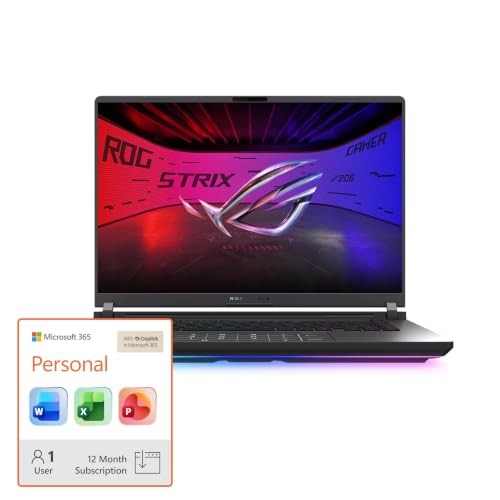
ASUS ROG Strix 16 RTX 5070 Ti Laptop
Best for: high-performance gaming on a 16-inch screen
- Refresh Rate
- 240Hz (what this guide is about)
- Graphics Card
- NVIDIA GeForce RTX 5070 Ti
- Processor
- Intel Core Ultra 9 275HX
- Memory
- 32GB DDR5
- Storage Capacity
- 1TB SSD
- Screen Size
- 16
View on Amazon: ASUS ROG Strix 16 RTX 5070 Ti Laptop Affiliate link
This ASUS ROG Strix G16 features a 16-inch 2.5K display with a 240Hz refresh rate. It is powered by an Intel Core Ultra 9 275HX processor and an NVIDIA GeForce RTX 5070 Ti GPU. The system includes 32GB of DDR5 memory and a 1TB SSD. This configuration suits gamers who want high frame rates and strong multitasking performance in a 16-inch chassis.
Pros
- 240Hz refresh rate for smooth visuals
- RTX 5070 Ti graphics with DLSS 4
- 32GB DDR5-5600MHz memory
- Vapor chamber cooling system
Cons
- 16-inch screen is smaller than the 18-inch models on this list
- 2.5K resolution is lower than the 4K option available in the series
Good fit if
- You prefer a 16-inch screen size
- You want high-end CPU and GPU specs
- You need 32GB of RAM for multitasking
Skip if
- You require an 18-inch display
- You need 4K resolution
- You prefer a smaller 14-inch form factor
Verdict: The ASUS ROG Strix G16 16" 240Hz delivers top-tier performance in a compact 16-inch package. It is ideal for players who prioritize high refresh rates and powerful hardware over larger screen real estate.

ASUS ROG Strix G16 240Hz Gaming Laptop
Best for: 16-inch 2.5K 240Hz gaming with RTX 5060
- Refresh Rate
- 240Hz (what this guide is about)
- Graphics Card
- NVIDIA GeForce RTX 5060 Laptop GPU
- Processor
- Intel Core Ultra 9 Processor 275HX
- Memory
- 16GB DDR5-5600MHz
- Storage Capacity
- 1TB PCIe Gen 4 SSD
- Screen Size
- 16"
View on Amazon: ASUS ROG Strix G16 240Hz Gaming Laptop Affiliate link
The ASUS ROG Strix G16 features a 16-inch 2.5K display with a 240Hz refresh rate and a 3ms response time. It is powered by an Intel Core Ultra 9 275HX processor and an NVIDIA GeForce RTX 5060 GPU. This configuration includes 16GB of DDR5 memory and a 1TB PCIe Gen 4 SSD. The laptop weighs 6.02 pounds and measures 1.21 inches thick. It suits gamers who want high frame rates in a 16-inch chassis.
Pros
- Intel Core Ultra 9 275HX processor for high performance
- NVIDIA GeForce RTX 5060 GPU with DLSS 4 support
- 16-inch 2.5K display with 240Hz refresh rate
- 1TB PCIe Gen 4 SSD for ample storage
- End-to-end vapor chamber cooling system
Cons
- RTX 5060 GPU has lower power than the RTX 5070 Ti found in other models
- 16GB of RAM is less than the 32GB options available in variations
- 16-inch screen is smaller than the 18-inch displays in several other listings
Good fit if
- You want a 16-inch laptop with a 240Hz display
- You need an RTX 5060 GPU for 2.5K gaming
- You prefer a lighter build than 18-inch models
Skip if
- You require an 18-inch screen for maximum immersion
- You need 32GB of RAM for heavy multitasking
- You want the highest-end RTX 5070 Ti graphics
Verdict: ASUS ROG Strix G16 RTX 5060 delivers strong 2.5K 240Hz gaming performance in a compact 16-inch form factor. It is the right choice for players who prioritize portability and high refresh rates over maximum GPU power or larger screens.

ASUS ROG Strix Scar 18 RTX 5090 Gaming Laptop
Best for: maximum GPU performance on an 18-inch screen
- Refresh Rate
- 240Hz (what this guide is about)
- Graphics Card
- NVIDIA GeForce RTX 5090
- Processor
- Intel Core Ultra 9 275HX
- Memory
- 32GB DDR5
- Storage Capacity
- 2TB PCIe Gen 4 SSD
- Screen Size
- 18"
View on Amazon: ASUS ROG Strix Scar 18 RTX 5090 Gaming Laptop Affiliate link
The ASUS ROG Strix SCAR 18 pairs an NVIDIA GeForce RTX 5090 graphics card with an 18-inch 2.5K Mini LED display running at 240Hz. Powered by an Intel Core Ultra 9 275HX processor and 32GB of DDR5 memory, it handles demanding games at high frame rates. This machine suits you if you need top-tier GPU performance on a spacious 16:10 panel with HDR local dimming.
Pros
- NVIDIA GeForce RTX 5090 Laptop GPU with 175W maximum TGP
- 18-inch 2.5K Mini LED display with 240Hz refresh rate and 2,000+ dimming zones
- Tool-free access latch for upgrading RAM, storage, and fans
- Cooling system includes an end-to-end vapor chamber and liquid metal
Cons
- Weighs 6.28 pounds with an 18-inch footprint
- Storage is limited to PCIe Gen 4 speeds
Good fit if
- You want an RTX 5090 GPU delivering 175W TGP alongside a 240Hz refresh rate.
- You prefer an 18-inch Mini LED panel with local dimming for high-contrast HDR gaming.
- You plan to swap or upgrade your memory and SSD without tools.
Skip if
- You need a lightweight laptop for frequent travel, as this unit weighs 6.28 pounds.
- You prefer a more compact 16-inch display for everyday portability.
Verdict: ASUS ROG Strix SCAR 18 RTX 5090 delivers maximum graphics power and an 18-inch 240Hz Mini LED panel for desk-bound enthusiast gaming.

ASUS ROG Strix 18 RTX 5060 Gaming Laptop
Best for: desktop replacement gaming with fast Mini LED visuals
- Refresh Rate
- 240Hz (what this guide is about)
- Graphics Card
- NVIDIA GeForce RTX 5060
- Processor
- Intel Core Ultra 9 275HX
- Memory
- 32GB DDR5
- Storage Capacity
- 1TB PCIe Gen 4 SSD
- Screen Size
- 18"
View on Amazon: ASUS ROG Strix 18 RTX 5060 Gaming Laptop Affiliate link
This ASUS ROG Strix 18 pairs an 18-inch 2.5K Mini LED display with a fast 240Hz refresh rate and a 3ms response time. Inside, you get an Intel Core Ultra 9 275HX processor, an NVIDIA GeForce RTX 5060 graphics card, and 32GB of DDR5 memory. Tool-free bottom access lets you service RAM and storage quickly. It suits you if you want a massive high-refresh screen for desktop-replacement gaming.
Pros
- 18-inch 2.5K 240Hz Mini LED display with over 2,000 dimming zones
- Intel Core Ultra 9 275HX processor and 32GB DDR5-5600MHz RAM
- Tool-free sliding latch access for memory, SSD, and fan upgrades
- Vapor chamber cooling with liquid metal and tri-fan setup
Cons
- Heavy 6.28-pound weight and large chassis limit portability
- Base internal storage capacity is limited to 1TB SSD
Good fit if
- You want an 18-inch 240Hz Mini LED screen for expansive visuals.
- You prefer tool-free chassis access to upgrade storage and memory.
- You need a high-power Intel Core Ultra 9 CPU for demanding workloads.
Skip if
- You need a lightweight laptop that is easy to carry daily.
- You require higher-tier graphics than an RTX 5060 for 2.5K gaming.
Verdict: ASUS ROG Strix 18 RTX 5060 Gaming Laptop combines an expansive 240Hz Mini LED panel with easy tool-free upgrades. Its 6.28-pound weight keeps it best suited as a stationary desktop replacement.

ASUS ROG Strix Scar 18 RTX 4090
Best for: high-performance desktop replacement gaming
- Refresh Rate
- 240Hz (what this guide is about)
- Graphics Card
- GeForce RTX 4090
- Processor
- Intel Core i9-13980HX
- Memory
- 32GB DDR5
- Storage Capacity
- 2TB PCIe SSD
- Screen Size
- 18"
View on Amazon: ASUS ROG Strix Scar 18 RTX 4090 Affiliate link
You get a desktop-replacement gaming laptop built around an 18-inch QHD 240Hz display with a 3ms response time. ASUS pairs an Intel Core i9-13980HX processor with an NVIDIA GeForce RTX 4090 running at 175W maximum TGP. With 32GB of DDR5 memory and 2TB of RAID 0 storage, it suits you if you want peak graphics performance and high frame rates on a large display without external monitors.
Pros
- NVIDIA GeForce RTX 4090 Laptop GPU with 175W max TGP
- 18-inch QHD 240Hz display with 3ms response time and 100% DCI-P3
- 2TB PCIe 4.0 SSD in RAID 0 configuration
- MUX Switch with Advanced Optimus support
Cons
- Heavy 6.8-pound total weight reduces portability
- DDR5 memory operates at 4800MHz
Good fit if
- You want an 18-inch 240Hz panel for fast competitive gaming without a desktop monitor.
- You need maximum graphics horsepower via a 175W RTX 4090 GPU.
- You require fast dual-drive RAID 0 solid-state storage.
Skip if
- You need a lightweight machine that is easy to carry daily.
- You prefer a smaller 16-inch chassis for tighter desk spaces.
Verdict: ASUS ROG Strix SCAR 18 RTX 4090 combines high-wattage graphics hardware with an expansive 240Hz panel for elite stationary play. It delivers uncompromising desktop-grade capability in an integrated form factor.

ASUS ROG Strix Scar 18 RTX 5070 Ti Laptop
Best for: large-screen 240Hz Mini LED competitive gaming
- Refresh Rate
- 240Hz (what this guide is about)
- Graphics Card
- NVIDIA GeForce RTX 5070 Ti
- Processor
- Intel Core Ultra 9 275HX
- Memory
- 32GB DDR5
- Storage Capacity
- 1TB PCIe SSD
- Screen Size
- 18"
View on Amazon: ASUS ROG Strix Scar 18 RTX 5070 Ti Laptop Affiliate link
This 18-inch desktop replacement pairs an Intel Core Ultra 9 275HX processor with an NVIDIA GeForce RTX 5070 Ti GPU. Its 2.5K Mini LED display delivers a 240Hz refresh rate and over 2,000 dimming zones. With 32GB of DDR5 RAM and tool-free upgrade slots, you get desktop-grade capability if you prioritize screen space over mobility.
Pros
- 2.5K Mini LED screen with 240Hz refresh rate and 2,000+ dimming zones
- NVIDIA GeForce RTX 5070 Ti GPU paired with Intel Core Ultra 9 275HX
- Tool-free latch mechanism for accessing RAM and SSD slots
- Advanced cooling system with vapor chamber, three fans, and liquid metal
Cons
- Heavy 6.28-pound weight makes regular travel difficult
- 1TB base storage capacity fills quickly with modern PC games
Good fit if
- You want an 18-inch 240Hz Mini LED panel with 100% DCI-P3 color coverage.
- You need an RTX 5070 Ti GPU and Core Ultra 9 CPU for high-frame-rate rendering.
- You want tool-free chassis access to upgrade memory and storage components.
Skip if
- You need a lightweight laptop that fits easily into standard travel backpacks.
- You require more than 1TB of factory storage straight out of the box.
Verdict: ASUS ROG Strix SCAR 18 RTX 5070 Ti Laptop fits desktop-bound players who want maximum display area, high Mini LED contrast, and high-refresh competitive speed in one chassis.

ASUS ROG Strix G16 RTX 5080 Gaming Laptop
Best for: high-refresh 2.5K gaming with easy hardware upgrades
- Refresh Rate
- 240Hz (what this guide is about)
- Graphics Card
- NVIDIA GeForce RTX 5080
- Processor
- Intel Core Ultra 9 290HX Plus
- Memory
- 32GB DDR5
- Storage Capacity
- 1TB PCIe Gen4 SSD
- Screen Size
- 16
View on Amazon: ASUS ROG Strix G16 RTX 5080 Gaming Laptop Affiliate link
This ASUS ROG Strix G16 features a 16-inch 2.5K display running at 240Hz with Dolby Vision HDR. Inside, you get an Intel Core Ultra 9 processor paired with an NVIDIA GeForce RTX 5080 graphics card and 32GB of DDR5 memory. A 1TB PCIe Gen 4 SSD handles storage. It suits you if you need fast frame rates, vapor-chamber cooling, and tool-free internal access.
Pros
- NVIDIA GeForce RTX 5080 GPU with DLSS 4 support
- 16-inch 2.5K 240Hz ROG Nebula HDR display
- Slide latch for tool-free RAM, SSD, and fan upgrades
- Tri-fan cooling with vapor chamber and liquid metal
Cons
- Storage capped at 1TB PCIe Gen 4 SSD out of the box
- Available in only one color option
Good fit if
- You want an RTX 5080 GPU paired with a 240Hz 2.5K panel.
- You prefer tool-free chassis access to upgrade RAM and storage.
- You want a dedicated MUX switch with Advanced Optimus.
Skip if
- You need more than 1TB of storage without adding drives.
- You prefer an 18-inch screen size.
Verdict: ASUS ROG Strix G16 RTX 5080 Gaming Laptop pairs top-tier RTX 5080 graphics with a fast 240Hz 2.5K display and easy tool-free upgrades. It provides high-refresh performance and advanced cooling in a 16-inch chassis.

ASUS ROG Zephyrus G16 2.5K OLED RTX 5070
Best for: Portable gaming with high-quality color accuracy
- Refresh Rate
- 240Hz (what this guide is about)
- Graphics Card
- NVIDIA GeForce RTX 5070 Laptop GPU
- Processor
- Intel Core Ultra 9 285H
- Memory
- 16GB LPDDR5X
- Storage Capacity
- 2TB PCIe 4.0 SSD
- Screen Size
- 16"
View on Amazon: ASUS ROG Zephyrus G16 2.5K OLED RTX 5070 Affiliate link
The ASUS ROG Zephyrus G16 pairs an Intel Core Ultra 9 285H processor with an RTX 5070 GPU for solid gaming performance. Its 16-inch 2.5K OLED display offers a 240Hz refresh rate and 100% DCI-P3 color coverage. At 4.08 lbs, it is lighter than the 18-inch competitors on this list, making it a portable option for mobile gamers who need a 240Hz screen.
Pros
- 16-inch 2.5K OLED display with 240Hz refresh rate
- Lightweight 4.08 lb chassis for portability
- 100% DCI-P3 color gamut with Delta E < 1 accuracy
- 90Wh battery with fast-charge support
- Thunderbolt 4 with DisplayPort 2.1 connectivity
Cons
- 16GB of RAM limits multitasking capacity compared to higher-end models
- 16-inch screen size is smaller than the 18-inch options available
- RTX 5070 GPU provides less raw power than the RTX 5070 Ti found in other list entries
Good fit if
- You prioritize a lightweight laptop under 4.1 lbs for travel
- You want high color accuracy for creative work alongside gaming
- You prefer a 16-inch screen over a larger 18-inch display
Skip if
- You need more than 16GB of RAM for heavy multitasking
- You require the maximum GPU performance available in the RTX 5070 Ti
- You prefer a larger 18-inch screen for immersive gaming
Verdict: ASUS Zephyrus G16 RTX 5070 240Hz is a portable choice for gamers who value color accuracy and mobility over raw graphical power or maximum screen size. It suits users who carry their laptop frequently and need a vibrant 240Hz OLED panel.
ASUS ROG Strix SCAR 18 RTX 5080
Best for: desktop replacement gaming with high-end specs
- Refresh Rate
- 240Hz (what this guide is about)
- Graphics Card
- NVIDIA GeForce RTX 5080
- Processor
- Intel Core Ultra 9 275HX
- Memory
- 32GB DDR5-5600
- Storage Capacity
- 2TB PCIe Gen 4 SSD
- Screen Size
- 18"
View on Amazon: ASUS ROG Strix SCAR 18 RTX 5080 Affiliate link
The ASUS ROG Strix SCAR 18 (2025) is an 18-inch gaming laptop featuring a 2.5K 240Hz ROG Nebula HDR display with Mini LED technology. It pairs this screen with an Intel Core Ultra 9 275HX processor and an NVIDIA GeForce RTX 5080 GPU. You get 32GB of DDR5-5600MHz memory and 2TB of PCIe Gen 4 storage. This configuration suits players who want high-end visuals and top-tier performance in a large chassis.
Pros
- Intel Core Ultra 9 275HX processor for high performance
- NVIDIA GeForce RTX 5080 graphics card
- 2.5K 240Hz ROG Nebula HDR display with Mini LED
- 32GB DDR5-5600MHz memory and 2TB PCIe Gen 4 SSD
Cons
- Heavy at 6.28 pounds
- Thick at 0.93 inches
- No mention of tool-free RAM or SSD access
Good fit if
- You want a large 18-inch screen with high refresh rates
- You need maximum graphical power for gaming
- You prefer a desktop-replacement form factor
Skip if
- You prioritize portability and lightweight design
- You need a smaller 16-inch display
- You are on a strict budget for hardware
Verdict: ASUS ROG Strix SCAR 18 2025 delivers flagship specs in a heavy, large chassis. It fits gamers who prioritize raw power and a massive, vibrant display over portability.

ASUS ROG Strix G16 RTX 5080 Gaming Laptop
Best for: high-performance 2.5K gaming and multitasking
- Refresh Rate
- 240Hz (what this guide is about)
- Graphics Card
- NVIDIA GeForce RTX 5080
- Processor
- Intel Core Ultra 9 Processor 275HX
- Memory
- 32GB DDR5
- Storage Capacity
- 1TB SSD
- Screen Size
- 16"
View on Amazon: ASUS ROG Strix G16 RTX 5080 Gaming Laptop Affiliate link
This ASUS ROG Strix G16 pairs an Intel Core Ultra 9 275HX processor with an NVIDIA GeForce RTX 5080 laptop GPU. Its 16-inch 2.5K display features a 240Hz refresh rate and a 3ms response time to deliver fast, fluid frame rates. Supported by 32GB of DDR5-5600MHz memory and a 1TB PCIe Gen 4 SSD, it suits you if you demand top-tier computing power and quick display response in a 16-inch chassis.
Pros
- NVIDIA GeForce RTX 5080 GPU with Intel Core Ultra 9 275HX
- 16-inch 2.5K display with 240Hz refresh rate and 3ms response time
- 32GB of DDR5-5600MHz memory
- Tri-fan cooling system with vapor chamber and liquid metal
- Display ACR film enhances contrast and minimizes glare
Cons
- Carries a heavier chassis weight at 6.02 pounds
- Storage capped at 1TB SSD out of the box
Good fit if
- You want a high-end RTX 5080 GPU paired with a 240Hz 2.5K display.
- You need 32GB of DDR5-5600MHz RAM for demanding games and multitasking.
- You value advanced cooling hardware like vapor chambers and tri-fan setups.
Skip if
- You need a lightweight laptop under 6 pounds for frequent carrying.
- You want more than 1TB of base internal storage without upgrading.
Verdict: ASUS ROG Strix G16 RTX 5080 Laptop delivers flagship graphics power and high-refresh 2.5K clarity for competitive gaming. It provides robust hardware and cooling in a standard 16-inch form factor.

ASUS ROG Strix Scar 18 RTX 5080 Gaming Laptop
Best for: stationary 4K high-refresh-rate gaming setups
- Refresh Rate
- 240Hz (what this guide is about)
- Graphics Card
- NVIDIA GeForce RTX 5080 Laptop GPU
- Processor
- Intel Core Ultra 9 290HX Plus
- Memory
- 32GB DDR5-6400MHz
- Storage Capacity
- 1TB PCIe Gen 4 SSD
- Screen Size
- 18”
View on Amazon: ASUS ROG Strix Scar 18 RTX 5080 Gaming Laptop Affiliate link
This 18-inch desktop replacement pairs an Intel Core Ultra 9 290HX Plus processor with an NVIDIA GeForce RTX 5080 laptop GPU. Unlike most 240Hz alternatives, it features a 4K Mini LED display with 2,000+ dimming zones instead of a lower-resolution panel. It suits you if you demand maximum screen area, high-density visuals, dual Thunderbolt 5 connectivity, and tool-free internal access for future hardware upgrades.
Pros
- 4K Mini LED display with 240Hz refresh rate and 2,000+ dimming zones
- NVIDIA GeForce RTX 5080 GPU and Intel Core Ultra 9 290HX Plus
- Dual Thunderbolt 5 ports for high-bandwidth peripherals
- Tool-free latch design for RAM, SSD, and fan access
Cons
- Heavy chassis weighing 8.16 pounds
- Thick profile measuring 1.38 inches
- Ships with 1TB of base SSD storage
Good fit if
- You want an 18-inch 4K Mini LED screen running at 240Hz.
- You need ultra-fast peripheral bandwidth from dual Thunderbolt 5 ports.
- You prefer tool-free access to swap memory, storage, or clean fans.
Skip if
- You need a portable machine rather than an 8.16-pound chassis.
- You need more than 1TB of internal storage out of the box.
Verdict: ASUS ROG Strix Scar 18 4K 240Hz Laptop combines rare 4K 240Hz Mini LED visuals with high-end RTX 5080 processing. Its 8.16-pound weight targets stationary desk use with effortless tool-free upgradeability.

ASUS ROG Strix 18 RTX 5070 Gaming Laptop
Best for: large-screen gaming with high-capacity built-in storage
- Refresh Rate
- 240Hz (what this guide is about)
- Graphics Card
- NVIDIA GeForce RTX 5070 8GB GDDR7
- Processor
- Intel 24-core Ultra 9 275HX
- Memory
- 32GB RAM
- Storage Capacity
- 4TB SSD
- Screen Size
- 18"
View on Amazon: ASUS ROG Strix 18 RTX 5070 Gaming Laptop Affiliate link
This ASUS ROG Strix laptop pairs an 18-inch 2560x1600 display with a 240Hz refresh rate and a 3ms response time. Inside, you get a 24-core Intel Ultra 9 275HX processor, an RTX 5070 graphics card, 32GB of RAM, and 4TB of SSD storage. You gain massive internal capacity and smooth pacing for fast titles, making this machine fit well if you need desktop-style gaming on a large screen.
Pros
- 18-inch 2.5K display with 240Hz refresh rate and 3ms response time
- Generous 4TB SSD storage capacity paired with 32GB RAM
- Intel 24-core Ultra 9 275HX processor
- Wi-Fi 7 and Thunderbolt 4 connectivity
Cons
- Heavier build at 7.05 pounds
- 4-zone RGB keyboard lighting instead of per-key control
- RTX 5070 graphics card is limited to 8GB of VRAM
Good fit if
- You want an expansive 18-inch 240Hz screen for competitive play.
- You need a massive 4TB SSD out of the box for large game libraries.
- You require fast wired and wireless connections via Thunderbolt 4 and Wi-Fi 7.
Skip if
- You need a lightweight machine for frequent travel, as it weighs 7.05 pounds.
- You want per-key RGB backlighting for custom keyboard setups.
- You prefer a graphics processor with more than 8GB of video memory.
Verdict: ASUS ROG Strix 18 RTX 5070 Gaming Laptop pairs a fast 240Hz 18-inch display with 4TB of built-in storage. It provides robust desktop-grade power for players who keep their setup primarily in one place.

ASUS ROG Strix G18 RTX 5060 Laptop
Best for: Users needing 64GB RAM and an 18-inch 240Hz display
- Refresh Rate
- 240Hz (what this guide is about)
- Graphics Card
- NVIDIA GeForce RTX 5060 8GB GDDR7
- Processor
- Intel Core Ultra 9 275HX
- Memory
- 64GB DDR5
- Storage Capacity
- 2TB PCIe SSD
- Screen Size
- 18"
View on Amazon: ASUS ROG Strix G18 RTX 5060 Laptop Affiliate link
This ASUS ROG Strix G18 features an 18-inch 2.5K display with a 240Hz refresh rate. It is equipped with an Intel Core Ultra 9 275HX processor and 64GB of DDR5 RAM. The system includes an NVIDIA GeForce RTX 5060 graphics card and a 2TB PCIe SSD. You get a large screen and ample memory for multitasking. This configuration suits users who prioritize high capacity and fast refresh rates over raw graphical power.
Pros
- 64GB DDR5 RAM for heavy multitasking
- 18-inch 2.5K 240Hz ROG Nebula Display
- Intel Core Ultra 9 275HX processor
- 2TB PCIe SSD storage capacity
Cons
- RTX 5060 GPU is less powerful than the RTX 5070 Ti found in other list items
- 13-pound weight is heavier than the 7.54-pound base model listed in specs
- 2TB SSD is smaller than the 3TB or 4TB options available in variations
Good fit if
- You need 64GB of RAM for demanding workloads
- You want a large 18-inch screen with 240Hz refresh
- You prefer high storage capacity with a fast processor
Skip if
- You require the highest tier RTX 5070 Ti graphics
- You prefer a lighter laptop under 8 pounds
- You need the maximum 4TB SSD storage option
Verdict: ASUS ROG Strix G18 18" 64GB RAM offers massive memory and a large high-refresh screen for users who value capacity over top-tier graphics performance. It is ideal for multitaskers who need 64GB of RAM and do not mind the extra weight.

ASUS ROG Strix Scar 16 RTX 5090 Laptop
Best for: High-end 16-inch gaming with RTX 5090 performance
- Refresh Rate
- 240Hz (what this guide is about)
- Graphics Card
- NVIDIA GeForce RTX 5090
- Processor
- Intel Core Ultra 9 275HX
- Memory
- 32GB DDR5
- Storage Capacity
- 1TB SSD
- Screen Size
- 16”
View on Amazon: ASUS ROG Strix Scar 16 RTX 5090 Laptop Affiliate link
This 16-inch gaming laptop pairs an Intel Core Ultra 9 275HX processor with an NVIDIA GeForce RTX 5090 GPU. It features a 2.5K 240Hz display with 3ms response time and 100% DCI-P3 color. You get 32GB of DDR5 RAM and 1TB of storage. The build weighs 6.17 pounds and includes tool-free access for upgrades. It suits players seeking maximum graphical power in a portable form factor.
Pros
- RTX 5090 Laptop GPU for top-tier graphics
- Intel Core Ultra 9 275HX processor
- 2.5K 240Hz display with 3ms response time
- 32GB DDR5-5600MHz memory and 1TB SSD
- Tool-free access for RAM and SSD upgrades
Cons
- Heavier build at 6.17 pounds compared to lighter 16-inch rivals
- Smaller 16-inch screen compared to 18-inch models on this list
- Standard 1TB storage capacity, lower than some high-end competitors
Good fit if
- You want the highest possible GPU performance in a 16-inch chassis
- You value tool-free hardware upgrades for future customization
- You need a 2.5K 240Hz display for competitive gaming
Skip if
- You prefer a larger 18-inch screen for immersive viewing
- You prioritize portability and need a lighter device under 5 pounds
- You require more than 1TB of internal storage for your library
Verdict: ASUS ROG Strix Scar 16 RTX 5090 delivers elite gaming performance for users who prioritize raw GPU power and display quality in a compact 16-inch design. It is ideal for gamers who want high-end specs without moving to an 18-inch footprint.

ASUS ROG Strix G16 RTX 5070 Ti Gaming Laptop
Best for: High-refresh-rate gaming with ample RAM
- Refresh Rate
- 240Hz (what this guide is about)
- Graphics Card
- NVIDIA GeForce RTX 5070 Ti
- Processor
- AMD Ryzen 9 9955HX3D
- Memory
- 32GB DDR5-5600
- Storage Capacity
- 1TB PCIe Gen 4 SSD
- Screen Size
- 16"
View on Amazon: ASUS ROG Strix G16 RTX 5070 Ti Gaming Laptop Affiliate link
This ASUS ROG Strix G16 (2025) features a 16-inch 2.5K 240Hz ROG Nebula display with 3ms response time. It is powered by an AMD Ryzen 9 9955HX3D processor and NVIDIA GeForce RTX 5070 Ti GPU. The system includes 32GB DDR5 RAM and a 1TB PCIe Gen 4 SSD. It weighs 5.51 pounds and measures 0.89 inches thick. This laptop suits gamers who want high refresh rates and strong multitasking capabilities in a portable form factor.
Pros
- 16-inch 2.5K 240Hz ROG Nebula display with 3ms response time
- AMD Ryzen 9 9955HX3D processor for high performance
- NVIDIA GeForce RTX 5070 Ti Laptop GPU
- 32GB DDR5-5600MHz memory for seamless multitasking
- 1TB PCIe Gen 4 SSD for fast storage
Cons
- Weighs 5.51 pounds, which is heavier than the 16-inch competitors on this list
- Screen resolution is 2.5K, lower than the 4K option available on the 18-inch models
- Display lacks HDR certification compared to the ROG Nebula HDR panels on other Strix SCAR models
Good fit if
- You want a high-refresh-rate 240Hz display for competitive gaming
- You need 32GB of RAM for heavy multitasking
- You prefer AMD Ryzen processors for CPU performance
Skip if
- You require a 4K resolution display
- You need an HDR-certified screen
- You want a lighter laptop under 5 pounds
Verdict: ASUS ROG Strix G16 16" 240Hz delivers strong gaming performance with its Ryzen 9 and RTX 5070 Ti combination. It is the best fit for players who prioritize high frame rates and ample RAM over maximum screen resolution or HDR capabilities.
Specifications side by side
| Spec | ASUS ROG Strix 16 RTX 5070 Ti Laptop | ASUS ROG Strix G16 240Hz Gaming Laptop | ASUS ROG Strix Scar 18 RTX 5090 Gaming Laptop | ASUS ROG Strix 18 RTX 5060 Gaming Laptop | ASUS ROG Strix Scar 18 RTX 4090 | ASUS ROG Strix Scar 18 RTX 5070 Ti Laptop | ASUS ROG Strix G16 RTX 5080 Gaming Laptop | ASUS ROG Zephyrus G16 2.5K OLED RTX 5070 | ASUS ROG Strix SCAR 18 RTX 5080 | ASUS ROG Strix G16 RTX 5080 Gaming Laptop | ASUS ROG Strix Scar 18 RTX 5080 Gaming Laptop | ASUS ROG Strix 18 RTX 5070 Gaming Laptop | ASUS ROG Strix G18 RTX 5060 Laptop | ASUS ROG Strix Scar 16 RTX 5090 Laptop | ASUS ROG Strix G16 RTX 5070 Ti Gaming Laptop |
|---|---|---|---|---|---|---|---|---|---|---|---|---|---|---|---|
| Graphics Card | NVIDIA GeForce RTX 5070 Ti | NVIDIA GeForce RTX 5060 Laptop GPU | NVIDIA GeForce RTX 5090 | NVIDIA GeForce RTX 5060 | GeForce RTX 4090 | NVIDIA GeForce RTX 5070 Ti | NVIDIA GeForce RTX 5080 | NVIDIA GeForce RTX 5070 Laptop GPU | NVIDIA GeForce RTX 5080 | NVIDIA GeForce RTX 5080 | NVIDIA GeForce RTX 5080 Laptop GPU | NVIDIA GeForce RTX 5070 8GB GDDR7 | NVIDIA GeForce RTX 5060 8GB GDDR7 | NVIDIA GeForce RTX 5090 | NVIDIA GeForce RTX 5070 Ti |
| Processor | Intel Core Ultra 9 275HX | Intel Core Ultra 9 Processor 275HX | Intel Core Ultra 9 275HX | Intel Core Ultra 9 275HX | Intel Core i9-13980HX | Intel Core Ultra 9 275HX | Intel Core Ultra 9 290HX Plus | Intel Core Ultra 9 285H | Intel Core Ultra 9 275HX | Intel Core Ultra 9 Processor 275HX | Intel Core Ultra 9 290HX Plus | Intel 24-core Ultra 9 275HX | Intel Core Ultra 9 275HX | Intel Core Ultra 9 275HX | AMD Ryzen 9 9955HX3D |
| Memory | 32GB DDR5 | 16GB DDR5-5600MHz | 32GB DDR5 | 32GB DDR5 | 32GB DDR5 | 32GB DDR5 | 32GB DDR5 | 16GB LPDDR5X | 32GB DDR5-5600 | 32GB DDR5 | 32GB DDR5-6400MHz | 32GB RAM | 64GB DDR5 | 32GB DDR5 | 32GB DDR5-5600 |
| Storage Capacity | 1TB SSD | 1TB PCIe Gen 4 SSD | 2TB PCIe Gen 4 SSD | 1TB PCIe Gen 4 SSD | 2TB PCIe SSD | 1TB PCIe SSD | 1TB PCIe Gen4 SSD | 2TB PCIe 4.0 SSD | 2TB PCIe Gen 4 SSD | 1TB SSD | 1TB PCIe Gen 4 SSD | 4TB SSD | 2TB PCIe SSD | 1TB SSD | 1TB PCIe Gen 4 SSD |
| Screen Size | 16 | 16" | 18" | 18" | 18" | 18" | 16 | 16" | 18" | 16" | 18” | 18" | 18" | 16” | 16" |
| Refresh Rate | 240Hz | 240Hz | 240Hz | 240Hz | 240Hz | 240Hz | 240Hz | 240Hz | 240Hz | 240Hz | 240Hz | 240Hz | 240Hz | 240Hz | 240Hz |
| Display Resolution | 2.5K | 2.5K | 2.5K | 2.5K | QHD | 2.5K | 2.5K | 2.5K | 2.5K | 2.5K | 4K | 2560x1600 | 2.5K | 2.5K | 2.5K |
| Storage | 1TB SSD | 1TB SSD | not stated | 1TB SSD | 2TB SSD | 1TB SSD | not stated | not stated | not stated | 1TB SSD | not stated | not stated | 2TB SSD | 1TB SSD | not stated |
| Dimensions | not stated | 13.9 × 0.9 × 10.6 inches | 15.7 × 0.93 × 11.7 inches | 15.7 × 0.93 × 11.7 inches | 15.7 × 0.91 × 11.6 inches | 15.7 × 0.93 × 11.7 inches | 13.9 × 0.9 × 10.6 inches | 13.9 × 9.69 × 0.69 inches | 15.7 × 0.93 × 11.7 inches | 13.9 × 0.9 × 10.6 inches | 15.7 × 1.38 × 11.7 inches | 11.7 × 15.7 × 1.26 inches | 19 × 14 × 4 inches | 13.9 × 1.21 × 10.6 inches | 13.9 × 0.89 × 10.4 inches |
| Weight | not stated | 6.02 pounds | 6.28 pounds | 6.28 pounds | 6.8 pounds | 6.28 pounds | 3.89 pounds | 4.08 pounds | 6.28 pounds | 6.02 pounds | 8.16 pounds | 7.05 pounds | 13 pounds | 6.17 pounds | 5.51 pounds |
| Color | Black | Eclipse Gray | Black | Black | Black | Black | Eclipse Gray | Gray | Off Black | Eclipse Gray | Off Black | Black | Gray | Black | Eclipse Gray |
| Model | ROG Strix G16 | G615LM-DS94 | G835LX-XS97 | G835LX-XS97 | G834JY-XS97 | G835LR-XS96 | G615LW-AB96 | GU605 | G835LW-XS97 | G615LW-AS96 | G835LWG-DB96 | ASUS ROG Strix G18 G815 | ASUS ROG Strix G18 | G635LX-DS96 | G614FR-DS96 |
| Size | not stated | 1.21" x 13.9" x 10.6" | 18" | 32GB DDR5 I 1TB SSD | not stated | not stated | not stated | not stated | 18" | not stated | not stated | 32GB RAM | 4TB SSD | 64GB DDR5 | 2TB SSD | 16 | not stated |
If you are building a custom rig, see our guide to the best ASUS motherboards for gaming.
How to Choose an ASUS 240Hz Laptop
-
Select the Right Graphics Card
Your graphics card dictates whether you can feed high frame rates to the 240Hz panel. Entry options like the RTX 5060 handle standard competitive esports titles at high speeds. If you intend to run demanding graphics settings while keeping refresh rates saturated, target higher-tier hardware like the RTX 5080 or RTX 5090. A model like the ASUS ROG Strix Scar 18 RTX 5090 Gaming Laptop provides top-tier GPU muscle for extreme settings, while lower tiers serve lighter competitive games.
-
Evaluate Panel Technology and Resolution
Look closely at screen technology beyond the 240Hz refresh rate. ASUS configurations here range from 2.5K panels to Mini LED and OLED screens. The ASUS ROG Zephyrus 16-Inch OLED Laptop uses an OLED panel for deep contrast and rapid pixel transitions, which suits visual clarity during fast gameplay. Other units feature Mini LED technology with high brightness, such as 500-nit ratings, or 4K resolution. Match the display tech to whether you prioritize contrast, peak brightness, or fine resolution.
-
Determine System Memory Requirements
Review the RAM installed on the machine. A 16GB configuration covers basic competitive gaming requirements, but 32GB DDR5 has become the standard for modern titles and background multitasking. For extreme production workloads, streaming, or running complex background tasks alongside games, consider a high-capacity option. The ASUS ROG Strix G18 18-Inch RTX 5060 Laptop offers 64GB RAM, maximizing multitasking overhead. Check whether 16GB satisfies your typical background load or if stepping up to 32GB or 64GB prevents memory limits.
-
Assess Solid-State Storage Size
Examine the capacity of the solid-state drive. Modern game installations frequently require substantial local drive space. A 1TB SSD is common across standard models, offering sufficient room for several large games at once. If you prefer keeping extensive game libraries installed simultaneously without uninstalling files, look at 2TB or 4TB models. The ASUS ROG Strix 18 RTX 5070 Gaming Laptop includes a 4TB SSD directly from the factory. Choose an internal drive capacity that matches your installation habits and data storage requirements.
-
Compare Central Processing Units
Check the central processor type to ensure it supports sustained high-framerate processing. ASUS equips these laptops with Intel Core Ultra 9, Intel Core i9, or Ryzen 9 processors. High refresh rates place steady demands on the CPU to calculate game physics and frame timing. The ASUS ROG Strix Scar 18 RTX 4090 incorporates an Intel Core i9 processor, whereas newer models often include Core Ultra 9 or Ryzen 9 hardware. Select a multi-core processor that handles both demanding background tasks and fast competitive gaming.
Frequently asked questions
Which ASUS laptop offers the best overall performance for competitive gaming?
The ASUS ROG Strix 16 RTX 5070 Ti Laptop is the top choice. It combines an Intel Core Ultra 9 processor with 32GB of RAM and an RTX 5070 Ti graphics card. This setup delivers top-tier performance in a compact 16-inch package ideal for high refresh rate gaming.
What is the most affordable 16-inch option with a 240Hz display?
The ASUS ROG Strix G16 RTX 5060 is the best budget pick. It features an RTX 5060 graphics card, 16GB of RAM, and a 1TB SSD. This model provides strong 2.5K 240Hz gaming performance in a portable 16-inch form factor without requiring maximum GPU power.
Which model has the maximum GPU performance available?
The ASUS ROG Strix Scar 18 RTX 5090 Gaming Laptop offers the highest graphics power. It includes an RTX 5090 graphics card, an Intel Core Ultra 9 processor, and 32GB of RAM. This device is designed for desk-bound enthusiasts who want maximum performance on an 18-inch screen.
Can I upgrade the RAM and storage on these ASUS laptops easily?
Yes, several models support easy tool-free upgrades. The ASUS ROG Strix 18 RTX 5060 Gaming Laptop allows for straightforward hardware modifications. Additionally, the ASUS ROG Strix Scar 18 4K 240Hz Laptop targets stationary users with effortless tool-free upgradeability for long-term customization.
Which laptop is best for users who need 64GB of RAM?
The ASUS ROG Strix G18 RTX 5060 Laptop is the best option for high memory capacity. It comes with 64GB of RAM and a 2TB SSD. This large 18-inch 240Hz display suits multitaskers who prioritize massive memory over top-tier graphics performance, though it weighs 13 pounds.
Is there a portable 16-inch option with high color accuracy?
The ASUS ROG Zephyrus G16 2.5K OLED RTX 5070 is designed for portability and quality. It features an RTX 5070 graphics card and a vibrant 240Hz OLED panel. Weighing only 4.08 pounds, it suits users who carry their laptop frequently and value color accuracy and mobility.
Which ASUS laptop has the largest built-in storage capacity?
The ASUS ROG Strix 18 RTX 5070 Gaming Laptop includes 4TB of built-in storage. It pairs this massive capacity with an Intel Core Ultra 9 processor, 32GB of RAM, and an RTX 5070 graphics card. This setup provides robust desktop-grade power for players keeping their setup in one place.