15 Best ASUS 16" Gaming Laptops, Compared
As an Amazon Associate we earn from qualifying purchases. Links on this page are affiliate links.
Finding the best ASUS 16 gaming laptops requires looking closely at published specifications. We compared 15 models to help you choose based on data, not hype. The ASUS ROG Strix G16 16-inch Gaming Laptop leads this list because it offers 165Hz refresh rates paired with 16GB RAM for smooth 1080p gaming. This guide breaks down the specs of each device so you can decide which configuration fits your performance needs and budget constraints.
Quick picks
The best fit for you
- You want smooth 1080p gaming with strong cooling ASUS ROG Strix G16 16-inch Gaming Laptop The 16GB RAM and 165Hz refresh rate support stable 1080p performance.
- You need maximum RAM and storage capacity for workloads ASUS ROG Strix G16 RTX 5070 Laptop It includes 64GB RAM and a 4TB SSD for heavy multitasking.
- You want high frame rates and 2.5K resolution ASUS ROG Strix G16 240Hz Gaming Laptop The 240Hz refresh rate and RTX 5060 handle high-res gaming.
- You need a lightweight laptop for daily multitasking ASUS Vivobook 16 Ryzen AI 5 Laptop It weighs 3.88 pounds and features a Ryzen AI 5 processor.
Our 15 picks

ASUS ROG Strix G16 16-inch Gaming Laptop
Best for: smooth 1080p gaming with strong cooling
- Screen Size
- 16" (what this guide is about)
- Graphics Card
- NVIDIA GeForce RTX 5060
- Processor
- Intel Core i7 Processor 14650HX
- Memory
- 16GB DDR5
- Storage Capacity
- 1TB PCIe Gen 4 SSD
- Refresh Rate
- 165Hz
View on Amazon: ASUS ROG Strix G16 16-inch Gaming Laptop Affiliate link
This ASUS ROG Strix G16 pairs an Intel Core i7-14650HX processor with an NVIDIA GeForce RTX 5060 GPU. It features a 16-inch FHD+ display with a 165Hz refresh rate and 3ms response time. The system includes 16GB of DDR5 RAM and a 1TB PCIe Gen 4 SSD. Its vapor chamber cooling keeps performance steady during gaming sessions. You will find this model suitable for players who want strong mid-range graphics and smooth visuals.
Pros
- Intel Core i7-14650HX processor delivers high-level performance
- NVIDIA GeForce RTX 5060 with DLSS 4 support
- 16-inch FHD+ display with 165Hz refresh rate
- 1TB PCIe Gen 4 SSD for fast storage
- End-to-end vapor chamber cooling system
Cons
- 16GB RAM is lower than the 32GB found in higher-end models
- FHD+ resolution is less sharp than the 2.5K panels on other list items
- 5.84 pounds is heavier than the Zephyrus G16 on the list
Good fit if
- You want a 16-inch laptop with a high refresh rate display
- You need solid 1080p gaming performance with the RTX 5060
- You prefer a laptop with dedicated vapor chamber cooling
Skip if
- You require a 2.5K or higher resolution screen
- You need more than 16GB of RAM for heavy multitasking
- You prioritize a lightweight build under 5 pounds
Verdict: ASUS ROG Strix G16 RTX 5060 fits gamers who prioritize smooth 1080p visuals and strong thermal management over high-resolution screens or ultra-lightweight designs.
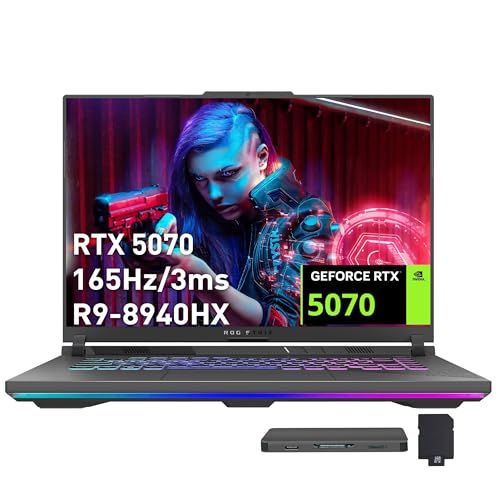
ASUS ROG Strix G16 RTX 5070 Laptop
Best for: users needing 64GB RAM and 4TB storage
- Screen Size
- 16" (what this guide is about)
- Graphics Card
- NVIDIA GeForce RTX 5070 8GB GDDR7
- Processor
- AMD Ryzen 9 8940HX
- Memory
- 64GB DDR5
- Storage Capacity
- 4TB PCIe SSD
- Refresh Rate
- 165Hz
View on Amazon: ASUS ROG Strix G16 RTX 5070 Laptop Affiliate link
This ASUS ROG Strix G16 pairs an AMD Ryzen 9 8940HX processor with an NVIDIA GeForce RTX 5070 GPU. You get 64GB of DDR5 RAM and a massive 4TB PCIe SSD. The 16-inch FHD+ display runs at 165Hz. This configuration handles intensive multitasking and high-storage needs. It suits users who want top-tier memory and storage capacity in a 16-inch gaming laptop.
Pros
- 64GB DDR5 RAM for heavy multitasking
- 4TB PCIe SSD for massive storage
- RTX 5070 8GB graphics for gaming
- AMD Ryzen 9 8940HX processor
Cons
- 165Hz refresh rate is lower than 240Hz options on this list
- FHD+ resolution is lower than 2.5K or 3K displays available
Good fit if
- You need 64GB of RAM for professional workloads
- You require 4TB of fast storage space
- You prefer a 16-inch FHD+ screen
Skip if
- You need a 240Hz or higher refresh rate
- You want a 2.5K or 3K display resolution
- You prefer a lighter laptop under 5.5 lbs
Verdict: ASUS ROG Strix G16 64GB 4TB is ideal for users who prioritize maximum RAM and storage capacity over higher refresh rates or resolutions.

ASUS ROG Strix G16 RTX 5070 Gaming Laptop
Best for: high-framerate 1080p esports and modern gaming
- Screen Size
- 16" (what this guide is about)
- Graphics Card
- NVIDIA GeForce RTX 5070
- Processor
- AMD Ryzen 9 9955HX
- Memory
- 16GB DDR5-5600
- Storage Capacity
- 1TB PCIe Gen 4 SSD
- Refresh Rate
- 165Hz
View on Amazon: ASUS ROG Strix G16 RTX 5070 Gaming Laptop Affiliate link
This 16-inch gaming laptop combines an AMD Ryzen 9 9955HX processor with an NVIDIA GeForce RTX 5070 laptop GPU. It features a 16:10 FHD+ display with a 165Hz refresh rate and 3ms response time, along with 16GB of DDR5 memory and a 1TB PCIe Gen 4 SSD. It suits you if you want high-tier processing speed and dedicated graphics for fast-paced gaming without needing a higher-resolution panel.
Pros
- AMD Ryzen 9 9955HX processor paired with NVIDIA GeForce RTX 5070 graphics
- 16-inch FHD+ 165Hz display with 3ms response time
- Hardware MUX switch with Advanced Optimus support
- Tri-Fan cooling system with full-surround vents
Cons
- Display resolution tops out at FHD+
- Carrying weight reaches 5.51 pounds
- Configured with 16GB RAM rather than 32GB
Good fit if
- You prioritize high frame rates on a 165Hz FHD+ display.
- You want an AMD Ryzen 9 processor with RTX 5070 graphics.
- You need a MUX switch with Advanced Optimus for automated GPU routing.
Skip if
- You prefer a sharper 2.5K or higher resolution display.
- You require more than 16GB of memory out of the box.
- You want a lightweight machine under five pounds for frequent travel.
Verdict: ASUS ROG Strix G16 RTX 5070 Gaming Laptop delivers powerful AMD Ryzen 9 processing and modern RTX 5070 graphics tailored for 165Hz FHD+ play. It offers solid thermal management and hardware switching, though it carries noticeable heft at 5.51 pounds.
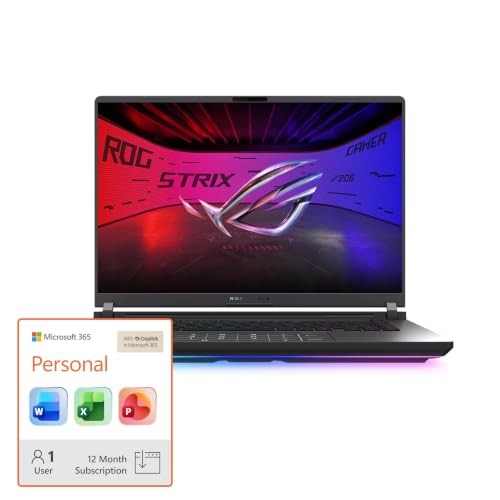
ASUS ROG Strix 16 RTX 5070 Ti Laptop
Best for: high refresh rate gaming
- Screen Size
- 16" (what this guide is about)
- Graphics Card
- NVIDIA GeForce RTX 5070 Ti
- Processor
- Intel Core Ultra 9 275HX
- Memory
- 32GB DDR5
- Storage Capacity
- 1TB SSD
- Refresh Rate
- 240Hz
View on Amazon: ASUS ROG Strix 16 RTX 5070 Ti Laptop Affiliate link
This ASUS ROG Strix G16 features an Intel Core Ultra 9 275HX processor and an NVIDIA GeForce RTX 5070 Ti GPU. It includes 32GB of DDR5 memory and a 1TB SSD. The 16-inch 2.5K display runs at 240Hz. This setup suits you if you need high frame rates and fast multitasking. The vapor chamber cooling helps maintain performance during long sessions.
Pros
- RTX 5070 Ti GPU with DLSS 4 support
- 240Hz refresh rate on 2.5K display
- 32GB DDR5-5600MHz memory
- Intel Core Ultra 9 275HX processor
Cons
- 16-inch screen is smaller than 18-inch alternatives
- 2.5K resolution is lower than 3K OLED options
- 1TB storage is less than 2TB variants
Good fit if
- You want high refresh rate gaming
- You need 32GB of RAM for multitasking
- You prefer a 16-inch form factor
Skip if
- You require an OLED display
- You need more than 1TB of storage
- You prefer AMD processors
Verdict: ASUS ROG Strix G16 RTX 5070 Ti delivers strong performance for 16-inch gamers. It fits you if you prioritize high frame rates and ample memory over larger screens.

ASUS Vivobook 16 Snapdragon Laptop
Best for: everyday multitasking and light entry-level computing
- Screen Size
- 16" (what this guide is about)
- Graphics Card
- Qualcomm Adreno GPU
- Processor
- Qualcomm Snapdragon X
- Memory
- 16GB
- Storage Capacity
- 512GB SSD
- Refresh Rate
- 60Hz
View on Amazon: ASUS Vivobook 16 Snapdragon Laptop Affiliate link
This ASUS Vivobook 16 features a Qualcomm Snapdragon X processor paired with an integrated Qualcomm Adreno GPU and 16GB of RAM. The 16-inch display runs at a 1920 x 1200 resolution with a 60Hz refresh rate and 300 nits of brightness. It includes a 512GB SSD for everyday storage. You get an entry configuration built for standard tasks and light computing rather than heavy 3D rendering.
Pros
- Qualcomm Snapdragon X processor with 45 TOPS NPU
- 16-inch 1920 x 1200 WUXGA display with 16:10 aspect ratio
- 16GB system memory and 512GB PCIe 4.0 SSD
- Lightweight 3.88-pound chassis
Cons
- Standard 60Hz refresh rate rather than high-refresh panel
- Integrated Qualcomm Adreno GPU instead of dedicated discrete graphics
- Display brightness limited to 300 nits
Good fit if
- You need a 16-inch everyday laptop with 16GB of memory and a 512GB SSD.
- You want an efficient Qualcomm Snapdragon X processor with an integrated NPU.
- You prioritize a lightweight 3.88-pound build for portability.
Skip if
- You want high-refresh-rate gaming beyond 60Hz.
- You need a dedicated graphics card for intensive 3D rendering.
Verdict: ASUS Vivobook 16 Snapdragon X Laptop offers an entry-level 16-inch configuration with Qualcomm processing and standard 60Hz visuals. It fits daily multitasking and lightweight use when you do not need dedicated graphics.

ASUS ROG Strix G16 240Hz Gaming Laptop
Best for: gamers wanting 2.5K resolution and 240Hz speed
- Screen Size
- 16" (what this guide is about)
- Graphics Card
- NVIDIA GeForce RTX 5060 Laptop GPU
- Processor
- Intel Core Ultra 9 Processor 275HX
- Memory
- 16GB DDR5-5600MHz
- Storage Capacity
- 1TB PCIe Gen 4 SSD
- Refresh Rate
- 240Hz
View on Amazon: ASUS ROG Strix G16 240Hz Gaming Laptop Affiliate link
This ASUS ROG Strix G16 features an Intel Core Ultra 9 275HX processor and an NVIDIA GeForce RTX 5060 GPU. It pairs these with 16GB of DDR5 RAM and a 1TB PCIe Gen 4 SSD. The 16-inch 2.5K display offers a 240Hz refresh rate. This setup suits gamers who want high frame rates and a premium screen. It is a strong option for those prioritizing visual fidelity and processing power.
Pros
- Intel Core Ultra 9 275HX processor for high performance
- NVIDIA GeForce RTX 5060 Laptop GPU with DLSS 4
- 16-inch 2.5K display with 240Hz refresh rate
- 1TB PCIe Gen 4 SSD for fast storage
- End-to-end vapor chamber cooling system
Cons
- 16GB RAM is lower than 32GB options in this guide
- RTX 5060 is less powerful than the RTX 5070 Ti models listed
- 6.02 pounds weight is heavier than some ultraportable competitors
Good fit if
- You want a 2.5K resolution screen for crisp visuals
- You need high CPU performance for multitasking
- You prefer a 240Hz refresh rate for competitive gaming
Skip if
- You require 32GB of RAM for heavy professional workloads
- You need the highest tier RTX 5070 Ti graphics
- You prioritize a lighter laptop under 5 pounds
Verdict: ASUS ROG Strix G16 RTX 5060 2.5K delivers a balanced mix of top-tier processing and a high-resolution, high-refresh screen. It fits users who value visual clarity and strong CPU power over maximum GPU tier or minimal weight.

ASUS TUF Gaming F16 RTX 4050 Laptop
Best for: entry-level gaming with 8GB RAM
- Screen Size
- 16" (what this guide is about)
- Graphics Card
- NVIDIA® GeForce RTX™ 4050
- Processor
- Intel® Core™ 5 210H Processor
- Memory
- 8GB DDR5
- Storage Capacity
- 512GB PCIe Gen4 SSD
- Refresh Rate
- 144Hz
View on Amazon: ASUS TUF Gaming F16 RTX 4050 Laptop Affiliate link
The ASUS TUF Gaming F16 is a 16-inch gaming laptop built for entry-level performance and durability. You get an Intel Core 5 210H processor paired with an NVIDIA GeForce RTX 4050 graphics card running at up to 115W TGP. The 16:10 FHD+ display provides a 144Hz refresh rate with 100% sRGB coverage. It suits you if you need a sturdy MIL-STD-810H tested chassis with 8GB DDR5 memory for everyday play.
Pros
- NVIDIA GeForce RTX 4050 GPU with 115W Max TGP
- 16-inch 144Hz FHD+ display with 100% sRGB
- MIL-STD-810H military-grade build durability
- Cooling system with 5 heat pipes and 4 exhaust vents
Cons
- Only 8GB of DDR5 system memory included
- Modest 512GB PCIe Gen4 storage capacity
- Carries a heavier 4.85-pound chassis weight
Good fit if
- You want an entry-level RTX 4050 GPU with a high 115W power limit.
- You prefer a color-accurate 100% sRGB display with 144Hz refresh rate.
- You need a laptop chassis tested to MIL-STD-810H standards.
Skip if
- You need more than 8GB of RAM out of the box.
- You require more than 512GB of internal storage immediately.
- You want a lightweight machine under four pounds.
Verdict: ASUS TUF Gaming F16 RTX 4050 gives you dependable entry-tier graphics and military-grade durability in a 16-inch form factor. Its baseline 8GB RAM and 512GB SSD handle essential gaming tasks directly.

ASUS Vivobook 16 Ryzen AI 5 Laptop
Best for: AI productivity and general daily tasks
- Screen Size
- 16" (what this guide is about)
- Graphics Card
- AMD Radeon Graphics
- Processor
- AMD Ryzen AI 5 340
- Memory
- 16GB
- Storage Capacity
- 512GB SSD
- Refresh Rate
- 60Hz
View on Amazon: ASUS Vivobook 16 Ryzen AI 5 Laptop Affiliate link
The ASUS Vivobook 16 offers a 16-inch WUXGA display with a 60Hz refresh rate. It uses an AMD Ryzen AI 5 340 processor with 16GB of RAM and a 512GB SSD. The system includes WiFi 6 and Bluetooth 5.3. You get up to 8 hours of battery life with FastCharge. This laptop suits users who prioritize AI processing efficiency and portability over high-speed gaming visuals.
Pros
- AMD Ryzen AI 5 340 processor with XDNA NPU for AI tasks
- 16GB RAM and 512GB PCIe 4.0 SSD for multitasking
- 16-inch WUXGA 16:10 display with 300-nit brightness
- Backlit keyboard with numeric keypad for data entry
- FastCharge technology charges to 100% in 1 hour 20 minutes
Cons
- 60Hz display refresh rate is lower than the 144Hz or 165Hz panels on other list items
- Integrated AMD Radeon graphics lack the dedicated GPU power of the RTX options in this guide
- 3.88-pound weight is heavier than many thinner ultrabook alternatives
Good fit if
- You need a portable 16-inch laptop for productivity and light gaming
- You want dedicated AI processing capabilities via the XDNA NPU
- You prefer a numeric keypad for frequent data entry
Skip if
- You require high refresh rate gaming with 144Hz or higher
- You need dedicated NVIDIA GeForce graphics for demanding titles
- You prioritize the thinnest possible chassis for travel
Verdict: ASUS Vivobook 16 AI 5 340 fits students and office workers who need AI tools and a numeric keypad but do not require high-end gaming performance. It is a practical daily driver for general tasks and light media consumption.
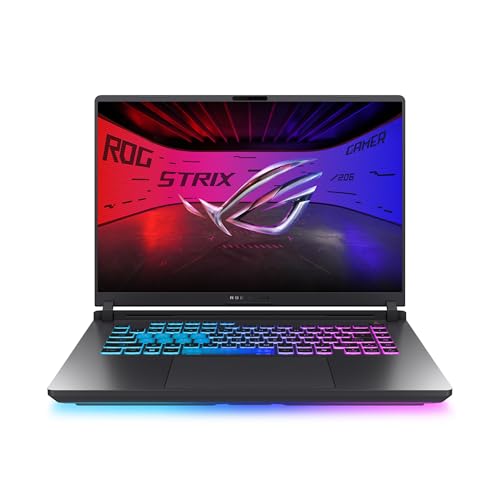
ASUS ROG Strix G16 165Hz RTX 5050 Gaming Laptop
Best for: entry-level RTX 50-series 1080p gaming
- Screen Size
- 16" (what this guide is about)
- Graphics Card
- NVIDIA GeForce RTX 5050 Laptop GPU
- Processor
- Intel Core i5 Processor 14450HX
- Memory
- 16GB DDR5-5600MHz
- Storage Capacity
- 512GB PCIe Gen 4 SSD
- Refresh Rate
- 165Hz
View on Amazon: ASUS ROG Strix G16 165Hz RTX 5050 Gaming Laptop Affiliate link
The ASUS ROG Strix 16 RTX 5050 Gaming Laptop combines an Intel Core i5-14450HX processor with an NVIDIA GeForce RTX 5050 GPU and a 16-inch 165Hz FHD+ display. You get 16GB of DDR5-5600 memory, a MUX Switch with Advanced Optimus, and tool-free internal access for upgrades. This configuration suits you if you want modern Blackwell graphics and high-refresh visuals in a competitive-focused machine.
Pros
- NVIDIA GeForce RTX 5050 GPU with DLSS 4 support
- 16-inch FHD+ 165Hz display with 3ms response time
- Tool-free latch for quick access to RAM, SSD, and fans
- MUX Switch with Advanced Optimus for direct GPU routing
Cons
- 512GB SSD capacity offers limited space for large game libraries
- 5.84-pound total weight makes transport heavy
- FHD+ display resolution is lower than 2.5K alternatives
Good fit if
- You want an RTX 50-series graphics card paired with a fast 165Hz refresh rate.
- You plan to upgrade RAM or storage without needing tools.
- You play competitive esports titles where frame rate matters more than resolution.
Skip if
- You need more than 512GB of internal storage straight out of the box.
- You require a lightweight machine for frequent travel.
- You prefer a sharper 2.5K or OLED screen for productivity and media.
Verdict: ASUS ROG Strix 16 RTX 5050 Gaming Laptop balances entry-level Blackwell graphics with a fast 165Hz display and easy tool-free maintenance. It delivers current-generation gaming hardware focused strictly on responsive 1080p performance.

ASUS ROG Strix SCAR 16 RTX 5090 Gaming Laptop
Best for: users seeking maximum 2.5K gaming performance
- Screen Size
- 16" (what this guide is about)
- Graphics Card
- NVIDIA GeForce RTX 5090
- Processor
- Intel Core Ultra 9 275HX
- Memory
- 32GB DDR5
- Storage Capacity
- 2TB PCIe Gen 4 SSD
- Refresh Rate
- 240Hz
View on Amazon: ASUS ROG Strix SCAR 16 RTX 5090 Gaming Laptop Affiliate link
This ASUS ROG Strix SCAR 16 delivers top-tier performance with an Intel Core Ultra 9 275HX processor and NVIDIA GeForce RTX 5090 graphics. It features a 16-inch 2.5K display with a 240Hz refresh rate and 32GB of DDR5 memory. The 2TB PCIe Gen 4 SSD provides ample storage. This laptop suits users who need maximum power for gaming and content creation.
Pros
- Intel Core Ultra 9 275HX processor
- NVIDIA GeForce RTX 5090 graphics card
- 16-inch 2.5K 240Hz ROG Nebula HDR display
- 32GB DDR5-5600MHz memory
- 2TB PCIe Gen 4 SSD storage
Cons
- 6.28 pounds weight is heavier than many competitors
- 0.9 inches thickness adds bulk to the chassis
- 240Hz refresh rate is lower than the 240Hz+ options on the list
Good fit if
- You require the highest possible gaming performance
- You want a 16-inch 2.5K display with high refresh rates
- You need 32GB of RAM for heavy multitasking
Skip if
- You prioritize a lightweight and thin design
- You are on a tight budget for hardware
- You only need basic 1080p gaming performance
Verdict: ASUS ROG Strix SCAR 16 RTX 5090 is a powerhouse for users demanding the best specs available. It fits those who value raw performance and a premium display over portability.

ASUS TUF A16 16-inch Gaming Laptop
Best for: Ryzen 7 gaming at 144Hz
- Screen Size
- 16" (what this guide is about)
- Graphics Card
- NVIDIA GeForce RTX 4050
- Processor
- AMD Ryzen 7 7445HS
- Memory
- 16GB DDR5
- Storage Capacity
- 512GB SSD
- Refresh Rate
- 144Hz
View on Amazon: ASUS TUF A16 16-inch Gaming Laptop Affiliate link
The ASUS TUF 16" Ryzen 7 Gaming Laptop gives you an AMD Ryzen 7 7445HS processor paired with an NVIDIA GeForce RTX 4050 graphics card. Its 16-inch Full HD+ display runs at a 144Hz refresh rate for smooth visuals. With 16GB of DDR5 memory and a 512GB solid-state drive, this machine suits you if you want dependable mid-range processing and fluid everyday 1080p gaming performance.
Pros
- AMD Ryzen 7 7445HS processor running at 3.2GHz
- 16-inch Full HD+ display with 144Hz refresh rate
- 16GB DDR5 system memory
- Dedicated NVIDIA GeForce RTX 4050 graphics card
Cons
- Base storage capacity is limited to 512GB SSD
- Carries a relatively heavy weight of 7 pounds
Good fit if
- You want an AMD Ryzen 7 processor with a dedicated RTX 4050 GPU.
- You prefer a 16-inch Full HD+ screen with a 144Hz refresh rate.
- You need 16GB of DDR5 RAM out of the box.
Skip if
- You need more than 512GB of internal storage out of the box.
- You want a lightweight laptop lighter than 7 pounds for travel.
Verdict: ASUS TUF 16" Ryzen 7 Gaming Laptop combines an AMD Ryzen 7 processor and RTX 4050 graphics with a fluid 144Hz display. It delivers reliable Full HD+ gaming power if you do not mind the 7-pound weight.

ASUS ROG Zephyrus Duo 16 Dual-Screen RTX 5090
Best for: dual-screen multitasking and flagship graphical power
- Screen Size
- 16" (what this guide is about)
- Graphics Card
- NVIDIA GeForce RTX 5090
- Processor
- Intel Core Ultra 9 386H
- Memory
- 32GB LPDDR5X
- Storage Capacity
- 1TB PCIe 4.0 SSD
- Refresh Rate
- 120Hz
View on Amazon: ASUS ROG Zephyrus Duo 16 Dual-Screen RTX 5090 Affiliate link
The ASUS ROG Zephyrus Duo gives you dual 16-inch 3K OLED touchscreens running at 120Hz with a detachable magnetic keyboard. Inside, an Intel Core Ultra 9 386H processor pairs with an NVIDIA GeForce RTX 5090 graphics card and 32GB of LPDDR5X RAM. You get five operational modes for multitasking across two full displays. It suits you if you need high GPU power combined with multi-panel workspace on the move.
Pros
- Dual 16-inch 3K OLED touchscreens with 120Hz refresh rates
- NVIDIA GeForce RTX 5090 GPU and 16-core Intel Core Ultra 9 processor
- 32GB fast LPDDR5X 8533 MHz memory
- Detachable magnetic keyboard with five usage modes
- Dual Thunderbolt 4 connectivity
Cons
- Weighs 6.22 pounds
- 120Hz display refresh rate is lower than standard 240Hz gaming panels
- Storage capped at 1TB PCIe 4.0 SSD
Good fit if
- You want dual full-sized 16-inch 3K OLED displays for simultaneous gaming and workflows.
- You need top-tier GPU performance from an NVIDIA GeForce RTX 5090.
- You use alternate device configurations like tent, book, or dual-screen modes.
Skip if
- You prioritize portability over a heavier 6.22-pound chassis.
- You want high-refresh competitive esports panels above 120Hz.
- You need more than 1TB of base storage capacity.
Verdict: ASUS ROG Zephyrus Duo 16 Dual-Screen RTX 5090 Laptop delivers unmatched screen space by pairing dual 3K OLED panels with top-tier internal hardware. It serves as an ultra-capable mobile workstation if you do not mind carrying a 6.22-pound machine.

ASUS ROG Strix G16 RTX 5080 Gaming Laptop
Best for: High-end gaming and content creation
- Screen Size
- 16" (what this guide is about)
- Graphics Card
- NVIDIA GeForce RTX 5080
- Processor
- Intel Core Ultra 9 290HX Plus
- Memory
- 32GB DDR5
- Storage Capacity
- 1TB PCIe Gen4 SSD
- Refresh Rate
- 240Hz
View on Amazon: ASUS ROG Strix G16 RTX 5080 Gaming Laptop Affiliate link
The ASUS ROG Strix G16 (2026) features an Intel Core Ultra 9 290HX Plus processor and NVIDIA GeForce RTX 5080 graphics. It includes 32GB of DDR5 memory and a 1TB PCIe Gen 4 SSD. The 16-inch 2.5K display runs at 240Hz with HDR support. This laptop suits gamers who need high-end performance and fast visuals for demanding titles.
Pros
- Intel Core Ultra 9 290HX Plus processor
- NVIDIA GeForce RTX 5080 graphics card
- 32GB DDR5-5600MHz memory
- 16-inch 2.5K 240Hz ROG Nebula HDR display
- Tool-free access for RAM and SSD upgrades
Cons
- 3.89 pounds weight adds bulk for travel
- 0.9 inches thickness is substantial for a laptop
- No mention of Thunderbolt or USB4 ports
Good fit if
- You want top-tier gaming performance with an RTX 5080
- You prefer a high-refresh 2.5K HDR display
- You need easy tool-free hardware upgrades
Skip if
- You prioritize a lightweight and thin chassis
- You need Thunderbolt connectivity for peripherals
- You are on a strict budget
Verdict: ASUS ROG Strix G16 RTX 5080 delivers elite gaming power with its RTX 5080 and Core Ultra 9, making it ideal for enthusiasts who value raw performance and a high-quality 240Hz screen over portability.
ASUS ROG Strix G16 RTX 5050
Best for: 1080p gaming with efficient cooling
- Screen Size
- 16" (what this guide is about)
- Graphics Card
- NVIDIA GeForce RTX 5050 Laptop GPU
- Processor
- Intel Core i7 Processor 14650HX
- Memory
- 16GB DDR5
- Storage Capacity
- 1TB PCIe Gen 4 SSD
- Refresh Rate
- 165Hz
View on Amazon: ASUS ROG Strix G16 RTX 5050 Affiliate link
This ASUS ROG Strix G16 pairs an Intel Core i7-14650HX processor with an NVIDIA GeForce RTX 5050 GPU. It includes 16GB of DDR5 RAM and a 1TB PCIe Gen 4 SSD. The 16-inch FHD+ display runs at 165Hz. Advanced cooling with a vapor chamber and liquid metal helps manage heat. It suits gamers seeking solid 1080p performance with efficient thermal management.
Pros
- Intel Core i7-14650HX processor for strong multitasking
- 165Hz FHD+ display with reduced glare ACR film
- 1TB PCIe Gen 4 SSD for fast storage access
- Vapor chamber and liquid metal cooling system
Cons
- RTX 5050 GPU offers lower raw power than the RTX 5070 Ti or Ultra 9 configurations in this guide
- 16GB RAM is less than the 32GB or 64GB options available in other models
- 10-pound weight is heavier than the Zephyrus G16 and Vivobook 16
Good fit if
- You want reliable 1080p gaming at high frame rates
- You need a balance of CPU power and efficient cooling
- You prefer a 16-inch screen with a 16:10 aspect ratio
Skip if
- You require 4K gaming or ray tracing at maximum settings
- You need more than 16GB of system memory
- You prioritize a lightweight laptop under 5 pounds
Verdict: ASUS ROG Strix G16 RTX 5050 delivers steady 1080p performance for gamers who value thermal efficiency and fast storage over top-tier GPU power.

ASUS ROG Zephyrus G16 2.5K OLED RTX 5070
Best for: portable high-performance gaming and creative work
- Screen Size
- 16" (what this guide is about)
- Graphics Card
- NVIDIA GeForce RTX 5070 Laptop GPU
- Processor
- Intel Core Ultra 9 285H
- Memory
- 16GB LPDDR5X
- Storage Capacity
- 2TB PCIe 4.0 SSD
- Refresh Rate
- 240Hz
View on Amazon: ASUS ROG Zephyrus G16 2.5K OLED RTX 5070 Affiliate link
This ASUS ROG Zephyrus G16 pairs an Intel Core Ultra 9 285H processor with an NVIDIA GeForce RTX 5070 Laptop GPU. It features a 16-inch 2.5K OLED display with a 240Hz refresh rate. The laptop weighs 4.08 pounds and includes 16GB of LPDDR5X memory. It suits users seeking high-end gaming performance and vivid visuals in a portable chassis.
Pros
- Intel Core Ultra 9 285H processor for strong multitasking
- 16-inch 2.5K OLED screen with 240Hz refresh rate
- NVIDIA GeForce RTX 5070 Laptop GPU for gaming
- 2TB PCIe 4.0 SSD storage capacity
- Lightweight 4.08 pounds design for portability
Cons
- 16GB memory may limit heavy multitasking compared to higher configurations
- 4.08 pounds weight is slightly heavier than some ultrabooks
- 0.69 inches thickness offers less thinness than ultra-slim models
Good fit if
- You want a high refresh rate OLED display for gaming
- You need strong CPU performance for creative work
- You prefer a portable laptop with premium build quality
Skip if
- You require more than 16GB of system memory
- You need a larger 2TB storage upgrade option
- You prioritize the thinnest possible chassis over weight
Verdict: ASUS ROG Zephyrus G16 RTX 5070 delivers excellent visual quality and processing power for gamers and creators who value portability. It fits buyers who want a balanced mix of high-end specs and manageable size.
Specifications side by side
| Spec | ASUS ROG Strix G16 16-inch Gaming Laptop | ASUS ROG Strix G16 RTX 5070 Laptop | ASUS ROG Strix G16 RTX 5070 Gaming Laptop | ASUS ROG Strix 16 RTX 5070 Ti Laptop | ASUS Vivobook 16 Snapdragon Laptop | ASUS ROG Strix G16 240Hz Gaming Laptop | ASUS TUF Gaming F16 RTX 4050 Laptop | ASUS Vivobook 16 Ryzen AI 5 Laptop | ASUS ROG Strix G16 165Hz RTX 5050 Gaming Laptop | ASUS ROG Strix SCAR 16 RTX 5090 Gaming Laptop | ASUS TUF A16 16-inch Gaming Laptop | ASUS ROG Zephyrus Duo 16 Dual-Screen RTX 5090 | ASUS ROG Strix G16 RTX 5080 Gaming Laptop | ASUS ROG Strix G16 RTX 5050 | ASUS ROG Zephyrus G16 2.5K OLED RTX 5070 |
|---|---|---|---|---|---|---|---|---|---|---|---|---|---|---|---|
| Graphics Card | NVIDIA GeForce RTX 5060 | NVIDIA GeForce RTX 5070 8GB GDDR7 | NVIDIA GeForce RTX 5070 | NVIDIA GeForce RTX 5070 Ti | Qualcomm Adreno GPU | NVIDIA GeForce RTX 5060 Laptop GPU | NVIDIA® GeForce RTX™ 4050 | AMD Radeon Graphics | NVIDIA GeForce RTX 5050 Laptop GPU | NVIDIA GeForce RTX 5090 | NVIDIA GeForce RTX 4050 | NVIDIA GeForce RTX 5090 | NVIDIA GeForce RTX 5080 | NVIDIA GeForce RTX 5050 Laptop GPU | NVIDIA GeForce RTX 5070 Laptop GPU |
| Processor | Intel Core i7 Processor 14650HX | AMD Ryzen 9 8940HX | AMD Ryzen 9 9955HX | Intel Core Ultra 9 275HX | Qualcomm Snapdragon X | Intel Core Ultra 9 Processor 275HX | Intel® Core™ 5 210H Processor | AMD Ryzen AI 5 340 | Intel Core i5 Processor 14450HX | Intel Core Ultra 9 275HX | AMD Ryzen 7 7445HS | Intel Core Ultra 9 386H | Intel Core Ultra 9 290HX Plus | Intel Core i7 Processor 14650HX | Intel Core Ultra 9 285H |
| Memory | 16GB DDR5 | 64GB DDR5 | 16GB DDR5-5600 | 32GB DDR5 | 16GB | 16GB DDR5-5600MHz | 8GB DDR5 | 16GB | 16GB DDR5-5600MHz | 32GB DDR5 | 16GB DDR5 | 32GB LPDDR5X | 32GB DDR5 | 16GB DDR5 | 16GB LPDDR5X |
| Storage Capacity | 1TB PCIe Gen 4 SSD | 4TB PCIe SSD | 1TB PCIe Gen 4 SSD | 1TB SSD | 512GB SSD | 1TB PCIe Gen 4 SSD | 512GB PCIe Gen4 SSD | 512GB SSD | 512GB PCIe Gen 4 SSD | 2TB PCIe Gen 4 SSD | 512GB SSD | 1TB PCIe 4.0 SSD | 1TB PCIe Gen4 SSD | 1TB PCIe Gen 4 SSD | 2TB PCIe 4.0 SSD |
| Screen Size | 16" | 16" | 16” | 16 | 16" | 16" | 16” | 16" | 16” | 16" | 16" | 16" | 16 | 16" | 16" |
| Refresh Rate | 165Hz | 165Hz | 165Hz | 240Hz | 60Hz | 240Hz | 144Hz | 60Hz | 165Hz | 240Hz | 144Hz | 120Hz | 240Hz | 165Hz | 240Hz |
| Display Resolution | FHD+ | FHD+ | FHD+ | 2.5K | 1920 x 1200 WUXGA | 2.5K | FHD+ | 1920 x 1200 | FHD+ | 2.5K | Full HD+ | 3K | 2.5K | FHD+ | 2.5K |
| Storage | not stated | not stated | not stated | 1TB SSD | 512GB SSD | 1TB SSD | not stated | 512GB SSD | not stated | not stated | 512GB SSD | 1TB SSD | not stated | 1TB SSD | not stated |
| Dimensions | 13.9 × 0.9 × 10.6 inches | 19 × 13.5 × 4.5 inches | 13.9 × 10.6 × 0.9 inches | not stated | 2.5 × 12 × 19 inches | 13.9 × 0.9 × 10.6 inches | 13.9 × 0.88 × 9.88 inches | 14.1 × 0.7 × 9.87 inches | 13.9 × 1.21 × 1.55 inches | 13.9 × 0.9 × 10.6 inches | 14 × 1 × 10 inches | 14 × 0.98 × 9.72 inches | 13.9 × 0.9 × 10.6 inches | 13.9 × 0.9 × 10.6 inches | 13.9 × 9.69 × 0.69 inches |
| Weight | 5.84 pounds | 10 pounds | 5.51 pounds | not stated | 3.88 pounds | 6.02 pounds | 4.85 pounds | 3.88 pounds | 5.84 pounds | 6.28 pounds | 7 pounds | 6.22 pounds | 3.89 pounds | 6.61 pounds | 4.08 pounds |
| Color | Eclipse Gray | Gray | Black | Black | Quiet Blue | Eclipse Gray | Mecha Gray | Quiet Blue | Eclipse Gray | Black | Gray | Stellar Grey | Eclipse Gray | Eclipse Gray | Gray |
| Model | G615JMR-AS74 | ASUS ROG Strix | G614FP-OS94 | ROG Strix G16 | X1607QA-DS54 | G615LM-DS94 | FX607VU-ES51 | M1607KA-DS54 | G615JHR-DS53 | G635LX-XS97 | TUF Gaming A16 | GX651AX-DB96 | G615LW-AB96 | G615JHR-DS74 | GU605 |
| Size | not stated | 64GB | 4TB SSD | not stated | not stated | 2.50 | 1.21" x 13.9" x 10.6" | not stated | not stated | not stated | 16" | 16 GB RAM / 512 GB SSD | not stated | not stated | 16GB DDR5 | 1TB SSD | not stated |
If you are building a custom rig, see our best ASUS motherboards for gaming guide.
How to Choose an ASUS 16-Inch Laptop
-
Select the Right Memory Capacity
System memory dictates how smoothly you run background applications alongside games. An entry-level machine may carry 8GB of RAM, which handles basic gaming but offers little headroom for modern tasks. A 16GB configuration provides standard coverage for current titles. If you compile code, edit video, or keep multiple programs open, choose 32GB or 64GB of RAM. For example, the ASUS ROG Strix 16" RTX 5070 Gaming Laptop includes 64GB RAM, giving you ample headroom for heavy multitasking without system slowdowns.
-
Evaluate Internal Solid State Storage
Storage capacity directly impacts how many game installations you keep on your machine simultaneously. A 512GB solid state drive holds your operating system and a modest collection of titles. If you install multiple modern titles with massive install footprints, a 1TB SSD saves you from constant uninstalling and reinstalling. The ASUS TUF Gaming F16 RTX 4050 Laptop comes equipped with a 512GB SSD, suitable for focused libraries, whereas users needing broader local file archives should prioritize configurations with a 1TB SSD.
-
Compare Processing Chip Architectures
Processor specifications determine computational speed and instruction execution. High-performance gaming models utilize multi-core Intel Core Ultra 9, Intel Core i5, or AMD Ryzen processors engineered to handle intensive background physics and render calculations. Conversely, productivity models rely on Qualcomm Snapdragon architecture tailored for standard desktop tasks. If you do not require a dedicated gaming chip, the ASUS Vivobook 16 Snapdragon Laptop offers efficient non-gaming performance. If you run heavy computing tasks or complex software, verify that your machine houses an Intel Core or AMD Ryzen CPU instead.
-
Check Total Machine Weight
Chassis weight dictates how easily you can transport a 16-inch laptop. Models designed as stationary desktop replacements frequently exceed 6 pounds due to substantial cooling hardware and heavy casing materials. If you travel frequently or commute with your laptop in a backpack, heavy builds cause fatigue quickly. For instance, the ASUS TUF A16 16-inch Gaming Laptop weighs 7 pounds, making it better suited for semi-permanent desk placement. If portability matters to you, review the exact pound rating before choosing your laptop.
-
Consider Specialized Form Factors
Screen layouts vary across 16-inch configurations beyond traditional single-panel clamshell designs. Standard clamshells provide a straightforward setup for conventional desk gaming. However, dual-screen setups integrate a secondary display above the keyboard, enabling you to manage chat windows, stream settings, or system monitoring software without external monitors. The ASUS ROG Zephyrus Duo 16 Dual-Screen RTX 5090 integrates dual 3K OLED panels for simultaneous multitasking. Choose a multi-panel form factor if your workflow relies heavily on tracking real-time utilities while gaming in full screen.
-
Check Convertible Hinge Flexibility
Hinge design influences how you position your device during daily use. Traditional gaming laptops feature standard clamshell hinges engineered to stay stable on flat surfaces. In contrast, 2-in-1 convertibles employ 360-degree hinges that let you fold the display into tent or tablet orientations. For instance, the ASUS Vivobook 16 Flip OLED 2-in-1 Laptop allows flexible positioning for sketching and media consumption. If your computing needs extend beyond standard keyboard-and-mouse gaming to include touch interactions and presentations, consider choosing a 2-in-1 convertible configuration over a rigid clamshell.
Frequently asked questions
Which ASUS 16-inch laptop offers the highest RAM capacity?
The ASUS ROG Strix G16 RTX 5070 Laptop provides the maximum memory in this group with 64GB of RAM. It also includes a 4TB SSD for extensive storage. This configuration suits users who prioritize massive capacity over higher refresh rates or lighter weight designs.
What is the lightest ASUS 16-inch gaming laptop on this list?
The ASUS TUF Gaming F16 RTX 4050 Laptop is the lightest option at 4.85 pounds. It features an RTX 4050 graphics card and 8GB of RAM. This model offers dependable entry-tier graphics and military-grade durability in a compact 16-inch form factor.
Which model features a dual-screen setup for multitasking?
The ASUS ROG Zephyrus Duo 16 Dual-Screen RTX 5090 Laptop pairs dual 3K OLED panels for unmatched screen space. It includes an RTX 5090 graphics card and 32GB of RAM. This machine serves as an ultra-capable mobile workstation for users needing extra display real estate.
Are there ASUS 16-inch laptops with 240Hz refresh rates?
Yes, several models offer 240Hz refresh rates for high frame rate gaming. The ASUS ROG Strix 16 RTX 5070 Ti Laptop and the ASUS ROG Strix G16 RTX 5060 2.5K both feature this speed. These options fit users who prioritize visual clarity and strong processing power.
Which laptop is best for entry-level gaming with 8GB RAM?
The ASUS TUF Gaming F16 RTX 4050 Laptop is designed for entry-level gaming with 8GB of RAM. It pairs this with an RTX 4050 graphics card and a 512GB SSD. This baseline configuration handles essential gaming tasks directly in a 16-inch package.
Does any ASUS 16-inch laptop use a Snapdragon processor?
The ASUS Vivobook 16 Snapdragon Laptop uses a Qualcomm Snapdragon processor for everyday multitasking. It includes 16GB of RAM and a 512GB SSD with standard 60Hz visuals. This model fits daily use when you do not need dedicated graphics hardware for gaming.