Best Gaming Laptops with Intel Core Ultra 9 in 2026: 15 Picks Ranked by Specs
As an Amazon Associate we earn from qualifying purchases. Links on this page are affiliate links.
Finding the right gaming laptop with Intel Core Ultra 9 requires balancing processing power with thermal capacity, graphics tiers, and display speeds. We compared 15 models based on the specifications published on the listings. The ASUS ROG Strix 16 RTX 5070 Ti Laptop leads our rankings because it pairs an RTX 5070 Ti GPU with a 240Hz refresh rate and 32GB of RAM.
This guide helps you decide which display size, graphics card, and chassis footprint suit your everyday gaming space.
Quick picks
The best fit for you
- You want balanced high-refresh gaming in a standard footprint ASUS ROG Strix 16 RTX 5070 Ti Laptop It combines an RTX 5070 Ti graphics card with a 240Hz 16-inch display and 32GB RAM.
- You need a compact form factor for mobile gaming Acer Predator Helios Neo 14 RTX 5070 Its 4.19-pound weight and 14.5-inch chassis deliver the most compact frame on this list.
- You want maximum screen size and ample onboard storage MSI Crosshair 18 RTX 5070 Gaming Laptop An 18-inch 240Hz panel pairs with a 2TB solid-state drive for stationary desk use.
- You demand the highest GPU performance for demanding games ASUS ROG Strix SCAR 16 RTX 5090 Gaming Laptop It features flagship RTX 5090 graphics alongside a 240Hz refresh rate and 32GB of RAM.
Our 15 picks
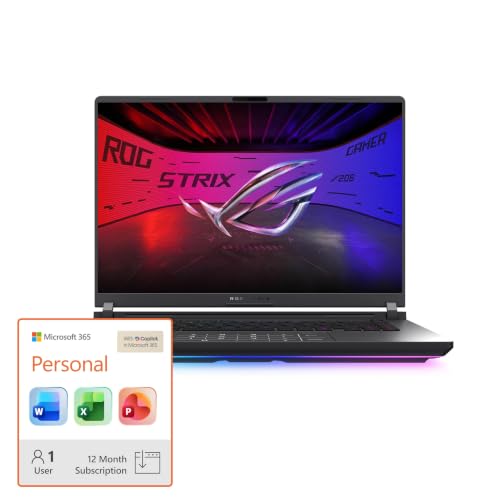
ASUS ROG Strix 16 RTX 5070 Ti Laptop
Best for: fast-paced 2.5K competitive gaming
- Processor
- Intel Core Ultra 9
- Graphics Card
- NVIDIA GeForce RTX 5070 Ti
- Memory
- 32GB DDR5
- Storage Capacity
- 1TB SSD
- Screen Size
- 16"
- Refresh Rate
- 240Hz
View on Amazon: ASUS ROG Strix 16 RTX 5070 Ti Laptop (paid link)
This 16-inch gaming laptop pairs an Intel Core Ultra 9 275HX processor with an NVIDIA GeForce RTX 5070 Ti graphics card. You get a 2.5K display with a 240Hz refresh rate and a 3ms response time, alongside 32GB of DDR5 memory and a 1TB solid-state drive. It suits you if you want high-refresh competitive gaming performance balanced with modern processing power in a standard form factor.
Pros
- Intel Core Ultra 9 275HX processor
- NVIDIA GeForce RTX 5070 Ti GPU with DLSS 4 support
- 16-inch 2.5K display with 240Hz refresh rate and 3ms response
- 32GB DDR5-5600MHz RAM and 1TB PCIe Gen 4 SSD
- Vapor chamber cooling with tri-fan system and liquid metal
Cons
- Base storage is limited to a 1TB SSD
- Color choice is restricted to Black
- Screen size tops out at 16 inches
Good fit if
- You want a high-speed 240Hz 2.5K screen for fast-paced titles.
- You need 32GB of fast DDR5 memory out of the box.
- You want vapor chamber and tri-fan cooling for sustained hardware performance.
Skip if
- You need more than 1TB of factory storage for large game libraries.
- You prefer a larger 18-inch desktop replacement screen.
Verdict: ASUS ROG Strix G16 RTX 5070 Ti Laptop delivers high-refresh 240Hz visuals backed by robust cooling and 32GB of DDR5 memory. It is a capable choice if you want strong processing specs in a 16-inch footprint.

MSI Crosshair 18 RTX 5070 Gaming Laptop
Best for: large-screen desktop replacement gaming setups
- Processor
- Intel Core Ultra 9
- Graphics Card
- NVIDIA GeForce RTX 5070 8GB GDDR7
- Memory
- 32GB DDR5 5600MHz
- Storage Capacity
- 2TB NVMe SSD
- Screen Size
- 18"
- Refresh Rate
- 240Hz
View on Amazon: MSI Crosshair 18 RTX 5070 Gaming Laptop (paid link)
This MSI Crosshair is an 18-inch gaming laptop built with an Intel Core Ultra 9 24-core processor and an NVIDIA GeForce RTX 5070 graphics card. You get a fast 240Hz QHD+ display with 100% DCI-P3 color coverage, paired with 32GB of DDR5 memory and a 2TB NVMe solid-state drive. It suits you if you want expansive screen space and heavy multitasking power for gaming and creative tasks at a stationary desk setup.
Pros
- 18-inch QHD+ 240Hz display with 100% DCI-P3 color gamut
- Intel Core Ultra 9 24-core processor reaching up to 5.4 GHz
- Spacious 2TB NVMe SSD and 32GB DDR5 5600MHz RAM
- Four-speaker audio system with two 2W speakers and two 2W woofers
Cons
- Weighs 13.14 pounds, limiting portability
- Webcam resolution capped at 720p HD
- No optical drive included
Good fit if
- You want an expansive 18-inch 240Hz display for desktop-style gaming.
- You need a high-capacity 2TB NVMe SSD and 32GB of DDR5 memory out of the box.
- You prioritize 24-core processing power for combined gaming and content creation.
Skip if
- You need a lightweight laptop for frequent travel or mobile use.
- You require a built-in webcam with resolution higher than 720p.
- You want an optical disc drive built into the chassis.
Verdict: MSI Crosshair 18 RTX 5070 Gaming Laptop pairs a large 18-inch 240Hz display with a 24-core Intel processor and ample 2TB storage. Its 13.14-pound weight makes it better suited for a dedicated desk than daily travel.

Acer Predator Helios Neo 14 RTX 5070
Best for: compact Intel Core Ultra 9 gaming
- Processor
- Intel Core Ultra 9
- Graphics Card
- NVIDIA GeForce RTX 5070
- Memory
- 32GB LPDDR5X
- Storage Capacity
- 1TB PCIe Gen 4 SSD
- Screen Size
- 14.5"
- Refresh Rate
- 165Hz
View on Amazon: Acer Predator Helios Neo 14 RTX 5070 (paid link)
The Acer Predator Helios Neo 14 is a compact 14.5-inch gaming laptop built around the Intel Core Ultra 9 285H processor and NVIDIA GeForce RTX 5070 graphics. It packs 32GB of RAM, a 1TB SSD, and a 165Hz WQXGA panel with a 16:10 aspect ratio into a 4.19-pound metal chassis. This machine suits you if you want high-tier Core Ultra 9 processing power in a portable format.
Pros
- Intel Core Ultra 9 285H processor paired with RTX 5070 graphics
- Compact 14.5-inch WQXGA 16:10 display with 100% sRGB and G-SYNC
- Lightweight 4.19-pound metal chassis measuring 0.82 inches thin
- Comes equipped with 32GB RAM and 1TB SSD storage
Cons
- 165Hz refresh rate is lower than the 240Hz panels on larger alternatives
- Keyboard uses 3-zone RGB backlighting instead of per-key lighting
- Smaller 14.5-inch panel provides less screen area than 16-inch or 18-inch builds
Good fit if
- You want an Intel Core Ultra 9 laptop that weighs around 4.2 pounds.
- You need a sharp 14.5-inch WQXGA screen with full 100% sRGB color coverage.
- You prefer a portable 16:10 setup with NVIDIA Advanced Optimus.
Skip if
- You want a faster 240Hz refresh rate for competitive esports.
- You prefer an expansive 16-inch or 18-inch display.
- You require per-key RGB lighting customization.
Verdict: Acer Predator Helios Neo 14 RTX 5070 combines an Intel Core Ultra 9 285H and RTX 5070 GPU in a portable 14.5-inch metal chassis. It delivers capable processing and graphics hardware without the bulk of larger desktop replacements.

ASUS ROG Strix 18 RTX 5060 Gaming Laptop
Best for: large-screen gaming with mid-tier graphics
- Processor
- Intel Core Ultra 9
- Graphics Card
- NVIDIA GeForce RTX 5060
- Memory
- 32GB DDR5
- Storage Capacity
- 1TB PCIe Gen 4 SSD
- Screen Size
- 18"
- Refresh Rate
- 240Hz
View on Amazon: ASUS ROG Strix 18 RTX 5060 Gaming Laptop (paid link)
This 18-inch machine pairs an Intel Core Ultra 9 275HX processor with an NVIDIA GeForce RTX 5060 running at 175W TGP. You get a Mini LED display offering 2.5K resolution at 240Hz, alongside 32GB of DDR5 memory and a 1TB SSD. Tool-free chassis access allows fast component upgrades. It suits you if you want flagship display technology and high CPU throughput with a mid-tier RTX 50-series graphics card.
Pros
- 18-inch 2.5K Mini LED display with 240Hz refresh rate and 2,000+ dimming zones
- Full 175W TGP allocation for the NVIDIA GeForce RTX 5060 GPU
- Tool-free sliding latch access for RAM, SSD, and fan maintenance
- Intel Core Ultra 9 275HX paired with 32GB DDR5-5600MHz memory
Cons
- Chassis weighs 6.28 pounds and spans over 15 inches wide
- RTX 5060 provides less graphical compute than higher-tier GPU options
Good fit if
- You want an expansive 18-inch Mini LED display with a 240Hz refresh rate.
- You need heavy CPU throughput from an Intel Core Ultra 9 275HX processor.
- You plan to upgrade memory or storage without using tools.
Skip if
- You need a lightweight laptop for frequent mobile use.
- You require high-tier graphics performance beyond the RTX 5060 level.
Verdict: ASUS ROG Strix 18 RTX 5060 Gaming Laptop delivers premium Mini LED visuals and Core Ultra 9 processing power in an RTX 5060 configuration. Its 6.28-pound weight and 18-inch frame make it best suited for stationary desk use.

Alienware Area-51 18-inch RTX 5080 Gaming Laptop
Best for: stationary high-performance gaming and desk setups
- Processor
- Intel Core Ultra 9
- Graphics Card
- RTX 5080
- Screen Size
- 18"
- Display Resolution
- WQXGA
- Dimensions
- 12.6 × 16.1 × 1.2 inches
- Weight
- 9.56 pounds
View on Amazon: Alienware Area-51 18-inch RTX 5080 Gaming Laptop (paid link)
This 18-inch desktop replacement pairs an Intel Core Ultra 9 290HX processor with an NVIDIA GeForce RTX 5080 laptop GPU. You get an 18.0-inch WQXGA display, a bottom Cryo-Chamber cooling design, and 32 GB of system memory. At 9.56 pounds and 1.2 inches thick, it suits you if you want maximum screen area and heavy-duty hardware configured primarily for a stationary desk setup.
Pros
- Intel Core Ultra 9 290HX processor with integrated NPU
- NVIDIA GeForce RTX 5080 graphics
- Large 18.0-inch WQXGA display
- Bottom-mounted Cryo-Chamber cooling setup
- Includes 1 year onsite hardware service
Cons
- Heavy chassis weighing 9.56 pounds
- Thick 1.2-inch profile reduces portability
Good fit if
- You need an 18-inch WQXGA screen for expansive workspace and gaming
- You prioritize RTX 5080 GPU power over portability
- You want 1 year of onsite service coverage for hardware issues
Skip if
- You need a lightweight laptop for frequent travel
- You prefer a compact chassis thinner than 1.2 inches
Verdict: Alienware Area-51 18 RTX 5080 Laptop delivers top-tier processing power and massive display space for desk-bound setups. Its 9.56-pound build trades away mobile convenience for high-end hardware and dedicated cooling.
MSI Crosshair 18-Inch Gaming Laptop
Best for: large-screen high-refresh gaming and multitasking
- Processor
- Intel Core Ultra 9
- Graphics Card
- NVIDIA RTX 5070 8GB GDDR7
- Memory
- 32GB DDR5 5600MHz
- Storage Capacity
- 1TB NVMe SSD
- Screen Size
- 18"
- Refresh Rate
- 240Hz
View on Amazon: MSI Crosshair 18-Inch Gaming Laptop (paid link)
This laptop gives you a massive 18-inch 240Hz QHD+ display paired with an Intel Core Ultra 9 275HX 24-core processor. It includes an NVIDIA GeForce RTX 5070 graphics card with 8GB GDDR7 memory and 32GB DDR5 RAM. This setup suits you if you want desktop-class screen size and fast refresh rates for competitive gaming and heavy multitasking without an external monitor.
Pros
- 18-inch QHD+ 240Hz display with 100% DCI-P3 color coverage
- 24-core Intel Core Ultra 9 275HX processor
- Thunderbolt 4 port with DisplayPort and Power Delivery 3.0
- Four-speaker audio setup with two woofers and two speakers
Cons
- Heavy 6.83-pound chassis limits portability
- Built-in webcam resolution is capped at 720p
Good fit if
- You want an expansive 18-inch 240Hz screen for gaming and work.
- You need 24 processing cores for demanding background tasks and multitasking.
- You require broad connectivity including Thunderbolt 4, HDMI 2.1, and Wi-Fi 6E.
Skip if
- You need a lightweight device to travel or commute with daily.
- You require a sharp 1080p or 4K webcam for video calls.
Verdict: MSI Crosshair 18-Inch RTX 5070 Gaming Laptop delivers expansive screen space and 24-core processing power for stationary performance. It provides high refresh rates and versatile ports, though its 6.83-pound chassis makes it less suited for travel.

MSI Vector 16 RTX 5080 Gaming Laptop
Best for: High-refresh QHD+ gaming and heavy processing
- Processor
- Intel Core Ultra 9
- Graphics Card
- NVIDIA GeForce RTX 5080
- Memory
- 32GB DDR5
- Storage Capacity
- 2TB NVMe SSD
- Screen Size
- 16"
- Refresh Rate
- 240Hz
View on Amazon: MSI Vector 16 RTX 5080 Gaming Laptop (paid link)
The MSI Vector 16 HX AI RTX 5080 Laptop pairs an Intel Core Ultra 9-275HX processor with an NVIDIA GeForce RTX 5080 GPU. You get 32GB of DDR5 memory, a 2TB solid-state drive, and a 16-inch QHD+ display running at 240Hz. It suits you if you want high-tier mobile gaming graphics, fast screen refresh rates, and modern connectivity like Wi-Fi 7 in a desktop-replacement build running Windows 11 Pro.
Pros
- Intel Core Ultra 9-275HX processor and NVIDIA GeForce RTX 5080 GPU
- 16-inch QHD+ panel with a 240Hz refresh rate
- Spacious 2TB SSD and 32GB DDR5 RAM
- Wi-Fi 7 support and Windows 11 Pro
Cons
- Substantial weight at 5.95 pounds
- Thick chassis profile at 1.12 inches
Good fit if
- You need an Intel Core Ultra 9 processor paired with an RTX 5080 GPU for demanding games.
- You want a fast 240Hz QHD+ screen alongside 2TB of factory solid-state storage.
- You require Wi-Fi 7 support and Windows 11 Pro.
Skip if
- You prefer a lightweight machine under five pounds for frequent travel.
- You want a larger 18-inch display panel.
Verdict: MSI Vector 16 HX AI RTX 5080 Laptop delivers high computational and graphics power with its Ultra 9 chip, RTX 5080 GPU, and 240Hz QHD+ panel. It provides substantial performance and fast storage if you do not mind carrying nearly six pounds.

Lenovo Legion 5 16" RTX 5060 Gaming Laptop
Best for: memory-heavy workloads and high-refresh gaming
- Processor
- Intel Core Ultra 9
- Graphics Card
- NVIDIA GeForce RTX 5060 8GB GDDR7
- Memory
- 64GB DDR5-5600
- Storage Capacity
- 1TB NVMe M.2 SSD
- Screen Size
- 16"
- Refresh Rate
- 240Hz
View on Amazon: Lenovo Legion 5 16" RTX 5060 Gaming Laptop (paid link)
This Lenovo Legion 5 pairs an Intel Core Ultra 9 275HX 24-core processor with a substantial 64GB of DDR5-5600 memory. You get a 16-inch 2560 x 1600 IPS display running at 240Hz with 500 nits of brightness, backed by an NVIDIA GeForce RTX 5060 graphics card and a 1TB SSD. It suits you if you run memory-heavy workloads, simulations, or intensive multitasking alongside your regular gaming sessions.
Pros
- 64GB of high-speed DDR5-5600 RAM for intensive multitasking
- 24-core Intel Core Ultra 9 275HX processor reaching up to 5.4 GHz
- 16-inch 2560 x 1600 display with 240Hz refresh rate and 500-nit brightness
- Supports modern Wi-Fi 7 and Bluetooth 5.4 connectivity
Cons
- Heavy chassis weighing 8 pounds
- Mid-tier RTX 5060 GPU with 8GB VRAM limits maximum graphics output compared to top-tier models
Good fit if
- You need a massive 64GB memory pool for heavy multitasking and demanding software.
- You prioritize a bright 500-nit 240Hz WQXGA display for fast-paced titles.
- You want the processing capabilities of a 24-core Intel Core Ultra 9 275HX chip.
Skip if
- You want a lightweight, portable laptop for frequent travel.
- You require a higher-tier graphics card than the RTX 5060 for top-tier visual performance.
Verdict: Lenovo Legion 5 16" 64GB RAM Gaming Laptop delivers huge memory capacity and strong 24-core processor speed alongside a fast 240Hz display. Its 8-pound weight and mid-tier RTX 5060 GPU make it ideal as a desktop-bound machine for multitasking and gaming.
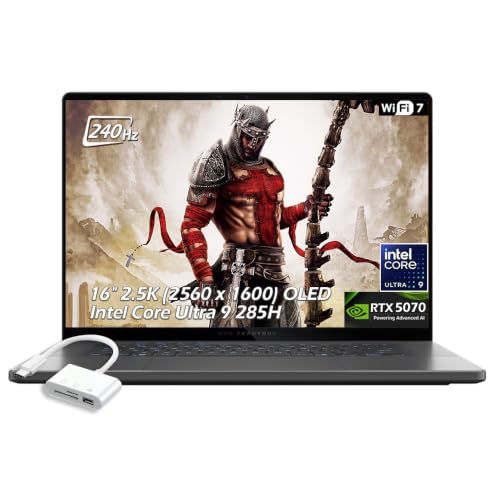
ASUS ROG Zephyrus 16 OLED RTX 5070 Laptop
Best for: portable 240Hz OLED gaming
- Processor
- Intel Core Ultra 9
- Graphics Card
- NVIDIA GeForce RTX 5070
- Memory
- 16GB LPDDR5X
- Storage Capacity
- 1TB SSD
- Screen Size
- 16"
- Refresh Rate
- 240Hz
View on Amazon: ASUS ROG Zephyrus 16 OLED RTX 5070 Laptop (paid link)
This ASUS ROG Zephyrus 16 is a slim 16-inch gaming laptop built for portable high-refresh play. You get an Intel Core Ultra 9 285H processor paired with an NVIDIA GeForce RTX 5070 graphics card and 16GB of fast LPDDR5X memory. Its 2560 x 1600 OLED panel runs at 240Hz with 500 nits brightness. At 4.08 pounds and 0.59 inches thick, it suits you if you need strong hardware in a thin frame.
Pros
- 2.5K 240Hz OLED display with 500 nits brightness and G-SYNC
- NVIDIA GeForce RTX 5070 GPU with 8GB GDDR7 VRAM and DLSS 4
- Slim 0.59-inch profile and 4.08-pound weight
- Wi-Fi 7, Thunderbolt 4, and USB-C 4 connectivity
Cons
- Base configuration includes 16GB of system memory rather than 32GB
- RTX 5070 GPU is limited to 8GB of VRAM
Good fit if
- You want a 240Hz 2.5K OLED panel for fast, color-accurate gaming.
- You need a portable machine under 4.1 pounds with Wi-Fi 7 support.
- You want an Intel Core Ultra 9 285H processor inside a 0.59-inch chassis.
Skip if
- You need more than 16GB of system RAM out of the box.
- You require more than 8GB of video memory for your workloads.
Verdict: ASUS ROG Zephyrus 16 RTX 5070 Gaming Laptop pairs an Intel Core Ultra 9 285H processor with a vibrant 240Hz OLED display in a thin 4.08-pound build. It delivers responsive graphics and modern connectivity without adding heavy bulk.

ASUS ROG Zephyrus 16-Inch OLED Laptop
Best for: portable gaming and color-accurate creative work
- Processor
- Intel Core Ultra 9
- Graphics Card
- NVIDIA GeForce RTX 5070
- Memory
- 16GB RAM
- Storage Capacity
- 1TB PCIe 4.0 SSD
- Screen Size
- 16"
- Refresh Rate
- 240Hz
View on Amazon: ASUS ROG Zephyrus 16-Inch OLED Laptop (paid link)
The ASUS ROG Zephyrus G16 pairs an Intel Core Ultra 9 285H processor with an NVIDIA GeForce RTX 5070 graphics card in a 4.08-pound chassis. Its 16-inch 2.5K OLED panel runs at 240Hz with a 0.2ms response time and 500 nits of brightness. This setup suits you if you want high-refresh visuals and serious processing power for gaming and creative tasks while keeping total carry weight low.
Pros
- 16-inch 2.5K OLED display with 240Hz refresh rate and 0.2ms response time
- Intel Core Ultra 9 285H processor paired with RTX 5070 graphics
- Portable 4.08-pound chassis with 90Wh battery
- Includes Wi-Fi 7, Thunderbolt 4, and a full-size SD card reader
Cons
- Configuration is limited to 16GB of system RAM
- Display brightness tops out at 500 nits
Good fit if
- You want a 240Hz OLED display with fast 0.2ms response times for gaming.
- You need a portable 4.08-pound laptop with an Intel Core Ultra 9 processor.
- You connect peripherals via Thunderbolt 4 or transfer files with an SD card.
Skip if
- You require more than 16GB of system memory for heavy multitasking.
- You need higher graphics capability than the RTX 5070 provides.
Verdict: ASUS ROG Zephyrus G16 OLED Gaming Laptop balances Intel Core Ultra 9 power and RTX 5070 graphics with a fast 240Hz OLED screen. It gives you dependable performance and strong display specs in a portable 4.08-pound frame.

ASUS ROG Strix Scar 18 RTX 5070 Ti Laptop
Best for: desktop replacement gaming and easy hardware upgrades
- Processor
- Intel Core Ultra 9
- Graphics Card
- NVIDIA GeForce RTX 5070 Ti
- Memory
- 32GB DDR5
- Storage Capacity
- 1TB PCIe SSD
- Screen Size
- 18"
- Refresh Rate
- 240Hz
View on Amazon: ASUS ROG Strix Scar 18 RTX 5070 Ti Laptop (paid link)
The ASUS ROG Strix Scar 18 pairs an Intel Core Ultra 9 275HX processor with an NVIDIA GeForce RTX 5070 Ti graphics card. You get an 18-inch 2.5K Mini LED display featuring a 240Hz refresh rate and over 2,000 dimming zones. With 32GB of DDR5 RAM and tool-free upgrade access, this machine suits you if you prioritize maximum screen space and high-end hardware for demanding desktop-replacement gaming setups.
Pros
- Intel Core Ultra 9 275HX CPU and RTX 5070 Ti GPU
- 18-inch 2.5K 240Hz Mini LED panel with 2,000+ dimming zones
- Tool-free sliding latch for memory and SSD upgrades
- 32GB DDR5-5600MHz memory and 1TB PCIe 4.0 SSD
Cons
- Heavy chassis weighing 6.28 pounds
- 1TB base storage capacity fills quickly with modern games
Good fit if
- You want a large 18-inch Mini LED display running at 240Hz.
- You prefer tool-free chassis access to upgrade memory and storage.
- You need an Intel Core Ultra 9 processor paired with 32GB DDR5 memory.
Skip if
- You need a lightweight laptop for travel rather than a 6.28-pound chassis.
- You require more than 1TB of internal storage right out of the box.
Verdict: ASUS ROG Strix SCAR 18 Gaming Laptop combines an Intel Core Ultra 9 275HX with an 18-inch Mini LED panel for expansive desktop-grade performance. It is a capable choice if you want high-refresh visuals and convenient tool-free hardware upgrades.

MSI Stealth 16 AI+ RTX 5070 Ti OLED Laptop
Best for: portable high-refresh OLED gaming
- Processor
- Intel Core Ultra 9
- Graphics Card
- NVIDIA GeForce RTX 5070 Ti
- Memory
- 32GB DDR5
- Storage Capacity
- 1TB NVMe SSD
- Screen Size
- 16”
- Refresh Rate
- 240Hz
View on Amazon: MSI Stealth 16 AI+ RTX 5070 Ti OLED Laptop (paid link)
The MSI Stealth 16 AI+ OLED Gaming Laptop combines an Intel Core Ultra 9 processor with an NVIDIA GeForce RTX 5070 Ti graphics card and 32GB of RAM. You get a 16-inch 240Hz QHD+ OLED display and 1TB of solid-state storage inside a 4.39-pound chassis measuring 0.79 inches thick. This setup suits you if you need portable high-refresh gaming performance alongside modern Wi-Fi 7 wireless connectivity.
Pros
- NVIDIA GeForce RTX 5070 Ti GPU with 16GB GDDR7 VRAM
- 16-inch QHD+ OLED display with a 240Hz refresh rate
- 32GB RAM paired with 1TB SSD storage
- Wi-Fi 7 wireless network support
- Slim 0.79-inch profile weighing 4.39 pounds
Cons
- Ships with Windows 11 Home rather than Windows 11 Pro
- Storage capped at 1TB SSD in standard configuration
Good fit if
- You want a 240Hz QHD+ OLED panel for high-speed visuals.
- You need a portable 16-inch chassis weighing under 4.5 pounds.
- You want 16GB of dedicated video memory for demanding titles.
Skip if
- You require Windows 11 Pro pre-installed for commercial management.
- You need more than 1TB of baseline internal storage capacity.
Verdict: MSI Stealth 16 AI+ OLED Gaming Laptop delivers potent graphics and a fast 240Hz OLED display in a thin 4.39-pound frame. It gives you balanced portability and high-end processing for demanding sessions.

ASUS ROG Strix SCAR 16 RTX 5090 Gaming Laptop
Best for: maximum graphical power and high-refresh Mini LED gaming
- Processor
- Intel Core Ultra 9
- Graphics Card
- NVIDIA GeForce RTX 5090
- Memory
- 32GB DDR5
- Storage Capacity
- 2TB PCIe Gen 4 SSD
- Screen Size
- 16"
- Refresh Rate
- 240Hz
View on Amazon: ASUS ROG Strix SCAR 16 RTX 5090 Gaming Laptop (paid link)
This 16-inch gaming laptop pairs an Intel Core Ultra 9 275HX processor with an NVIDIA GeForce RTX 5090 GPU and 32GB of DDR5 memory. You get a 2.5K 240Hz Mini LED display with over 2,000 dimming zones and a 2TB PCIe 4.0 SSD. It suits you if you need top-tier mobile computing power, high-contrast visuals, and tool-free chassis access for future memory or drive upgrades.
Pros
- NVIDIA GeForce RTX 5090 Laptop GPU and Intel Core Ultra 9 275HX
- 16-inch 2.5K 240Hz Mini LED display with 2,000+ dimming zones
- Tool-free latch to access RAM, SSD, and cooling fans
- 2TB PCIe Gen 4 SSD and 32GB DDR5-5600MHz RAM
Cons
- Heavy chassis weighing 6.28 pounds
- 0.9-inch thickness adds bulk during transit
Good fit if
- You want an RTX 5090 GPU paired with a 240Hz Mini LED display.
- You prefer hardware maintenance and upgrades without needing a screwdriver.
- You need 32GB RAM and 2TB high-speed storage out of the box.
Skip if
- You want a lightweight laptop for travel instead of a 6.28-pound system.
- You prefer an 18-inch display format for your desk setup.
Verdict: ASUS ROG Strix SCAR 16 RTX 5090 Gaming Laptop delivers flagship graphical hardware and a 2,000-zone Mini LED screen in a 16-inch chassis. Its tool-free latch makes upgrading storage and memory unusually simple.

Acer Predator Helios Neo 18 RTX 5070 Ti
Best for: desktop replacement gaming with high refresh rates
- Processor
- Intel Core Ultra 9
- Graphics Card
- NVIDIA GeForce RTX 5070 Ti
- Memory
- 32GB DDR5
- Storage Capacity
- 2TB PCIe Gen 4 SSD
- Screen Size
- 18"
- Refresh Rate
- 240Hz
View on Amazon: Acer Predator Helios Neo 18 RTX 5070 Ti (paid link)
The Acer Predator Helios Neo 18 is a large-format gaming laptop built around an Intel Core Ultra 9 275HX processor and an NVIDIA GeForce RTX 5070 Ti GPU. Its 18-inch WQXGA screen offers a 240Hz refresh rate and 100% DCI-P3 color coverage. With 32GB of 6400MHz DDR5 memory and a 2TB SSD, this laptop suits you if you need an expansive display and high performance for demanding titles.
Pros
- Intel Core Ultra 9 275HX processor and RTX 5070 Ti graphics
- 18-inch 240Hz WQXGA display with 100% DCI-P3 color coverage
- Fast 32GB DDR5 6400MHz memory expandable to 64GB
- 2.5Gbps Killer Ethernet and Thunderbolt 4 connectivity
Cons
- Heavy 7.28-pound weight limits everyday portability
- Both M.2 storage slots occupied with zero available for expansion
Good fit if
- You want an expansive 18-inch 240Hz screen for stationary gaming.
- You require wired 2.5Gbps networking and Thunderbolt 4 peripheral support.
Skip if
- You need a lightweight laptop for carrying in a backpack daily.
- You plan to add secondary internal storage without replacing an existing drive.
Verdict: Acer Predator Helios Neo 18 RTX 5070 Ti Laptop delivers high-tier processing and an expansive 240Hz display for stationary setups. Its heavy 7.28-pound build trades away portability in favor of thermal room and screen real estate.

Acer Swift Go 16 Touch Laptop
Best for: portable productivity and light touch gaming
- Processor
- Intel Core Ultra 9
- Graphics Card
- Intel ARC
- Memory
- 16GB LPDDR5X
- Storage Capacity
- 1TB SSD
- Screen Size
- 16"
- Display Resolution
- 1920 x 1200
View on Amazon: Acer Swift Go 16 Touch Laptop (paid link)
The Acer Swift Go 16 is a thin-and-light laptop powered by the Intel Core Ultra 9 185H processor with integrated Intel Arc graphics. It features a 16-inch 1920 x 1200 touchscreen with 100% sRGB coverage and 1TB of SSD storage. Weighing 3.53 pounds at 0.59 inches thick, this machine suits you if you want flagship processor speeds and touch control in a lightweight package without carrying a bulky dedicated gaming chassis.
Pros
- Intel Core Ultra 9 185H processor with dedicated Intel AI Boost NPU
- 16-inch 1920 x 1200 IPS touch display with 100% sRGB color
- Slim 0.59-inch thickness and lightweight 3.53-pound chassis
- 1TB SSD storage included
Cons
- Relies on integrated Intel Arc graphics rather than a discrete GPU
- Display resolution capped at 1920 x 1200
Good fit if
- You want an Intel Core Ultra 9 processor inside a thin, 3.53-pound design.
- You prefer a 16-inch touchscreen for touch and swipe navigation.
- You need 1TB of built-in SSD storage for everyday tasks and files.
Skip if
- You require a discrete gaming GPU for high-demand 3D rendering.
- You need a display resolution sharper than 1920 x 1200.
Verdict: Acer Swift Go 16 Touch Laptop combines a high-tier Intel Core Ultra 9 185H processor with a responsive 16-inch touchscreen in an ultra-portable profile. It is built for buyers who prioritize CPU power and everyday portability over heavy discrete graphics.
Specifications side by side
| Spec | ASUS ROG Strix 16 RTX 5070 Ti Laptop | MSI Crosshair 18 RTX 5070 Gaming Laptop | Acer Predator Helios Neo 14 RTX 5070 | ASUS ROG Strix 18 RTX 5060 Gaming Laptop | Alienware Area-51 18-inch RTX 5080 Gaming Laptop | MSI Crosshair 18-Inch Gaming Laptop | MSI Vector 16 RTX 5080 Gaming Laptop | Lenovo Legion 5 16" RTX 5060 Gaming Laptop | ASUS ROG Zephyrus 16 OLED RTX 5070 Laptop | ASUS ROG Zephyrus 16-Inch OLED Laptop | ASUS ROG Strix Scar 18 RTX 5070 Ti Laptop | MSI Stealth 16 AI+ RTX 5070 Ti OLED Laptop | ASUS ROG Strix SCAR 16 RTX 5090 Gaming Laptop | Acer Predator Helios Neo 18 RTX 5070 Ti | Acer Swift Go 16 Touch Laptop |
|---|---|---|---|---|---|---|---|---|---|---|---|---|---|---|---|
| Graphics Card | NVIDIA GeForce RTX 5070 Ti | NVIDIA GeForce RTX 5070 8GB GDDR7 | NVIDIA GeForce RTX 5070 | NVIDIA GeForce RTX 5060 | RTX 5080 | NVIDIA RTX 5070 8GB GDDR7 | NVIDIA GeForce RTX 5080 | NVIDIA GeForce RTX 5060 8GB GDDR7 | NVIDIA GeForce RTX 5070 | NVIDIA GeForce RTX 5070 | NVIDIA GeForce RTX 5070 Ti | NVIDIA GeForce RTX 5070 Ti | NVIDIA GeForce RTX 5090 | NVIDIA GeForce RTX 5070 Ti | Intel ARC |
| Processor | Intel Core Ultra 9 275HX | Intel Core Ultra 9 275HX | Intel Core Ultra 9 285H | Intel Core Ultra 9 275HX | Intel Ultra 9 290HX | Intel Core Ultra 9 275HX | Intel Core Ultra 9-275HX | Intel Core Ultra 9 275HX | Intel Core Ultra 9 285H | Intel Core Ultra 9 285H | Intel Core Ultra 9 275HX | Intel Core Ultra 9 386H | Intel Core Ultra 9 275HX | Intel Core Ultra 9 275HX | Intel Core Ultra 9 Processor 185H |
| Memory | 32GB DDR5 | 32GB DDR5 5600MHz | 32GB LPDDR5X | 32GB DDR5 | not specified | 32GB DDR5 5600MHz | 32GB DDR5 | 64GB DDR5-5600 | 16GB LPDDR5X | 16GB RAM | 32GB DDR5 | 32GB DDR5 | 32GB DDR5 | 32GB DDR5 | 16GB LPDDR5X |
| Storage Capacity | 1TB SSD | 2TB NVMe SSD | 1TB PCIe Gen 4 SSD | 1TB PCIe Gen 4 SSD | not specified | 1TB NVMe SSD | 2TB NVMe SSD | 1TB NVMe M.2 SSD | 1TB SSD | 1TB PCIe 4.0 SSD | 1TB PCIe SSD | 1TB NVMe SSD | 2TB PCIe Gen 4 SSD | 2TB PCIe Gen 4 SSD | 1TB SSD |
| Screen Size | 16" | 18" | 14.5" | 18" | 18" | 18" | 16" | 16" | 16" | 16" | 18" | 16” | 16" | 18" | 16" |
| Refresh Rate | 240Hz | 240Hz | 165Hz | 240Hz | not specified | 240Hz | 240Hz | 240Hz | 240Hz | 240Hz | 240Hz | 240Hz | 240Hz | 240Hz | not specified |
| Display Resolution | 2.5K | 2560x1600 | WQXGA | 2.5K | WQXGA | 2560x1600 | QHD+ | 2560 x 1600 | 2560 x 1600 | 2.5K | 2.5K | QHD+ | 2.5K | WQXGA | 1920 x 1200 |
| Storage | 1TB SSD | 2TB SSD | 1TB SSD | 1TB SSD | not specified | 1TB SSD | 2TB SSD | 1TB SSD | 1TB SSD | not specified | 1TB SSD | 1TB SSD | not specified | 2TB SSD | 1TB SSD |
| Dimensions | not specified | 15.9 × 11 × 1.17 inches | 12.8 × 0.82 × 10 inches | 15.7 × 0.93 × 11.7 inches | 12.6 × 16.1 × 1.2 inches | 15.9 × 1.17 × 11 inches | 14.1 × 1.12 × 11.2 inches | 14.4 × 1.05 × 10.6 inches | 0.59 × 14 × 9.72 inches | 13.9 × 9.69 × 0.69 inches | 15.7 × 0.93 × 11.7 inches | 13.9 × 0.79 × 9.96 inches | 13.9 × 0.9 × 10.6 inches | 15.8 × 1.1 × 12.1 inches | 14 × 0.59 × 9.62 inches |
| Weight | not specified | 13.1 pounds | 4.19 pounds | 6.28 pounds | 9.56 pounds | 6.83 pounds | 5.95 pounds | 8 pounds | 4.08 pounds | 4.08 pounds | 6.28 pounds | 4.39 pounds | 6.28 pounds | 7.28 pounds | 3.53 pounds |
| Color | Black | Black | Black | Black | Liquid Teal | Black | Gray | Gray | Eclipse Gray | Gray | Black | Black | Black | Black | Silver |
| Model | not specified | Crosshair | PHN14-71-906J | G835LX-XS97 | LAA18250-9694BLU-PUS | 18 HX AI | VECTOR16HXA2058 | Lenovo | not specified | not specified | G835LR-XS96 | STEALTH16B3036 | G635LX-XS97 | PHN18-72-9474 | NX.KSPAA.009 |
| Size | not specified | not specified | not specified | 32GB DDR5 I 1TB SSD | 18.0 WQXGA | 32GB RAM I 1TB SSD | 2.76 | not specified | not specified | not specified | not specified | not specified | 16" | 32GB DDR5 | 2TB SSD | 16" Touch |
Is an Intel Core Ultra 9 processor worth it?
An Intel Core Ultra 9 processor provides up to 24 cores of computational capacity for heavy workloads and multitasking. Across this hardware class, chips such as the 185H, 285H, and 275HX pair with up to 32GB of DDR5 memory. This processing tier supports high-refresh panels up to 240Hz alongside dedicated graphics hardware ranging from the RTX 5060 to the RTX 5090. In daily use, this CPU specification maintains steady performance during simultaneous gameplay and background rendering tasks.
Worth it if
- You run demanding applications that take full advantage of 24 processing cores and 32GB of DDR5 RAM.
- You pair your system with high-tier graphics like the RTX 5080 or RTX 5090 to drive 240Hz displays.
Skip it if
- You only need a machine for everyday touchscreen productivity without dedicated graphics.
- You target games at lower refresh rates that do not require high multi-core processing capacity.
If you prefer a stationary system over mobile hardware, a gaming desktop with Core i5 provides desktop-class thermal headroom for sustained processing loads.
How We Picked These Laptops
To help you find the right laptop for 2026, we identify models whose Amazon listings feature the Intel Core Ultra 9 processor in their title or specs. We include only one configuration per product family. We do not test or physically handle any hardware; all details come directly from published merchant specifications.
The 15 picks are ordered with in-stock products first, then by Amazon sales rank, showing you better-selling models first. We then assess key performance hardware. This guide compares graphics configurations from the RTX 5060 to RTX 5090, 16GB or 32GB RAM, solid-state drive capacity, and display refresh rates up to 240Hz.
How to Choose the Right Laptop
-
Select Your Target GPU Tier
Your graphics card dictates visual fidelity and frame rates across demanding software. Configurations in this guide range from the mid-tier RTX 5060 up to the top-tier RTX 5090. If you run competitive titles at moderate settings, an RTX 5060 provides capable processing. If you want maximum graphics rendering and ray tracing at higher resolutions, select an RTX 5080 or RTX 5090. The ASUS ROG Strix SCAR 16 features an RTX 5090 for uncompromising graphics performance. Review your target visual settings before choosing between mid-tier and flagship options.
-
Check Memory Capacity
Random access memory affects how smoothly your system handles simultaneous applications and background tasks. Most models on this list feature 32GB of RAM, which provides ample headroom for multitasking, streaming, and running demanding titles without bottlenecking the processor. However, some lighter options like the ASUS ROG Zephyrus 16 OLED come equipped with 16GB of RAM. If you keep multiple programs open while gaming or perform heavy video rendering, prioritize 32GB configurations. Choose 16GB only if your everyday multitasking needs remain light.
-
Evaluate Internal Storage Size
Modern game installations and high-resolution media consume solid-state drive space rapidly. Storage capacities in this category standardly offer 1TB or 2TB SSDs. A 1TB drive suits users who play a focused rotation of games and routinely manage their local files. If you maintain a large library of major titles or store uncompressed video captures locally, a 2TB drive avoids early storage limits. The MSI Vector 16 includes a 2TB SSD, giving you double the initial file capacity without requiring immediate external drives or internal hardware expansions.
-
Match Display Refresh Rates
Refresh rate indicates how many times per second the display updates, measured in hertz. Higher numbers translate to smoother motion and reduced input latency in fast-moving titles. Most competitive models feature 240Hz panels, ideal for rapid esports titles where fast frame delivery matters. Other options provide 165Hz or 120Hz refresh rates. For instance, the Acer Predator Helios Neo 14 delivers a 165Hz panel, balancing fluid visuals in a smaller footprint. Compare the refresh rate against the genres you play to avoid paying for excess display speed you do not utilize.
-
Consider Screen Dimensions and Weight
Physical dimensions determine whether a laptop serves as a portable machine or a stationary desk replacement. Listed machines span from 14.5-inch screens up to massive 18-inch displays. An 18-inch screen expands viewable area significantly but increases overall chassis weight, with options like the MSI Crosshair 18 reaching 13.14 pounds. If you intend to relocate your setup regularly, a 16-inch or smaller frame keeps bulk manageable. If your laptop will stay docked on a desk, an 18-inch model offers maximum screen real estate without needing an external monitor.
-
Assess Dual-Screen Utility
Specialized display configurations can fundamentally change how you interact with games and creator software. Standard laptops use a single screen, but dual-panel setups provide secondary display area right above the keyboard. The ASUS ROG Zephyrus Duo 16 includes two separate 3K OLED touch panels running at 120Hz. This configuration benefits users who manage chat windows, streaming controls, or timeline tools while actively gaming. If you do not require secondary tactile controls or multi-window monitoring on the go, a conventional single-panel display minimizes hardware complexity and mechanical bulk.
Frequently asked questions
Which Intel Core Ultra 9 gaming laptop is best for dual-screen multitasking?
The ASUS ROG Zephyrus Duo 16 is built specifically for dual-screen workloads. It features two separate 3K OLED touch panels with a 120Hz refresh rate alongside an RTX 5090 GPU and 32GB of RAM. This setup allows you to manage secondary utilities, stream controls, or chat windows without needing an external monitor. It weighs 6.22 pounds.
What is the lightest Intel Core Ultra 9 laptop on this list?
The Acer Swift Go 16 Touch Laptop is the lightest model at 3.53 pounds. It features a 16-inch touchscreen, an Intel Core Ultra 9 185H processor, and a 1TB SSD in a 0.59-inch thin silver chassis. If you need dedicated graphics, the ASUS ROG Zephyrus 16 OLED models are the lightest gaming-specific options at 4.08 pounds.
Which Intel Core Ultra 9 laptops include an RTX 5090 GPU?
Two models on the list feature an RTX 5090: the ASUS ROG Zephyrus Duo 16 and the ASUS ROG Strix SCAR 16. If you require top-tier graphical power, the Strix SCAR 16 pairs this GPU with a 240Hz Mini LED panel. The Zephyrus Duo 16 combines the RTX 5090 with dual 120Hz 3K OLED touchscreens and a 1TB SSD.
Do Intel Core Ultra 9 gaming laptops support 240Hz refresh rates?
Yes, most gaming laptops with this processor support 240Hz refresh rates. Fast 240Hz displays appear on 16-inch laptops like the ASUS ROG Strix 16, MSI Vector 16, and MSI Stealth 16 AI+, as well as 18-inch models like the MSI Crosshair 18 and ASUS ROG Strix Scar 18. These high refresh panels help you see smoother motion in fast-action competitive games.
Which Intel Core Ultra 9 gaming laptops come with a 2TB SSD?
Three models provide 2TB of factory solid-state storage: the MSI Crosshair 18, the MSI Vector 16, and the Acer Predator Helios Neo 18. Each of these configurations also includes 32GB of RAM. Having 2TB of internal storage gives you double the capacity of standard 1TB drives, leaving more space for modern game installations and large system files without external storage.
What screen panel types are available on Intel Core Ultra 9 laptops?
You can choose between OLED, Mini LED, and standard high-refresh panels. OLED screens are featured on the MSI Stealth 16 AI+, ASUS ROG Zephyrus Duo 16, and ASUS ROG Zephyrus 16 models. Mini LED displays are equipped on the ASUS ROG Strix SCAR 16 and ROG Strix Scar 18, providing high brightness zones for HDR gaming visuals.
How much do 18-inch Intel Core Ultra 9 gaming laptops weigh?
Weights for 18-inch models vary significantly based on their chassis and cooling systems. The ASUS ROG Strix 18 and ASUS ROG Strix Scar 18 weigh 6.28 pounds, while the MSI Crosshair 18 HX AI weighs 6.83 pounds. The Acer Predator Helios Neo 18 reaches 7.28 pounds, and the Alienware Area-51 18 weighs 9.56 pounds, making them suited for permanent desk setups.