15 Best RTX 5070 Gaming Laptops, Compared
As an Amazon Associate we earn from qualifying purchases. Links on this page are affiliate links.
Finding the right RTX 5070 gaming laptop means matching dedicated graphics performance to your display and chassis preferences. We compared 15 models strictly using the specifications published on their listings.
The Alienware 16 Aurora RTX 5070 Laptop leads the list because it combines 45W CPU power with a slim 0.6-inch chassis. Other options provide display sizes from 14.5 to 18 inches, refresh rates up to 240Hz, and memory up to 64GB RAM. This guide helps you decide which balance of screen dimensions, system memory, and overall weight fits your everyday gaming setup.
Quick picks
The best fit for you
- You want a balanced slim chassis for RTX 5070 gaming Alienware 16 Aurora RTX 5070 Laptop This laptop pairs RTX 5070 graphics with a 120Hz display inside a slim 0.6-inch profile.
- You want maximum screen size paired with massive storage MSI Crosshair 18 RTX 5070 Gaming Laptop It combines an expansive 18-inch 240Hz panel with 2TB of internal SSD storage.
- You need a compact screen size for travel Acer Predator Helios Neo 14 RTX 5070 A 14.5-inch 165Hz display and a 4.19-pound chassis provide solid portable capability.
- You want the thinnest build with an OLED display ASUS ROG Zephyrus 16 OLED RTX 5070 Laptop The chassis measures 0.59 inches thin while housing a fast 240Hz OLED display.
Our 15 picks

Alienware 16 Aurora RTX 5070 Laptop
Best for: balanced 16-inch RTX 5070 gaming
- Graphics Card
- RTX 5070
- Processor
- Intel Core 9 270H
- Screen Size
- 16"
- Refresh Rate
- 120Hz
- Display Resolution
- WQXGA
- Dimensions
- 10.5 × 14.1 × 0.6 inches
View on Amazon: Alienware 16 Aurora RTX 5070 Laptop (paid link)
The Alienware 16 Aurora pairs an NVIDIA GeForce RTX 5070 GPU with an Intel Core 9 270H processor running up to 45W thermal design power. You get a 16-inch WQXGA display running at 120Hz with 300 nits brightness. It fits you if you want current-generation graphics and internal Cryo-Chamber cooling packed into a 0.6-inch chassis without an extended rear thermal shelf.
Pros
- NVIDIA GeForce RTX 5070 GPU built on Blackwell architecture
- Intel Core 9 270H processor with 45W CPU thermal design power
- Cryo-Chamber cooling structure eliminates the rear thermal shelf
- Slim 0.6-inch profile
Cons
- Screen refresh rate is capped at 120Hz
- Display brightness reaches 300 nits
- Total weight is 5.49 pounds
Good fit if
- You want an RTX 5070 GPU paired with an Intel Core 9 270H processor.
- You prefer a 0.6-inch thin chassis without a rear thermal exhaust shelf.
- You need a 16-inch WQXGA resolution display for daily play.
Skip if
- You require display refresh rates higher than 120Hz.
- You play in bright environments needing more than 300 nits of brightness.
- You want a travel laptop lighter than five pounds.
Verdict: Alienware 16 Aurora RTX 5070 Gaming Laptop delivers modern Blackwell graphics and dedicated 45W CPU power in a slim 0.6-inch chassis. Its 120Hz 300-nit panel provides baseline high-resolution output rather than ultra-fast esports refresh rates.

GIGABYTE Gaming A16 16" RTX 5070 Laptop
Best for: slim 16-inch RTX 5070 gaming and multitasking
- Graphics Card
- RTX 5070
- Processor
- Intel Core i7-13620H
- Screen Size
- 16"
- Dimensions
- 14.1 × 0.91 × 10.3 inches
- Weight
- 4.85 pounds
View on Amazon: GIGABYTE Gaming A16 16" RTX 5070 Laptop (paid link)
The GIGABYTE Gaming A16 combines an NVIDIA GeForce RTX 5070 graphics card with an Intel Core i7-13620H processor and a 16-inch display. Its chassis measures 19.45 millimeters thick and features a 180-degree hinge that opens fully flat. Weighing 4.85 pounds and running Windows 11 Home, this machine suits you if you need a mid-sized portable setup capable of modern gaming, streaming, and content creation workloads.
Pros
- NVIDIA GeForce RTX 5070 Laptop GPU with DLSS 4 support
- 19.45 mm (0.76-inch) thin chassis profile
- 180-degree lay-flat display hinge
- Intel Core i7-13620H processor for multitasking and gaming
Cons
- Display resolution and refresh rate are not listed in the specifications
- Installed system memory and solid-state storage sizes are not specified
Good fit if
- You want an RTX 5070 laptop built into a slim 19.45 mm chassis.
- You need a 180-degree hinge that opens flat for varied desk setups.
- You run simultaneous gaming, streaming, and recording tasks on an Intel Core i7.
Skip if
- You require verified display resolution and refresh rate specs before buying.
- You want a laptop lighter than 4.85 pounds for travel.
Verdict: GIGABYTE Gaming A16 16" RTX 5070 Laptop packages current-generation RTX 5070 graphics and an Intel Core i7 processor into a sub-20mm chassis with a lay-flat hinge. It delivers capable gaming hardware, though panel refresh specs are omitted from the data.

GIGABYTE AERO X16 16" RTX 5070 Laptop
Best for: portable RTX 5070 gaming on the go
- Graphics Card
- RTX 5070
- Processor
- AMD Ryzen AI 7 350
- Memory
- 16 GB DDR5
- Storage Capacity
- 1 TB SSD
- Screen Size
- 16"
- Dimensions
- 14 × 0.79 × 9.87 inches
View on Amazon: GIGABYTE AERO X16 16" RTX 5070 Laptop (paid link)
The GIGABYTE AERO X16 pairs an AMD Ryzen AI 7 350 processor with an NVIDIA GeForce RTX 5070 GPU. It features a 16-inch display, 16 GB of DDR5 memory, and a 1 TB SSD for your files and games. At 0.65 inches thick and 4.18 pounds, it delivers portable power running Windows 11 Home. This chassis suits you if you want RTX 5070 graphics without carrying excess bulk.
Pros
- NVIDIA GeForce RTX 5070 GPU with DLSS 4 support
- Slim 0.65-inch profile weighing 4.18 pounds
- AMD Ryzen AI 7 350 processor
- 16 GB DDR5 memory and 1 TB SSD storage
Cons
- Base configuration limited to 16 GB RAM
- Display refresh rate and resolution not specified
- Pre-installed with Windows 11 Home instead of Pro
Good fit if
- You want a lightweight RTX 5070 laptop under 4.2 pounds.
- You need a portable 16-inch chassis with 1 TB of storage.
- You want AMD Ryzen AI processing for everyday workloads.
Skip if
- You require more than 16 GB of RAM immediately.
- You need detailed display refresh rate specifications before buying.
Verdict: GIGABYTE AERO X16 16" RTX 5070 Laptop balances RTX 5070 graphics with an AMD Ryzen AI 7 350 processor in a slim 4.18-pound frame. It is a solid choice for on-the-go gaming with 16 GB DDR5 RAM and 1 TB storage.

MSI Crosshair 18 RTX 5070 Gaming Laptop
Best for: large-screen gaming with 2TB built-in storage
- Graphics Card
- RTX 5070
- Processor
- Intel Core Ultra 9 275HX
- Memory
- 32GB DDR5 5600MHz
- Storage Capacity
- 2TB NVMe SSD
- Screen Size
- 18"
- Refresh Rate
- 240Hz
View on Amazon: MSI Crosshair 18 RTX 5070 Gaming Laptop (paid link)
The MSI Crosshair 18 is a large-format gaming laptop built around an NVIDIA GeForce RTX 5070 graphics card and a 24-core Intel Core Ultra 9 275HX processor. It pairs a spacious 18-inch 240Hz QHD+ display with 32GB of DDR5 RAM and a 2TB NVMe SSD. This setup suits you if you need expansive desktop-level screen space and substantial storage for large modern game libraries.
Pros
- Spacious 18-inch QHD+ 240Hz display with 100% DCI-P3 coverage
- Large 2TB NVMe solid-state drive for game storage
- 24-core Intel Core Ultra 9 275HX processor
- 32GB DDR5 5600MHz system memory
Cons
- Heavy 13.14-pound weight reduces travel convenience
- Webcam resolution is limited to 720p HD
Good fit if
- You want an 18-inch 240Hz screen to replace a desktop monitor.
- You need 2TB of high-speed NVMe storage directly out of the box.
- You run heavy workloads requiring 32GB of DDR5 memory and 24 CPU cores.
Skip if
- You need a lightweight laptop for frequent travel, given its 13.14-pound chassis.
- You require a higher-resolution 1080p webcam for video conferences.
Verdict: MSI Crosshair 18 RTX 5070 Gaming Laptop offers massive screen real estate and 2TB of storage for stationary desktop-replacement gaming. Its heavy 13.14-pound build trades away portability for an expansive 18-inch 240Hz display and high-end processing specs.

MSI Katana 15 HX 15.6" Gaming Laptop
Best for: 15.6-inch gaming and CPU-intensive workloads
- Graphics Card
- RTX 5070
- Processor
- Intel Core i9-14900HX
- Memory
- 32GB DDR5
- Storage Capacity
- 1TB NVMe SSD
- Screen Size
- 15.6”
- Refresh Rate
- 165Hz
View on Amazon: MSI Katana 15 HX 15.6" Gaming Laptop (paid link)
The MSI Katana 15 HX 15.6" Gaming Laptop brings a high-end Intel Core i9-14900HX 24-core processor alongside an NVIDIA GeForce RTX 5070 graphics card into a standard 15.6-inch form factor. You get 32GB of DDR5 memory and a 165Hz QHD display covering 100% of the DCI-P3 color gamut. This setup suits you if you want desktop-class processing power and vivid visuals without stepping up to larger chassis sizes.
Pros
- Intel Core i9-14900HX 24-core hybrid architecture processor
- 32GB DDR5 system memory and 1TB SSD storage
- QHD 165Hz screen with 100% DCI-P3 color coverage
- Cooler Boost 5 thermal design with dual fans and 5 heat pipes
Cons
- Chassis is relatively thick at 0.99 inches and weighs 4.96 pounds
- Keyboard lighting offers 4-zone control rather than per-key RGB
- 165Hz refresh rate is lower than the 240Hz screens on alternative models
Good fit if
- You want a standard 15.6-inch screen with sharp QHD resolution and wide color coverage.
- You need 32GB of RAM and a 24-core CPU for demanding multi-threaded tasks.
- You require wired connectivity like RJ45 ethernet and HDMI up to 8K.
Skip if
- You prefer a thinner, lighter laptop than this 0.99-inch, 4.96-pound build.
- You prioritize esports-grade 240Hz refresh rates over color space.
Verdict: MSI Katana 15 HX 15.6" Gaming Laptop delivers balanced performance with its 24-core i9 processor, 32GB of RAM, and sharp QHD display in a traditional 15.6-inch chassis. It offers serious compute capacity for anyone who does not need an ultra-slim design.

Lenovo Legion 5 15.3" OLED Gaming Laptop
Best for: bright OLED gaming and demanding multitasking
- Graphics Card
- RTX 5070
- Processor
- Intel Core Ultra 9 275HX
- Screen Size
- 15.3-inch
- Refresh Rate
- 165Hz
- Display Resolution
- QHD+
- Memory
- 64GB RAM
View on Amazon: Lenovo Legion 5 15.3" OLED Gaming Laptop (paid link)
This Lenovo Legion 5 pairs an NVIDIA GeForce RTX 5070 GPU with an Intel Core Ultra 9 275HX processor. You get a 15.3-inch QHD+ OLED panel running at 165Hz with 1000 nits of brightness. With 64GB of RAM and Wi-Fi 7, it handles intensive computing and rendering workloads. It suits you if you need high display brightness and fast hardware for both gaming and creative multitasking.
Pros
- 15.3-inch QHD+ OLED display with 1000 nits brightness
- Intel Core Ultra 9 275HX processor with 24 cores
- NVIDIA GeForce RTX 5070 GPU with 8GB GDDR7
- 64GB of RAM and Wi-Fi 7 connectivity
Cons
- 165Hz refresh rate is slower than 240Hz alternatives
- Limited to 8GB of VRAM
Good fit if
- You want an ultra-bright 1000-nit OLED panel for gaming and media editing.
- You need a 24-core processor paired with 64GB of RAM for multi-threaded tasks.
- You require modern connectivity including Wi-Fi 7, HDMI, and Ethernet.
Skip if
- You prioritize a 240Hz screen over a 165Hz OLED display.
- You need more than 8GB of VRAM for larger graphical workloads.
Verdict: Lenovo Legion 5 15.3-inch OLED RTX 5070 combines an ultra-bright 1000-nit panel with a 24-core Intel processor and discrete RTX graphics. It gives you balanced performance for heavy workloads and high-end gaming.

Acer Predator Helios Neo 14 RTX 5070
Best for: portable gaming with strong multitasking power
- Graphics Card
- RTX 5070
- Processor
- Intel Core Ultra 9 285H
- Memory
- 32GB LPDDR5X
- Storage Capacity
- 1TB PCIe Gen 4 SSD
- Screen Size
- 14.5"
- Refresh Rate
- 165Hz
View on Amazon: Acer Predator Helios Neo 14 RTX 5070 (paid link)
The Acer Predator Helios Neo 14 pairs an NVIDIA GeForce RTX 5070 graphics card with an Intel Core Ultra 9 285H processor. You get 32GB of RAM, a 1TB SSD, and a 14.5-inch WQXGA screen with a 165Hz refresh rate and G-SYNC support. It weighs 4.19 pounds in a metal chassis. This compact setup suits you if you need portable processing power for high-frame-rate gaming.
Pros
- Intel Core Ultra 9 285H processor and 32GB RAM
- 14.5-inch 16:10 WQXGA panel with 100% sRGB and 165Hz refresh
- Liquid metal cooling with 5th Gen AeroBlade 3D fans
- Portable metal chassis weighing 4.19 pounds
Cons
- 165Hz refresh rate is lower than 240Hz alternatives
- 3-zone RGB backlighting instead of per-key customization
- 14.5-inch display offers less screen area than 16-inch laptops
Good fit if
- You want a portable 14.5-inch form factor weighing roughly 4.2 pounds.
- You need 32GB of system memory for demanding workflows.
- You prioritize a sharp 16:10 WQXGA display with G-SYNC.
Skip if
- You prefer a larger 16-inch or 18-inch display.
- You require a 240Hz panel for competitive esports titles.
- You want individual per-key RGB backlighting.
Verdict: Acer Predator Helios Neo 14 RTX 5070 delivers high-tier processing and graphic performance inside a 4.19-pound metal frame. Its 14.5-inch 165Hz WQXGA panel and 32GB RAM make it a capable compact setup.

Alienware Area-51 18-Inch RTX 5070 Gaming Laptop
Best for: large-screen desktop replacement gaming and processing
- Graphics Card
- RTX 5070
- Processor
- Intel Core Ultra 9-275HX
- Screen Size
- 18"
- Display Resolution
- WQXGA
- Dimensions
- 12.6 × 16.1 × 1.2 inches
- Weight
- 9.07 pounds
View on Amazon: Alienware Area-51 18-Inch RTX 5070 Gaming Laptop (paid link)
The Alienware 18 Area-51 is a large-format desktop replacement powered by an NVIDIA GeForce RTX 5070 GPU and an Intel Core Ultra 9-275HX processor. You get an 18.0-inch WQXGA display, 32 GB of memory, and Dell's Cryo-Chamber thermal cooling structure. At 9.07 pounds and 1.2 inches thick, it suits you if you prioritize maximum screen space, heavy-duty processing power, and included one-year onsite service over portable daily travel.
Pros
- Intel Core Ultra 9-275HX processor with integrated NPU
- Expansive 18.0-inch WQXGA display
- 32 GB of memory configuration
- Bottom-mounted Cryo-Chamber thermal structure
- Includes 1-year Dell onsite hardware service
Cons
- Heavy chassis weighing 9.07 pounds
- Thick profile measuring 1.2 inches
- Large footprint spanning 16.14 by 12.59 inches
Good fit if
- You want an expansive 18.0-inch WQXGA display for your primary setup.
- You need the multi-core power and NPU acceleration of an Intel Core Ultra 9-275HX.
- You prefer the security of included 1-year onsite service for hardware issues.
Skip if
- You travel often and need a machine lighter than 9.07 pounds.
- You carry a standard-sized backpack that cannot fit a 16.14-inch wide laptop.
Verdict: Alienware 18 Area-51 RTX 5070 Gaming Laptop provides massive screen area and high-end processing power for stationary performance. Its 9.07-pound weight and large dimensions make it strictly a desktop replacement.
MSI Crosshair 18-Inch Gaming Laptop
Best for: large-screen desktop replacement gaming setups
- Graphics Card
- RTX 5070
- Processor
- Intel Core Ultra 9 275HX
- Memory
- 32GB DDR5 5600MHz
- Storage Capacity
- 1TB NVMe SSD
- Screen Size
- 18"
- Refresh Rate
- 240Hz
View on Amazon: MSI Crosshair 18-Inch Gaming Laptop (paid link)
This MSI Crosshair gives you an 18-inch QHD+ display with a 240Hz refresh rate and full DCI-P3 coverage. Inside, an Intel Core Ultra 9 275HX processor and an NVIDIA GeForce RTX 5070 graphics card drive the action, backed by 32GB of DDR5 RAM. It suits you if you want desktop-class screen size and fast multi-core processing at your desk without connecting an external gaming monitor.
Pros
- Large 18-inch QHD+ 240Hz panel with 100% DCI-P3 color gamut
- 24-core Intel Core Ultra 9 275HX processor
- 32GB DDR5 5600MHz RAM paired with 1TB NVMe SSD
- Thunderbolt 4, HDMI 2.1, and RJ45 Ethernet ports
Cons
- Heavy 6.83-pound weight limits everyday portability
- Basic 720p HD webcam
Good fit if
- You prioritize an expansive 18-inch display over travel-friendly dimensions.
- You need 24 processor cores and 32GB RAM for multitasking alongside gaming.
Skip if
- You need a lightweight machine to carry in a backpack daily.
- You require a higher-resolution 1080p webcam for video calls.
Verdict: MSI Crosshair 18-Inch Gaming Laptop delivers expansive 240Hz visuals and 24-core processing power for gamers who rarely move their setup.
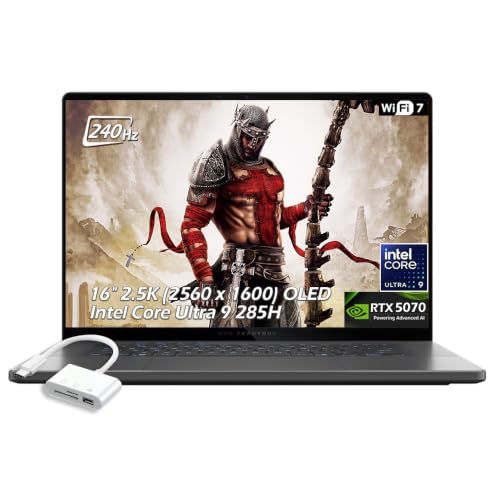
ASUS ROG Zephyrus 16 OLED RTX 5070 Laptop
Best for: portable high-refresh OLED gaming
- Graphics Card
- RTX 5070
- Processor
- Intel Core Ultra 9 285H
- Memory
- 16GB LPDDR5X
- Storage Capacity
- 1TB SSD
- Screen Size
- 16"
- Refresh Rate
- 240Hz
View on Amazon: ASUS ROG Zephyrus 16 OLED RTX 5070 Laptop (paid link)
This ASUS ROG Zephyrus 16 pairs an NVIDIA GeForce RTX 5070 GPU with an Intel Core Ultra 9 285H processor and a 16-inch 2.5K OLED display running at 240Hz. Measuring 0.59 inches thin and weighing 4.08 pounds, it combines fast graphics performance with a portable chassis. It fits you if you want high-refresh OLED visuals, modern Wi-Fi 7 connectivity, and dedicated Thunderbolt 4 expansion in a slim design.
Pros
- 16-inch 2.5K OLED panel with 240Hz refresh rate and G-SYNC
- Intel Core Ultra 9 285H 16-core processor
- Slim 0.59-inch profile weighing 4.08 pounds
- Includes Thunderbolt 4, USB-C 4, and Wi-Fi 7
Cons
- Configured with 16GB of RAM rather than higher memory options
- Includes 1TB of onboard storage capacity
Good fit if
- You want a fast 240Hz 2.5K OLED screen for sharp visual clarity.
- You need a portable build under 4.1 pounds with Thunderbolt 4 support.
Skip if
- You need more than 16GB of system memory for heavy multi-tasking.
- You require more than 1TB of built-in storage out of the box.
Verdict: ASUS ROG Zephyrus 16 OLED RTX 5070 Laptop offers a sharp 240Hz OLED display and an Intel Core Ultra 9 processor in an ultrathin 0.59-inch chassis. It delivers a balanced, portable setup for high-refresh gaming and daily tasks.
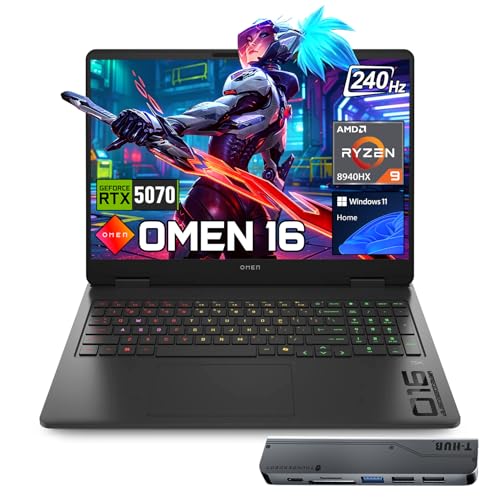
HP OMEN 16 Ryzen 9 RTX 5070 Gaming Laptop
Best for: Ryzen 9 gaming and heavy multitasking
- Graphics Card
- RTX 5070
- Processor
- AMD Ryzen 9 8940HX
- Memory
- 64GB DDR5
- Storage Capacity
- 1TB PCIe NVMe M.2 SSD
- Screen Size
- 16"
- Refresh Rate
- 240Hz
View on Amazon: HP OMEN 16 Ryzen 9 RTX 5070 Gaming Laptop (paid link)
The HP OMEN 16 combines an AMD Ryzen 9 8940HX 16-core processor with an NVIDIA GeForce RTX 5070 graphics card and 64GB of DDR5 memory. Its 16-inch WQXGA 240Hz IPS display reaches 500 nits of brightness with full sRGB coverage. This configuration gives you high-bandwidth multitasking power alongside fast frame rates. It suits you if you run heavy background processes while gaming at high refresh rates.
Pros
- AMD Ryzen 9 8940HX processor with 16 cores and 32 threads
- 64GB of DDR5 high-bandwidth system memory
- 16-inch 240Hz WQXGA panel with 500 nits brightness and 100% sRGB
- Includes dedicated RJ-45 Ethernet port and three USB Type-A ports
Cons
- Includes only one onboard USB Type-C port
- Carries a weight of 5.4 pounds
Good fit if
- You need 64GB of memory for simultaneous heavy background tasks and gaming.
- You want a bright 500-nit, 240Hz display for fast-paced titles.
- You prefer an AMD Ryzen 9 16-core processor configuration.
Skip if
- You want a lightweight machine built for frequent travel.
- You need multiple native USB Type-C connections without an external adapter.
Verdict: HP OMEN 16 Ryzen 9 RTX 5070 Gaming Laptop pairs an AMD 16-core CPU with 64GB of RAM and a 240Hz 500-nit screen. It provides extensive memory capacity and smooth visuals for intense multitasking and competitive gaming.

ASUS ROG Zephyrus 16-Inch OLED Laptop
Best for: portable gaming and color-accurate content creation
- Graphics Card
- RTX 5070
- Processor
- Intel Core Ultra 9 285H
- Memory
- 16GB RAM
- Storage Capacity
- 1TB PCIe 4.0 SSD
- Screen Size
- 16"
- Refresh Rate
- 240Hz
View on Amazon: ASUS ROG Zephyrus 16-Inch OLED Laptop (paid link)
The ASUS ROG Zephyrus 16-Inch OLED Laptop pairs an NVIDIA GeForce RTX 5070 graphics card with an Intel Core Ultra 9 285H processor. Its 16-inch 2.5K OLED panel delivers a 240Hz refresh rate, 0.2ms response time, and 500 nits of brightness. Weighing 4.08 pounds with a 90Wh battery and Wi-Fi 7, it suits you if you need portable gaming hardware capable of handling high-framerate play and color-accurate creative workloads on the go.
Pros
- 2.5K OLED display with 240Hz refresh rate and 0.2ms response time
- Intel Core Ultra 9 285H processor and RTX 5070 graphics
- Portable 4.08-pound chassis with a 90Wh battery
- Modern connectivity including Wi-Fi 7 and Thunderbolt 4
Cons
- Configuration includes 16GB of system RAM
- No dedicated RJ-45 Ethernet port listed
Good fit if
- You want a fast 240Hz OLED display with 100% DCI-P3 coverage.
- You need a lightweight 4.08-pound design with a 90Wh battery for travel.
- You use modern peripherals that benefit from Thunderbolt 4 and Wi-Fi 7.
Skip if
- You require more than 16GB of system RAM out of the box.
- You rely on a built-in wired Ethernet port for gaming.
Verdict: ASUS ROG Zephyrus 16-Inch OLED Laptop combines a 240Hz OLED display with RTX 5070 performance in a portable 4.08-pound design. It delivers fast response times and modern connectivity for mobile gaming.
ASUS ROG Zephyrus G16 2.5K OLED RTX 5070
Best for: portable OLED gaming and creative work
- Graphics Card
- RTX 5070
- Processor
- Intel Core Ultra 9 285H
- Screen Size
- 16"
- Refresh Rate
- 240Hz
- Display Resolution
- 2.5K
- Dimensions
- 13.9 × 9.69 × 0.69 inches
View on Amazon: ASUS ROG Zephyrus G16 2.5K OLED RTX 5070 (paid link)
The ASUS ROG Zephyrus G16 pairs an NVIDIA GeForce RTX 5070 GPU with an Intel Core Ultra 9 285H processor in a 4.08-pound chassis. Its 16-inch 2.5K OLED display offers a 240Hz refresh rate, 0.2ms response time, and 500-nit brightness. If you need portable gaming power with high color precision and Wi-Fi 7 connectivity for travel, work, or school, this slim laptop balances fast hardware with a 90Wh battery.
Pros
- 16-inch 2.5K OLED display with 240Hz refresh rate and 0.2ms response time
- Intel Core Ultra 9 285H processor paired with RTX 5070 graphics
- Lightweight 4.08-pound profile with 90Wh fast-charging battery
- Versatile I/O including Thunderbolt 4, HDMI 2.1, and an SD card reader
Cons
- No built-in Ethernet port listed in the physical specifications
- Entry-level configuration provides 512 GB of onboard storage
Good fit if
- You prioritize a high-refresh OLED panel with 100% DCI-P3 color accuracy.
- You need a travel-friendly gaming laptop weighing just over 4 pounds.
- You want modern connectivity standards including Wi-Fi 7 and Thunderbolt 4.
Skip if
- You require a direct RJ-45 LAN port for wired networking.
- You want at least 1 TB of storage on the lowest base configuration.
Verdict: ASUS ROG Zephyrus G16 2.5K OLED RTX 5070 combines fast graphics and an exceptional 240Hz OLED display in a thin 4.08-pound chassis. It delivers capable processing power and strong port selection for mobile gaming and media work.

Lenovo Legion 5 15.1" OLED Gaming Laptop
Best for: portable gaming with an OLED display
- Graphics Card
- RTX 5070
- Processor
- Intel Core i9 14th Gen 14900HX
- Memory
- 32GB DDR5-5600
- Storage Capacity
- 1TB PCIe Gen4 x4 NVMe M.2 SSD
- Screen Size
- 15.1"
- Display Resolution
- WQXGA
View on Amazon: Lenovo Legion 5 15.1" OLED Gaming Laptop (paid link)
This Lenovo Legion 5 is a portable gaming laptop built around an Intel Core i9-14900HX processor and an NVIDIA GeForce RTX 5070 graphics card with 8GB GDDR7 memory. You get 32GB of DDR5-5600 RAM, a 1TB NVMe SSD, and a 15.1-inch WQXGA OLED glossy panel. At 4.19 pounds, it suits you if you want fast processing power and OLED visuals in a portable build.
Pros
- Intel Core i9-14900HX processor with 32GB DDR5-5600 RAM
- 15.1-inch WQXGA OLED display panel
- Lightweight 4.19-pound chassis
- Wi-Fi 7 and Bluetooth 5.4 wireless connectivity
Cons
- Glossy screen finish reflects light in bright rooms
- GeForce RTX 5070 limited to 8GB video memory
- 1TB storage capacity fills up fast with modern titles
Good fit if
- You prioritize OLED visual quality on a 15.1-inch display.
- You need 32GB of DDR5 RAM paired with an Intel Core i9 processor.
- You travel frequently and want a machine under 4.5 pounds.
Skip if
- You prefer a matte anti-glare screen over a glossy panel.
- You need more than 1TB of internal storage out of the box.
- You require more than 8GB of VRAM for your graphics workloads.
Verdict: Lenovo Legion 5 15.1" OLED Gaming Laptop pairs a sharp OLED panel with an Intel Core i9-14900HX and RTX 5070 graphics. It delivers balanced hardware and modern Wi-Fi 7 connectivity in a 4.19-pound frame.
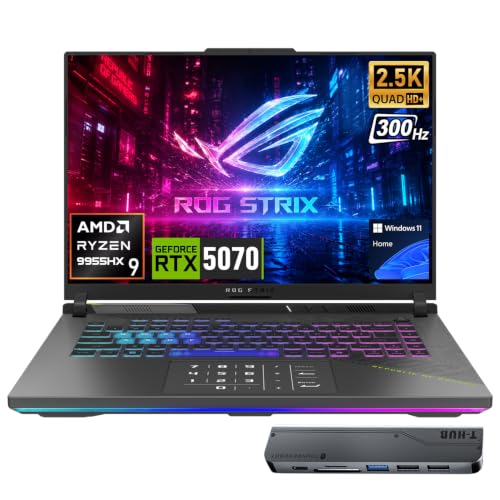
ASUS ROG Strix 16" RTX 5070 Gaming Laptop
Best for: fast-paced esports and memory-heavy creative workloads
- Graphics Card
- RTX 5070
- Processor
- AMD Ryzen 9 9955HX
- Memory
- 64GB DDR5
- Storage Capacity
- 1TB SSD
- Screen Size
- 16"
- Refresh Rate
- 300Hz
View on Amazon: ASUS ROG Strix 16" RTX 5070 Gaming Laptop (paid link)
This 16-inch gaming laptop pairs an NVIDIA GeForce RTX 5070 graphics card with an AMD Ryzen 9 9955HX processor and 64GB of DDR5 RAM. Its 2560x1600 IPS display features a 300Hz refresh rate for fast-paced gameplay. You also get two 40Gbps USB 4 Type-C ports and a 90Wh battery. It suits you if you need competitive refresh rates, substantial system memory, and strong processing power for demanding titles or creative applications.
Pros
- Fast 300Hz refresh rate on a 2560x1600 IPS display
- AMD Ryzen 9 9955HX processor with 16 cores and 32 threads
- Generous 64GB DDR5 memory capacity
- Dual 40Gbps USB 4 Type-C ports
Cons
- Relatively thick chassis measuring 1.2 inches
- Heavy total weight at 5.51 pounds
- IPS display panel rather than OLED
Good fit if
- You want a 300Hz refresh rate for fast-paced competitive gameplay.
- You need 64GB of RAM out of the box for multitasking and demanding software.
- You require dual high-bandwidth 40Gbps USB 4 ports for external peripherals.
Skip if
- You want a thin, lightweight machine under five pounds for daily travel.
- You prefer an OLED panel for deeper contrast levels.
Verdict: ASUS ROG Strix G16 300Hz Gaming Laptop combines high-tier processing power with a rapid 300Hz display and 64GB of memory. It serves competitive players and multitaskers who prioritize refresh rate and memory capacity over slim portability.
Specifications side by side
| Spec | Alienware 16 Aurora RTX 5070 Laptop | GIGABYTE Gaming A16 16" RTX 5070 Laptop | GIGABYTE AERO X16 16" RTX 5070 Laptop | MSI Crosshair 18 RTX 5070 Gaming Laptop | MSI Katana 15 HX 15.6" Gaming Laptop | Lenovo Legion 5 15.3" OLED Gaming Laptop | Acer Predator Helios Neo 14 RTX 5070 | Alienware Area-51 18-Inch RTX 5070 Gaming Laptop | MSI Crosshair 18-Inch Gaming Laptop | ASUS ROG Zephyrus 16 OLED RTX 5070 Laptop | HP OMEN 16 Ryzen 9 RTX 5070 Gaming Laptop | ASUS ROG Zephyrus 16-Inch OLED Laptop | ASUS ROG Zephyrus G16 2.5K OLED RTX 5070 | Lenovo Legion 5 15.1" OLED Gaming Laptop | ASUS ROG Strix 16" RTX 5070 Gaming Laptop |
|---|---|---|---|---|---|---|---|---|---|---|---|---|---|---|---|
| Graphics Card | NVIDIA GeForce RTX 5070 | NVIDIA GeForce RTX 5070 | NVIDIA GeForce RTX 5070 | NVIDIA GeForce RTX 5070 8GB GDDR7 | NVIDIA Geforce RTX 5070 | NVIDIA GeForce RTX 5070 8GB GDDR7 | NVIDIA GeForce RTX 5070 | NVIDIA GeForce RTX 5070 | NVIDIA RTX 5070 8GB GDDR7 | NVIDIA GeForce RTX 5070 | NVIDIA GeForce RTX 5070 8GB GDDR7 | NVIDIA GeForce RTX 5070 | NVIDIA GeForce RTX 5070 | NVIDIA GeForce RTX 5070 | GeForce RTX 5070 |
| Processor | Intel Core 9 270H | Intel Core i7-13620H | AMD Ryzen AI 7 350 | Intel Core Ultra 9 275HX | Intel Core i9-14900HX | Intel Core Ultra 9 275HX | Intel Core Ultra 9 285H | Intel Core Ultra 9-275HX | Intel Core Ultra 9 275HX | Intel Core Ultra 9 285H | AMD Ryzen 9 8940HX | Intel Core Ultra 9 285H | Intel Core Ultra 9 285H | Intel Core i9 14th Gen 14900HX | AMD Ryzen 9 9955HX |
| Memory | not specified | not specified | 16 GB DDR5 | 32GB DDR5 5600MHz | 32GB DDR5 | not specified | 32GB LPDDR5X | not specified | 32GB DDR5 5600MHz | 16GB LPDDR5X | 64GB DDR5 | 16GB RAM | not specified | 32GB DDR5-5600 | 64GB DDR5 |
| Storage Capacity | not specified | not specified | 1 TB SSD | 2TB NVMe SSD | 1TB NVMe SSD | not specified | 1TB PCIe Gen 4 SSD | not specified | 1TB NVMe SSD | 1TB SSD | 1TB PCIe NVMe M.2 SSD | 1TB PCIe 4.0 SSD | not specified | 1TB PCIe Gen4 x4 NVMe M.2 SSD | 1TB SSD |
| Screen Size | 16" | 16" | 16" | 18" | 15.6” | 15.3-inch | 14.5" | 18" | 18" | 16" | 16" | 16" | 16" | 15.1" | 16" |
| Refresh Rate | 120Hz | not specified | not specified | 240Hz | 165Hz | 165Hz | 165Hz | not specified | 240Hz | 240Hz | 240Hz | 240Hz | 240Hz | not specified | 300Hz |
| Display Resolution | WQXGA | not specified | not specified | 2560x1600 | QHD+ | QHD+ | WQXGA | WQXGA | 2560x1600 | 2560 x 1600 | 2560 x 1600 | 2.5K | 2.5K | WQXGA | 2560x1600 |
| Storage | not specified | not specified | 1TB SSD | 2TB SSD | 1TB SSD | not specified | 1TB SSD | not specified | 1TB SSD | 1TB SSD | 1TB SSD | not specified | not specified | 1TB SSD | 1TB SSD |
| Size | 16.0" Screen | not specified | 16 GB DDR5 / 1 TB SSD | not specified | 1TB | not specified | not specified | 18.0 WQXGA | 32GB RAM I 1TB SSD | not specified | 64GB RAM | 1TB SSD | not specified | not specified | not specified | 64GB RAM | 1TB SSD |
| Dimensions | 10.5 × 14.1 × 0.6 inches | 14.1 × 0.91 × 10.3 inches | 14 × 0.79 × 9.87 inches | 15.9 × 11 × 1.17 inches | 14.1 × 0.99 × 10.3 inches | 13.6 × 10.1 × 0.84 inches | 12.8 × 0.82 × 10 inches | 12.6 × 16.1 × 1.2 inches | 15.9 × 1.17 × 11 inches | 0.59 × 14 × 9.72 inches | 14.1 × 10.6 × 0.94 inches | 13.9 × 9.69 × 0.69 inches | 13.9 × 9.69 × 0.69 inches | 13.6 × 0.79 × 10.1 inches | 13.9 × 10.4 × 1.2 inches |
| Weight | 5.49 pounds | 4.85 pounds | 4.19 pounds | 13.1 pounds | 4.96 pounds | 4.1 pounds | 4.19 pounds | 9.07 pounds | 6.83 pounds | 4.08 pounds | 5.4 pounds | 4.08 pounds | 4.08 pounds | 10 pounds | 5.51 pounds |
| Color | Blue | Black Steel | Space Gray | Black | Black | Black | Black | Liquid Teal | Black | Eclipse Gray | Black | Gray | Gray | Black | Black |
| Model | LAC16250-9346BLU-PUS | GAMING A16 CWHI3US864SH | GIGABYTE AERO X16 1WH93USC94AH | Crosshair | Katana15B14016 | Legion 5 | PHN14-71-906J | LAA18250-9148BLU-PUS | 18 HX AI | not specified | TPN-Q305 | not specified | GU605 | Legion 5 15IRX10 | ASIS ROG Strix G16 |
Is an RTX 5070 Gaming Laptop Worth It?
An RTX 5070 dedicated graphics card drives higher frame outputs across demanding visual setups. On these laptops, the GPU pairs with processors like the Intel Core Ultra 9, Core i9, and Ryzen 9. It powers fast displays ranging from 120Hz up to 240Hz, as well as high-resolution WQXGA, QHD, and OLED panels. In daily use, this hardware configuration provides dedicated rendering performance alongside 16GB to 64GB of RAM for modern gaming, intensive compute tasks, and high-refresh visual output across compact 14-inch to expansive 18-inch designs.
Worth it if
- You want dedicated graphics capable of driving 165Hz to 240Hz refresh rates or high-resolution OLED panels.
- You need a system configured with 16-core to 24-core processors and up to 64GB of RAM for heavy multitasking.
Skip it if
- You only run basic everyday computing tasks that do not require discrete GPU hardware.
- You do not need high-refresh displays above standard 60Hz or high-resolution WQXGA and OLED panels.
If you prioritize higher power limits and sustained clock speeds over mobility, consider an RTX 5070 gaming desktop instead.
How We Picked These Laptops
You find laptops in this guide by checking Amazon listings that state an RTX 5070 graphics card in their title or feature list. We display only one configuration per model family so you can compare distinct designs. We do not physically handle or test the hardware. Every specification comes directly from the published technical sheets on each listing.
The 15 laptops are ordered with in-stock products first, then by Amazon sales rank, showing better-selling models ahead of others. You can evaluate secondary specifications such as processor type, system memory, solid-state storage capacity, screen size, and display refresh rate to choose the right build for your gaming needs.
How to Choose an RTX 5070 Laptop
-
Evaluate System Memory Capacity
Select your memory capacity based on your game library and background software needs. Laptops with an RTX 5070 offer 16GB, 32GB, or 64GB of RAM. A 16GB configuration manages standard contemporary games effectively. Upgrading to 32GB provides extra headroom when you run discord, web browsers, and recording software alongside games. If you run memory-intensive workloads, simulation games, or heavy local multitasking, target a 64GB model like the HP OMEN 16. Checking installed RAM ensures your hardware meets modern performance demands without system memory bottlenecks.
-
Compare Display Refresh Rates
Display refresh rates on RTX 5070 laptops range from 120Hz up to 240Hz. The refresh rate dictates how many frames per second the panel updates. A 120Hz display delivers baseline fluidity for single-player adventure titles. Competitive shooters and fast-action titles benefit noticeably from 165Hz or 240Hz screens, which reduce visual blur during quick camera pans. If you prioritize competitive esports titles, select a model featuring a 240Hz panel, such as the MSI Crosshair 18. Match the display refresh specification to the pacing of the games you play most frequently.
-
Check Internal Storage Capacity
Storage capacity determines how many titles install directly on your laptop without managing external drives. Most RTX 5070 gaming models include a 1TB solid-state drive, which accommodates the operating system and several large modern installations. If you keep a wide library of titles installed simultaneously, look for configurations with a 2TB solid-state drive, or verify whether secondary drive expansion slots are accessible. Choosing sufficient storage capacity upfront prevents you from constantly uninstalling games to make room for routine updates and fresh game installations.
-
Review Screen Brightness Levels
Display brightness is measured in nits and affects how well you see games across various environments. Panels in this category span from 300 nits up to 1000 nits. A 300-nit panel suits dim or standard indoor lighting. For rooms with direct sunlight or bright overhead fixtures, higher output is essential to prevent washed-out visuals. The Lenovo Legion 5 15.3" OLED features a 1000-nit panel that maintains strong contrast under harsh ambient light. Check the nit rating to ensure visibility in your typical gaming room.
-
Select Processor Core Counts
The RTX 5070 pairs with several CPU tiers, including Intel Core i7, Core i9, Core Ultra 9, and AMD Ryzen processors. Core counts influence frame consistency in physics-heavy games, computational simulations, and video production software. Standard gaming performs smoothly on 16-core platforms. If you stream while gaming or run background computation, higher-tier processors provide extra throughput. For example, the MSI Katana 15 HX includes a 24-core Intel Core i9 processor to process demanding multi-threaded tasks. Verify CPU core counts to match your computing workload.
Frequently asked questions
Which processors pair with the RTX 5070 in these gaming laptops?
You find both Intel and AMD processors paired with this graphics card. Options include Intel Core i7, Core i9, and Core Ultra 9 processors, such as the 24-core CPUs in the MSI Katana 15 HX and Lenovo Legion 5. On the AMD side, configurations feature chips like the Ryzen AI 7 350 in the GIGABYTE AERO X16 and the 16-core Ryzen 9 in the HP OMEN 16.
What display refresh rates are available on RTX 5070 gaming laptops?
Display refresh rates range from 120Hz up to 300Hz across these models. The Alienware 16 Aurora provides a 120Hz display, while models like the MSI Katana 15 HX and Acer Predator Helios Neo 14 step up to 165Hz. If you want faster panels, laptops like the MSI Crosshair 18 and ASUS ROG Zephyrus 16 feature 240Hz, and the ASUS ROG Strix reaches 300Hz.
Can you get an OLED display with an RTX 5070 laptop?
Yes, several RTX 5070 models include OLED screens for high contrast and vivid color output. For example, the Lenovo Legion 5 offers a 15.3-inch OLED panel reaching 1000 nits of brightness. Additionally, ASUS provides multiple options in its ROG Zephyrus line, including the Zephyrus 16 and Zephyrus G16, both featuring 240Hz OLED panels that support fast frame delivery.
How much storage space do RTX 5070 gaming laptops provide?
Most RTX 5070 laptops come equipped with a 1TB solid-state drive, while select large models offer 2TB. Systems like the Acer Predator Helios Neo 14, GIGABYTE AERO X16, and HP OMEN 16 include 1TB SSDs out of the box. For higher storage capacity without adding drives, the MSI Crosshair 18 includes a 2TB SSD to hold larger game installs.
What is the lightest RTX 5070 gaming laptop available?
The lightest RTX 5070 option listed is the ASUS ROG Zephyrus 16, weighing 4.08 pounds. Lenovo Legion 5 follows closely at 4.1 pounds, while the GIGABYTE AERO X16 and Acer Predator Helios Neo 14 both weigh 4.19 pounds. These compact machines contrast with desktop replacement designs like the Alienware Area-51 and MSI Crosshair 18, which weigh over 9 and 13 pounds.
Which RTX 5070 laptops offer 64GB of RAM?
Both the HP OMEN 16 and the ASUS ROG Strix 16 come configured with 64GB of RAM. The Lenovo Legion 5 15.3-inch OLED also lists 64GB of system memory. These models give you double the memory capacity of standard 32GB builds, providing ample headroom for heavy background software, streaming tasks, and memory-intensive gaming workloads without needing immediate component upgrades.
What screen sizes are available for RTX 5070 laptops?
Screen sizes range from 14.5 inches up to 18 inches across the 15 compared models. Compact designs include the 14.5-inch Acer Predator Helios Neo 14 and 15-inch class laptops like the MSI Katana 15 HX. Standard mid-size builds use 16-inch screens, while desktop replacements like the Alienware Area-51 and MSI Crosshair 18 feature 18-inch displays for maximum screen space.