Best RTX 5050 Gaming Laptops: 15 Spec-Based Picks
As an Amazon Associate we earn from qualifying purchases. Links on this page are affiliate links.
The Acer Nitro V 16 RTX 5050 Gaming Laptop takes the top position because it pairs 32GB of RAM with a 165Hz display and an Intel Core 7 processor for balanced 1200p gaming. This selection is drawn from a comparison of 15 products based strictly on the specifications published on their listings.
Reviewing published hardware details allows you to evaluate processor models, memory limits, and screen refresh rates across different chassis sizes. This guide helps you decide which display size, memory capacity, and storage drive best fit your gaming needs.
Quick picks
The best fit for you
- You want balanced overall performance for smooth 1200p gaming Acer Nitro V 16 RTX 5050 Gaming Laptop This model pairs an Intel Core 7 processor with 32GB RAM and a 165Hz display.
- You want the lightest laptop for gaming on the go LG gram Pro 16 Ultra-Light RTX 5050 Laptop It weighs 3 pounds while providing an Intel Core Ultra 9 processor and a 2TB SSD.
- You want the largest display for a desktop replacement setup ASUS ROG Strix G18 18-inch RTX 5050 Gaming Laptop An 18-inch screen delivers maximum viewing area alongside an AMD Ryzen 9 processor.
Our 15 picks
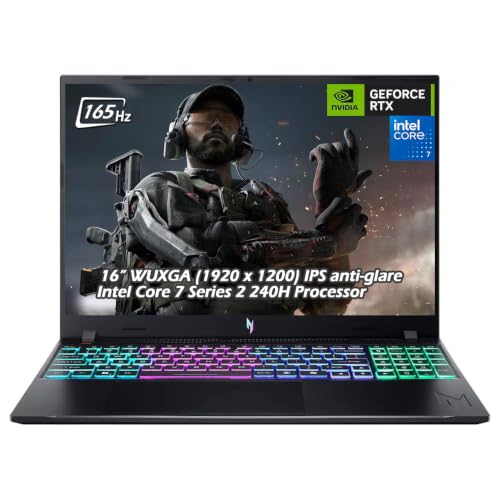
Acer Nitro V 16 RTX 5050 Gaming Laptop
Best for: balanced 1200p gaming with 32GB RAM
- Graphics Card
- RTX 5050
- Processor
- Intel Core 7 240H
- Memory
- 32GB DDR5
- Storage Capacity
- 1TB SSD
- Screen Size
- 16"
- Refresh Rate
- 165Hz
View on Amazon: Acer Nitro V 16 RTX 5050 Gaming Laptop (paid link)
The Acer Nitro V 16 RTX 5050 Gaming Laptop pairs an 8GB RTX 5050 graphics card with a 10-core Intel Core 7 240H processor. You get 32GB of DDR5 memory, a 1TB SSD, and a 16-inch 1920 x 1200 IPS display running at 165Hz with 400 nits brightness. It suits you if you need generous multitasking memory and a bright screen for everyday gaming.
Pros
- 32GB DDR5 memory paired with a 1TB PCIe NVMe SSD
- 400-nit 165Hz WUXGA display with 3ms response time
- 8GB GDDR7 RTX 5050 GPU with DLSS 4 support
- Four USB ports including USB-C with display output support
Cons
- Screen resolution capped at 1920 x 1200
- Wi-Fi 6 networking rather than Wi-Fi 6E or Wi-Fi 7
- Total weight is 4.63 pounds
Good fit if
- You want 32GB of system memory out of the box.
- You need a bright 400-nit display for well-lit rooms.
- You connect several wired accessories using standard USB ports.
Skip if
- You require a higher-resolution 1440p or 4K panel.
- You want the newer Wi-Fi 6E or Wi-Fi 7 wireless standard.
Verdict: Acer Nitro V 16 RTX 5050 Gaming Laptop delivers balanced performance with 32GB DDR5 RAM, a 400-nit 165Hz display, and a 10-core Intel Core 7 processor. It provides a complete hardware baseline for 1200p gaming.

Alienware 16 Aurora RTX 5050 Gaming Laptop
Best for: crisp WQXGA gaming with on-site support
- Graphics Card
- RTX 5050
- Processor
- Intel Core 7 240H
- Screen Size
- 16"
- Refresh Rate
- 120Hz
- Display Resolution
- WQXGA
- Dimensions
- 10.5 × 14.1 × 0.73 inches
View on Amazon: Alienware 16 Aurora RTX 5050 Gaming Laptop (paid link)
The Alienware 16 Aurora is a 16-inch gaming laptop built with an NVIDIA GeForce RTX 5050 GPU and an Intel Core 7 240H processor. You get a sharp 16.0-inch WQXGA panel running at a 120Hz refresh rate with 300 nits brightness. At 5.49 pounds and 0.73 inches thick, it features a Cryo-Chamber cooling design without a rear shelf. It suits you if you prioritize high screen resolution alongside modern graphics.
Pros
- 16-inch high-resolution WQXGA display
- NVIDIA GeForce RTX 5050 graphics and Intel Core 7 240H processor
- Cryo-Chamber cooling design without a rear thermal shelf
- Includes 1 Year Onsite Service
Cons
- 120Hz refresh rate is lower than typical 144Hz or 165Hz gaming screens
- Carries a heavier 5.49-pound total weight
- Screen brightness tops out at 300 nits
Good fit if
- You want a crisp WQXGA resolution display rather than standard 1080p or FHD+.
- You prefer the security of manufacturer-provided on-site hardware service.
- You want RTX 50-series graphics paired with an Intel Core 7 processor.
Skip if
- You require a faster 144Hz or 165Hz refresh rate for competitive esports.
- You need a portable laptop weighing under five pounds for travel.
Verdict: Alienware 16 Aurora RTX 5050 Gaming Laptop pairs detailed WQXGA visuals with dependable hardware in a slim chassis without a rear thermal shelf. It provides a balanced setup for gamers who value higher resolution over ultra-high refresh rates.

ASUS ROG Strix G16 165Hz RTX 5050 Gaming Laptop
Best for: players wanting fast panels and easy upgrades
- Graphics Card
- RTX 5050
- Processor
- Intel Core i5 Processor 14450HX
- Memory
- 16GB DDR5-5600MHz
- Storage Capacity
- 512GB PCIe Gen 4 SSD
- Screen Size
- 16”
- Refresh Rate
- 165Hz
View on Amazon: ASUS ROG Strix G16 165Hz RTX 5050 Gaming Laptop (paid link)
The ASUS ROG Strix G16 pairs an NVIDIA GeForce RTX 5050 GPU with an Intel Core i5-14450HX processor. You get a 16-inch FHD+ 165Hz display with a 16:10 aspect ratio and 3ms response time. The chassis includes a vapor chamber cooling system and tool-free internal access for upgrades. It suits you if you want modern graphics backed by high-refresh visuals and simple hardware maintenance.
Pros
- 16-inch 165Hz FHD+ display with 3ms response time and Dolby Vision HDR
- Tool-free sliding latch allows quick access to RAM, SSD, and fans
- MUX Switch with Advanced Optimus for automated graphics switching
- End-to-end vapor chamber cooling with liquid metal thermal compound
Cons
- 512GB PCIe Gen 4 SSD offers limited local game installation space
- 5.84-pound total weight makes daily travel heavier
Good fit if
- You prioritize high frame rates on a 165Hz 16:10 display.
- You want tool-free access to swap memory, storage, or clean fans.
- You need automatic switching between dedicated and integrated graphics.
Skip if
- You need more than 512GB of storage capacity immediately.
- You want a lightweight laptop under five pounds for daily commuting.
Verdict: ASUS ROG Strix G16 165Hz RTX 5050 Gaming Laptop provides entry-tier Blackwell graphics with high-refresh visuals and easy tool-free chassis maintenance. It delivers strong display and cooling hardware for everyday gaming.

GIGABYTE Gaming A16 16" Core i7 Laptop
Best for: portable Core i7 gaming and multitasking
- Graphics Card
- RTX 5050
- Processor
- Intel Core i7-13620H
- Screen Size
- 16"
- Dimensions
- 14.1 × 0.91 × 10.3 inches
- Weight
- 4.85 pounds
View on Amazon: GIGABYTE Gaming A16 16" Core i7 Laptop (paid link)
This 16-inch gaming laptop pairs an Intel Core i7-13620H processor with an NVIDIA GeForce RTX 5050 GPU. Its chassis measures 19.45 mm thick and features a 180-degree lay-flat hinge design. It suits you if you want a mid-sized portable setup for multitasking, content creation, and modern gaming without carrying a bulky traditional machine.
Pros
- Intel Core i7-13620H processor for multitasking and recording
- NVIDIA GeForce RTX 5050 Laptop GPU with DLSS 4 support
- Slim 19.45 mm (0.76-inch) chassis profile
- 180-degree lay-flat hinge design
Cons
- Display resolution and refresh rate are omitted from the specifications
- Weighs 4.85 pounds, which may feel heavy for constant travel
Good fit if
- You need an Intel Core i7 processor for multitasking and recording.
- You prefer a slim 0.76-inch profile with a 180-degree lay-flat hinge.
- You want an RTX 5050 GPU for modern Blackwell-generation graphical features.
Skip if
- You require verified display resolution and refresh rate specifications upfront.
- You want a sub-four-pound ultraportable machine for frequent daily commuting.
Verdict: GIGABYTE Gaming A16 16" Core i7 Laptop combines an Intel Core i7-13620H processor with RTX 5050 graphics in a slim 19.45 mm chassis. It delivers a balanced mix of processing power and portable form factor.

Acer Nitro V 16 RTX 5050 Laptop
Best for: Large built-in storage and memory capacity
- Graphics Card
- RTX 5050
- Processor
- Intel Core 7 240H
- Memory
- 32GB DDR5
- Storage Capacity
- 2TB SSD
- Screen Size
- 16"
- Refresh Rate
- 165Hz
View on Amazon: Acer Nitro V 16 RTX 5050 Laptop (paid link)
This Acer Nitro V 16 pairs an NVIDIA GeForce RTX 5050 8GB GPU with an Intel Core 7 240H 10-core processor. You get a 16-inch 1920 x 1200 IPS display running at 165Hz with 400 nits of brightness. With 32GB of DDR5 RAM and a 2TB SSD, it provides substantial memory and local storage out of the box. It suits you if you need ample space for game installations and smooth multitasking.
Pros
- 32GB DDR5 RAM and 2TB PCIe NVMe SSD
- 16-inch 165Hz WUXGA display with 400 nits brightness and 3ms response time
- Intel Core 7 240H 10-core processor reaching up to 5.20 GHz boost
- NVIDIA GeForce RTX 5050 GPU with 8GB GDDR7 memory
Cons
- Display resolution capped at 1920 x 1200
- Supports Wi-Fi 6 rather than Wi-Fi 6E or Wi-Fi 7
Good fit if
- You want 32GB of memory and 2TB of storage without doing manual upgrades.
- You prefer a 400-nit screen with a 16:10 aspect ratio and 165Hz refresh rate.
- You need multiple USB-A ports alongside HDMI 2.1 and USB-C connectivity.
Skip if
- You need a higher-resolution 1440p or 4K panel.
- You require the faster throughput of Wi-Fi 6E or Wi-Fi 7 networks.
Verdict: Acer Nitro V 16 RTX 5050 Laptop provides high-capacity 32GB RAM and 2TB storage configurations paired with a fast 165Hz, 400-nit display. It serves as a balanced option if you want ample capacity alongside dedicated Blackwell graphics right out of the box.

ASUS TUF Gaming F16 16-Inch Laptop
Best for: Durable 16-inch gaming with high GPU wattage
- Graphics Card
- RTX 5050
- Processor
- Intel Core i5 Processor 13450HX
- Memory
- 16GB DDR5
- Storage Capacity
- 512GB PCIe Gen4 SSD
- Screen Size
- 16"
- Refresh Rate
- 165Hz
View on Amazon: ASUS TUF Gaming F16 16-Inch Laptop (paid link)
The ASUS TUF Gaming F16 is a 16-inch laptop pairing an NVIDIA GeForce RTX 5050 graphics card with an Intel Core i5-13450HX processor. You get a 16:10 FHD+ screen running at 165Hz with 100% sRGB coverage and Adaptive-Sync support. It also delivers 16GB of system RAM and a 115W maximum TGP. This setup suits you if you need a durable machine for smooth everyday gaming and color-accurate work.
Pros
- 115W maximum TGP GPU with NVIDIA Advanced Optimus
- 165Hz FHD+ 16:10 display with 100% sRGB color gamut
- MIL-STD-810H military-grade durability testing standard
- 2nd Gen Arc Flow Fans with full-width heatsink cooling
Cons
- Intel Core i5 processor instead of Core i7 or i9
- FHD+ display resolution rather than QHD+
- Carries a 4.85-pound chassis weight
Good fit if
- You want a 115W high-wattage RTX 5050 configuration.
- You need a 100% sRGB color-accurate 165Hz display.
- You prioritize a rugged chassis tested to MIL-STD-810H standards.
Skip if
- You require a higher-tier Intel Core i7 or Core 7 processor.
- You want a screen with higher resolution than FHD+.
- You prefer a laptop that weighs under four pounds for daily travel.
Verdict: ASUS TUF Gaming F16 16-Inch Laptop combines a 115W RTX 5050 GPU with a 165Hz 100% sRGB screen inside a durable MIL-STD-810H chassis. It offers a balanced, high-power platform for esports and everyday computing without unnecessary bulk.

Acer Nitro V 15.6" RTX 5050 Gaming Laptop
Best for: budget-conscious 1080p high-refresh gaming
- Graphics Card
- RTX 5050
- Processor
- Intel Core i5-13420H
- Memory
- 16GB DDR4
- Storage Capacity
- 512GB PCIe Gen 4 SSD
- Screen Size
- 15.6"
- Refresh Rate
- 165Hz
View on Amazon: Acer Nitro V 15.6" RTX 5050 Gaming Laptop (paid link)
This Acer Nitro V pairs an NVIDIA GeForce RTX 5050 GPU with an Intel Core i5-13420H processor and 16GB of DDR4 memory. You get a 15.6-inch Full HD IPS screen with a 165Hz refresh rate for fluid gameplay, plus a 512GB PCIe Gen 4 SSD for quick load times. It suits you if you want modern RTX 5050 graphics and high-refresh 1080p display performance in an entry-level configuration.
Pros
- GeForce RTX 5050 GPU with 8GB dedicated GDDR7 VRAM
- 15.6-inch 1080p IPS display with 165Hz refresh rate
- Thunderbolt 4 port with up to 65W USB charging support
- Fast 512GB PCIe Gen 4 SSD
Cons
- Uses DDR4 system memory instead of newer DDR5
- 512GB storage capacity fills quickly with multiple modern games
- 8-core Core i5 processor offers fewer cores than Core i7 options
Good fit if
- You want an RTX 5050 GPU paired with a 165Hz refresh rate display.
- You need a versatile Thunderbolt 4 port that supports DisplayPort and charging.
- You target smooth 1080p gaming performance.
Skip if
- You need more than 512GB of built-in storage out of the box.
- You prefer faster DDR5 RAM over DDR4.
- You need a higher-tier CPU for intensive multi-threaded workloads.
Verdict: Acer Nitro V 15.6" RTX 5050 Gaming Laptop delivers modern GDDR7 graphics and a smooth 165Hz screen for 1080p gaming. Its DDR4 RAM and 512GB SSD keep the base hardware focused on everyday gaming essentials.

Lenovo LOQ 15.6" RTX 5050 Gaming Laptop
Best for: fast charging and durable aluminum construction
- Graphics Card
- RTX 5050
- Processor
- Intel® Core™ i7-13650HX
- Memory
- 24GB Memory
- Storage Capacity
- 1TB Storage
- Screen Size
- 15.6"
- Refresh Rate
- 144Hz
View on Amazon: Lenovo LOQ 15.6" RTX 5050 Gaming Laptop (paid link)
The Lenovo LOQ 15.6" RTX 5050 Gaming Laptop combines an Intel Core i7-13650HX processor with dedicated RTX 5050 graphics. Its 15.6-inch FHD display delivers a 144Hz refresh rate with NVIDIA G-Sync support for tear-free frames. The chassis features an aluminum lid and rapid charging that reaches 70% in under 30 minutes. This machine suits you if you want dependable processing power and sturdy construction for daily gaming and multitasking.
Pros
- Intel Core i7-13650HX processor
- 144Hz FHD IPS screen with NVIDIA G-Sync
- Rapid Charge Pro reaches 70% in under 30 minutes
- Protective aerospace-grade aluminum cover
Cons
- Chassis weight is over 5.2 pounds
- Keyboard lighting limited to standard white illumination
Good fit if
- You want an Intel Core i7-13650HX processor paired with RTX 5050 graphics.
- You value quick recharging up to 70% in under 30 minutes.
- You prefer a laptop build that includes an aluminum top cover.
Skip if
- You want a lighter gaming machine weighing under 5 pounds.
- You need a screen resolution sharper than 1080p FHD.
Verdict: Lenovo LOQ 15.6" RTX 5050 Gaming Laptop pairs high-tier Intel Core i7 processing with an aluminum lid and a 144Hz G-Sync display. It is a solid match if you prioritize durable construction and quick recharge capabilities.

Dell Alienware 16 Aurora QHD+ Gaming Laptop
Best for: sharp QHD+ visuals and heavy multitasking
- Graphics Card
- RTX 5050
- Processor
- Intel Core 7 240H
- Memory
- 32GB DDR5
- Storage Capacity
- 1TB SSD
- Screen Size
- 16"
- Refresh Rate
- 120Hz
View on Amazon: Dell Alienware 16 Aurora QHD+ Gaming Laptop (paid link)
The Dell Alienware 16 Aurora pairs an NVIDIA GeForce RTX 5050 graphics card with a 10-core Intel Core 7 240H processor. You get a sharp 16-inch QHD+ 2560x1600 display with a 120Hz refresh rate and full 100% sRGB coverage. With 32GB of DDR5 memory and a 1TB SSD, it gives you ample resources for heavy multitasking without immediate upgrades. It suits you if you want high-resolution gaming and substantial memory.
Pros
- Generous 32GB DDR5 memory and 1TB NVMe SSD
- Sharp 16-inch QHD+ (2560x1600) display with 100% sRGB color gamut
- Modern Wi-Fi 7 and Bluetooth 5.2 wireless support
- Supports up to three external displays via HDMI 2.1 and USB-C
Cons
- Refresh rate is capped at 120Hz
- Display brightness reaches only 300 nits
- Integrated webcam is limited to 720p resolution
Good fit if
- You need 32GB of RAM out of the box for demanding workloads.
- You prefer a crisp 2560x1600 resolution over standard 1080p or 1200p panels.
- You plan to connect multiple external monitors to your workstation.
Skip if
- You prioritize higher refresh rates beyond 120Hz for fast-paced competitive gaming.
- You want a lightweight machine under 5.68 pounds for daily travel.
- You need an integrated 1080p or sharper webcam for clear video conferencing.
Verdict: Dell Alienware 16 Aurora QHD+ Gaming Laptop delivers generous memory and a sharp 1600p screen, though its 120Hz refresh rate is modest for pure esports. It stands as a balanced choice if you prioritize workspace resolution and 32GB RAM over maximum frame rates.

ASUS ROG Strix G18 18-inch RTX 5050 Gaming Laptop
Best for: large-screen desktop replacement gaming setups
- Graphics Card
- RTX 5050
- Processor
- AMD Ryzen 9 8940HX
- Memory
- 16GB DDR5-5200MHz
- Storage Capacity
- 1TB PCIe Gen 4 SSD
- Screen Size
- 18"
- Refresh Rate
- 144Hz
View on Amazon: ASUS ROG Strix G18 18-inch RTX 5050 Gaming Laptop (paid link)
The ASUS ROG Strix G18 gives you an expansive 18-inch FHD+ 144Hz display paired with an NVIDIA GeForce RTX 5050 GPU and an AMD Ryzen 9 8940HX processor. Inside, you get 16GB of DDR5 memory and a 1TB PCIe Gen 4 SSD for your games. This laptop suits you if you want maximum screen space for gaming and multitasking at a desk while keeping dedicated RTX 5050 graphics.
Pros
- Large 18-inch 16:10 FHD+ display with 144Hz refresh rate and 3ms response time
- High-end AMD Ryzen 9 8940HX processor
- 1TB PCIe Gen 4 solid-state drive
- Tri-fan ROG Intelligent Cooling system with full-width heatsink
- Customizable RGB lightbar with a Stealth Mode lighting toggle
Cons
- FHD+ resolution across a large 18-inch screen size
- Heavy 5.51-pound chassis limits portability
- Base memory speed capped at DDR5-5200MHz
Good fit if
- You want an expansive 18-inch screen for desktop-style gaming.
- You need heavy multi-core CPU performance from a Ryzen 9 8940HX.
- You want advanced thermals featuring a tri-fan cooling layout.
Skip if
- You need a lightweight laptop for everyday travel.
- You prefer higher screen resolution than FHD+ on an 18-inch panel.
- You require display refresh rates beyond 144Hz.
Verdict: ASUS ROG Strix G18 18-inch RTX 5050 Gaming Laptop brings desktop-class screen size and high-tier AMD Ryzen 9 processing to the RTX 5050 lineup. It serves as a spacious desk-bound workstation if you favor display area over easy portability.

LG gram Pro 16 Ultra-Light RTX 5050 Laptop
Best for: ultraportable performance and large storage
- Graphics Card
- RTX 5050
- Processor
- Intel Core Ultra 9 285H
- Memory
- 32GB DDR5
- Storage Capacity
- 2TB SSD
- Screen Size
- 16"
- Refresh Rate
- 31Hz to 144Hz
View on Amazon: LG gram Pro 16 Ultra-Light RTX 5050 Laptop (paid link)
This 16-inch portable laptop pairs an NVIDIA GeForce RTX 5050 graphics card with an Intel Core Ultra 9 285H processor. You get 32GB of DDR5 system memory and a spacious 2TB solid-state drive inside a 3-pound, 0.62-inch chassis. It suits you if you need dedicated graphics for mobile tasks without carrying a heavy chassis, backed by a large 90Wh battery.
Pros
- Intel Core Ultra 9 285H processor with 32GB DDR5 memory
- Weighs only 3 pounds with a 0.62-inch slim profile
- Large 2TB solid-state drive for local storage
- High-capacity 90Wh battery
Cons
- Display refresh rate not listed in specifications
- Available port selection details omitted from specifications
Good fit if
- You want an ultra-light 3-pound laptop with an RTX 5050 GPU.
- You need high multitasking capacity from a Core Ultra 9 CPU and 32GB RAM.
- You require extensive onboard storage with a 2TB SSD.
Skip if
- You require a verified high refresh rate display for competitive gaming.
- You prefer a thicker gaming chassis designed specifically for maximum thermal headroom.
Verdict: LG gram Pro 16 Ultra-Light RTX 5050 Laptop delivers high-tier Core Ultra 9 processing, 32GB of RAM, and 2TB of storage in an exceptionally light 3-pound design. It gives you capable mobile computing and dedicated RTX 5050 graphics without typical gaming laptop bulk.
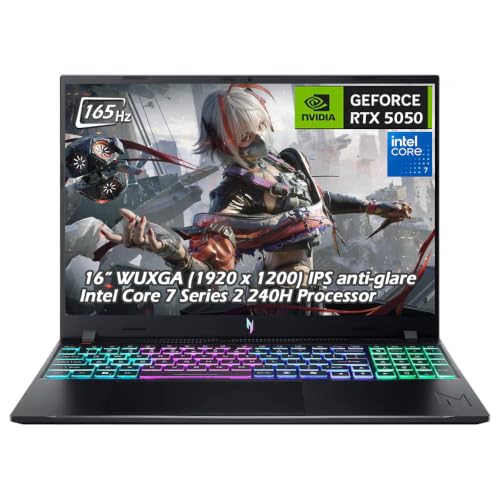
Acer Nitro V 16 RTX 5050 Laptop
Best for: gamers needing 2TB storage out of box
- Graphics Card
- RTX 5050
- Processor
- Intel Core 7 240H
- Memory
- 16GB DDR5
- Storage Capacity
- 2TB SSD
- Screen Size
- 16"
- Refresh Rate
- 165Hz
View on Amazon: Acer Nitro V 16 RTX 5050 Laptop (paid link)
This Acer Nitro V 16 pairs an Intel Core 7 240H processor with an 8GB RTX 5050 graphics card. You get a 16-inch 1920 x 1200 IPS display running at 165Hz with 400 nits brightness and a 3ms response time. With 16GB of DDR5 memory and a 2TB SSD, it provides generous internal space for your library without needing immediate hardware upgrades.
Pros
- Spacious 2TB PCIe NVMe solid-state drive
- Bright 400-nit 165Hz WUXGA display with 3ms response time
- 8GB GDDR7 RTX 5050 GPU with DLSS 4 support
- 10-core Intel Core 7 240H processor reaching up to 5.20 GHz boost
Cons
- Display resolution is limited to 1920 x 1200
- Wireless connectivity relies on Wi-Fi 6 rather than Wi-Fi 6E or 7
Good fit if
- You want 2TB of fast onboard storage without upgrading the drive yourself.
- You prefer a bright 400-nit, 16:10 display for gaming in well-lit rooms.
Skip if
- You need a higher screen resolution than 1200p.
- You require more than 16GB of system memory out of the box.
Verdict: Acer Nitro V 16 RTX 5050 Laptop delivers a bright 165Hz screen and a massive 2TB drive for players wanting substantial storage alongside solid 1200p gaming specs.

Dell Alienware 16 WQXGA RTX 5050 Laptop
Best for: gamers wanting high-resolution WQXGA visuals
- Graphics Card
- RTX 5050
- Processor
- Intel Core 7 240H
- Memory
- 16GB DDR5
- Storage Capacity
- 1TB PCIe SSD
- Screen Size
- 16"
- Refresh Rate
- 120Hz
View on Amazon: Dell Alienware 16 WQXGA RTX 5050 Laptop (paid link)
This Dell Alienware 16 laptop pairs an Intel Core 7 240H processor with an NVIDIA GeForce RTX 5050 8GB GDDR7 graphics card. You get a 16-inch WQXGA display running at 120Hz, 16GB of DDR5 memory, and a 1TB PCIe SSD for internal storage. It also includes modern connectivity like Wi-Fi 7 and dual Type-C ports with DisplayPort output. It suits you if you want sharp WQXGA visuals and fast wireless speeds.
Pros
- Sharp 16-inch WQXGA resolution display
- Fast Wi-Fi 7 and Bluetooth 5.4 wireless
- NVIDIA RTX 5050 GPU with 8GB GDDR7 VRAM
- Bundled 7-in-1 docking station with 1TB extra storage
Cons
- Display refresh rate tops out at 120Hz
- Original packaging opened for component upgrades
- Chassis weighs 5.49 lb
Good fit if
- You want a higher-resolution WQXGA panel over standard 1080p.
- You need modern network specs like Wi-Fi 7 and RJ45 Ethernet.
- You want external dock storage included in the package.
Skip if
- You require a faster 144Hz or 165Hz screen for esports.
- You want a machine with an untouched factory seal.
- You need an ultralight machine under five pounds.
Verdict: Dell Alienware 16 WQXGA RTX 5050 Laptop provides high-resolution gaming and modern Wi-Fi 7 connectivity. It is a solid pick if you value WQXGA sharpness over competitive 165Hz frame rates.

MSI Cyborg A15 15.6" Ryzen 7 Gaming Laptop
Best for: portable AMD Ryzen 7 gaming
- Graphics Card
- RTX 5050
- Processor
- Ryzen 7 260
- Memory
- 16GB DDR5
- Storage Capacity
- 1TB SSD
- Screen Size
- 15.6"
- Refresh Rate
- 144Hz
View on Amazon: MSI Cyborg A15 15.6" Ryzen 7 Gaming Laptop (paid link)
The MSI Cyborg A15 pairs an AMD Ryzen 7 260 processor with NVIDIA GeForce RTX 5050 graphics and 16GB of DDR5 memory. You get a 15.6-inch Full HD screen running at 144Hz, alongside a 1TB solid-state drive for your game installs. Weighing 4.29 pounds, it suits you if you need portable hardware capable of handling everyday tasks and modern gaming without carrying a heavy machine.
Pros
- AMD Ryzen 7 260 processor paired with RTX 5050 graphics
- 15.6-inch FHD display with a 144Hz refresh rate
- 1TB SSD storage and 16GB DDR5 memory
- Lightweight chassis weighing 4.29 pounds
Cons
- 144Hz refresh rate is lower than 165Hz alternatives
- FHD resolution provides less screen space than QHD options
Good fit if
- You want an AMD Ryzen 7 processor alongside RTX 5050 graphics.
- You need a lighter 4.29-pound laptop for everyday carry.
- You want 1TB of built-in storage for your game library.
Skip if
- You prefer a faster display refresh rate like 165Hz.
- You want a higher resolution display than 1080p FHD.
Verdict: MSI Cyborg A15 15.6" Ryzen 7 Gaming Laptop combines an AMD Ryzen 7 processor with RTX 5050 graphics in a portable 4.29-pound chassis. It delivers a balanced spec sheet for productivity and high-refresh Full HD gaming.
Alienware 16" Core 7 240H RTX 5050 Laptop
Best for: multitaskers needing 32GB RAM and 1TB storage
- Graphics Card
- RTX 5050
- Processor
- Intel Core 7 240H
- Memory
- 32GB DDR5 5600 MHz
- Storage Capacity
- 1TB PCI-E NVMe M.2 SSD
- Screen Size
- 16"
- Refresh Rate
- 120Hz
View on Amazon: Alienware 16" Core 7 240H RTX 5050 Laptop (paid link)
This Alienware 16-inch gaming laptop pairs an NVIDIA GeForce RTX 5050 graphics card with an Intel Core 7 240H processor. You get a sharp 16-inch WQXGA 2560 by 1600 display along with 32GB of DDR5 memory and a 1TB NVMe solid-state drive. It suits you if you want double the standard memory, generous built-in storage, and fast Wi-Fi 7 networking for everyday play and multitasking.
Pros
- 32GB DDR5 5600 MHz system memory
- Sharp 16-inch 2560 x 1600 display with 100% sRGB
- Fast MediaTek Wi-Fi 7 and Bluetooth 5.3 connectivity
- 1TB PCI-E NVMe M.2 solid-state drive
Cons
- Display refresh rate is limited to 120Hz
- Heavy carry weight at 7 pounds
- Display brightness tops out at 300 nits
Good fit if
- You need 32GB of RAM for heavy multitasking or background applications.
- You want a higher-resolution 2560 x 1600 screen rather than standard 1080p.
- You connect to Wi-Fi 7 networks for high-speed wireless data.
Skip if
- You prefer a competitive 144Hz or 165Hz refresh rate for fast-paced shooters.
- You prioritize a lightweight machine for frequent travel, as this weighs 7 pounds.
- You need a bright screen above 300 nits for outdoor or high-glare environments.
Verdict: Alienware 16 RTX 5050 Gaming Laptop brings standout memory capacity with 32GB of DDR5 RAM and a sharp 1600p panel. It provides solid hardware for high-detail gaming and heavy multitasking, though its 120Hz refresh rate and 7-pound weight remain noticeable trade-offs.
Specifications side by side
| Spec | Acer Nitro V 16 RTX 5050 Gaming Laptop | Alienware 16 Aurora RTX 5050 Gaming Laptop | ASUS ROG Strix G16 165Hz RTX 5050 Gaming Laptop | GIGABYTE Gaming A16 16" Core i7 Laptop | Acer Nitro V 16 RTX 5050 Laptop | ASUS TUF Gaming F16 16-Inch Laptop | Acer Nitro V 15.6" RTX 5050 Gaming Laptop | Lenovo LOQ 15.6" RTX 5050 Gaming Laptop | Dell Alienware 16 Aurora QHD+ Gaming Laptop | ASUS ROG Strix G18 18-inch RTX 5050 Gaming Laptop | LG gram Pro 16 Ultra-Light RTX 5050 Laptop | Acer Nitro V 16 RTX 5050 Laptop | Dell Alienware 16 WQXGA RTX 5050 Laptop | MSI Cyborg A15 15.6" Ryzen 7 Gaming Laptop | Alienware 16" Core 7 240H RTX 5050 Laptop |
|---|---|---|---|---|---|---|---|---|---|---|---|---|---|---|---|
| Graphics Card | NVIDIA GeForce RTX 5050 Laptop GPU | NVIDIA GeForce RTX 5050 | NVIDIA GeForce RTX 5050 Laptop GPU | NVIDIA GeForce RTX 5050 | NVIDIA GeForce RTX 5050 Laptop GPU | NVIDIA GeForce RTX 5050 | NVIDIA GeForce RTX 5050 8GB GDDR7 | NVIDIA® GeForce RTX™ 5050 | NVIDIA GeForce RTX 5050 8GB | NVIDIA GeForce RTX 5050 | NVIDIA RTX 5050 | NVIDIA GeForce RTX 5050 Laptop GPU | NVIDIA GeForce RTX 5050 8GB GDDR7 | GeForce RTX 5050 | NVIDIA GeForce RTX 5050 8GB GDDR7 |
| Processor | Intel Core 7 240H | Intel Core 7 240H | Intel Core i5 Processor 14450HX | Intel Core i7-13620H | Intel Core 7 240H | Intel Core i5 Processor 13450HX | Intel Core i5-13420H | Intel® Core™ i7-13650HX | Intel Core 7 240H | AMD Ryzen 9 8940HX | Intel Core Ultra 9 285H | Intel Core 7 240H | Intel Core 7 240H | Ryzen 7 260 | Intel Core 7 240H |
| Memory | 32GB DDR5 | not specified | 16GB DDR5-5600MHz | not specified | 32GB DDR5 | 16GB DDR5 | 16GB DDR4 | 24GB Memory | 32GB DDR5 | 16GB DDR5-5200MHz | 32GB DDR5 | 16GB DDR5 | 16GB DDR5 | 16GB DDR5 | 32GB DDR5 5600 MHz |
| Storage Capacity | 1TB SSD | not specified | 512GB PCIe Gen 4 SSD | not specified | 2TB SSD | 512GB PCIe Gen4 SSD | 512GB PCIe Gen 4 SSD | 1TB Storage | 1TB SSD | 1TB PCIe Gen 4 SSD | 2TB SSD | 2TB SSD | 1TB PCIe SSD | 1TB SSD | 1TB PCI-E NVMe M.2 SSD |
| Screen Size | 16" | 16" | 16” | 16" | 16" | 16" | 15.6" | 15.6" | 16" | 18" | 16" | 16" | 16" | 15.6" | 16" |
| Refresh Rate | 165Hz | 120Hz | 165Hz | not specified | 165Hz | 165Hz | 165Hz | 144Hz | 120Hz | 144Hz | 31Hz to 144Hz | 165Hz | 120Hz | 144Hz | 120Hz |
| Display Resolution | 1920 x 1200 | WQXGA | FHD+ | not specified | 1920 x 1200 | FHD+ | 1920 x 1080 | FHD | 2560x1600 | FHD+ | not specified | 1920 x 1200 | WQXGA | FHD | 2560 x 1600 |
| Storage | 1TB SSD | not specified | not specified | not specified | 2TB SSD | not specified | 512GB SSD | not specified | 1TB SSD | 1TB SSD | 2TB SSD | 2TB SSD | 1TB SSD | 1TB SSD | 1TB SSD |
| Size | not specified | 16.0" Screen | not specified | not specified | 32GB+2TB | 0.70 | i5|RTX 5050|512GB PCIe SSD | not specified | not specified | 1.21" x 15.7" x 11.6" | not specified | Core 7 240H | 16GB+2TB | 16GB | 1TB PCIe SSD | 16GB RAM | 1TB SSD | 32GB RAM | 1TB SSD |
| Dimensions | 0.78 × 10.2 × 14 inches | 10.5 × 14.1 × 0.73 inches | 13.9 × 1.21 × 1.55 inches | 14.1 × 0.91 × 10.3 inches | 0.78 × 10.2 × 14 inches | 13.9 × 10.6 × 0.7 inches | 14.3 × 0.93 × 9.44 inches | 14.2 × 10.2 × 0.94 inches | 14.1 × 10.5 × 0.89 inches | 15.7 × 0.91 × 11.6 inches | 14.1 × 9.9 × 0.62 inches | 0.78 × 10.2 × 14 inches | 22 × 13 × 3 inches | 14.2 × 0.91 × 9.66 inches | 20 × 4 × 14 inches |
| Weight | 4.63 pounds | 5.49 pounds | 5.84 pounds | 4.85 pounds | 4.63 pounds | 4.85 pounds | 4.66 pounds | 5.29 pounds | 5.68 pounds | 5.51 pounds | 3 pounds | 4.63 pounds | 11 pounds | 4.29 pounds | 7 pounds |
| Color | Obsidian Black | Blue | Eclipse Gray | Black Steel | Obsidian Black | Jaeger Gray | Obsidian Black | Luna Gray | White | Black | Black | Obsidian Black | Indigo | Black | Indigo |
| Model | not specified | LAC16250-7193BLU-PUS | G615JHR-DS53 | GAMING A16 CTHI3US894SH | not specified | FX608JH-SS53 | Intel Core i5-13420H | LOQ 15 | Alienware 16 Aurora | G814PH-ES94 | 16Z90TR-E.ADB9U1 | not specified | Dell Alienware | CYBORGA15B2074 | Alienware |
Is an RTX 5050 Gaming Laptop Worth It?
The RTX 5050 brings dedicated Blackwell architecture and GDDR7 memory to everyday laptops. In practice, this GPU powers 1080p and 1200p gaming across displays reaching 144Hz or 165Hz refresh rates. Configurations scale up to 115W GPU wattage in models built for high-power esports. It also drives higher-resolution WQXGA and QHD+ panels for detailed visual workloads. This dedicated hardware handles mobile computing tasks without requiring heavy chassis designs, appearing in laptops ranging from three-pound ultraportables to large eighteen-inch desktop replacements.
Worth it if
- You target 1080p or 1200p gaming on high-refresh panels up to 165Hz.
- You want dedicated Blackwell GDDR7 graphics in lightweight chassis starting at three pounds.
- You play esports titles that benefit from GPU power targets up to 115W.
Skip it if
- You require higher than entry-tier graphics hardware for your gaming setup.
- You need panel refresh rates exceeding 165Hz for competitive play.
If you do not need portable hardware, an RTX 5060 gaming desktop delivers higher graphics power limits and distinct cooling specifications for fixed setups.
How We Picked These Laptops
To find qualifying laptops, we selected models whose Amazon listings state the RTX 5050 graphics card in the title or feature list. All details come strictly from published specifications, and products are not physically handled. We include only one variant per product family so you can view distinct chassis designs.
The 15 selections are ordered with products in stock first, then by Amazon sales rank (better-selling products first). Beyond the graphics chip, we compared supporting specifications including processor type, display refresh rate, installed memory, and storage capacity. This spec-based approach helps you find the right configuration for your needs.
Choosing the Right RTX 5050 Gaming Laptop
-
Match Memory to Your Workload
Check the installed RAM before buying. Baseline models offer 16GB of RAM, which handles standard modern games and regular background tasks without issue. If you run heavy creative applications, stream while playing, or want headroom for future game updates, look for 32GB or even 64GB configurations. The Acer Nitro V 16 provides 32GB of DDR5 memory out of the box. Choosing the correct capacity immediately saves you from opening the chassis or managing memory shortages during intense gaming sessions.
-
Select the Right Processor Tier
Evaluate the processor based on your primary computing needs. An Intel Core i5 or Core 7 processor handles standard gaming well, pairing smoothly with the RTX 5050 graphics chip. If you perform demanding multithreaded tasks, video encoding, or high-end productivity alongside gaming, look for higher processor classes like the AMD Ryzen 9 or Intel Core Ultra 9. The ASUS ROG Strix G18 includes an AMD Ryzen 9 processor for heavy computational loads. Make sure you select a CPU tier that matches your multitasking habits.
-
Assess Solid-State Storage Needs
Storage capacity directly affects how many large games you can keep installed simultaneously. Modern gaming installations occupy considerable space. A 512GB SSD serves as an entry baseline, which requires disciplined file management once your operating system and favorite titles are stored. Choosing a 1TB or 2TB solid-state drive provides comfortable headroom for extensive game libraries without relying on external drives. The Acer Nitro V 15.6" Gaming Laptop includes a 512GB SSD, making it suitable if you maintain a selective catalog rather than archiving dozens of games.
-
Choose Your Screen Size
Screen size determines both your viewing field and overall chassis footprint. A compact 15.6-inch panel fits standard backpacks and compact computer bags easily. Step up to a 16-inch display if you want slightly more vertical room and a modern aspect ratio without adding excessive bulk. For players wanting a true desktop replacement setup, an 18-inch screen provides the largest viewable surface for gaming and workspace organization. The MSI Cyborg A15 uses a traditional 15.6-inch screen, making it a sensible choice if you prioritize standard dimensions over extra viewing area.
-
Check Weight and Portability
Laptop weight varies significantly across this category and directly influences daily transport. Standard gaming laptops often weigh around 4.5 to 5.5 pounds due to internal thermal modules and battery assemblies. If you travel frequently or carry your laptop across campus daily, total weight becomes a vital specification to check. The LG gram Pro 16 weighs just 3 pounds, delivering dedicated RTX 5050 hardware in an exceptionally lightweight frame. Heavier alternatives remain stable on a desk, but choosing a lighter chassis prevents fatigue during regular commutes.
-
Evaluate Chassis Build Quality
Look closely at exterior materials and construction ratings if you handle your machine frequently. Gaming laptop builds range from standard plastic housings to reinforced aluminum lids and military-tested enclosures. Sturdier materials withstand repeated handling, backpack pressure, and daily transit better over time. The Lenovo LOQ 15.6" Laptop incorporates an aluminum lid, providing extra rigid protection for the display panel compared to basic plastic shells. Assessing build materials before purchasing ensures your laptop withstands your routine travel environment without flexing or exterior wear.
Frequently asked questions
What processor options come paired with an RTX 5050 gaming laptop?
You can find RTX 5050 laptops configured with Intel Core i5, Core i7, Core 7, and Core Ultra 9 processors, alongside AMD Ryzen 7 and Ryzen 9 options. For example, the MSI Cyborg A15 runs on an AMD Ryzen 7, whereas the ASUS ROG Strix G18 includes an AMD Ryzen 9. Intel options span from the Core i5 in the ASUS TUF Gaming F16 to the Core Ultra 9 inside the LG gram Pro 16.
How much system memory is available in RTX 5050 laptops?
System memory in these laptops ranges from 16GB up to 64GB of RAM. Standard configurations, like the ASUS ROG Strix G16 and ASUS TUF Gaming F16, supply 16GB of memory. Stepping up, the Acer Nitro V 16 provides 32GB of DDR5 RAM. For extreme multitasking or workstation tasks, the Dell Alienware 16 offers configurations built with up to 64GB of RAM.
What screen sizes can you get with an RTX 5050 graphics card?
You can choose between 15.6-inch, 16-inch, and 18-inch screen sizes across this GPU category. Portable 15.6-inch displays appear on the Acer Nitro V 15 and MSI Cyborg A15. Most models, including the Alienware 16 Aurora and GIGABYTE Gaming A16, feature 16-inch panels. If you want a desktop replacement screen, the ASUS ROG Strix G18 provides an 18-inch display panel.
What internal SSD storage capacities are available out of the box?
Installed solid-state drives range from 512GB to 2TB across RTX 5050 laptops. The Acer Nitro V 15.6 provides a baseline 512GB PCIe SSD. Many options, such as the Alienware 16 Aurora QHD+ and MSI Cyborg A15, include standard 1TB drives. If you need maximum space for games and files without upgrading later, models like the Acer Nitro V 16 and LG gram Pro 16 come equipped with 2TB SSDs.
How light is the most portable RTX 5050 gaming laptop?
The lightest model is the LG gram Pro 16, weighing exactly 3 pounds with a 0.62-inch thickness. Other portable options include the MSI Cyborg A15 at 4.29 pounds and the Acer Nitro V 16 at 4.63 pounds. Most standard 16-inch builds weigh between 4.85 and 5.84 pounds, while heavy-duty desktop-replacement chassis can reach up to 11 pounds.
Which RTX 5050 laptops feature high display brightness and color accuracy?
Display specifications vary notably depending on panel design. The Acer Nitro V 16 models offer a 400-nit panel with a 165Hz refresh rate for improved visibility in bright environments. Meanwhile, the ASUS TUF Gaming F16 features 100% sRGB color space coverage paired with its 165Hz display. These specific panel ratings give you sharper, more vivid visuals compared to entry-level displays.
What connectivity and chassis build standards do RTX 5050 laptops offer?
Chassis materials and wireless standards differ across models. The Lenovo LOQ 15.6 features an aluminum lid and fast-charging capability, while the ASUS TUF Gaming F16 meets MIL-STD-810H military durability standards. For wireless speeds, models like the Dell Alienware 16 WQXGA include modern Wi-Fi 7 connectivity. If you plan regular upgrades, the ASUS ROG Strix G16 offers tool-free chassis maintenance for easier internal access.